
Mapa mental
Chapter 2 - Software & Hardware
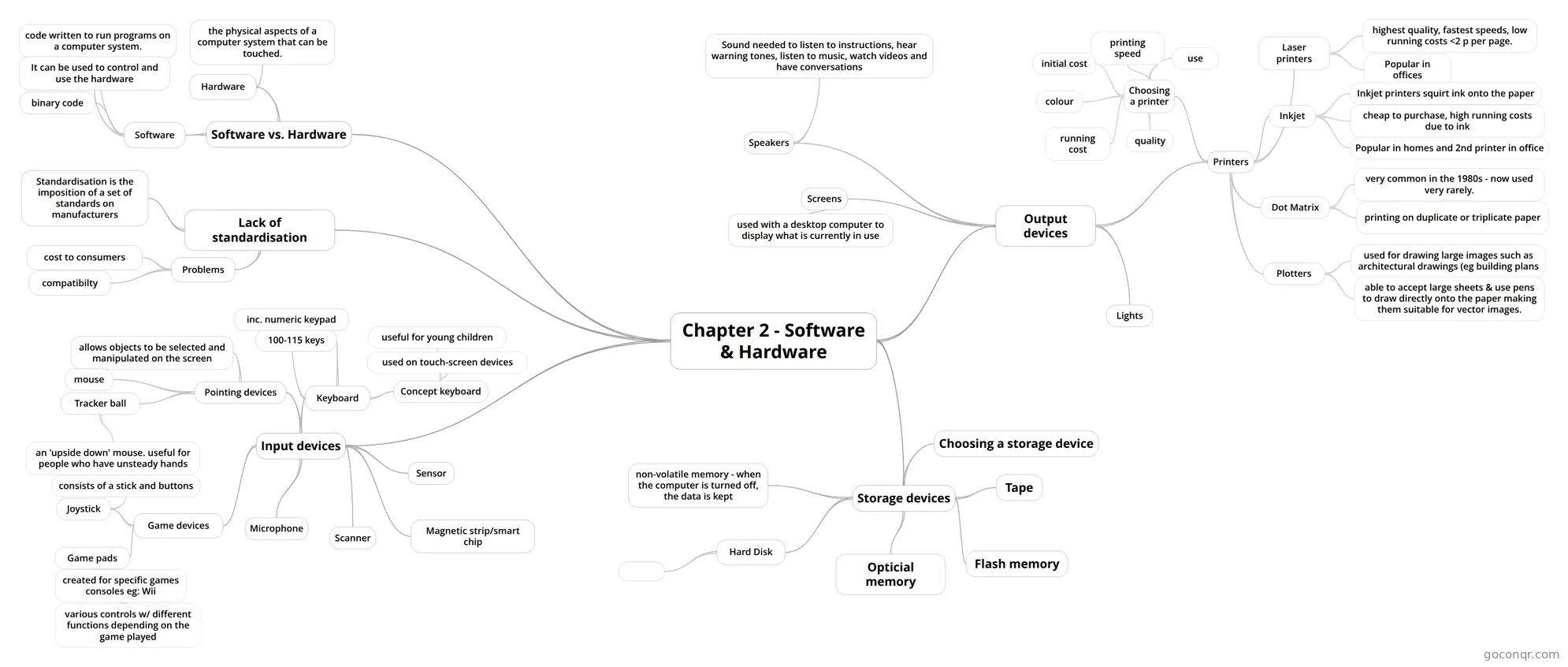
Mind map: Software and hardware
Contenido del mapa
Chapter 2 - Software & Hardware
Software vs. Hardware
- Software
- code written to run programs on a computer system.
- It can be used to control and use the hardware
- binary code
- Hardware
- the physical aspects of a computer system that can be touched.
- Software
Lack of standardisation
- Standardisation is the imposition of a set of standards on manufacturers
- Problems
- cost to consumers
- compatibilty
Input devices
- Keyboard
- 100-115 keys
- inc. numeric keypad
- Concept keyboard
- useful for young children
- used on touch-screen devices
- Pointing devices
- allows objects to be selected and manipulated on the screen
- mouse
- Tracker ball
- an 'upside down' mouse. useful for people who have unsteady hands
- Game devices
- Joystick
- consists of a stick and buttons
- Game pads
- created for specific games consoles eg: Wii
- various controls w/ different functions depending on the game played
- created for specific games consoles eg: Wii
- Joystick
- Magnetic strip/smart chip
- Scanner
- Microphone
- Sensor
- Keyboard
Output devices
- Screens
- used with a desktop computer to display what is currently in use
- Speakers
- Sound needed to listen to instructions, hear warning tones, listen to music, watch videos and have conversations
- Lights
- Printers
- Laser printers
- highest quality, fastest speeds, low running costs <2 p per page.
- Popular in offices
- Inkjet
- Inkjet printers squirt ink onto the paper
- cheap to purchase, high running costs due to ink
- Popular in homes and 2nd printer in office
- Dot Matrix
- very common in the 1980s - now used very rarely.
- printing on duplicate or triplicate paper
- Plotters
- used for drawing large images such as architectural drawings (eg building plans
- able to accept large sheets & use pens to draw directly onto the paper making them suitable for vector images.
- Choosing a printer
- use
- printing speed
- initial cost
- running cost
- quality
- colour
- Laser printers
- Screens
Storage devices
- non-volatile memory - when the computer is turned off, the data is kept
- Hard Disk
- Opticial memory
- Tape
- Flash memory
- Choosing a storage device