
28599030
Descrição

FlashCards por Rosa Luz Estevané Rodríguez, atualizado more than 1 year ago

|
Criado por Rosa Luz Estevané Rodríguez
mais de 5 anos atrás
|
|
| Questão | Responda |
| Apps Design and Development 1st Partial Exam | Instructions: 1. The exam will be in Canvas 2. Bring your computer fully charged with with Respondus Lockdown browser installed |
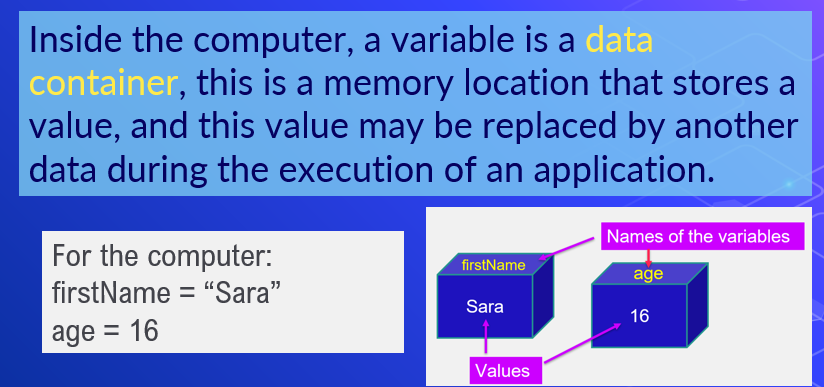
| What is a variable? | |
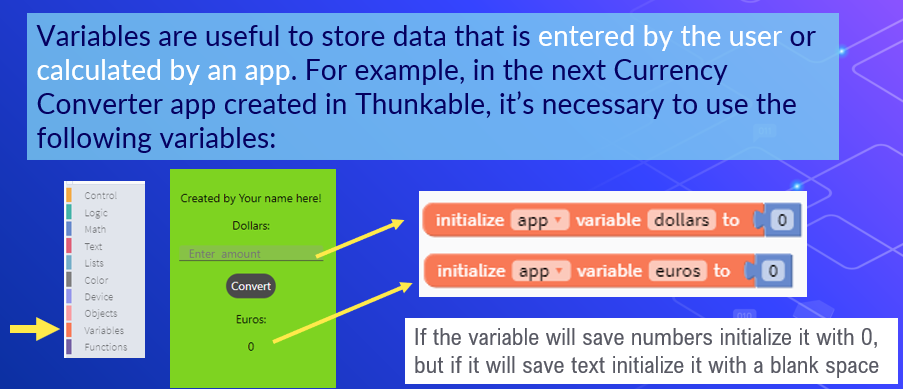
| When and how should you use a variable? | |
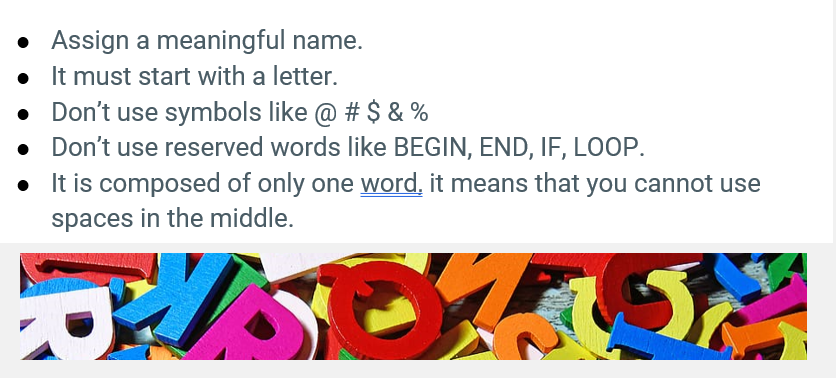
| Which are the rules to name a variable? | |
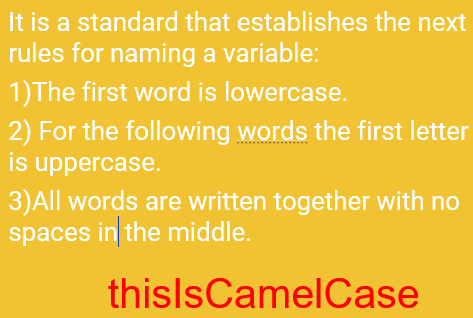
| What is camelCase? | |
| Select the only valid variable name : a) street.name b) #product c) 3rd semester d) appName | The only valid name is: d) appName Variable names should not have special characters, spaces and must start with a letter |
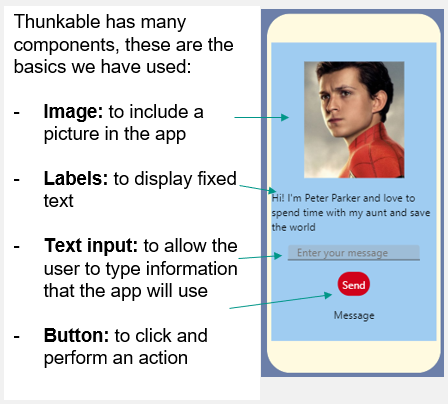
| Name the basic components of a Thunkable app | |
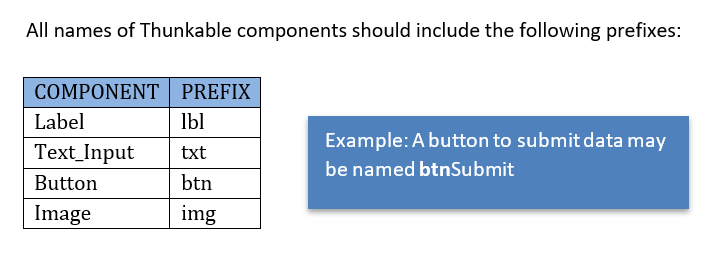
| Which are the prefixes to name each Thunkable component? | |
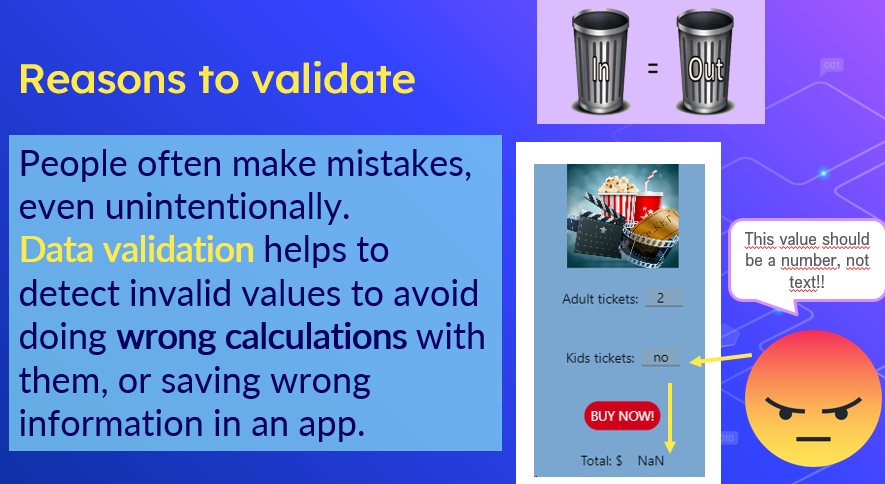
| What is data validation? | It's the process carried out by the app to ensure the data entered by the user is logical, complete, and within acceptable limits. |
| Why is data validation necessary? | |
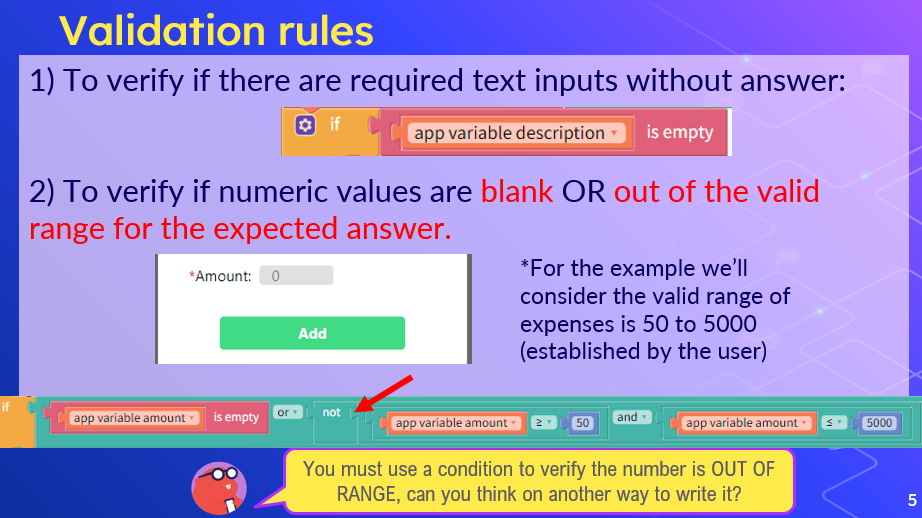
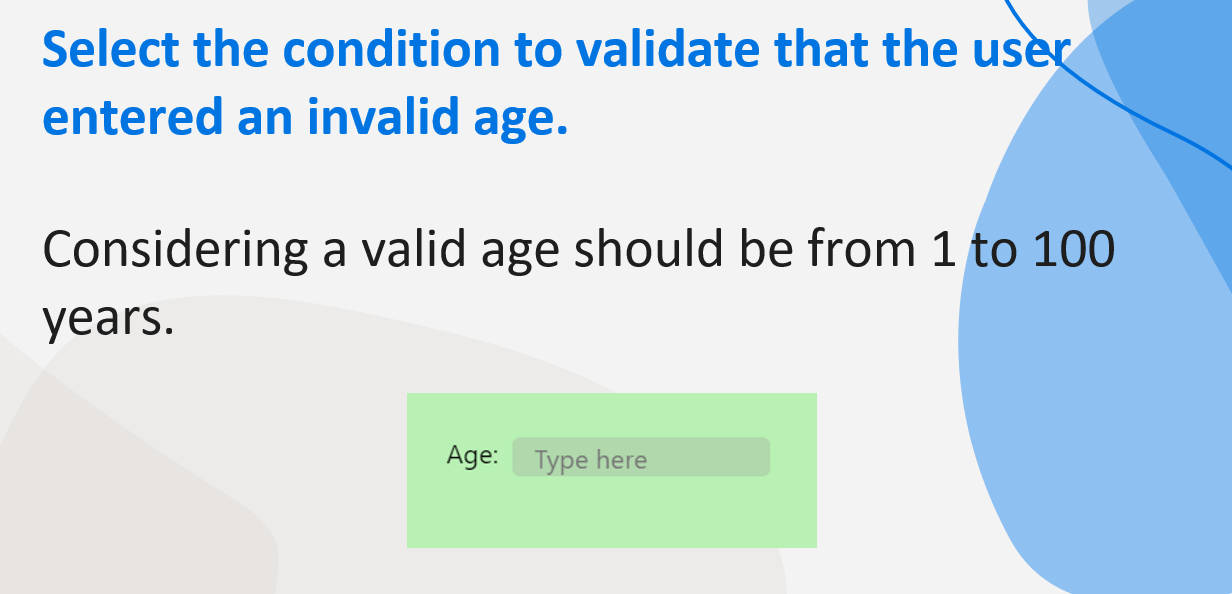
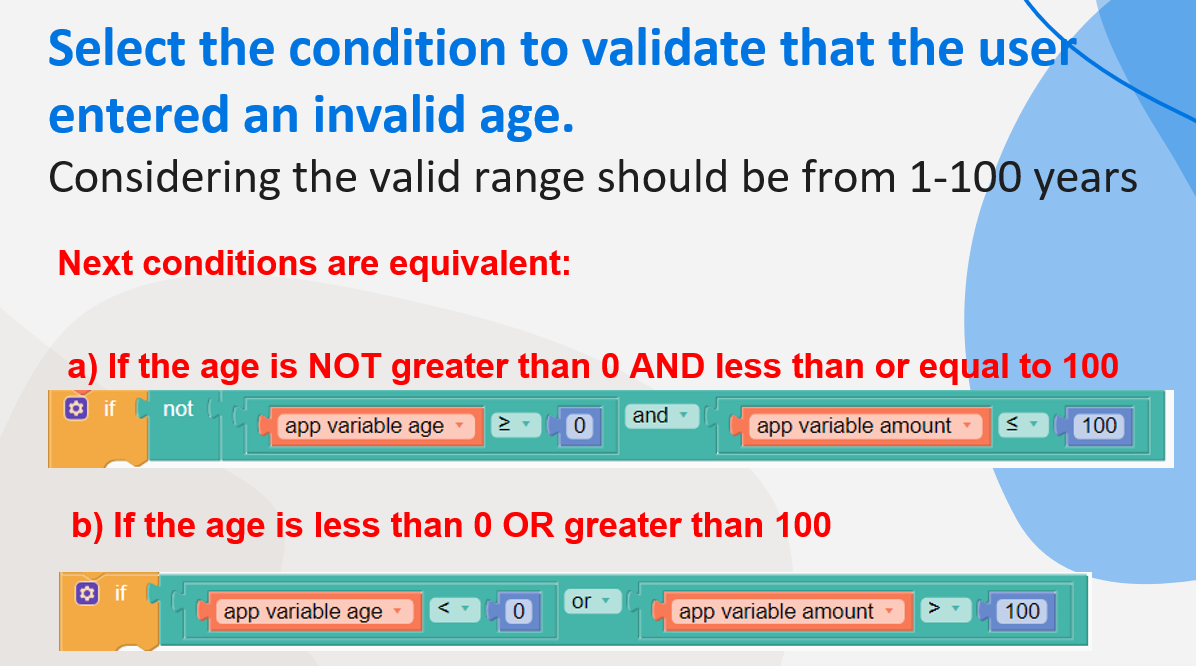
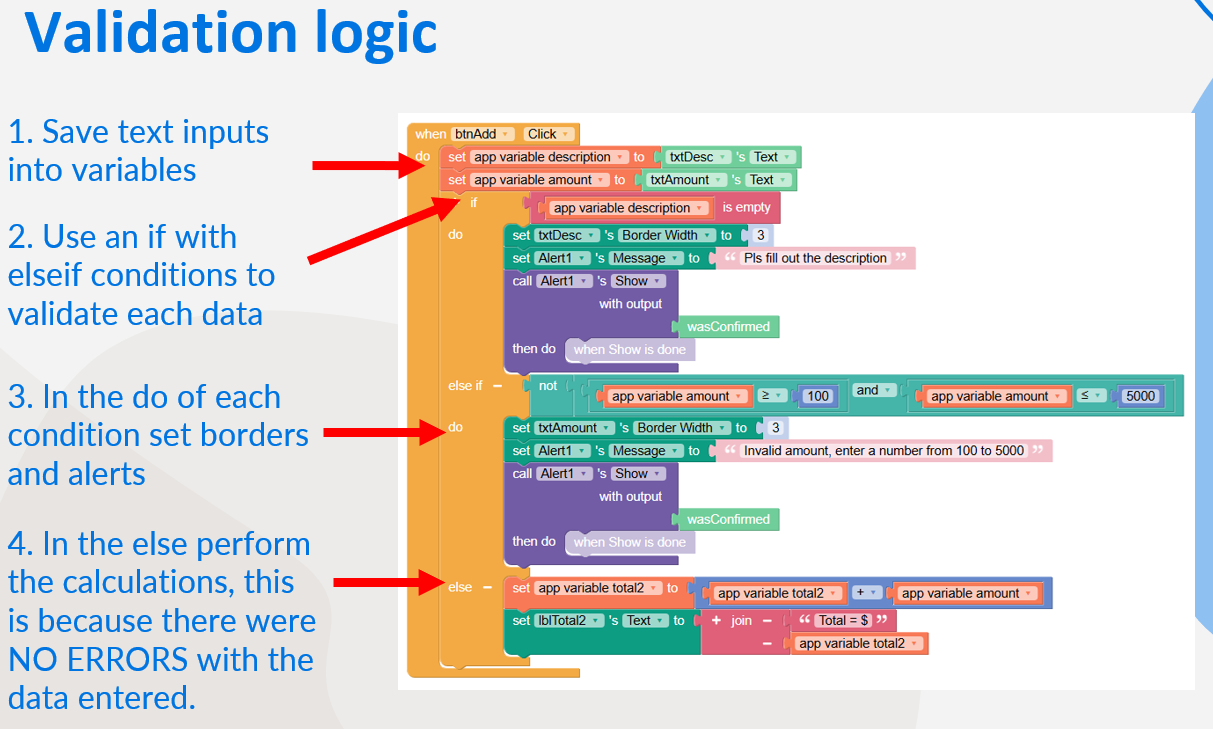
| Which are the basic validation rules? | |
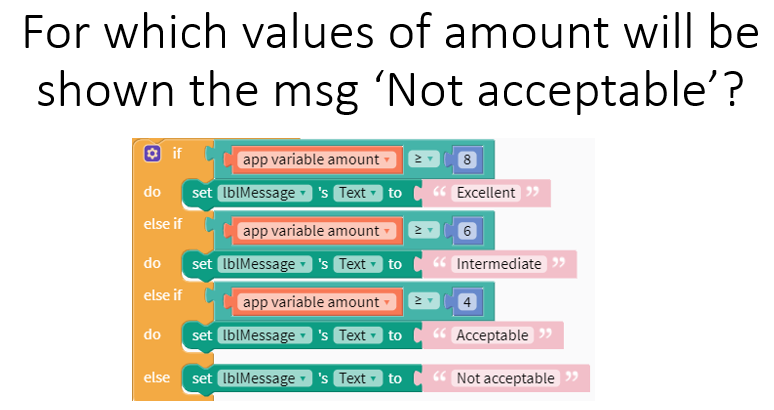
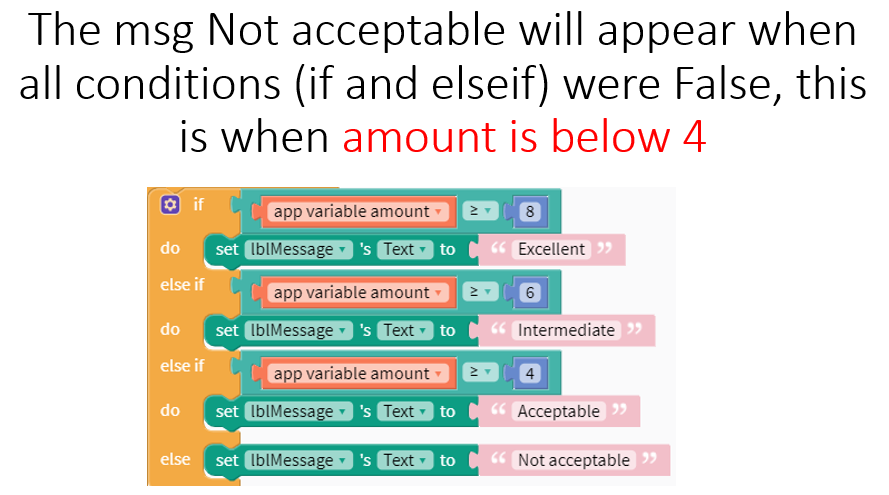
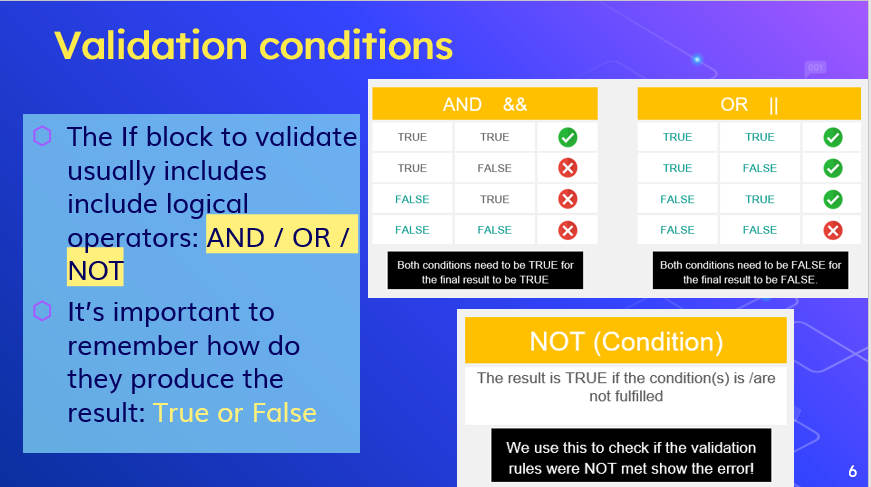
| What are the results when a condition includes the keywords AND / OR / NOT? | |
| ¿ | |
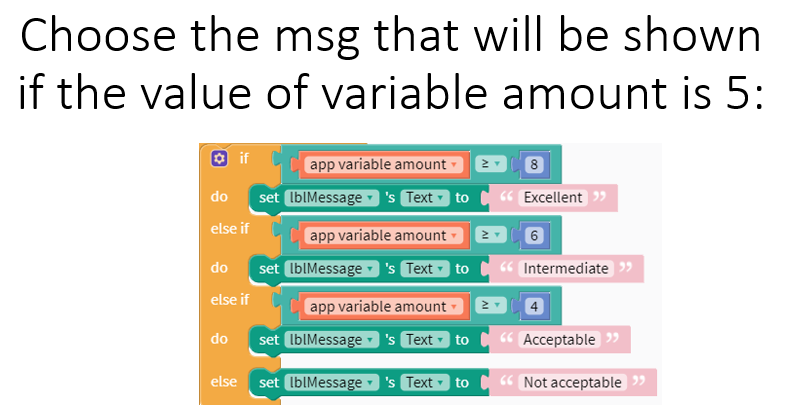
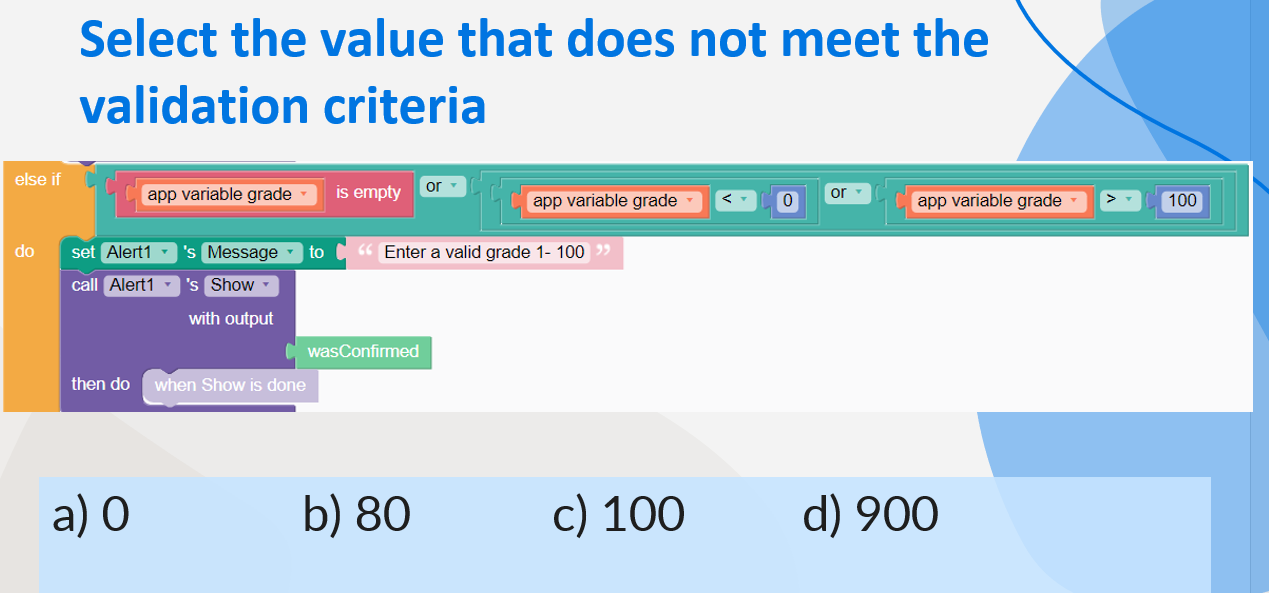
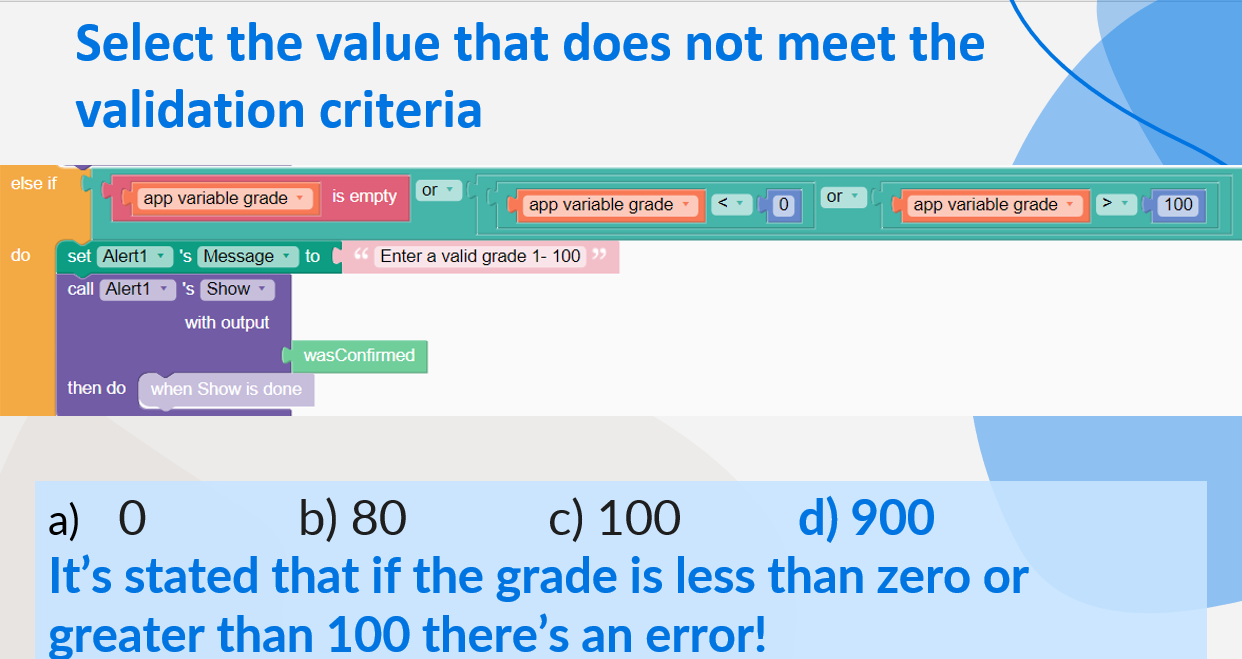
| Select the value that does NOT meet the following validation criteria and triggers the alert message: | |
| Where should be set the blocks to calculate results when validating? | |
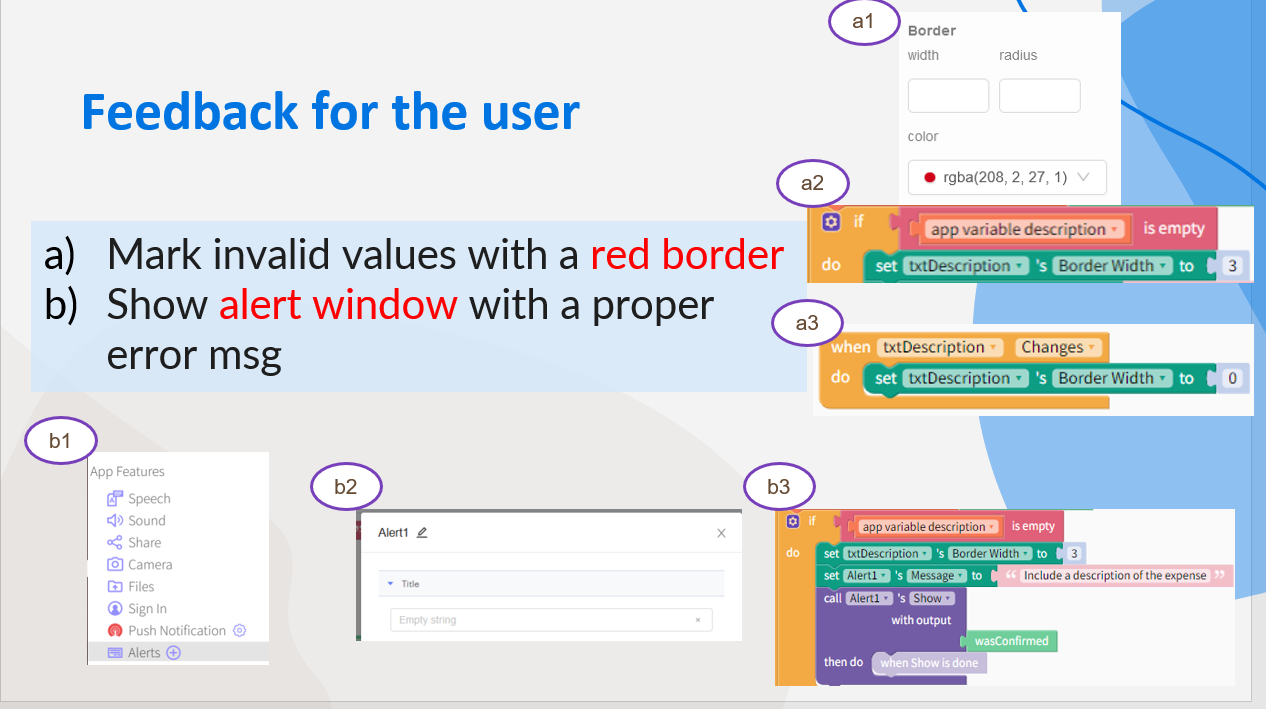
| What type of feedback could be given in Thunkable when data is invalid? | |
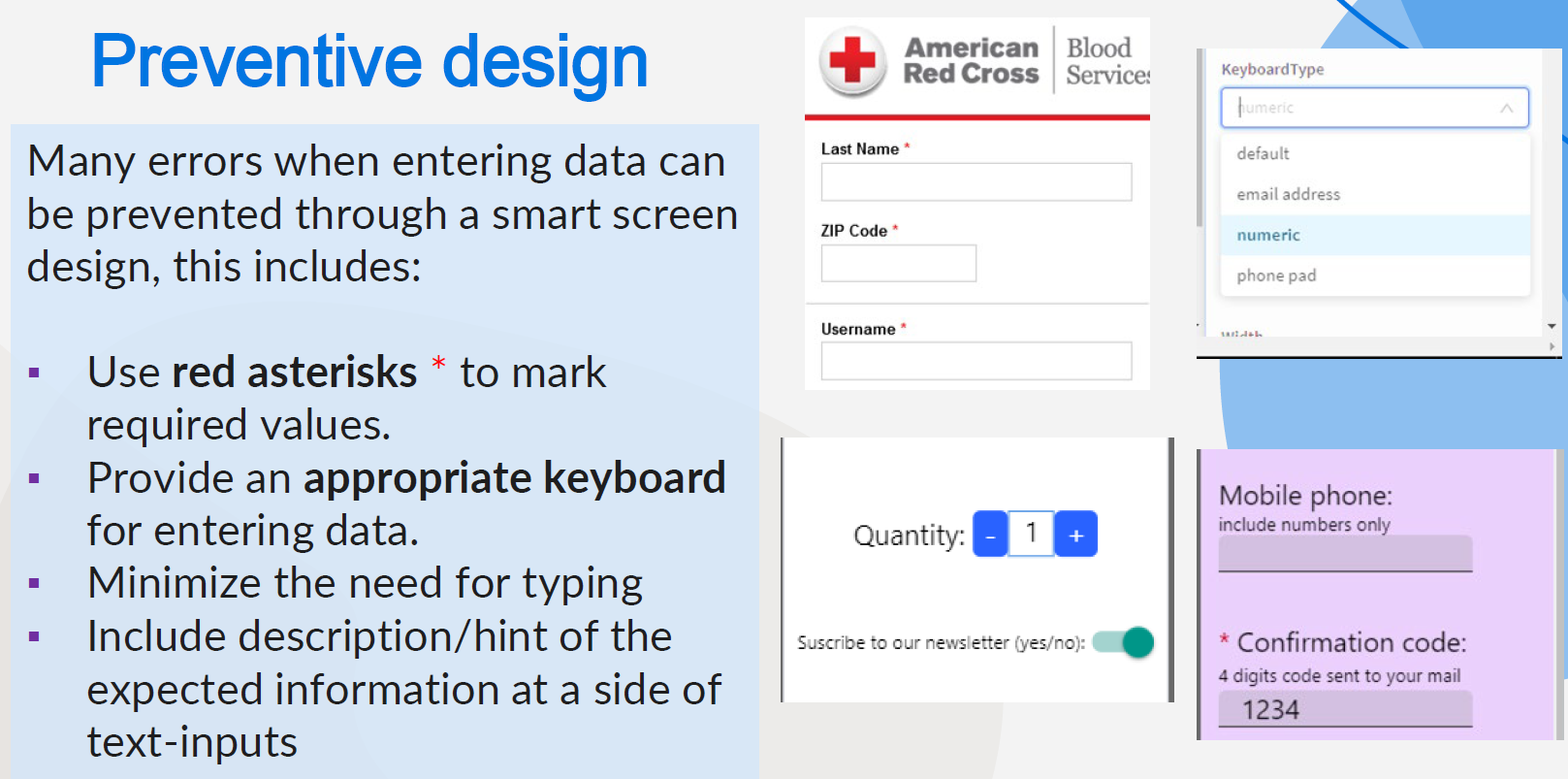
| What is peventive design? | |
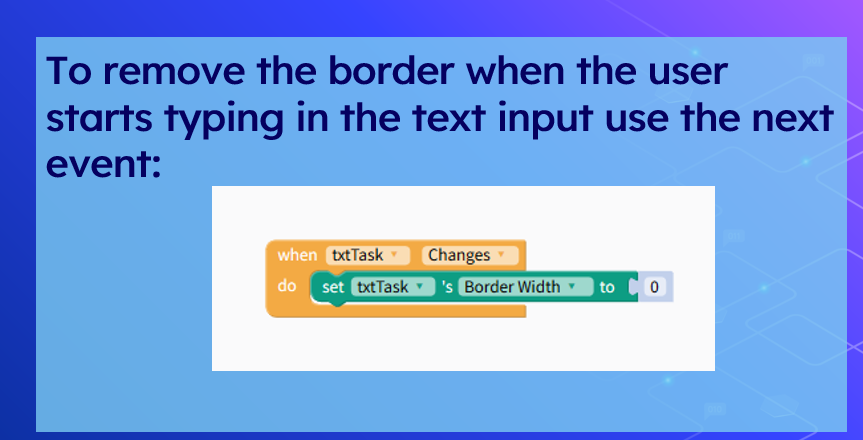
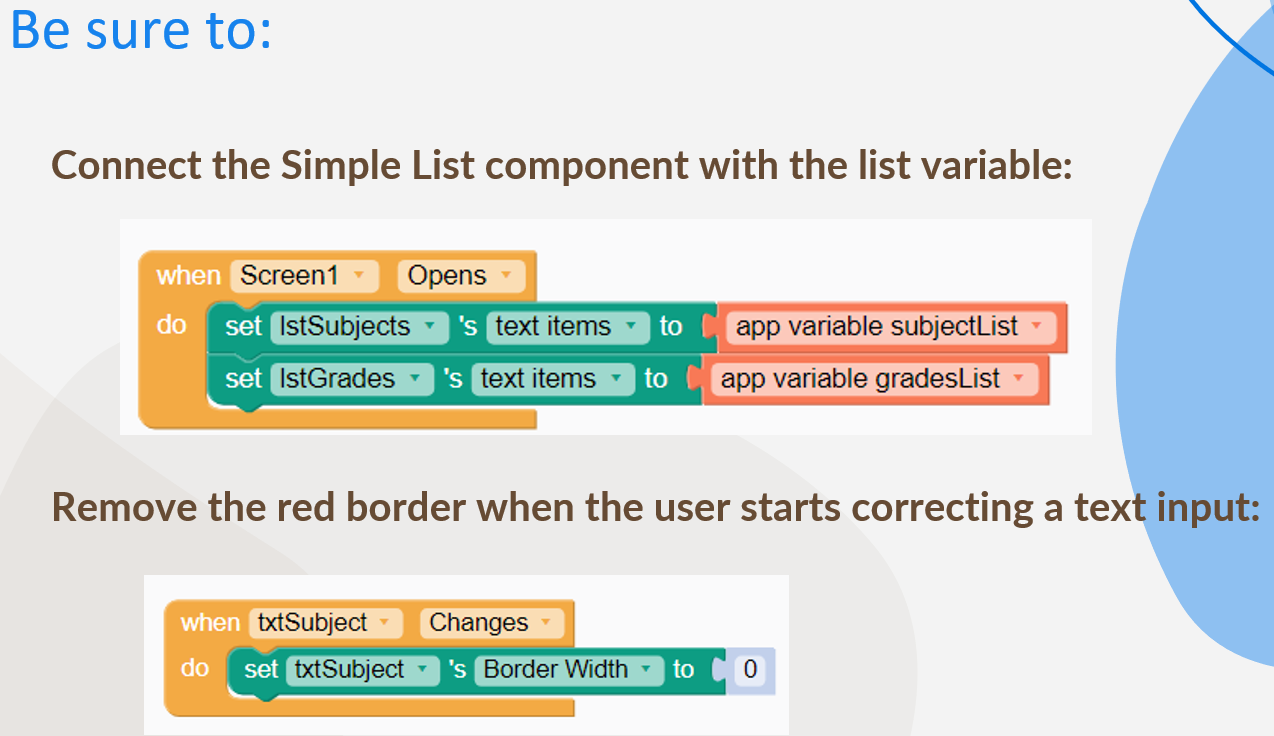
| How do you remove the red border shown in a text input after validating? | |
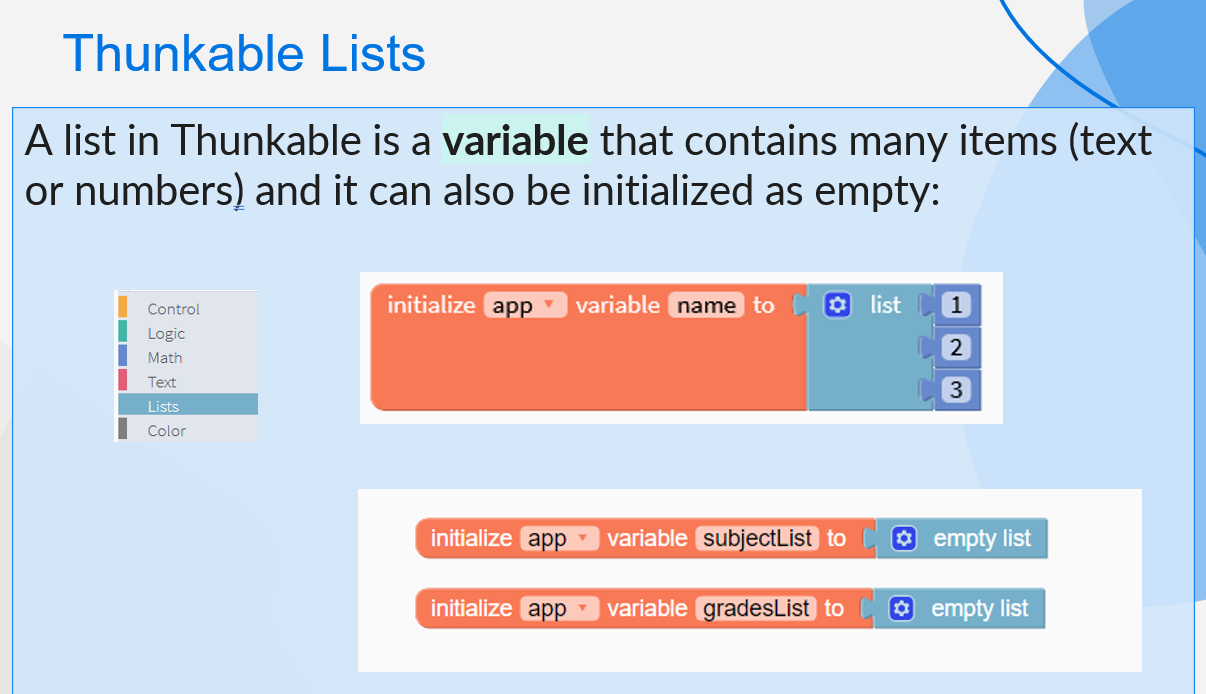
| What is a list in Thunkable? | |
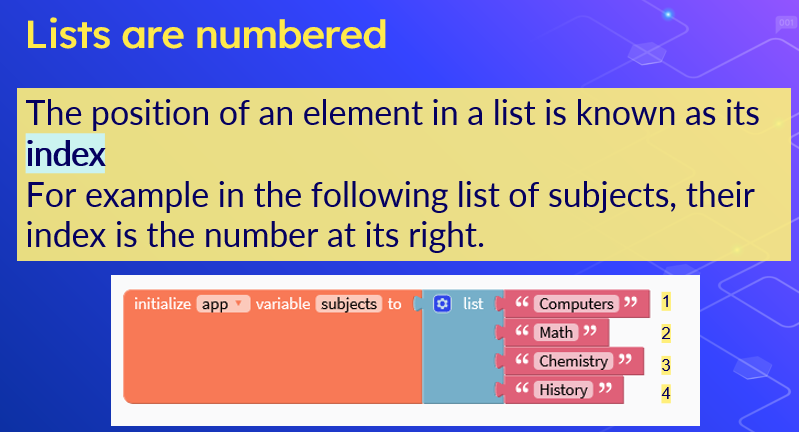
| What's the index in a list? | |
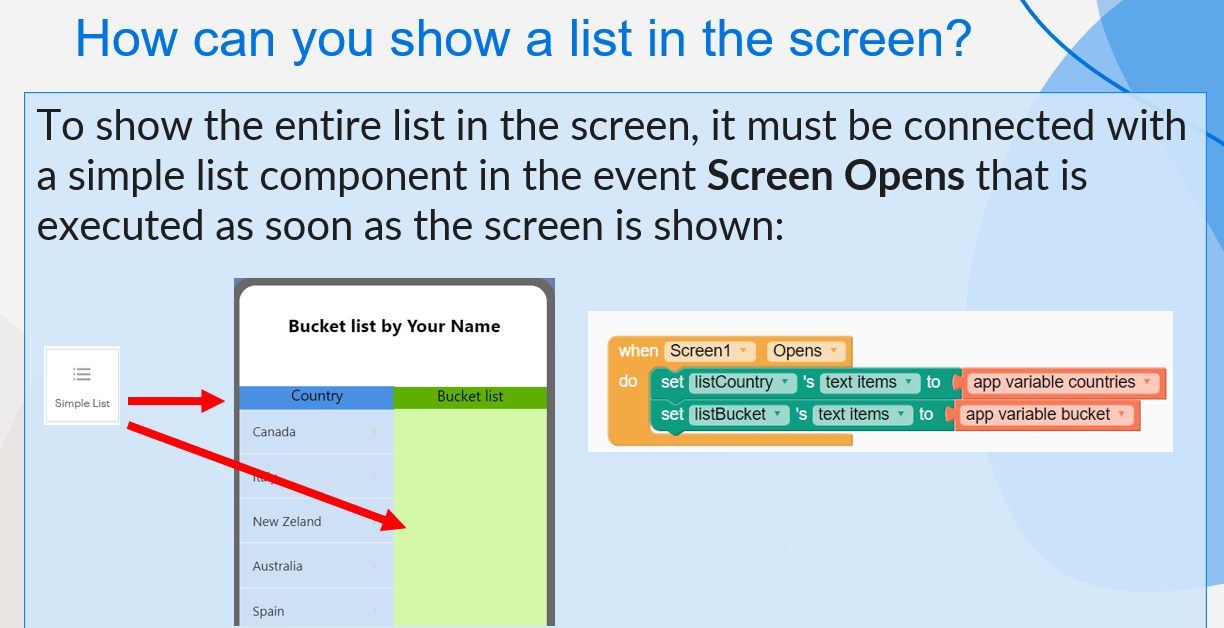
| How can you show a list in the screen? | |
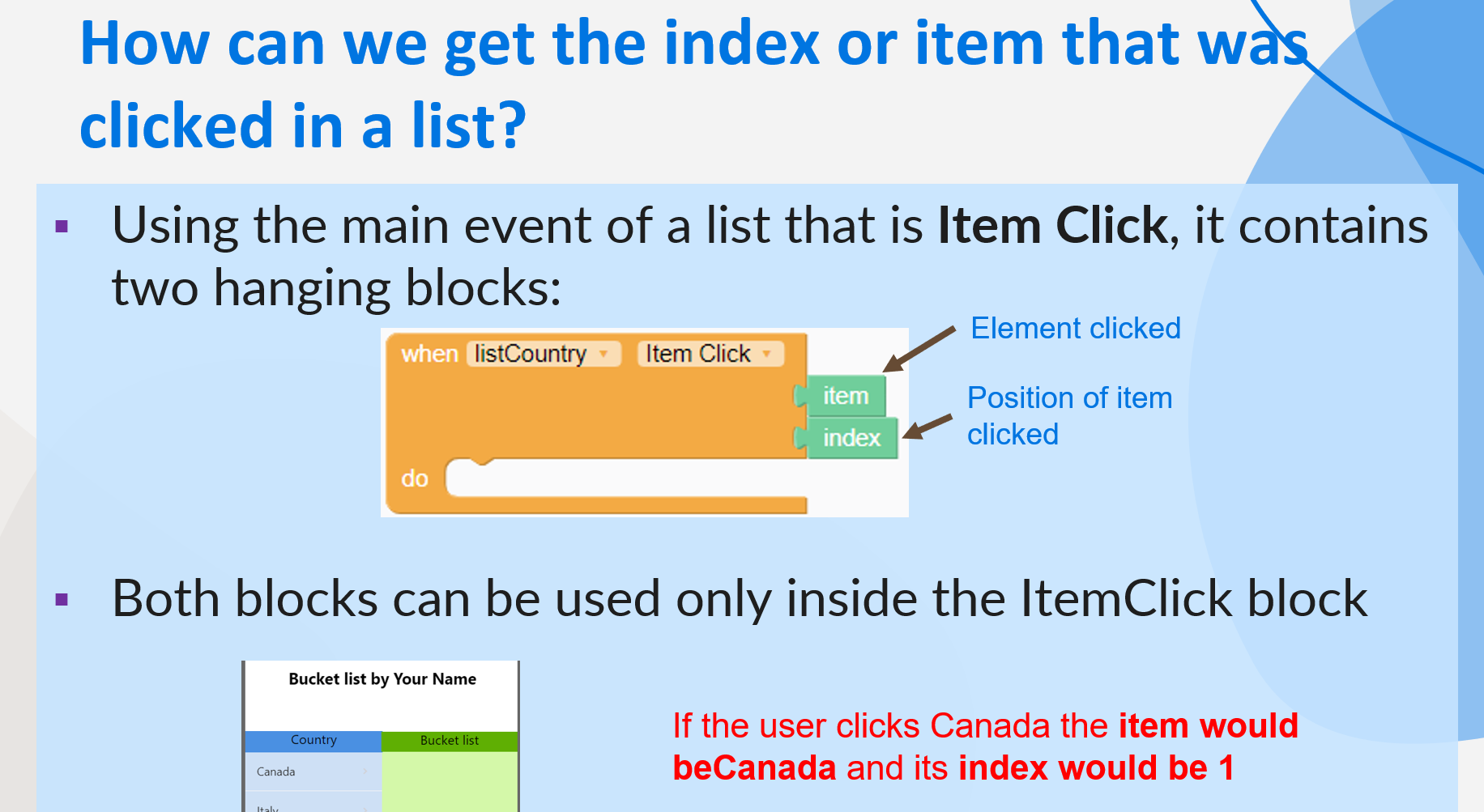
| How can we get the index or item that was clicked in a list? | |
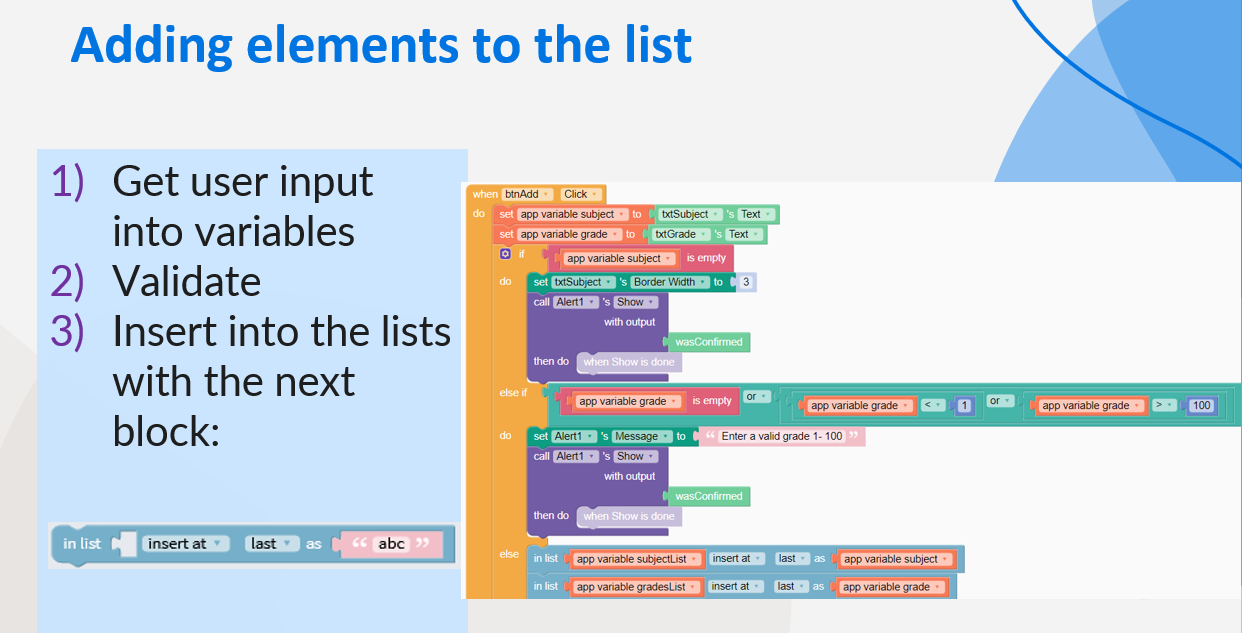
| How can you add a new element into a list? | |
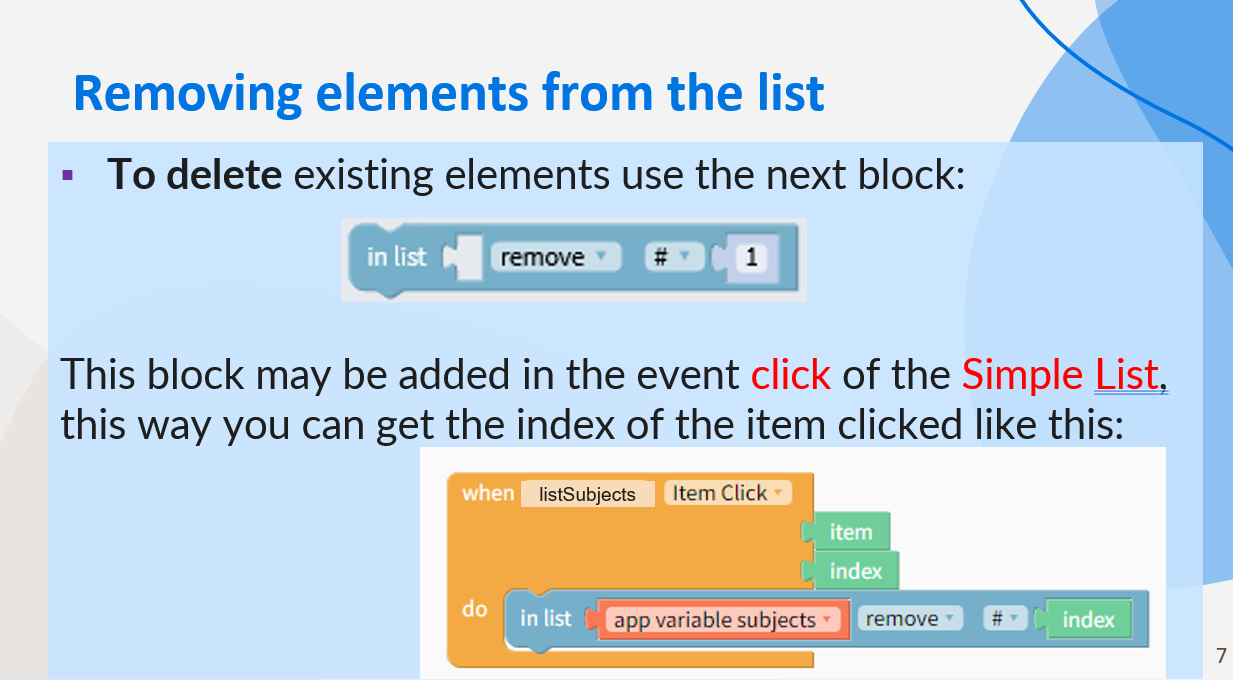
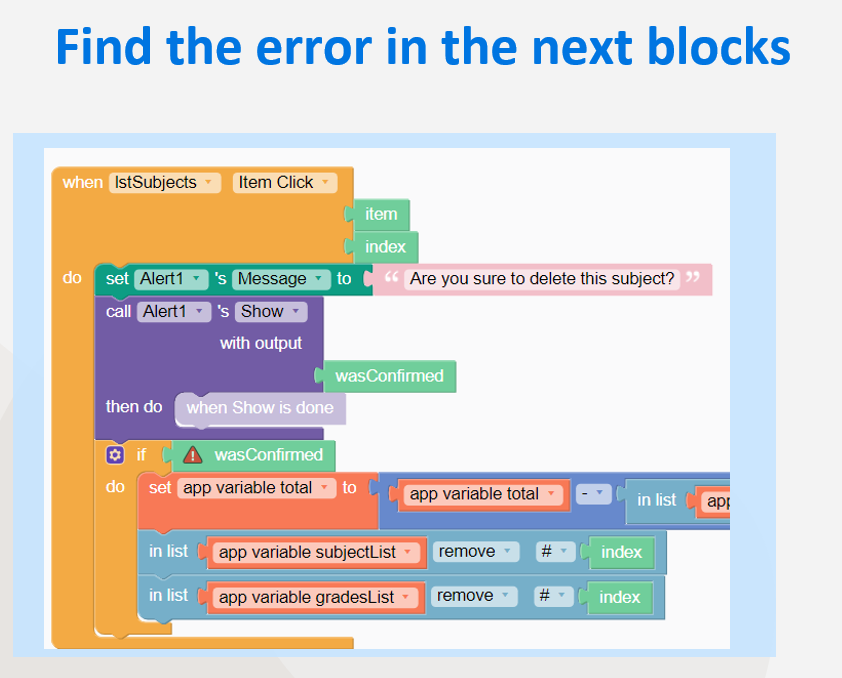
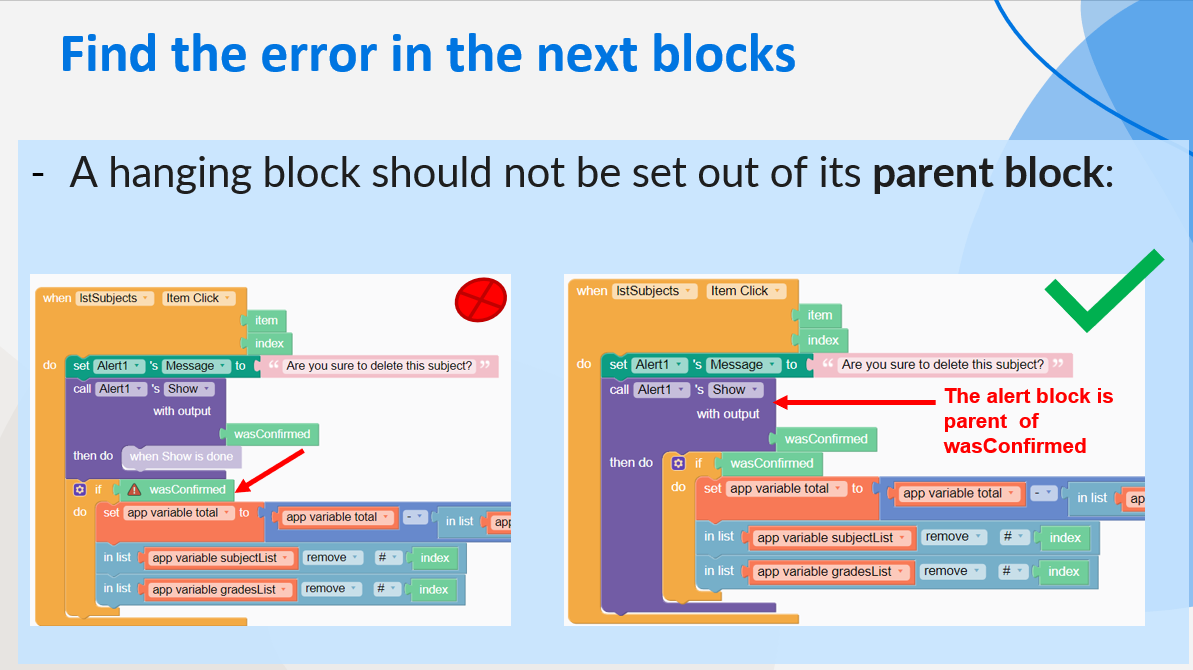
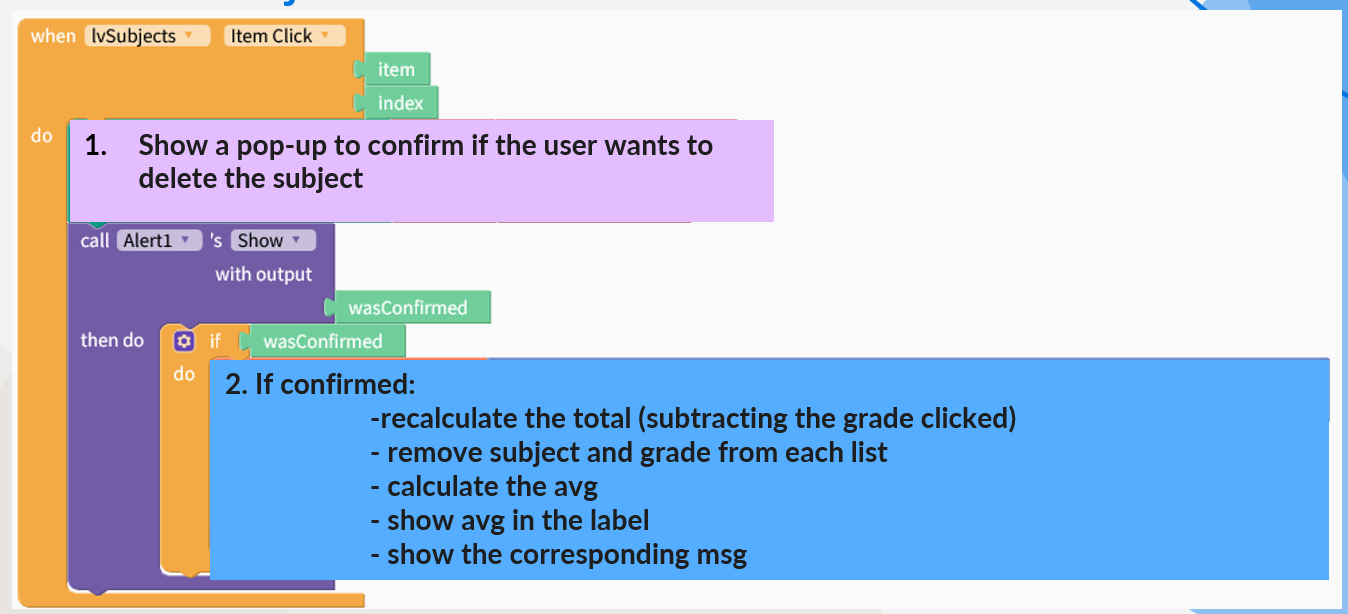
| How can you delete an element from a list? | |
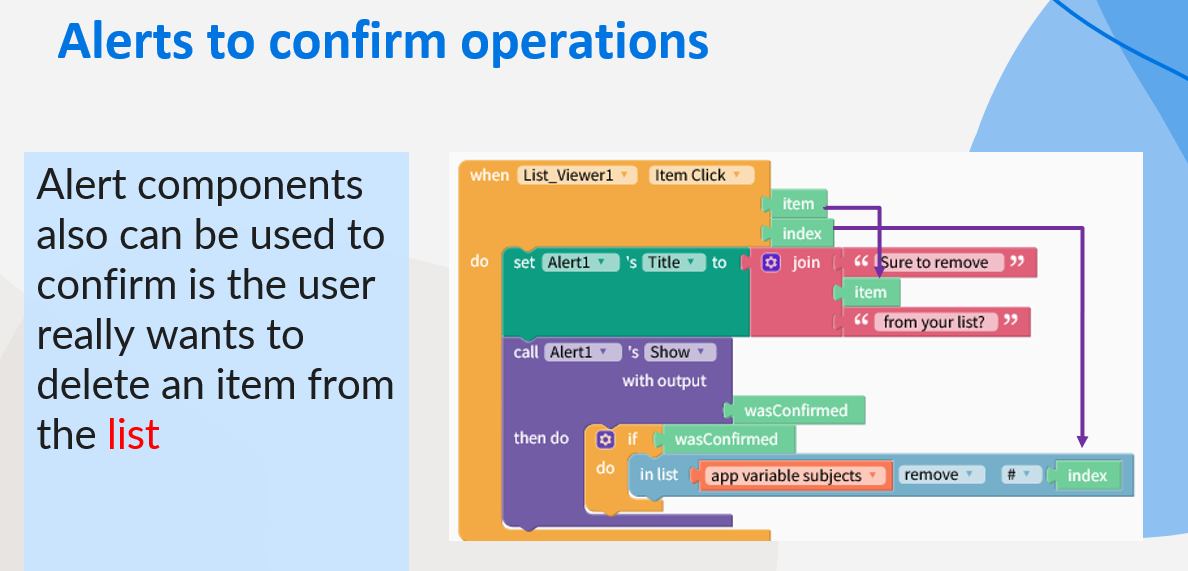
| How can you confirm if the user wants to delete? | |
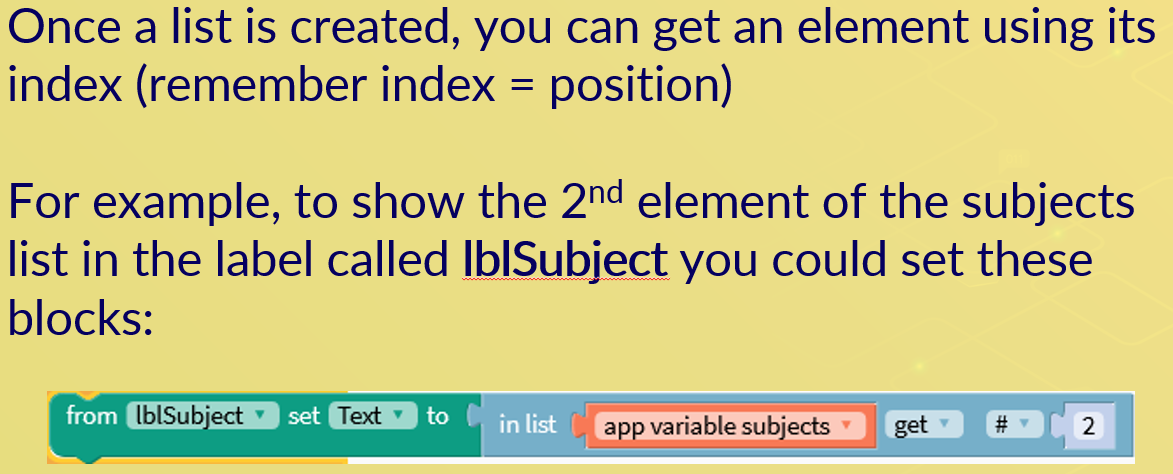
| How can you access a value saved in a list? | |
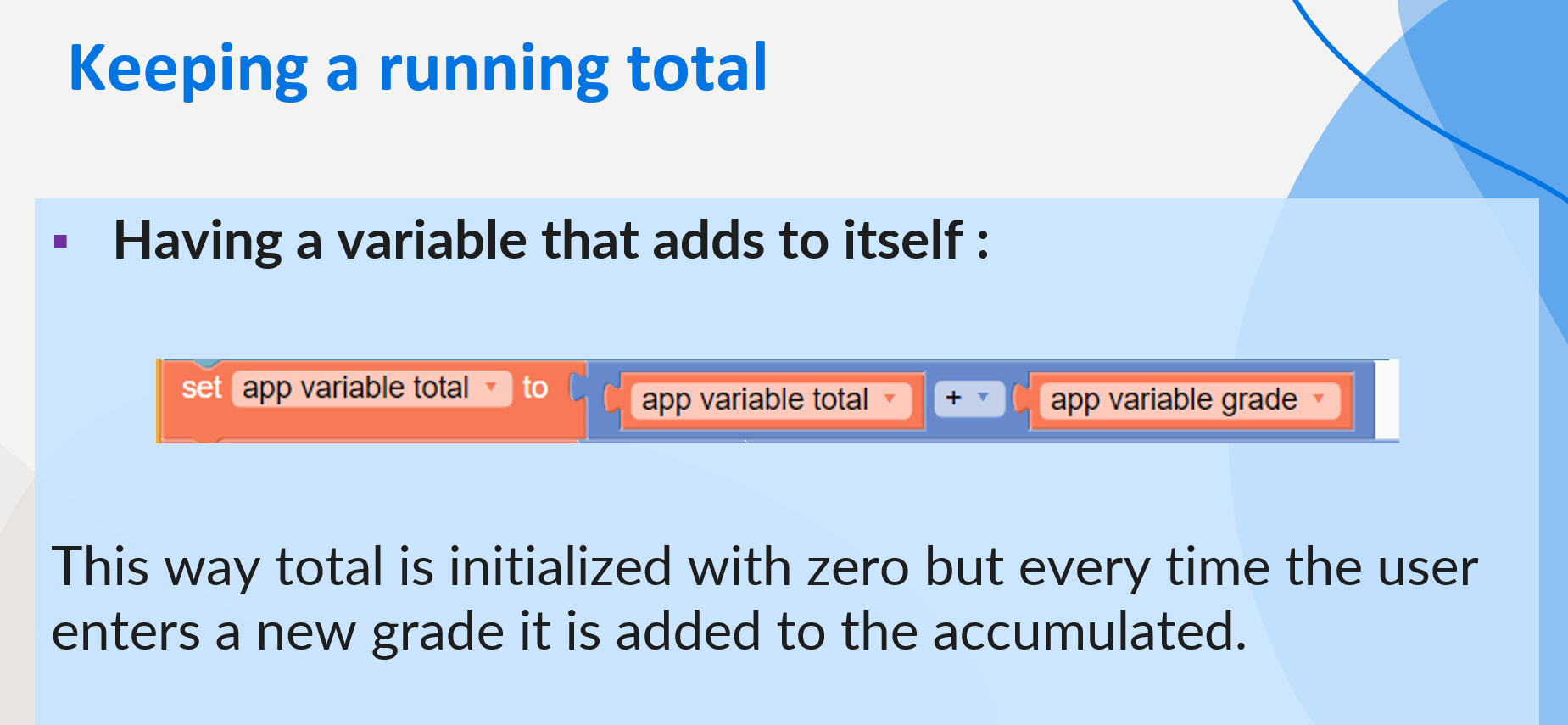
| How can you keep a running total variable | |
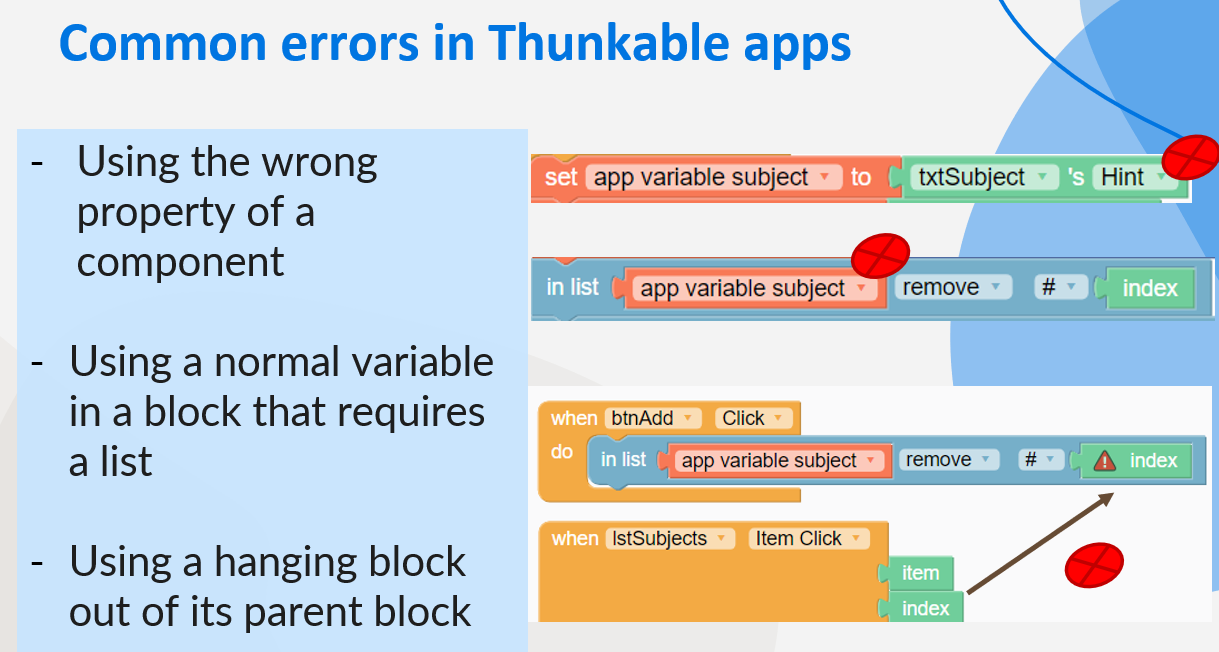
| What are the most common errors when developing Thunkable apps? | |
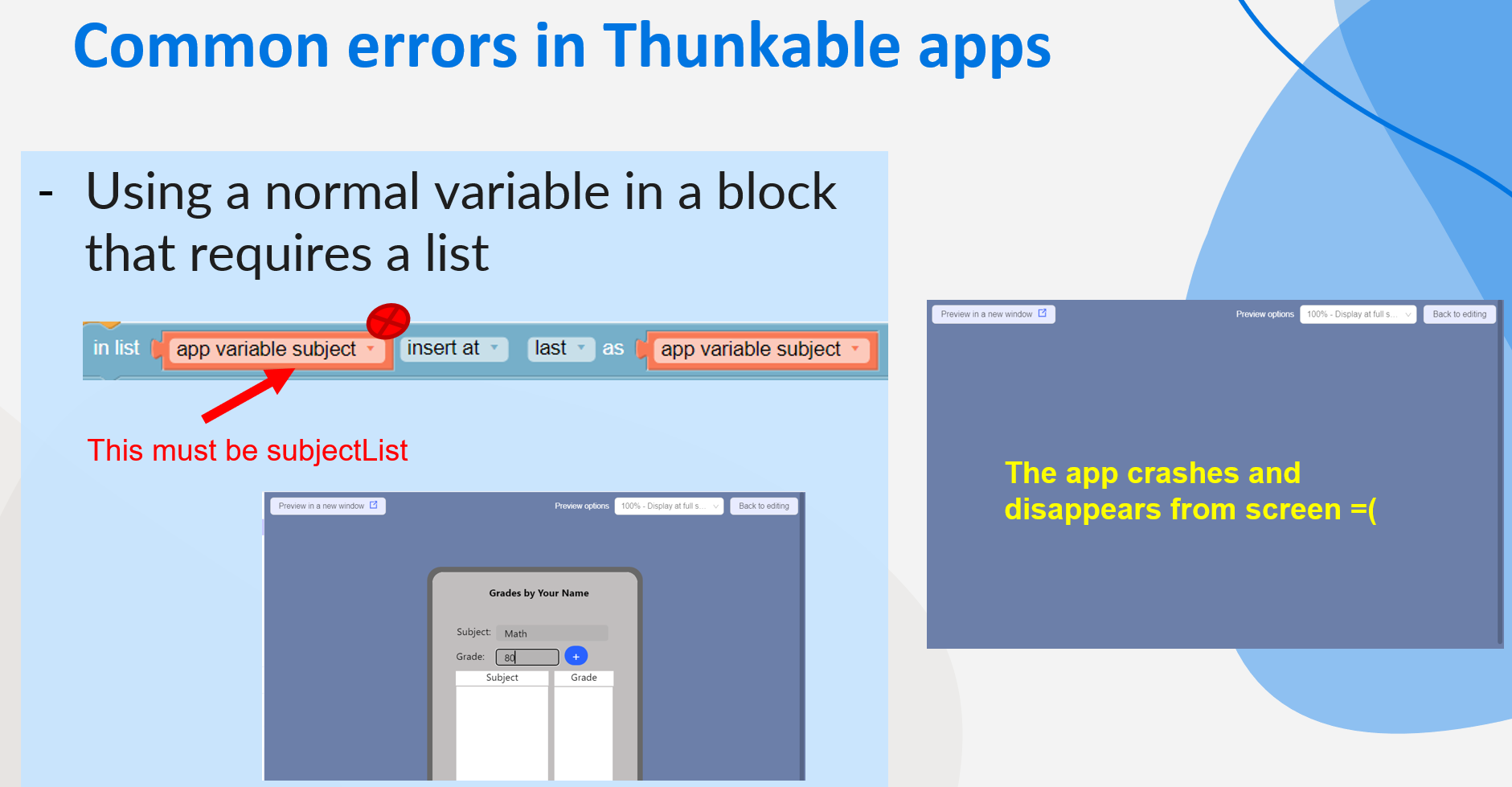
| What makes an app to crash? | |
| Help for the Grades app: Defining variables | Consider you will need variables for: - The list of subjects - The list of grades - The user input: subject and grade - To calculate: total and average |
| Help for the Grades app: | |
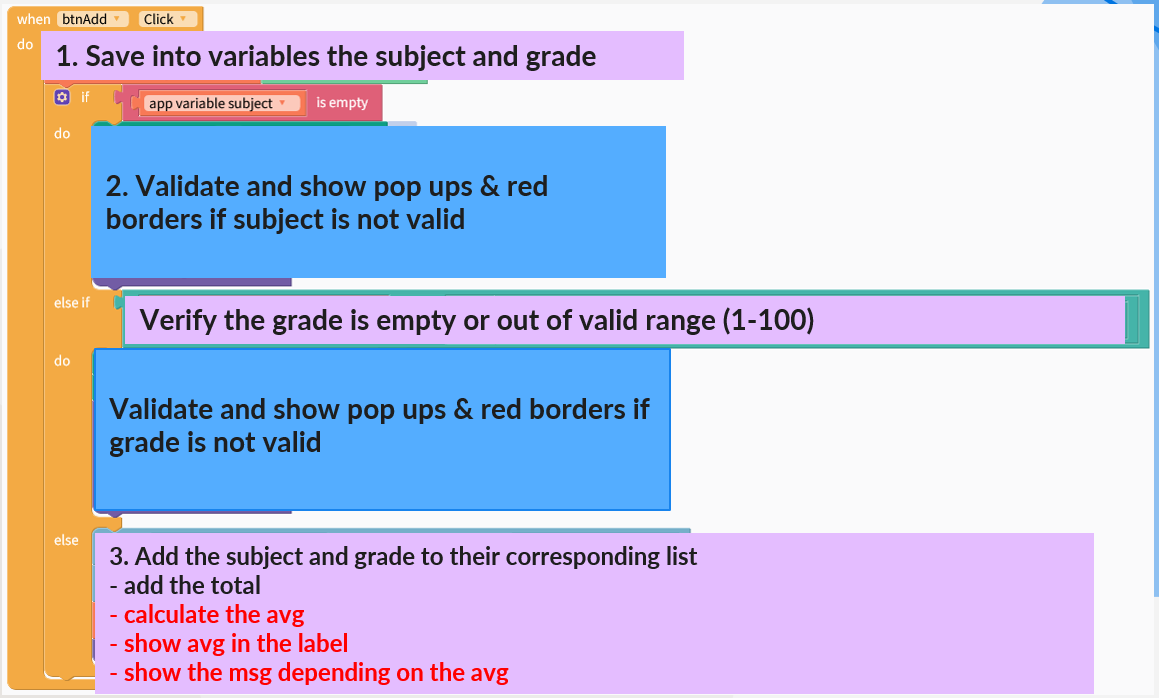
| Help for the Grades app: Adding a subject | |
| Help for the Grades app: Removing a subject |
Quer criar seus próprios Flashcards gratuitos com GoConqr? Saiba mais.