
Mindmap
App Inventor Controlled Assessment
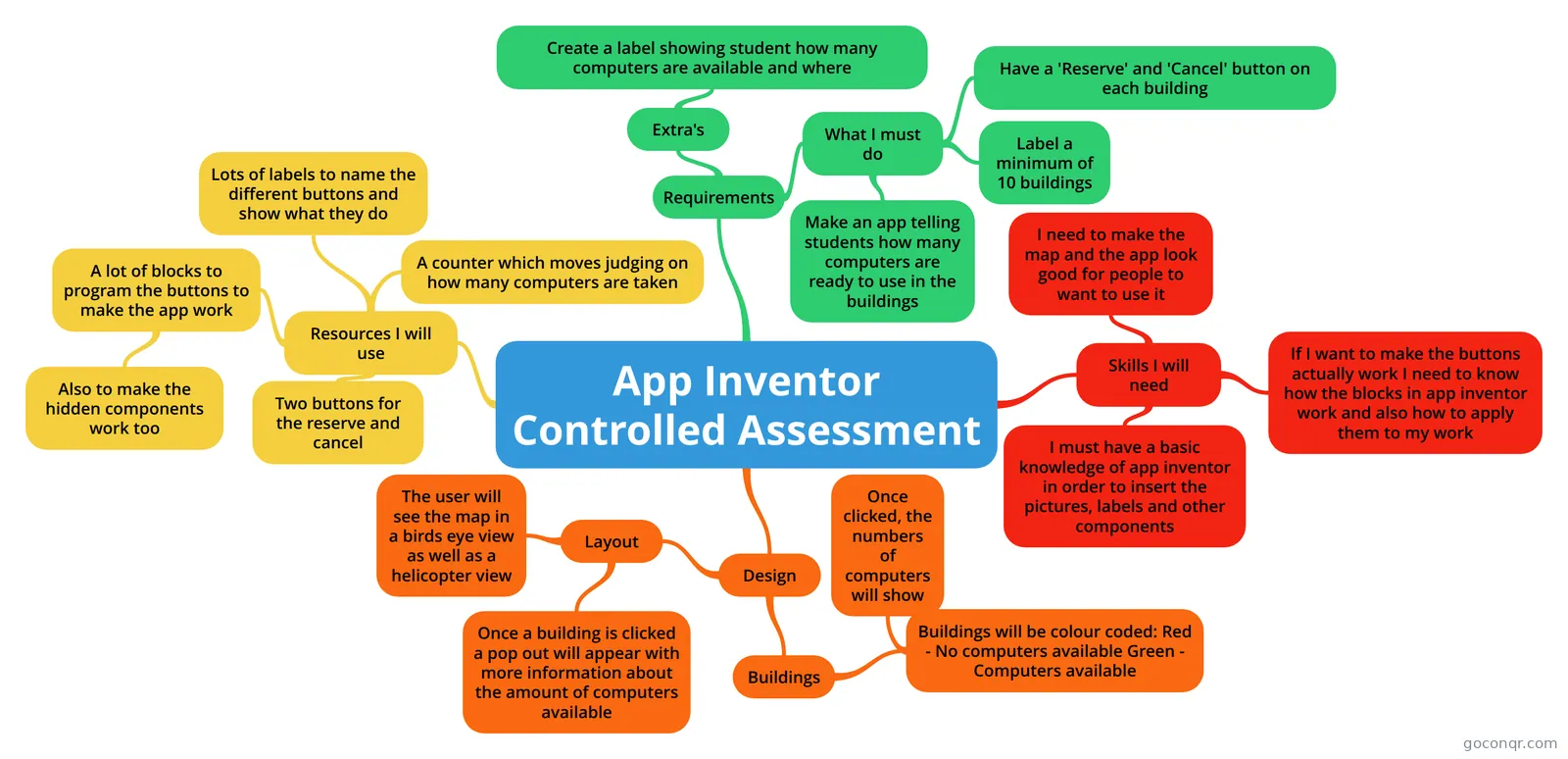
Mind map: App Inventor controlled assessment
Inhalt der Mindmap
App Inventor Controlled Assessment
Skills I will need
- I must have a basic knowledge of app inventor in order to insert the pictures, labels and other components
- If I want to make the buttons actually work I need to know how the blocks in app inventor work and also how to apply them to my work
- I need to make the map and the app look good for people to want to use it
Requirements
- What I must do
- Make an app telling students how many computers are ready to use in the buildings
- Label a minimum of 10 buildings
- Have a 'Reserve' and 'Cancel' button on each building
- Extra's
- Create a label showing student how many computers are available and where
- What I must do
Design
- Layout
- Once a building is clicked a pop out will appear with more information about the amount of computers available
- The user will see the map in a birds eye view as well as a helicopter view
- Buildings
- Buildings will be colour coded: Red - No computers available Green - Computers available
- Once clicked, the numbers of computers will show
- Buildings will be colour coded: Red - No computers available Green - Computers available
- Layout
Resources I will use
- Two buttons for the reserve and cancel
- Lots of labels to name the different buttons and show what they do
- A counter which moves judging on how many computers are taken
- A lot of blocks to program the buttons to make the app work
- Also to make the hidden components work too
Informationen
- Beschreibung
- Mindmap am App Inventor Controlled Assessment, erstellt von Aiden Gardner am 04/11/2014.
- Erstellt von
- Aiden Gardner
- Aufrufe
- 477
- Bewertung