
Mindmap
Policy: Advanced Concepts
Inhalt der Mindmap
Policy: Advanced Concepts
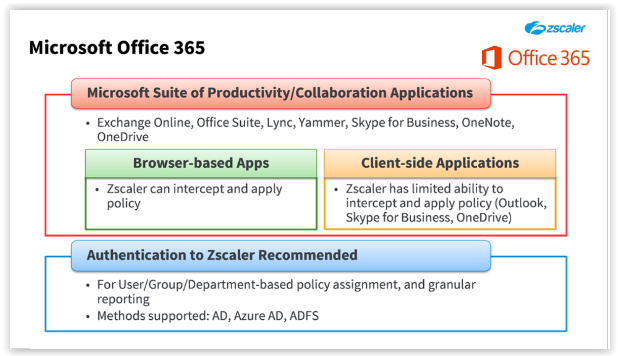
Office 365
- When Office 365 applications are used within a Web Browser, most of the traffic can be handled by the Zscaler service, as long as authentication and SSL interception are enabled.
- However, enterprises prefer to deploy native Office 365 applications such as Outlook, Skype for Business, and OneDrive, instead of using these applications within a Web browser.
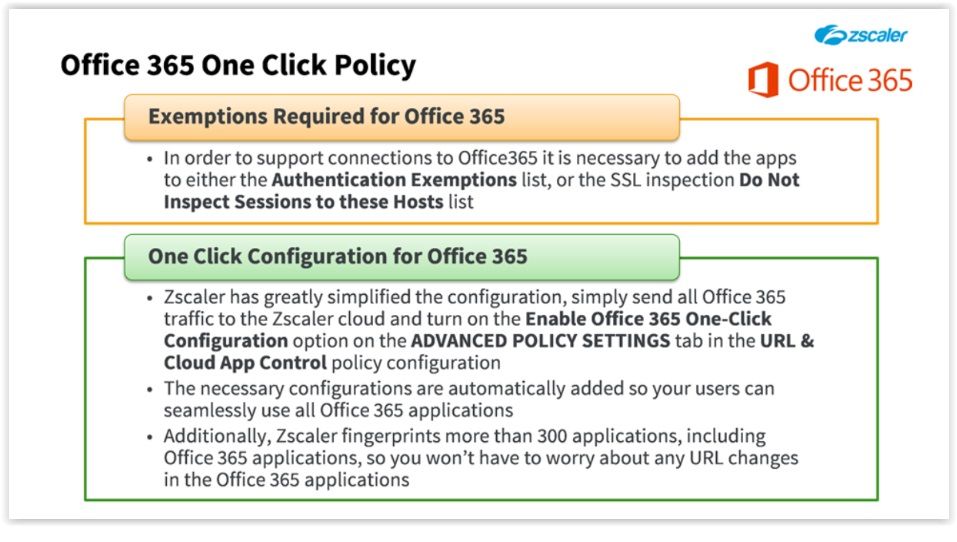
- ONE Click Policy; Zscaler does not support content inspection for non-HTTP/HTTPS traffic, so although we can intercept tunneled traffic, we cannot inspect the content (for example for the Outlook connections to Online Exchange server). As a result, we must add many Office 365 application URLs to the ‘Do Not Inspect Sessions to these Hosts’ list, to disable SSL Inspection for them. In the past, these exceptions had to be configured manually.
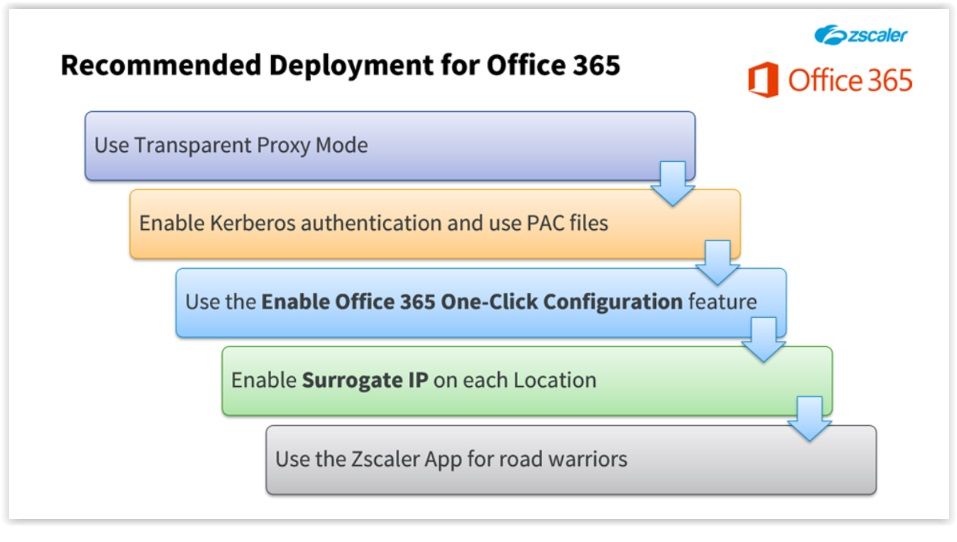
- Recommended Deployment
- Transparent Proxy Mode
- Firstly, use transparent proxy mode by forwarding traffic to the service through GRE or IPsec tunnels to ensure that all Office 365 traffic, including non-port 80/443 traffic, is sent to the Zscaler service.
- Kerberos + PAC Files
- Using Kerberos authentication allows the service to authenticate all Office 365 client-based traffic that is not compliant with Zscaler’s default cookie-based authentication. But note that because Kerberos authentication cannot be used in transparent proxy mode, you must deploy PAC files as well.
- Enable One-Click
- Be sure to use the ‘Enable Office 365 One-Click Configuration’ feature, which allows Zscaler to automatically configure additional SSL and authentication bypass rules. We also fingerprint more than 300 applications, including Office 365 applications, so you do not have to worry about any URL changes within the Office 365 suite.
- Surrogate IP
- Surrogate means: Someone who takes the place of another person Allows us to map unauthenticated Office 365 traffic to a user’s internal IP address within the organization. Using the Surrogate IP feature also enables authentication for the Zscaler outbound firewall, so that non-HTTP/HTTPS traffic is authenticated and mapped to users, as well as the Office 365 client-based Web traffic.
- Zscaler APP
- Finally, use the Zscaler App for your road warriors. The Zscaler App does not use cookies for user authentication, so there is no need to bypass security controls for roaming users. The App also provides proxy enforcement even when users have admin privileges for their computers. It simplifies configuration because if the App is installed, then the use of a dedicated port, Kerberos authentication, or Surrogate IP are no longer requirements for your road warriors. In addition, because the Zscaler App supports both Browser and non-Browser traffic, it solves proxy-interoperability issues with Outlook and Skype for Business.
- Transparent Proxy Mode
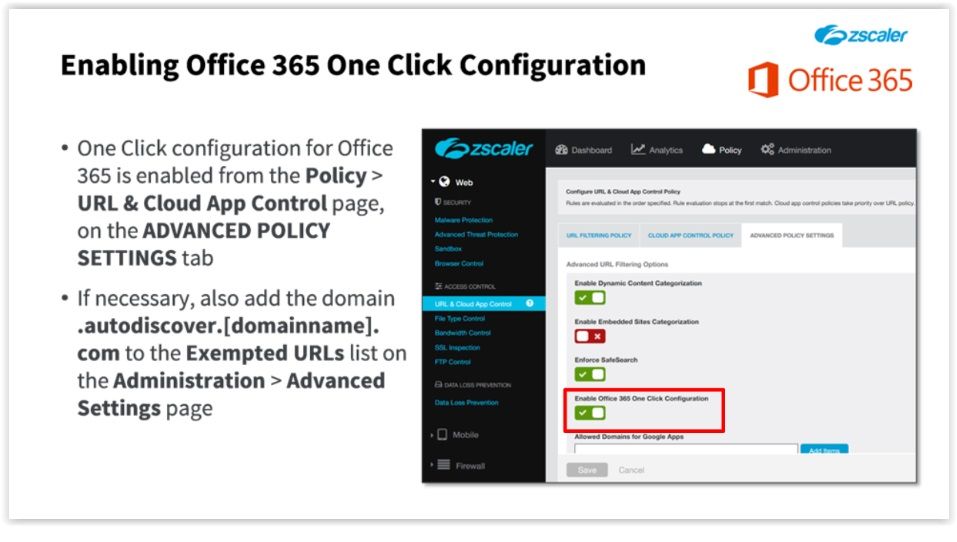
- Enabling
- Note that Zscaler cannot automatically include your custom domain autodiscover URL in the authentication exemption list when the Office 365 One Click feature is enabled. Depending on your business requirements, you may need to manually add the URL ‘.autodiscover.[domainname].com’ to the ‘Exempted URLs’ list on the ‘Administration > Advanced Settings’ page.
Unauthenticated traffic
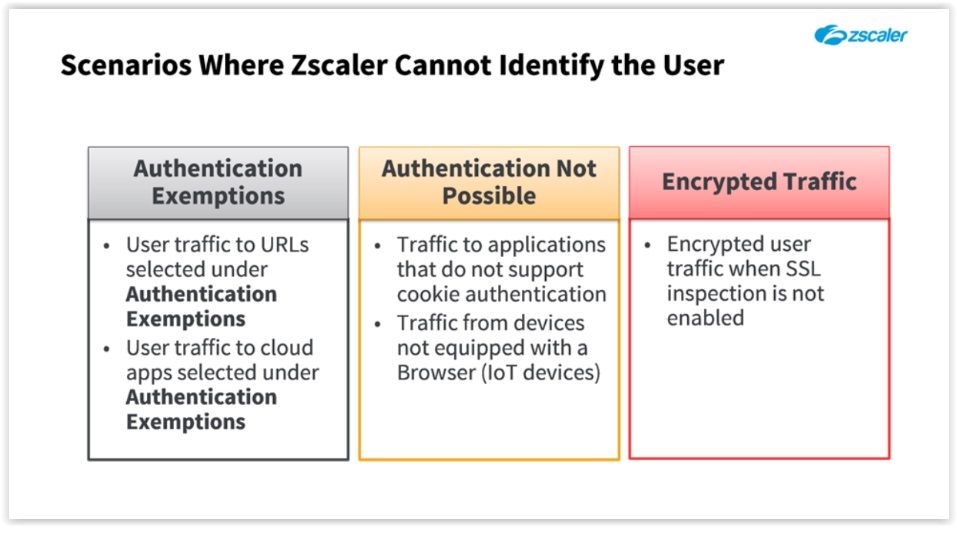
- There may be scenarios in which the Zscaler service does not identify the user sending traffic to the service: - The service does not authenticate traffic to URLs or Cloud apps you have selected under the ‘Authentication Exemptions’ option, in the ‘Advanced Settings’. - For applications that do not support cookie-based authentication; or for devices that are just not equipped with a Web Browser, such as many of the Internet of Things (IoT) devices. - Encrypted traffic when SSL inspection is not enabled. If Zscaler is not inspecting SSL traffic, we are unable to identify the user generating an encrypted traffic stream
- Users and Departments
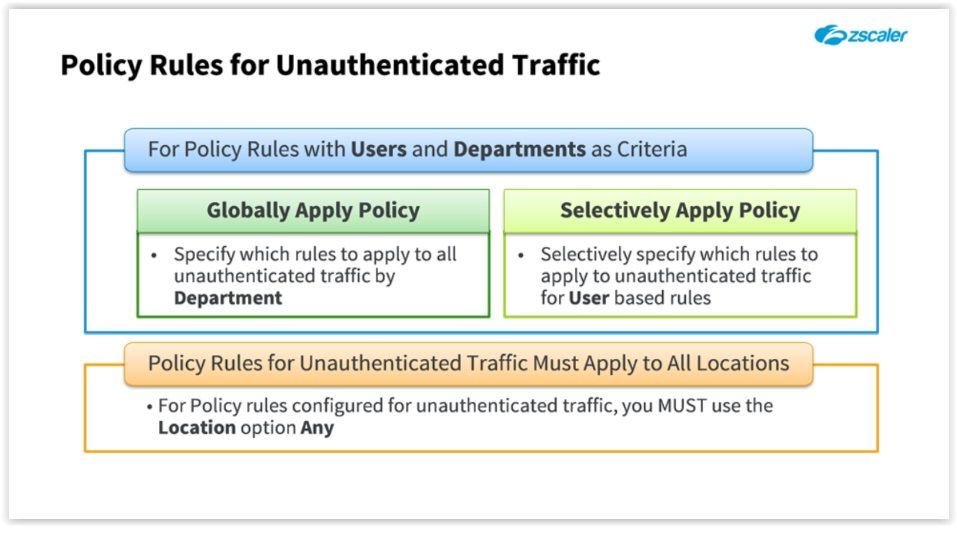
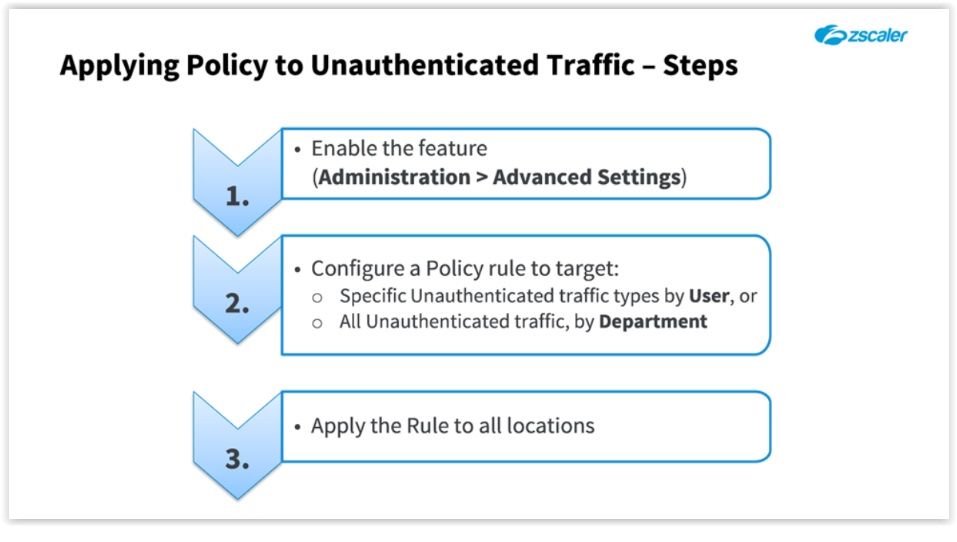
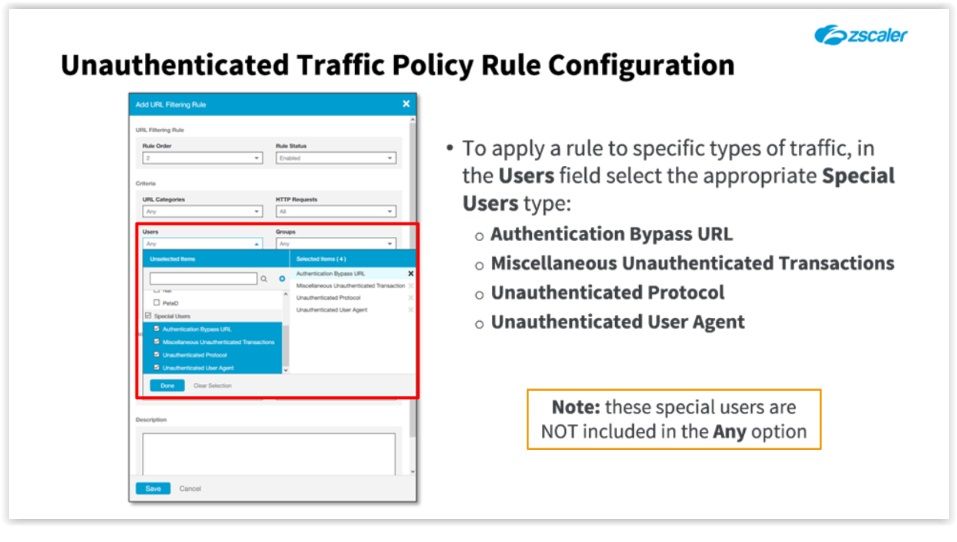
- if your organization has changed the implicit ‘Allow All’ rule for Web traffic to ‘Block’ (to block all traffic that is not explicitly allowed in a preceding URL Filtering rule), the policy for unauthenticated traffic feature can help you ensure that the lack of authentication does not lead to the unwanted blocking of user traffic. Once the feature is enabled on the ‘Administration > Advanced Settings’ page, you can select whether a policy rule is also to apply to all unauthenticated traffic by 'Department'…
Next Generation Firewall
- Why?
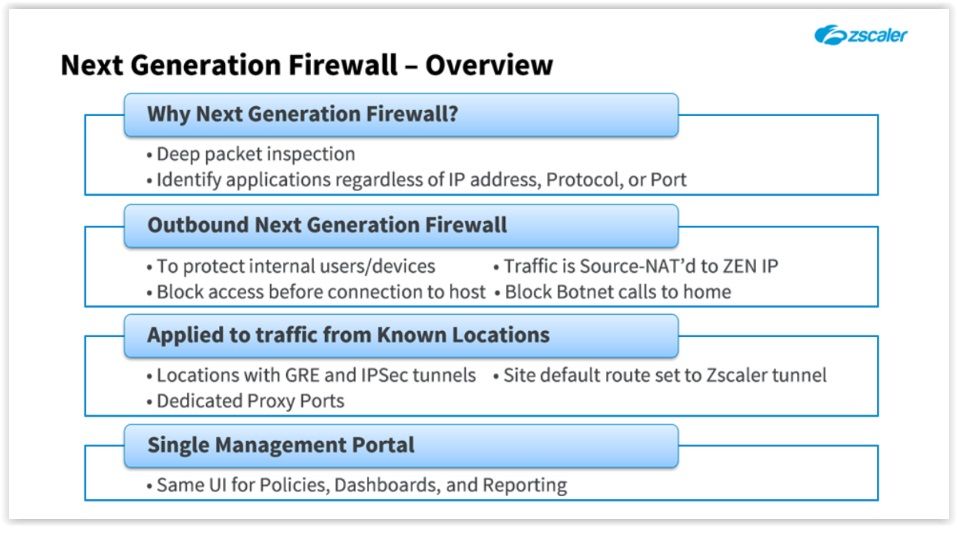
- A traditional firewall allows you to write policies based on 5 tuples: Source IP, Destination IP, Protocol, Source Port, and Destination Port. However, in today’s world of dynamic IP addresses and TCP/UDP ports, where applications like Skype or bittorrent will use any available port to send traffic to a multitude of destinations, this approach simply doesn’t work. In contrast, Zscaler’s Next Generation Firewall uses Deep Packet Inspection to identify applications regardless of IP address, port, or protocol. You can then combine this application-centric view of traffic with Zscaler’s knowledge of your locations, users, and groups to write policies granting users, or groups of users access to the applications they need. The days of needing to look up which applications use which TCP and UDP ports are at an end.
- Outbound NGF
- Zscaler’s Next Generation Firewall allows you to protect and manage your organization’s outbound Internet access against application-based threats across your entire distributed enterprise. This means that policies you write are based on connections or applications being initiated from inside your networks by your own users and devices. Any connections initiated from outside your networks will be blocked. Further, all traffic will be Source-NAT’d to the IP address of the ZEN through which the traffic is flowing. With the Zscaler Next Generation Firewall inspecting your outbound traffic, connections across the Internet to known malware sources are blocked, this includes botnet calls home meaning that the botnet malware will never be activated.
- Traffic from Known Locations
- Zscaler’s Next Generation Firewall is applied to traffic from known Locations. These are locations with a GRE or IPSec tunnel into Zscaler. With the addition of the Next Generation Firewall, you can now simply set the site’s default route to Zscaler and send all internet-bound traffic to Zscaler. Note that the Firewall can be enabled for your Dedicated Proxy Port users as well.
- Single Management Portal
- Zscaler’s Next Generation Firewall offers a single, unified user interface for creating and managing policies, dashboards, and reporting.
- Theory of Operation
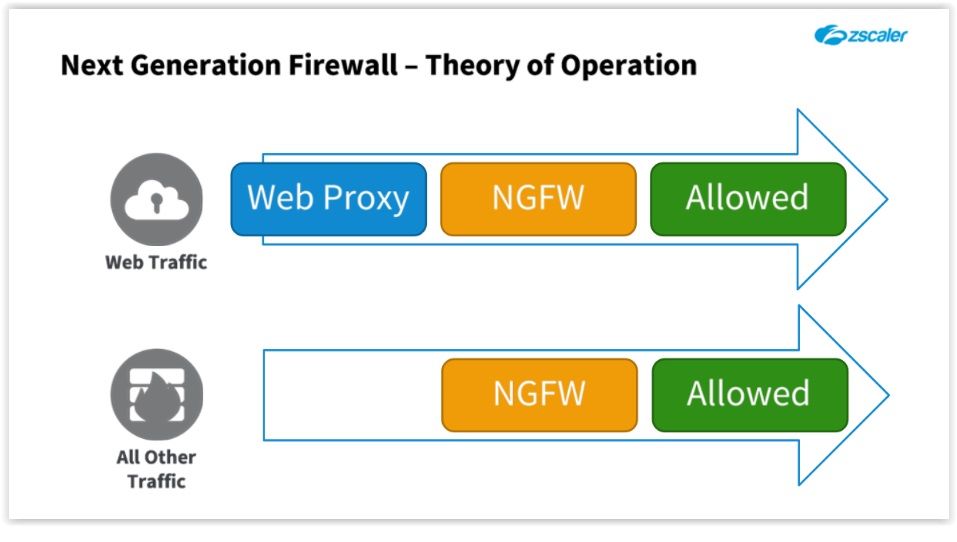
- When traffic arrives at the ZEN, Web traffic (usually on ports 80 and 443) is sent to the Web Proxy for security and policy checks. If allowed by the ‘URL & Cloud App Control Policy’, this traffic is also evaluated by the Next Generation Firewall. Policy rules are applied top-down, with first-match, and a default ‘Allow All’ at the end. This means that Web traffic must be permitted by both modules in order to pass through the ZEN.
- Non-Web traffic is sent through the Next Generation Firewall only. As with the Web proxy, rules are applied top-down, first match, with a default ‘Allow All’ rule at the end. This decision was made so if an administrator enables the Firewall on a location traffic would continue to flow, even if no rules had been created. A Zscaler best practice is to create a rule allowing DNS, HTTP, and HTTPS protocols, and then change the Default rule to ‘Block’. You would then create additional rules to permit the specific applications that you need.
- Considerations
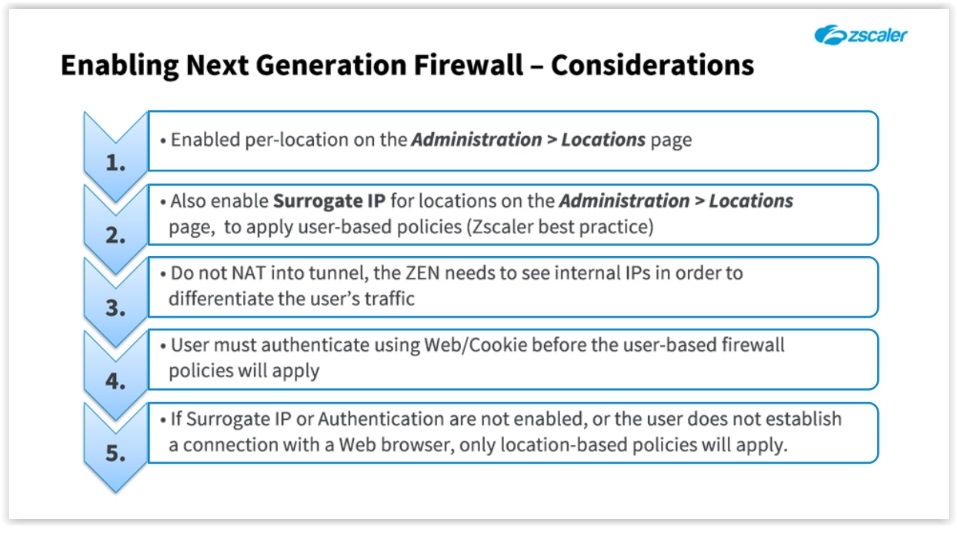
- There is also a caveat if you want to apply user-based Firewall policies. While the HTTP protocol has provisions for authenticating users to a proxy, other applications going through the Firewall do not. Think of an instant messaging app, or streaming music or movies from a dedicated app like iTunes. There is no way for the ZEN to prompt the user to authenticate in order to apply user-based policies like there is with a Web Browser. So in this case, a user must first authenticate to the ZEN through a Web Browser in order to establish a user identity. With the surrogate IP feature mentioned above, the ZEN then temporarily maps the user’s IP address to the user and can apply both user and location-based policies to the user’s traffic.
- DNS Controls
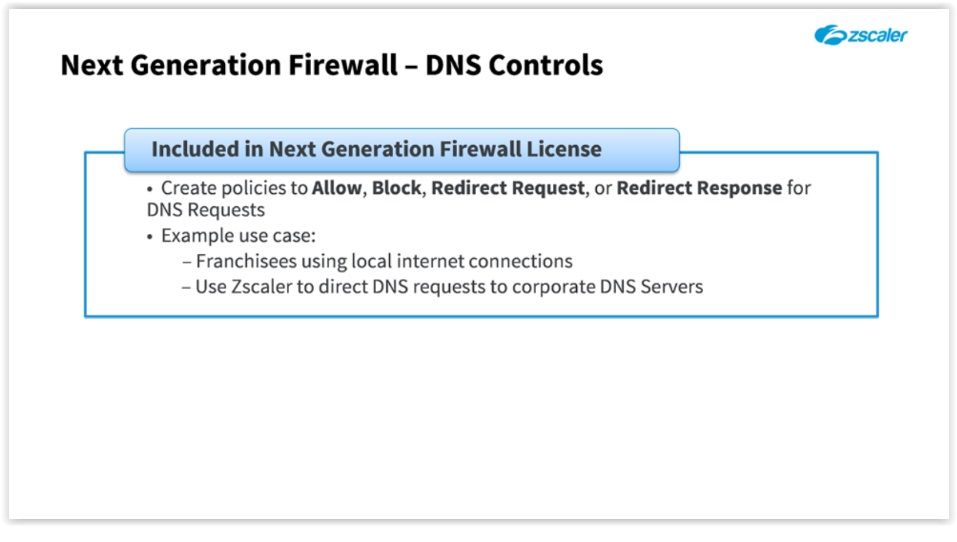
- The ‘DNS Controls’ page allow you to control how DNS traffic is handled between your users and the Internet. You can create policies to ‘Allow’, ‘Block’, ‘Redirect Request’, or ‘Redirect Response’ for DNS requests. One example use case is a company that has franchisees that are not under direct control of the company. These franchisees buy local commodity internet service to access resources back at corporate. For security reasons, it would be a good idea to make sure that DNS requests for corporate resources are not subject to DNS hijacking or poisoning. One way to prevent this would be to redirect all DNS requests for corporate resources to use corporate DNS servers instead of the local ISP.
- Why?
Bilder und Dateien der Mindmap
Informationen
- Beschreibung
- Zscaler (Zscaler) Mindmap am Policy: Advanced Concepts, erstellt von Rafael Santos am 14/02/2017.
- Erstellt von
- Rafael Santos
- Aufrufe
- 1
- Bewertung