
Mindmap
Electronic File Management
Inhalt der Mindmap
Electronic File Management
Why Use Electronic File Management?
- It helps to Keep Us Organized
- It creates a system to store our files
- It makes it easier to access our materials
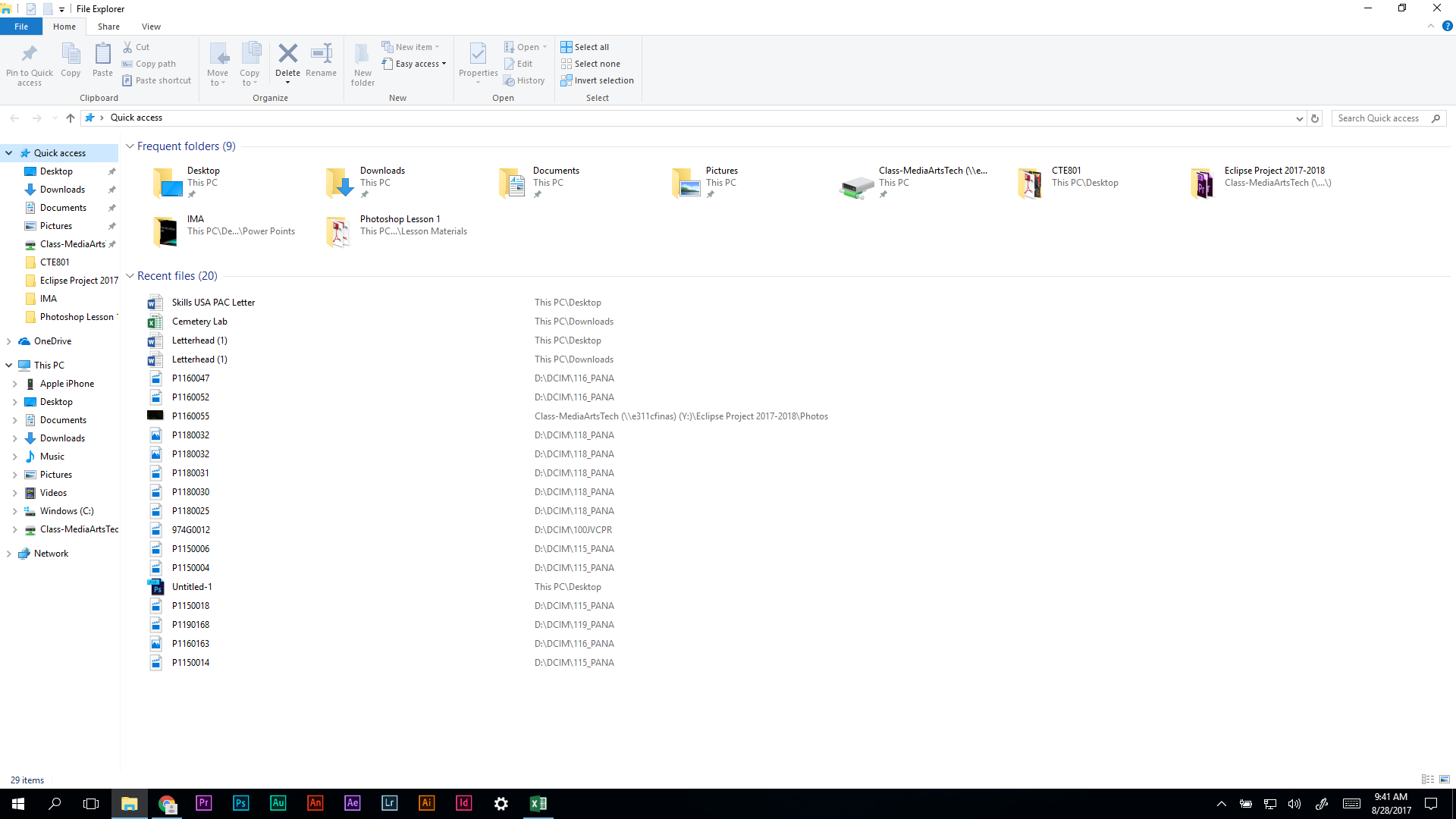
What is The File Explorer?
- The Gateway to our computer's file system.
- It allows us to access to the different drives and folders on the computer
- We can save quick access points in the left sidebar, to quickly go to places we need to.
- We can copy or move files from this window.
- Important Keyboard Shortcuts:
- Cut = Ctrl + X
- Copy= Ctrl + C
- Paste= Ctrl + V
- Undo= Ctrl + Z
- Important Keyboard Shortcuts:
- What do We See In the File Explorer?
- Quick Access Items
- Our Standard Windows Folders (Desktop, Downloads, Documents, Pictures, Etc.)
- This PC: Which shows all attached Hard Drives and Removable Media.
- Any attached Network Drives.
- The Gateway to our computer's file system.
So where do we save our files?
- Pictures and Video are Saved in SD Cards in the camera or the memory on your mobile devices
- When finished filming, Save the file to one of our Network Drives
- Y:\ Drive is for Group Projects or Class Projects
- Google Drive is For Individual Work or work the requires a remote backup
- For Very Important Projects, Make Backup files on the Cloud and/or Removable Media!
- How Do We Make A New Folder?
- Ctrl+Shift+N
- Right Click -> New -> Folder
- Expand Menu on Right Side by ?, Click New Folder Button
- When finished filming, Save the file to one of our Network Drives
- Pictures and Video are Saved in SD Cards in the camera or the memory on your mobile devices
How Do We Organize It All?
- Come Up With a System!
- System will be different for every project you do!
- What composes a good system?
- Uniform organization
- Organized in a repeatable fashion
- An Order To the organization
- A hierarchy to the organization
- Uniform organization
- What composes a good system?
- System will be different for every project you do!
- Come Up With a System!
File Management Best Practices
- 1. Develop A System And Stick To It
- 2. Keep It Simple, Logical, and Ordered
- 3. Don't Use Uncommon abbreviations
- 4. Avoid Special Characters in File/Folder Names
Bilder und Dateien der Mindmap
Informationen
- Beschreibung
- Mindmap am Electronic File Management, erstellt von Shane Smith am 28/08/2017.
- Erstellt von
- Shane Smith
- Aufrufe
- 755
- Bewertung