
Mind map
SAB7#64_Compression_Schedule_Project
Map content
SAB7#64_Compression_Schedule_Project
- There are two important schedule compression techniques that you can use to bring in your project’s milestone dates…but each has its own cost.
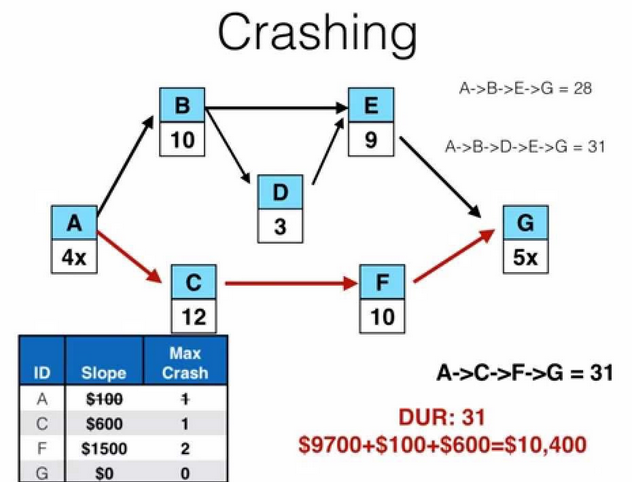
Crashing
- Crashing the schedule means: Adding resources or moving them around to shorten it. Crashing ALWAYS costs more and doesn’t always work!
- There’s no way to crash a schedule without raising the overall cost of the project. So, if the budget is fixed and you don’t have any extra money to spend, you can’t use this technique
- When you absolutely have to meet the date and you are running behind, you can sometimes find ways to do activities more quickly by adding more resources to critical path tasks
- Crashing the schedule means: Adding resources or moving them around to shorten it. Crashing ALWAYS costs more and doesn’t always work!
Fast-tracking
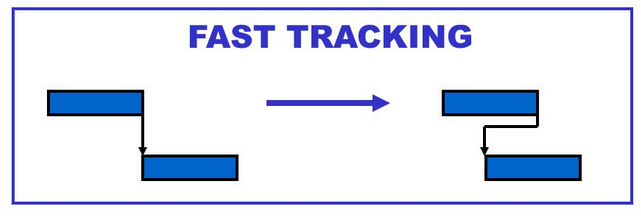
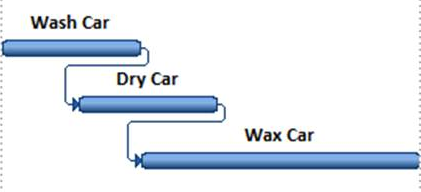
- Sometimes you’ve got two activities planned to occur in sequence, but you can actually do them at the same time.
- This is pretty risky, though. There’s a good chance you will need to redo some of the work you have done concurrently
- If you see something about “overlapping activities,” it’s talking about fast-tracking
Images and files in the map






Information
- Description
- Mind Map on SAB7#64_Compression_Schedule_Project, created by logarcia619 on 14/08/2015.
- Created by
- logarcia619
- Views
- 33
- Rating