
Mapa mental
Policy 2
Contenido del mapa
Policy 2
MNGF
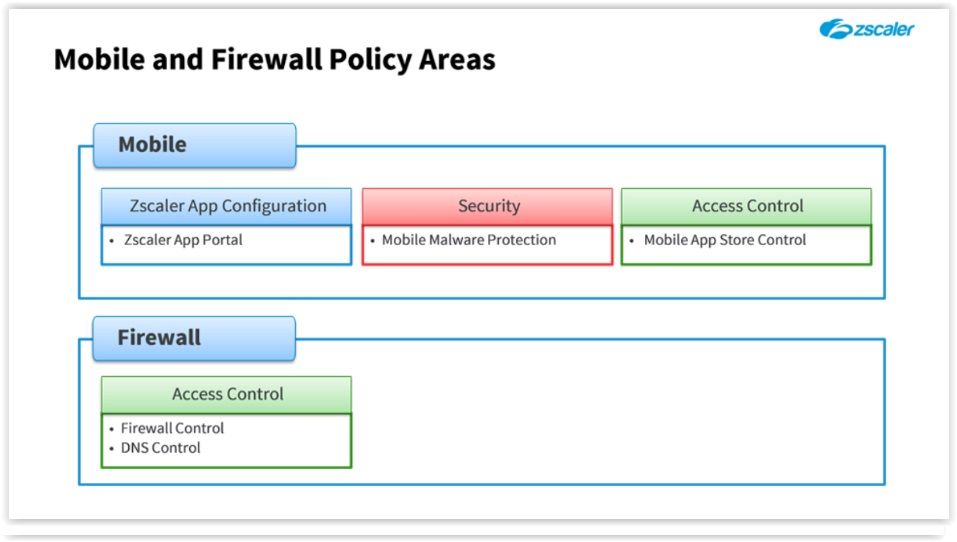
- Mobile and next generation Firewall
- You enable this by activating something called "Surrogate IP" (lots of slides, have to watch it again), looks like a layer 7 firewall, more or less like NBAR
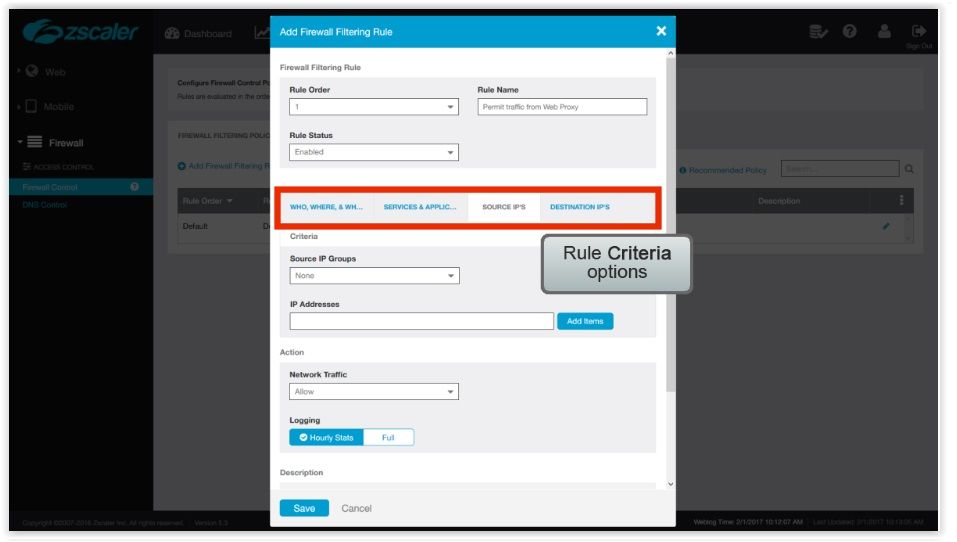
- Policy rules are different: WHO,WHERE, and WHEN, defines to whom the rule will apply. As with "Cloud application and URL filtering" rules, the "User", "Group", and "Department" all use a logical OR function the WHERE and TIME fileds uses a logical AND. This rule will apply to the entire organization so we don't need to change any criteria here
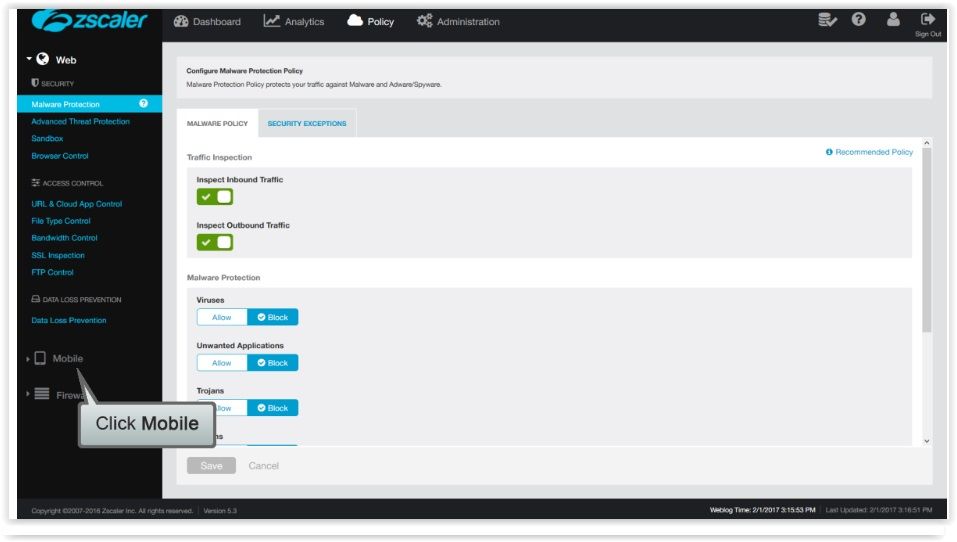
- Mobile
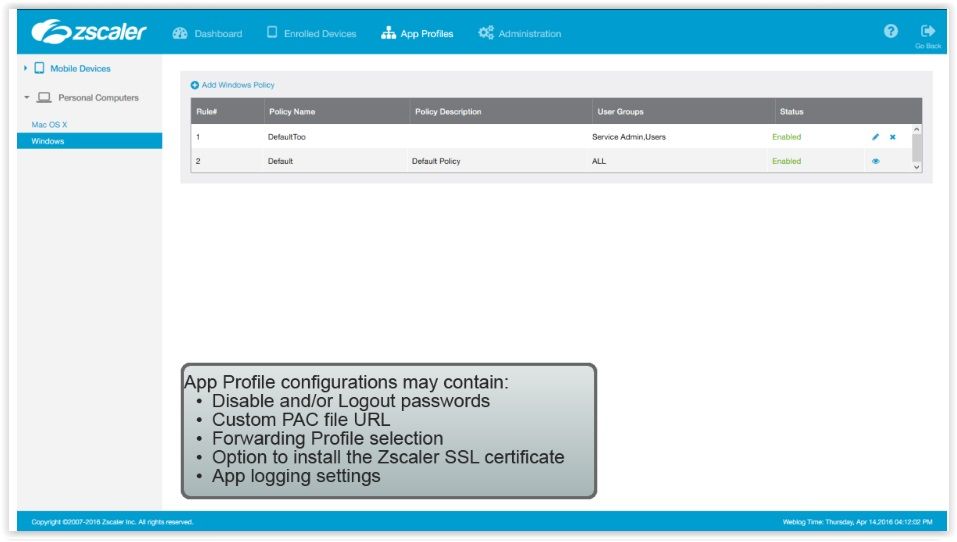
- Zscaler App Configuration
- Zscaler App Portal After Mobile click on Zscaler App Dashboard After Mobile click on Zscaler App Dashboard
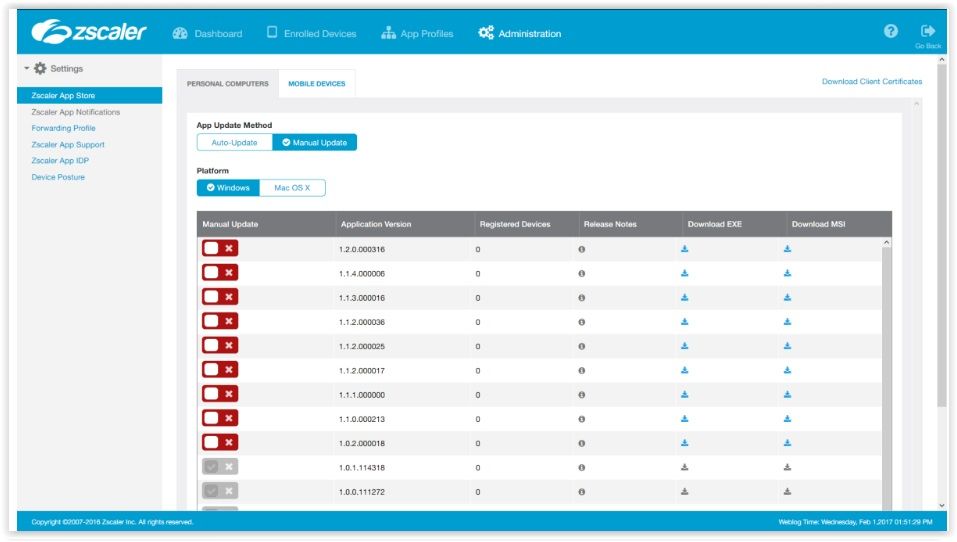
- Zscaler App Store
- On the Zscaler App store page you can download the latest version of the Zscaler to your platform, tou can also specify if the App should be auto-updated
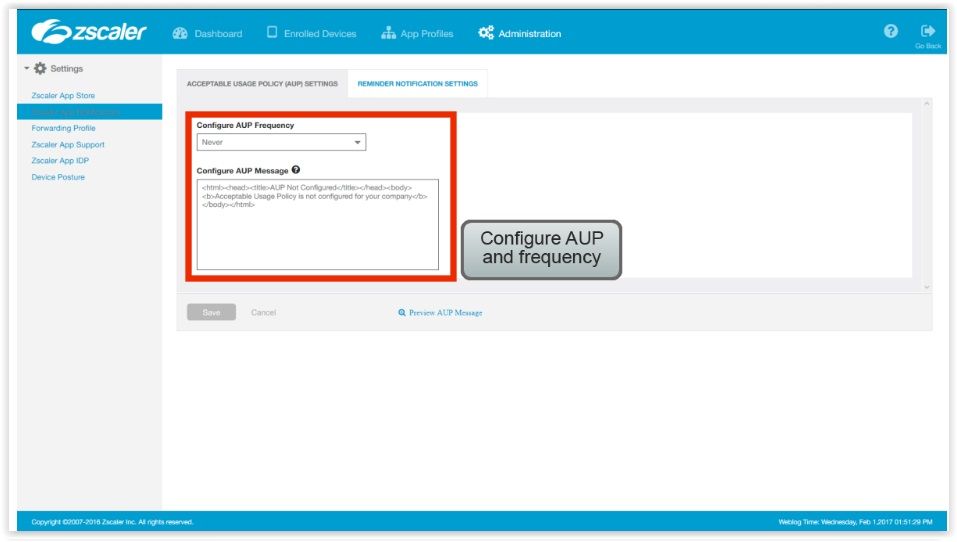
- AUP
- Accept Use Policy Users must accept before using the App, and you can specify how often it should be displayed (clicking on reminder notifications settings)
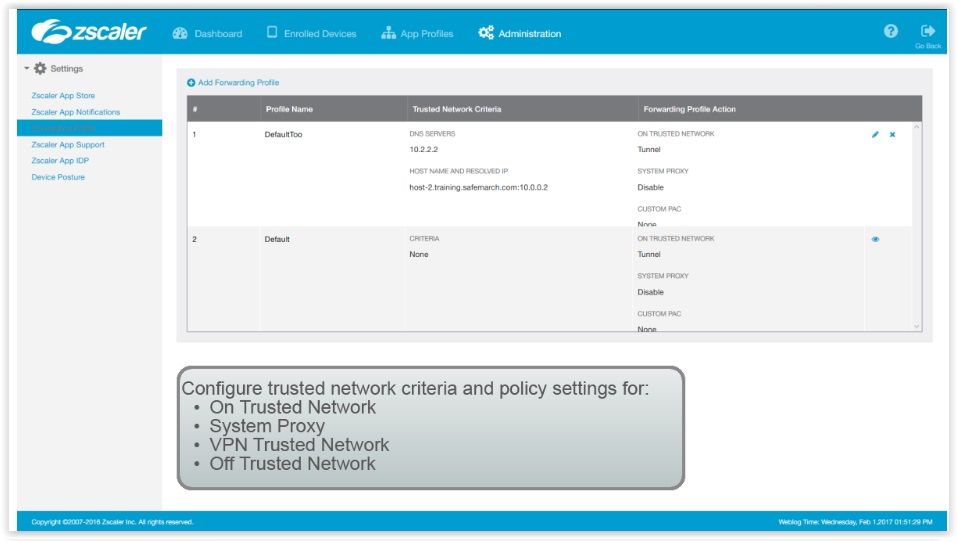
- Forwarding Profile
- How the App behaves when on a trusted network
- Profiles: On trusted network System Proxy VPN Trusted Network Off Trusted Network
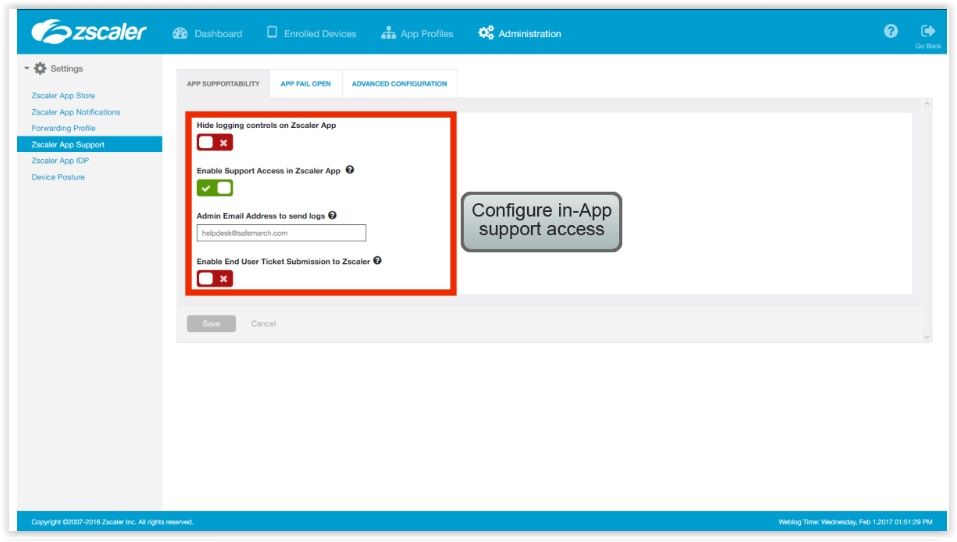
- Zscaler App Support
- To Configure in-app access to the Helpdesk Enable the raise of an issue within the App
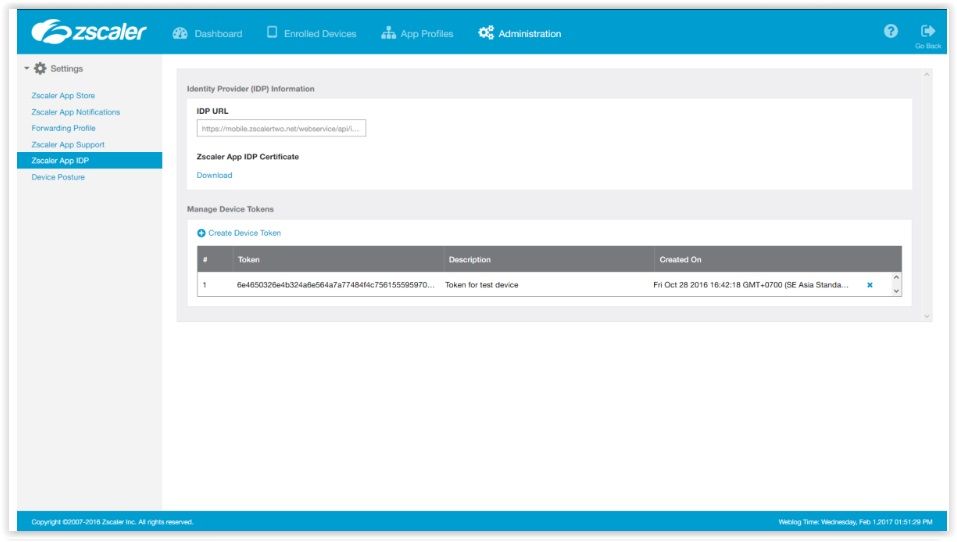
- Zscaler App IDP
- To Configure the mobile portal to act as a SAML IDP to allow a silent authentication of the Zscaler App, based on the user identity from the device login
- ??????????
- Device Posture
- Only relevant if your organization is using the Zscaler App for Private Access (ZPA).
- Set of criterias that the user's device must meet in order to access aplications with ZPA.
- Security
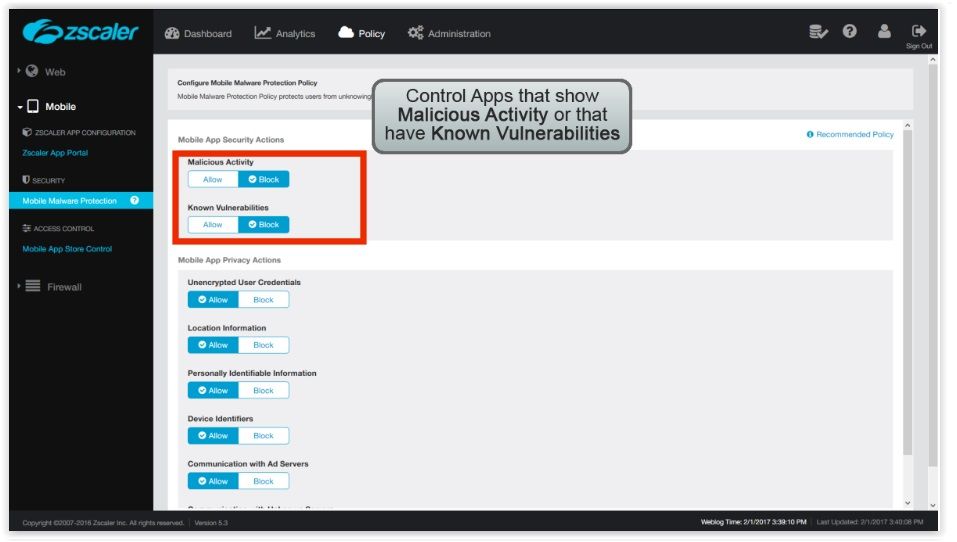
- Mobile Malware Protection
- Mobile Malware Protection
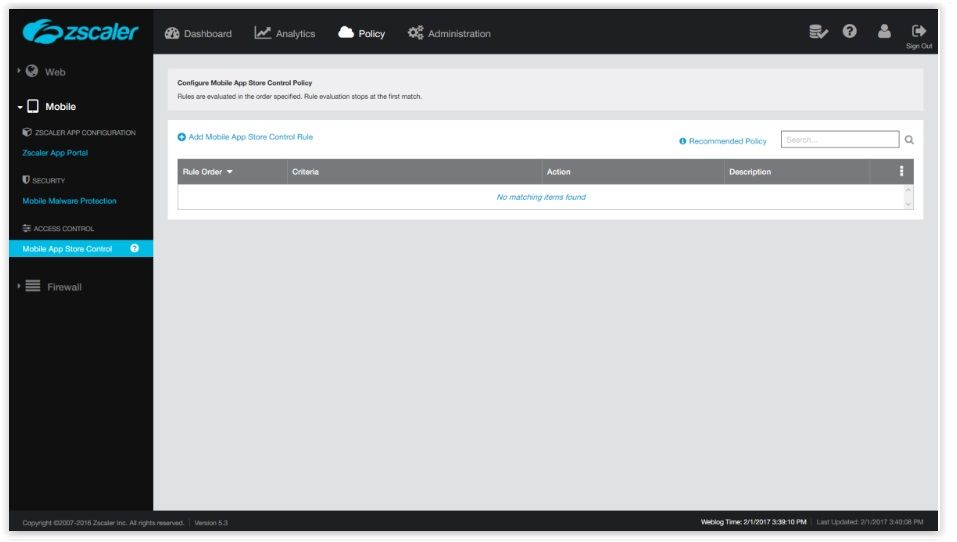
- Mobile App Store Control
- List of App Stores from where users are allowed to download Apps from
- To Add a control rule, click on Mobile App Store Control Rule
- Acces Control
- Mobile App store control
- Zscaler App Configuration
- Firewall
- Access Control
- Firewall Control DNS Control
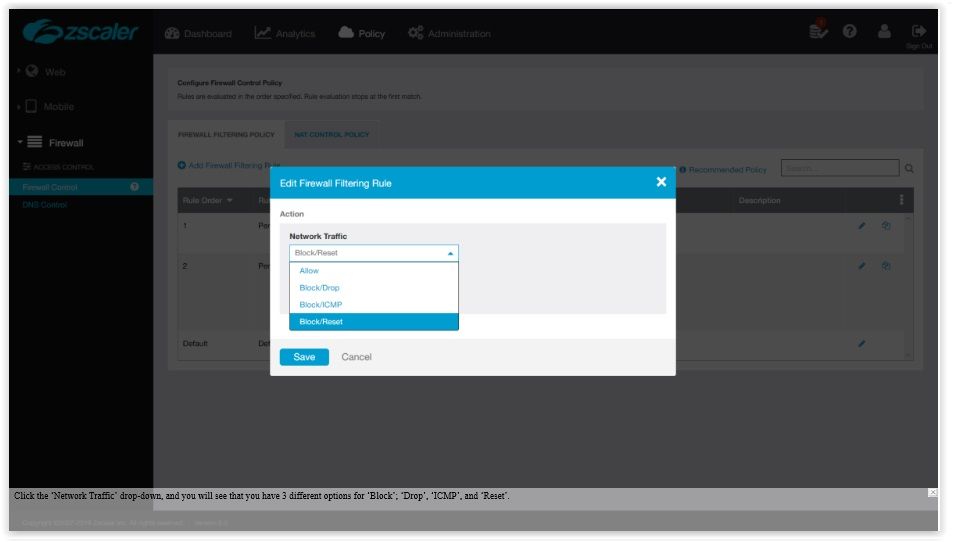
- Options are: Allow Block/Drop Block/ICMP - Block/Reset DROP option won't send any message to the user, so he won't be able to find out what happened ICMP sends an icmp error message RESET option sends a layer 4 reset
- Example
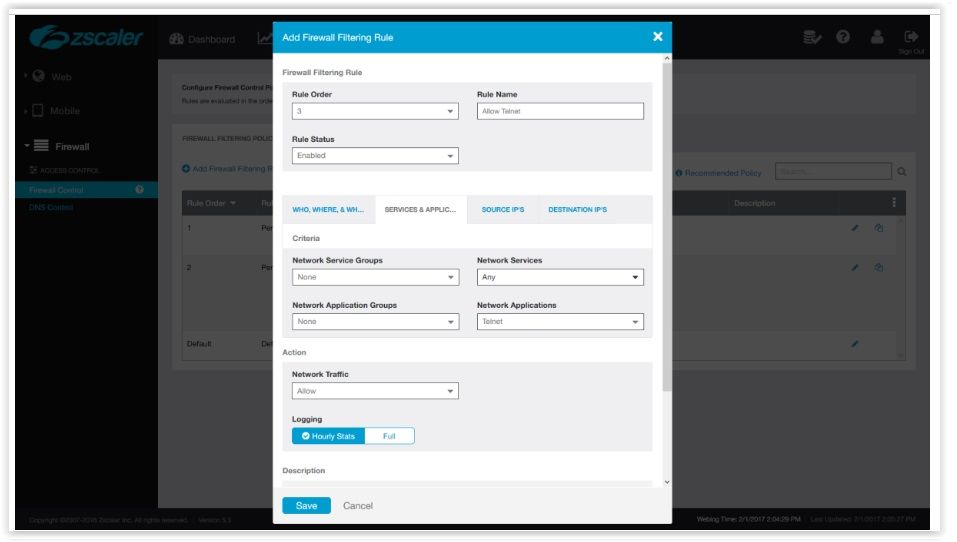
- To Allow telnet we could use the Network services group, however, if we do that, it will allow any application on port 23, so if you use any type of application on port 23 it'll be accepted
- On this case well use the Network application to match telnet in this case network aplication will be allowed regardless of the Layer 4 port
- If you want to restrict the Layer 4 ports that are used, you need to combine a "Network Services" configuration with the "Network configuration" rule. THIS WAY you tie the port and the application to a respective port. They use a logical AND So if you try to use telnet using a port different from 23 it'll be blocked.
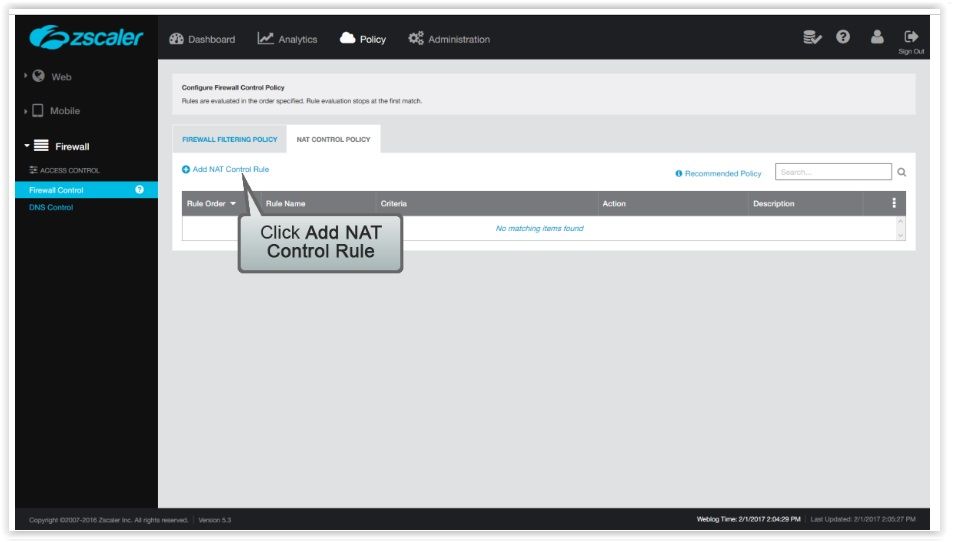
- NAT Control Rule
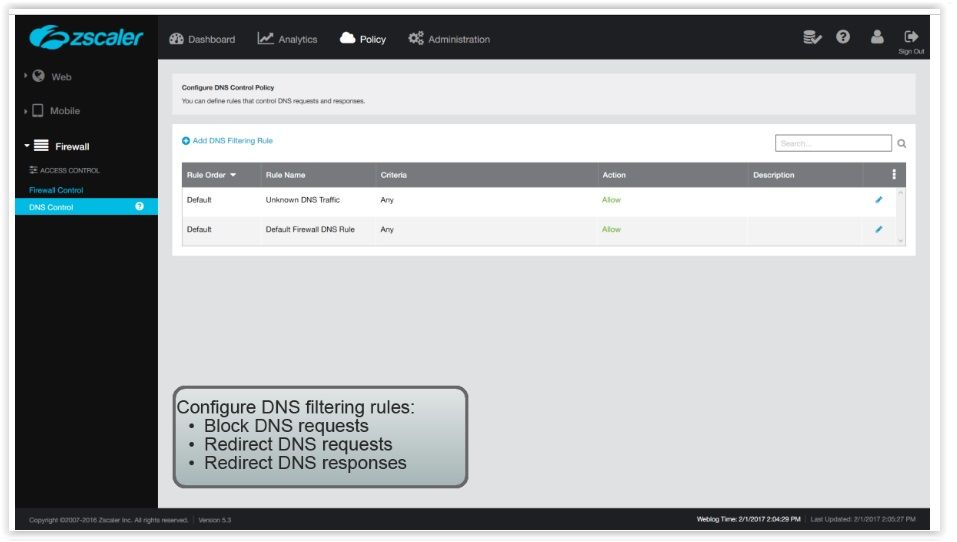
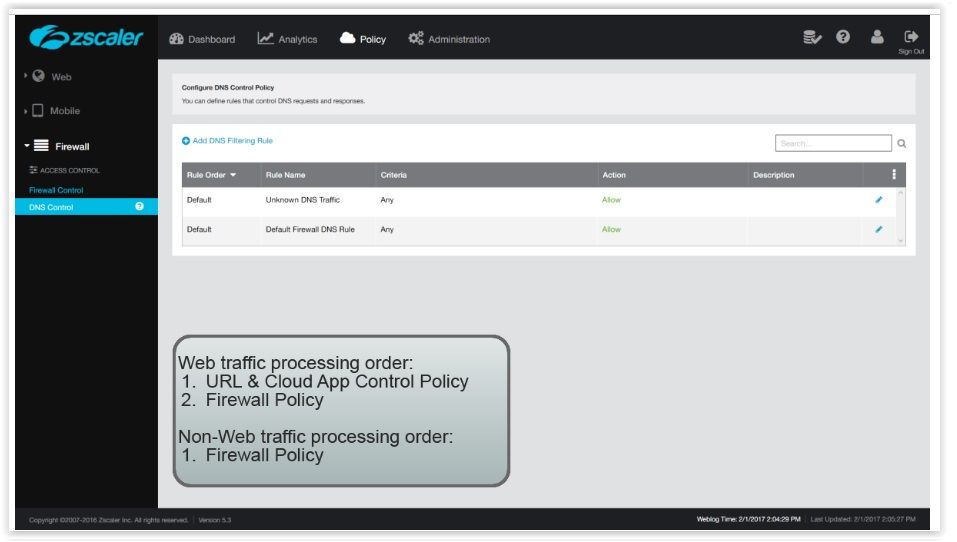
- DNS Control
- Web Traffic Processing Order
- WEB-TRAFFIC OUTBOUND web traffic from your organization Must pass both criterias 1 AND 2.
- NON WEB-TRAFFIC (<> FROM 80/443) OUTBOUND non-web traffic if the traffic violates it's blocked if it doesn't violateit may proceed to the internet.
- OUTBOUND here is defined from the user point of view. USER >>> ZEN >>> OUTbound
- Access Control
Imágenes y archivos del mapa
Información
- Descripción
- (Zscaler) Zscaler Mapa Mental sobre Policy 2, creado por Rafael Santos el 01/02/2017.
- Creado por
- Rafael Santos
- Visitas
- 1
- Valoración