
The Internet Protocols
Diapositivas del conjunto (67)
-
- Description
- An Internet point of presence is an access point to the Internet.
- A point of presence is a location where a long-distance carrier could terminate services and provide connections into a local telephone network
- https://www.youtube.com/watch?v=vUD8U7eLbQ0 (Enclavar)
- Pie de imagen: Point of Presence (POP)
-
- Description
- A Network Access Point is a public network exchange facility where Internet service providers connected with one another in peering arrangements.
- https://www.youtube.com/watch?v=5NHrois0JDs (Enclavar)
- Pie de imagen: Networking 101
-
- The Internet Protocol is the principal communications protocol in the Internet protocol suite for relaying datagrams across network boundaries. Its routing function enables inter-networking, and essentially establishes the Internet.
- https://www.youtube.com/watch?v=7rR8p6gsExY (Enclavar)
-
- The Transmission Control Protocol is a core protocol of the Internet protocol suite. It originated in the initial network implementation in which it complemented the Internet Protocol (IP). Therefore, the entire suite is commonly referred to as TCP/IP. Connects transmitted data to the IP.
- https://www.youtube.com/watch?v=vtEYQnv9HYw (Enclavar)
-
- The File Transfer Protocol (FTP) is a standard network protocol used to transfer computer files from one host to another host over a TCP-based network, such as the Internet.
- A standard protocol which allows fi les to be transferred between two computers on a TCP-basednetwork. It is commonly used to download programs to your computer from other servers and to
- upload web pages that you have created to the server that is hosting them on the internet.
- https://www.youtube.com/watch?v=8IC8-WIkE2c (Enclavar)
-
- An Internet Service Provider (ISP) is a company that provides you with access to the Internet, usually for a fee. The most common ways to connect to an ISP are by using a phone line (dial-up) or broadband connection (cable or DSL).
- Direct connection to the internet would be very costly and so ISPs provide a cost-effectivegateway for people and organisations to get onto the internet. In the UK there are many
- ISPs, with some of the most popular ones being BT (British Telecom), Virgin Media and Sky.
- https://www.youtube.com/watch?v=7_LPdttKXPc (Enclavar)
-
Internet Infrastructure/Hardware
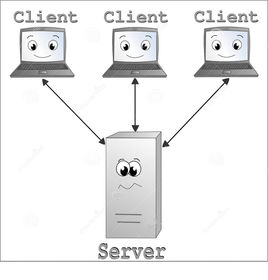
- SERVER
- The server is a computer or program which runs purely to serve the needs of other computers. It runs specialserver software to service the requirements of the Clients.There are several types of servers,
- including file servers and printer servers on a local area network , and web and email servers that manage communication with the internet.

-
Internet Infrastructure/Hardware
- CLIENT
- A computer which uses the services provided by the server
-
Internet Infrastructure/Hardware
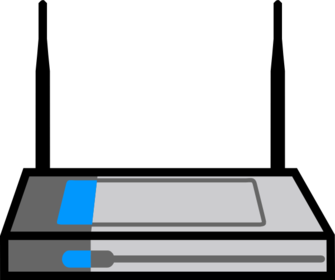
- ROUTER
- A piece of hardware that connects two or more networks. In relation to the internet, data fromthe ISP is sent into the network and the router then directs the data packets to the correct
- destinations. The router also handles data travelling in the other direction. Routers can be
- described as ‘directors of traffic’ for the networks
-
Internet Infrastructure/Hardware
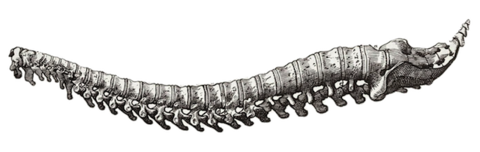
- BACKBONE
- The main connecting data routes between large networks on the internet and smaller networks in
- local regions.
-
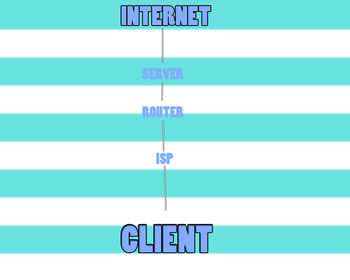
- Key Terms
- POP: An access point to the internet. Normally, it is a location which contains all of the hardware
- which allows internet users access to the internet. An Internet Service Provider (ISP) may operate several PoPs in their area to allow good access to the internet.
- NAP: An interchange between networks within the internet. It allows ISPs to interconnect with each other
- ISP:Direct connection to the internet would be very costly and so ISPs provide a cost-effective
- gateway for people and organisations to get onto the internet. In the UK there are manyISPs, with some of the most popular ones being BT (British Telecom), Virgin Media and Sky.
-
- Wireless: Used by wireless-enabled
- devices (computers, mobiles,
- smartphones, etc.) to log in to
- the internet. Wireless is exactly
- what it says; there are no wires to
- connect.
- Not fixed to a
- stationary computer.
- Can be used wherever
- there is a wireless hub
- which is accessible.
- Need to have access to a wireless hub.
- Can be less secure than wired
- connections.
- Tend to have slower data transmission
- speeds than wired broadband methods.
- Broadband A wired connection to a
- broadband supplier. Normally the
- connection is via a network card
- in the computer. Cable users have
- an ethernet connection from
- their computer to the network.
- Broadband
- connections can give
- better reception and
- are usually faster than
- dial-up.
- Requires a base which is wired in, so it
- is less flexible than wireless.
- Dial-up A wired connection via a
- conventional telephone line,
- which needs a
-
- In computing, bandwidth is the bit-rate of available or consumed information capacity expressed typically in metric multiples of bits per second. Variously, bandwidth may be characterized as network bandwidth, databandwidth, or digital bandwidth.
- https://www.youtube.com/watch?v=ICJqv0TN6-c (Enclavar)
-
- A bit is the basic unit of information in computing and digital communications. A bit can have only one of two values, and may therefore be physically implemented with a two-state device. These values are most commonly represented as either a 0or1. The term bit is a portmanteau of binary digit.
- https://www.youtube.com/watch?v=ptzGI9VaZmQ (Enclavar)
-
- Ethernet is a link layer protocol in the TCP/IP stack, describing how networked devices can format data for transmission to other network devices on the same network segment, and how to put that data out on the network connection.
- https://www.youtube.com/watch?v=7iSC9yXxVVc (Enclavar)
-
- Wireless broadband is technology that provides high-speed wireless Internet-access or computer networking access over a wide area.
- https://www.youtube.com/watch?v=Egxq00V0b1Y (Enclavar)
-
- Broadband is a high-capacity transmission technique using a wide range of frequencies, which enables a large number of messages to be communicated simultaneously.
- https://www.youtube.com/watch?v=GzNBoRJCvZk (Enclavar)
-
- Web pages are connected using hyper links. A hyper link is a link that, when clicked on,takes the website reader to another web page on the website or to a different website.
- https://www.youtube.com/watch?v=qcjBrEvwIE4 (Enclavar)
-
- Websites are held on a computer called a web server , which is connected to the internet and delivers web pages to users’ computers. When an internet user wants to look at a web page from a specifi c website, it is the web server’s job to deliver (download) those pages to the user’s computer
- https://www.youtube.com/watch?v=wukg_do5AV4 (Enclavar)
-
- Wizards a sort of like tutors that guide you through creating a web page or downloading a software.

-
- HTML is a computer language used to create web pages. You can create HTML directly in the language itself or by using authoring softwares.
- https://www.youtube.com/watch?v=x2060tAxfAk (Enclavar)
-
- The content between each pair of tags is called an HtML element . The language is written as a series of elements. Gradually the elements build up to describe a web page. Table 1.5 gives a small, simplistic example.
- https://www.youtube.com/watch?v=ZMqwoyOsVbs (Enclavar)
-
- Web pages are searched for using a uniform resource locator (uRL) , which is a string of characters that identify a particular web page on the internet. Every web page has a
- unique URL.
- https://www.youtube.com/watch?v=SMxx9XEF6m0 (Enclavar)
-
- Search engines such as Google™ and Yahoo! allow you to enter a description of what you are looking for and
- the search engine will search its indexes (databases of web pages) and find matching items.
- https://www.youtube.com/watch?v=DA1mooP1J30 (Enclavar)
-
- Codec isa device or program that compresses data to enable faster transmission and decompresses received data.
- https://www.youtube.com/watch?v=GhWki9a7s18 (Enclavar)
-
- A peripheral is basically things that connect with a computer, like a mouse, keyboard, printer, scanner and so on
-
- An Internet packet is a formatted unit of data carried by a packet-switched network. Computer communications links that do not support packets, such as traditional point-to-point telecommunications links, simply transmit data as a bit stream.
- https://www.youtube.com/watch?v=cGz9Hbiuca8 (Enclavar)
-
- Stands for "Megabits Per Second." One megabit is equal to one million bits or 1,000 kilobits. While megabit sounds similar to megabyte, a megabit is roughly one eighth the size of a megabyte . Mbps is used to measure data transfer speeds of high bandwidth connections, such as Ethernet and cable modems.
-
- Gbps stands for billions of bits per second and is a measure of bandwidth on a digital data transmission medium such as optical fibre . With slower media and protocols, bandwidth may be in the Mbps (millions of bits or megabits per second) or the Kbps (thousands of bits or kilobits per second) range.
-
- A geostationary satellite is an earth-orbiting satellite, placed at an altitude of approximately 35,800 kilometres (22,300 miles) directly over the equator, that revolves in the same direction the earth rotates.
- https://www.youtube.com/watch?v=E4k3kEA3pmo (Enclavar)
-
- https://www.youtube.com/watch?v=y45v5SLjxaM (Enclavar)
- Abbreviation for binary term, a unit of storage capable of holding a single character. On almost all modern computers, a byte is equal to 8 bits. Large amounts of memory are indicated in terms of kilobytes , megabytes, and gigabytes.
-
- USB, short for Universal Serial Bus, is an industry standard developed in the mid 1990's that defines the cables, connectors and communications protocols used in a bus for connection, communication, and power supply between computers and electronic devices.
-
- The majority of the processing will be done at the server and not on the client's internet browser. When a database needs to be accessed on a server, the web application will post the page back to the web server and server-side code will process the request.
-
- With server-side scripting, completing an activity involves sending information to another computer across the internet. The server then runs a program that process the information and returns the results, typically a webpage.
- Search engines use server-side processing. When a keyword is sent, a program on a server matches the word or phrase entered against an index of website content.
-
- Bi-directional transmission has several meanings within data communication, but it is essentially about transmitting in both directions. Most recently the term has been applied to fibre optics. Using the current technology, light passes in one direction only, so you have to add extra fibres to the bundle to carry a signal in the opposite direction
-
- A "duplex" communication channel requires two simplex channels operating in opposite directions. The ITU definition of simplex is a communications channel that operates in one direction at a time, but that may be reversible; this is termed "half duplex" in other contexts.
-
- Data transmission that can travel both ways but cant transmit at the same time
- https://www.youtube.com/watch?v=73zvwDBpYJs (Enclavar)
-
- https://www.youtube.com/watch?v=9-Vpq3fcmHA (Enclavar)
- signals go in both directions at the same time.
-
- A database is a system for managing a collection of data. Data about a particular type of thing – for example, customers or products – is stored in a table . You can think of a table as a grid. Every row in the table holds information about a single item; this is also called a record . Every column holds information about a property of the items in the
- table, such as a customer’s name or an item’s price – these properties are called fields .
- https://www.youtube.com/watch?v=4Z9KEBexzcM (Enclavar)
-
- A database is a system for managing a collection of data. Data about a particular type
- of thing – for example, customers or products – is stored in a table
-
- Every row in the table holds information about a single item; this is also called a record .
-
- Every column holds information about a property of the items in the
- table, such as a customer’s name or an item’s price – these properties are called fi elds .
-
- All tables have a primary key on which they are organised. The primary key is the
- unique identifi er of each record in the table
-
- The tables may themselves hold fields
- which are primary keys in other tables ( foreign keys ) which can be used to access
- associated information from many tables in one query.
-
- Structured Query Language (SQL) is a high-level language which is used to undertake
- this management activity. It is normally in two parts:
-
- This is the part which is used to defi ne the
- database structure.
-
- This is the part used to add, delete, change
- and query the data which is held in the database structure
-
- Database management systems (DBMS) are the programs which allow you to create any database that you need and to use the databases you have created.
-
-
- Trojan, in computing is any malicious computer program which misrepresents itself to appear useful, routine, or interesting in order to persuade a victim to install it. This is an example of malware.
-
- A computer virus or worm is a self-replicating program that can spread by email or by inserting copies of itself into other programs or documents. Most viruses or worms are malicious programs designed to infect and gain control over a computer without the owner's knowledge.
-
- People who find an unattended computer which has been
- left logged in to a system may view, steal or damage information, programs or even
- hardware.
-
- This is a type of threat which attempts to gain access to passwords, financial details and other such privileged information. Often this is done by email messages pretending to come from trusted websites, instant messaging or social networks. Normally they try to divert you to a website which looks original and which asks for information about you.
-
- These include turning off computers and locking offi ces when the
- systems are unattended to prevent damage by people, the environment (e.g. fi re,
- fl ooding, electrical interference) or theft
-
- Passwords are sequences of characters, known only
- to the computer user, which allow access to a computer, network or application.
- Passwords should always be strong so that it is hard for someone else to guess them
- or work them out.
-
- These can be set up to allow individuals to have access to only
- specifi c levels of an application and to prevent unauthorised users from accessing
- particular data.
-
- This is set up to intercept computer viruses before they can
- become resident on the computer. The software can isolate the virus, remove it and
- sometimes repair any damage. Equivalent security programs exist for other types of
- malware.
- https://www.youtube.com/watch?v=67-5bzc_GKE (Enclavar)
-
- This is a piece of software that monitors all data arriving at your computer
- from the internet and all data leaving your computer. It stops anything that it thinks
- is harmful or unwanted (such as viruses, spam, Trojan horses and hackers).
- https://www.youtube.com/watch?v=fsjspQ-MgY0 (Enclavar)
-
- This is used to codify data so that it cannot be read by anyone who does
- not have the key to the code. An algorithm, sometimes known as a cipher, is applied
- to the data at the transmission end and the reverse is applied at the reception end.
- https://www.youtube.com/watch?v=ySP-dvcOgas (Enclavar)
-
- Making a backup of data is the only way of recovering from a
- total data disaster.
- https://www.youtube.com/watch?v=x_jih9HukwI (Enclavar)
-
- A number of relatively laws exists within the UK in response to the increased use of computer systems
- https://www.youtube.com/watch?v=psP5gY7a458 (Enclavar)
-
- Data protection Act 1998-Provides 8 principles that govern the way data about individuals is stored and used. These acts are
- Computer misuse act 1990-Introduced to protect from hackers and malicious use of viruses.
- Copyright, Designs and patents Act 1988- Protects creators of original works.
- Freedom of information act 2000- Provides individual the right to see information stored about them. Data can also be accessed about public bodies.
Información
- Descripción
- Diapositivas sobre The Internet Protocols, creado por rhysjohnston1999 el 04/11/2015.
- Creado por
- rhysjohnston1999 · nov 2015
- Actualizado
- 10 nov 2018
- Visitas
- 10
- Valoración