
15500591
Description

Mind Map by ALEXIS GONZALEZ MUNOZ, updated more than 1 year ago

|
Created by ALEXIS GONZALEZ MUNOZ
about 7 years ago
|
|
Student Guide for Personal Computer
Maintenance
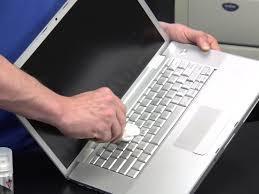
- Maintaining your Notebook Computer
- Notebook computers
need to be
maintained regularly.
Lack of maintenance
could lead to such
problems as:
- 1. Overall slowness to the system
- 2. Program may
crash and fail to
open
- 3. The computer will
require restarting
- These are only a few of the
possible problems you will
experience of proper
maintenance is not
routinely performed
- 1. Overall slowness to the system
- Notebook computers
need to be
maintained regularly.
Lack of maintenance
could lead to such
problems as:
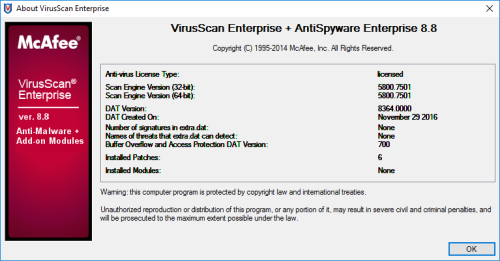
- McAfee VirusScan Enterprise
- CUNY Students are
able to download
McAfee VirusScan
Enterprise from the
CUNY eMall at no
cost.
- CUNY Students are
able to download
McAfee VirusScan
Enterprise from the
CUNY eMall at no
cost.
- Updating
Microsoft
Windows
- Running Widows Updates
- 1. Click on Start, then All
Programs, and then finally
the Windows Update icon
at the top of the list.
- 2. Click on Check for Updates.
Windows will now check for all
available updates for your
computer.
- 3. If new updates are found, click on Install updates.
- 4. Windows will now download
and install all necessary
updates for your computer.
Give it some time to finish.
(This can take a while if
there are many updates).
- 5. After you have installed all
updates, perform a Windows
Update every 2 to 3 weeks to
keep your system up to date
and enable automatic updating.
- 5. After you have installed all
updates, perform a Windows
Update every 2 to 3 weeks to
keep your system up to date
and enable automatic updating.
- 4. Windows will now download
and install all necessary
updates for your computer.
Give it some time to finish.
(This can take a while if
there are many updates).
- 3. If new updates are found, click on Install updates.
- 2. Click on Check for Updates.
Windows will now check for all
available updates for your
computer.
- 1. Click on Start, then All
Programs, and then finally
the Windows Update icon
at the top of the list.
- Running Widows Updates
- Maintaining the Hard Drive
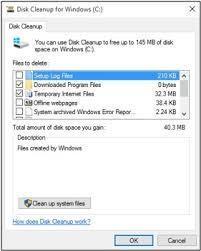
- Disk Cleanup
- To keep a PC running smoothly,
regular maintenance is critical.
- To keep a PC running smoothly,
regular maintenance is critical.
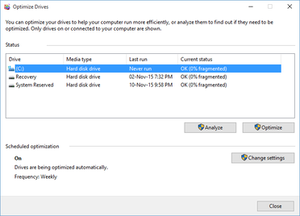
- Disk Defragmenter
- Disk Defragmenter is
used to organize files
on the hard drive and
optimize free space,
improving the speed
and performance of
the computer.
- Disk Defragmenter is
used to organize files
on the hard drive and
optimize free space,
improving the speed
and performance of
the computer.
- Maintaining the Battery
- NOTE: Most laptop batteries will
last at least four hours when fully
charged. If not maintained,
however, the battery will require
charging more frequently.
- NOTE: Most laptop batteries will
last at least four hours when fully
charged. If not maintained,
however, the battery will require
charging more frequently.
- Disk Cleanup
Media attachments

Want to create your own Mind Maps for free with GoConqr? Learn more.