
7082028
Description

Mind Map by Mayreli Lopez, updated more than 1 year ago
|
|
Created by Mayreli Lopez
about 9 years ago
|
|
DNS
- Instalar el servidor DNS
- # apt-get install
bind9
- # apt-get install
bind9
- Iniciamos el
bind9
- #/etc/init.d/bind9 start
- #/etc/init.d/bind9 start
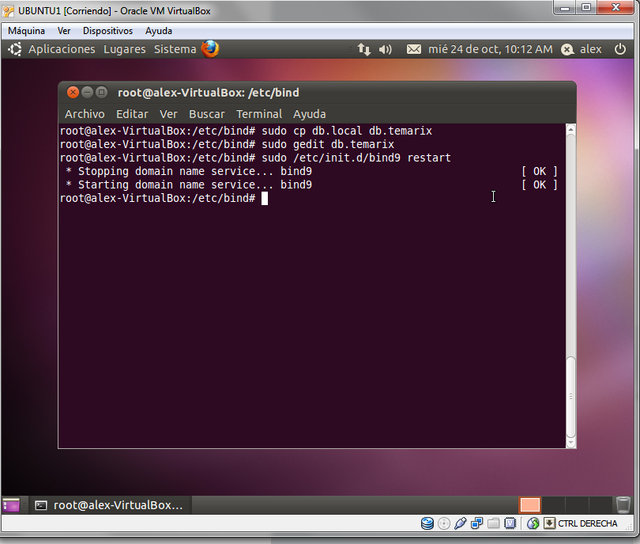
- Entramos al directorio bind
- # cd /etct/bind
- # cd /etct/bind
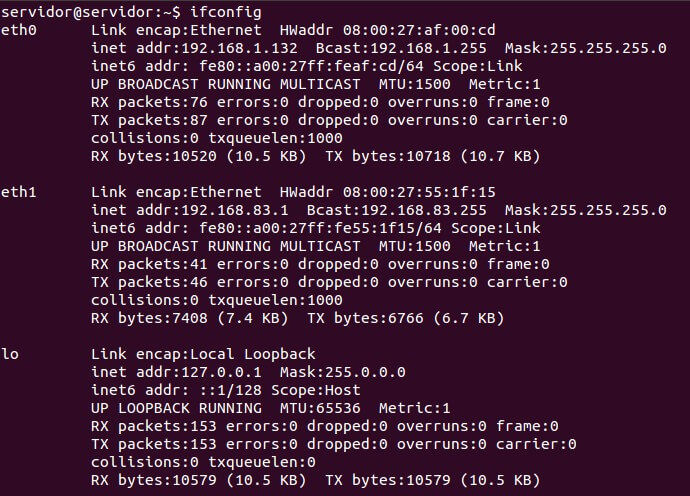
- Configuración de Red
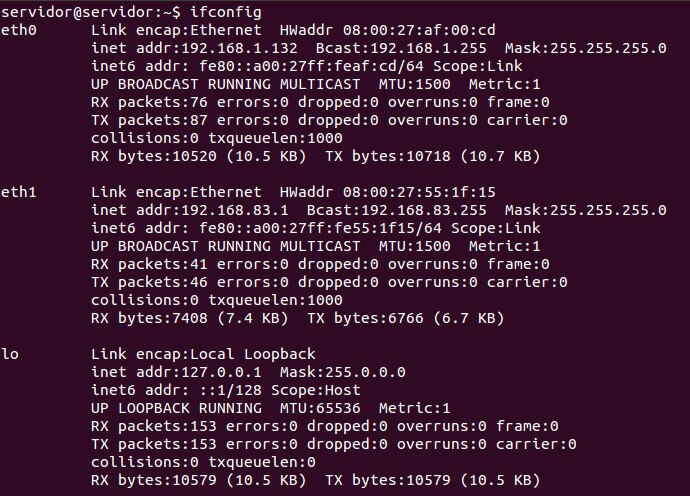
- Comando if config
- Comando if config
- Configuramos la red
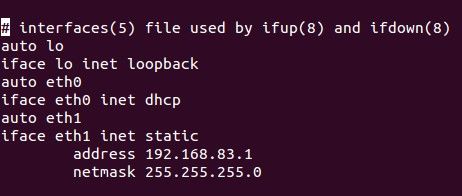
- Asignamos una Ip a la tarjeta de red
- Editamos el fichero /etc/network/inerfaces.
- Editamos el fichero /etc/network/inerfaces.
- Asignamos una Ip a la tarjeta de red
- Reiniciamos la red
- Comando /etc/init.d/networking restart
- Comando /etc/init.d/networking restart
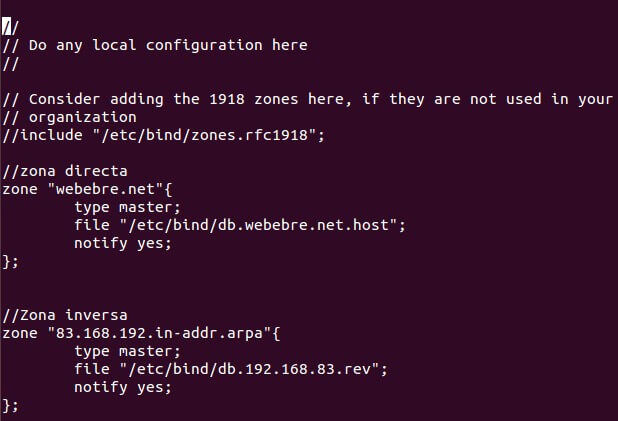
- Editamos archivo /etc/bind/named.conf.local.
- Especificaremos las zonas de búsqueda directa e inversa
del servicio DNS.
- Especificaremos las zonas de búsqueda directa e inversa
del servicio DNS.
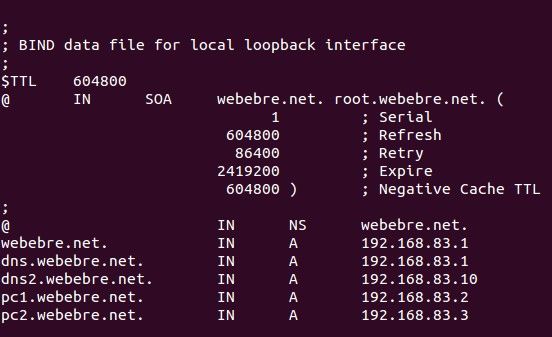
- Tablas de la búsqueda directa
- /etc/bind/db.webebre.net.host.
- /etc/bind/db.webebre.net.host.
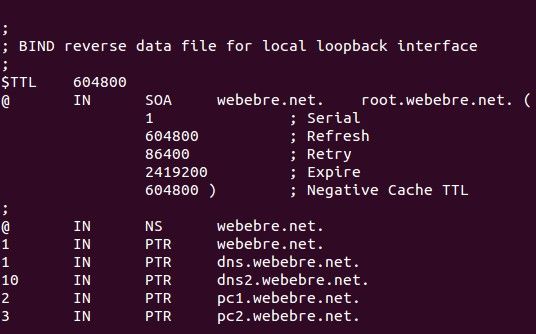
- Tablas de búsqueda inversa
- /etc/bind/db.192.168.83.rev.
- /etc/bind/db.192.168.83.rev.
- Combrobación de tablas inversa y directa
- ZONA DIRECTA named-checkzone
webebre.net
/etc/bind/db.webebre.net.host
ZONA INVERSA named-checkzone
webebre.net
/etc/bind/db.192.168.83.rev
- ZONA DIRECTA named-checkzone
webebre.net
/etc/bind/db.webebre.net.host
ZONA INVERSA named-checkzone
webebre.net
/etc/bind/db.192.168.83.rev
- El servidor DNS es el mismo
- /etc/resolv.conf.
- /etc/resolv.conf.
- Reiniciar el Bind 9 con el comando
/etc/resolv.conf.
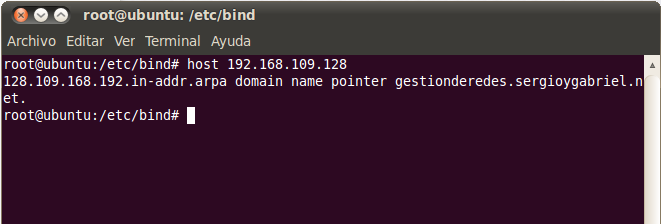
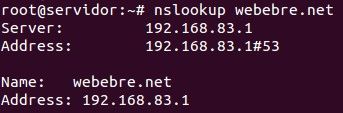
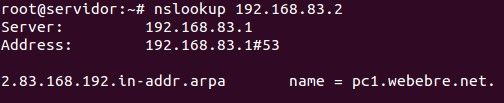
- Comprobar que el
DNS ya funciona
nslookup.
- ZONA DIRECTA
- ZONA INVERSA
- ZONA DIRECTA
- Comprobar que el
DNS ya funciona
nslookup.
- De esta forma el servidor DNS esta instalado, configurado y
funcionando correctamente.
- Equipo 5: Lopez Martinez Mayreli Ruiz Sanchez Brisa Donaji
Lopez Franco Josue Isaias
Media attachments




Want to create your own Mind Maps for free with GoConqr? Learn more.