
Mapa mental
Chapter 10 Integrated Project
Conteúdo do mapa
Chapter 10 Integrated Project
Step One: Prepare the Project Plan
- Questions to ask: Who is performing the project, when does it need to be completed, etc
- Using tools to perform and complete the project
Step Two: Determine Requirements
- Review Business Documents and getting information about the company
Step Three:
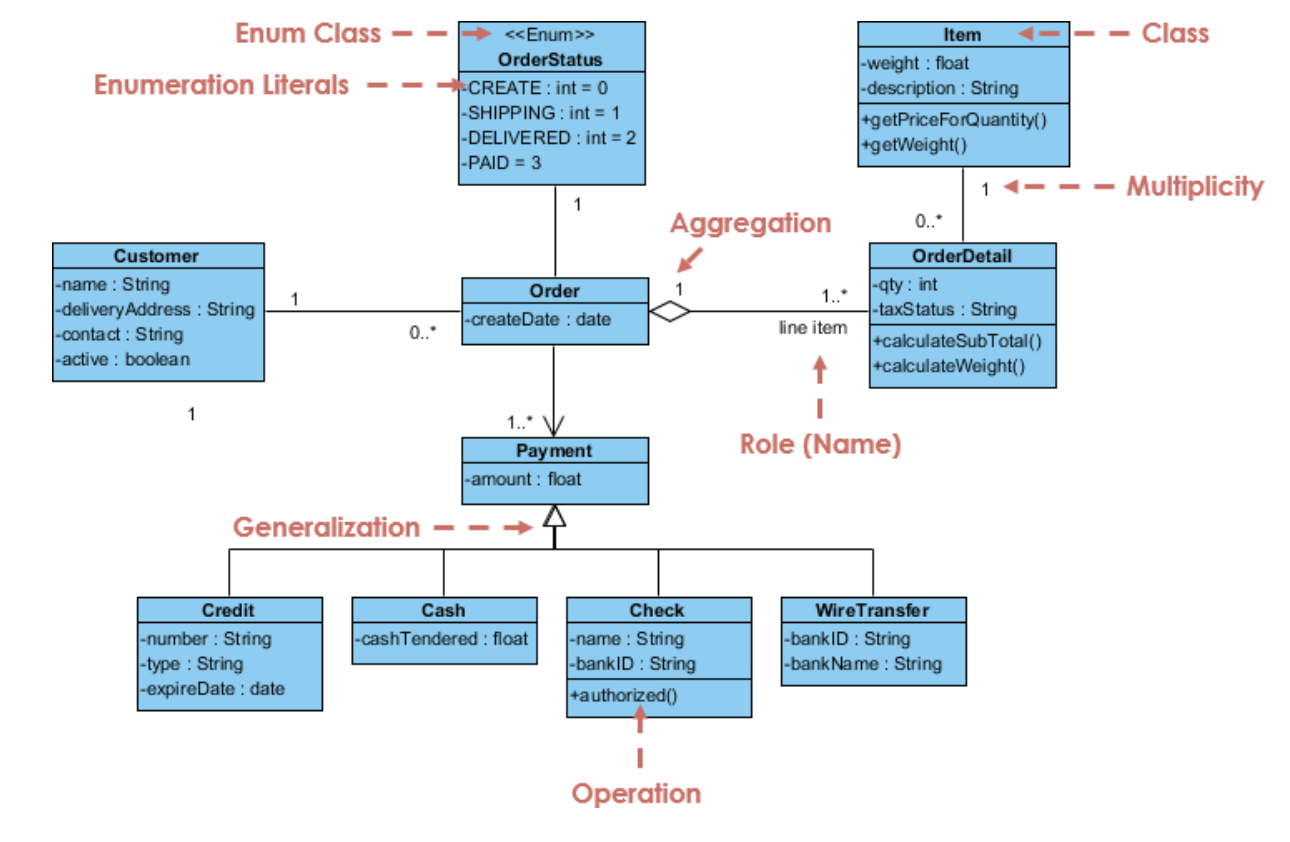
- Prepare Structure Diagrams
- Example of a Structure Diagram is on the left of this Node
- Its a blueprint for implementing a database
- Three things to Identify:
- Classes
- Associations
- Multiplicities
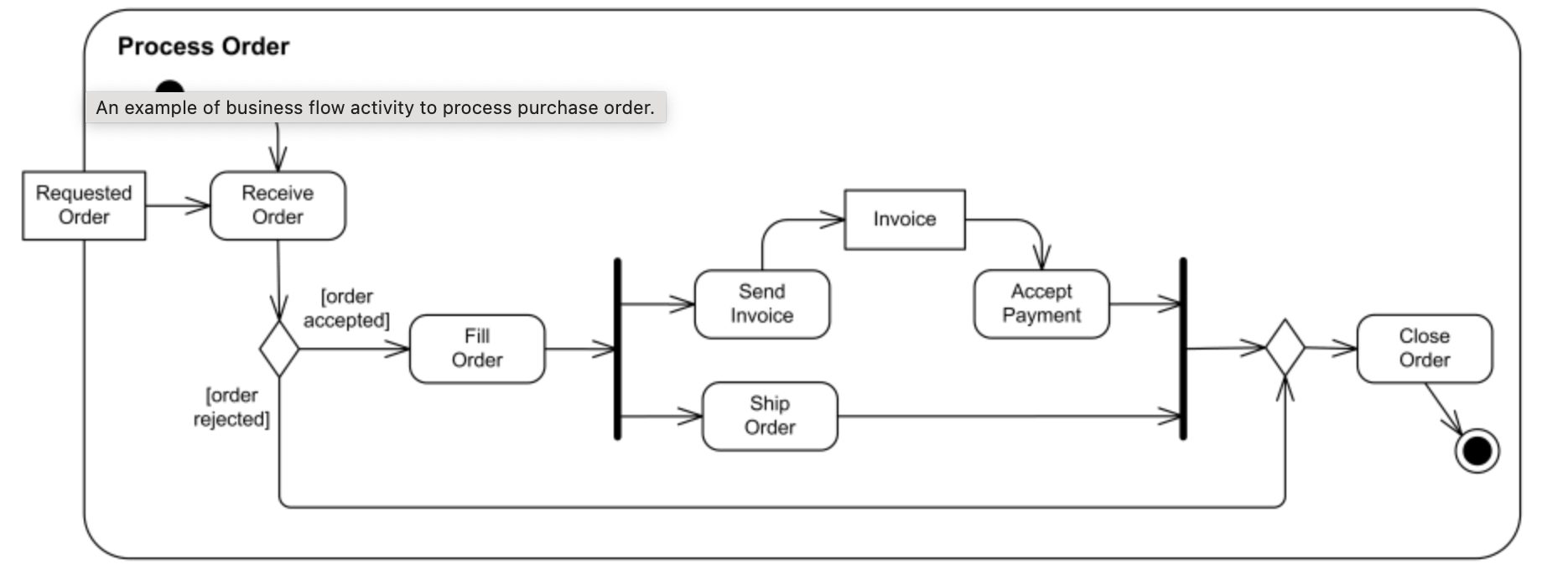
- Prepare Activity Diagrams
- Example of an Activity Diagram is above this Node
- First Step is to define the context
- Second Step is to document each current process using BPMN
- Third step is to determine who perform, redefine and decompose activities
- Last step is to validate the models with stakeholders
- Prepare Structure Diagrams
Step Four: Import data to access, create tables and set relationships
- We first import the data to Access, usually with an Excel File
- Then we create efficient tables by determining primary keys
- Finally, we set relationships to prepare for Queries
- Then we create efficient tables by determining primary keys
- We first import the data to Access, usually with an Excel File
Step Five and Six: Prepare Queries and Prepare Financial Reports
- By creating Queries in Access gives you multiple options for financial reports such as:
- Income Statement
- Purchases of Inventory / Cost of Goods Sold
- Payroll and Timecards
- By creating Queries in Access gives you multiple options for financial reports such as:
Imagens e arquivos do mapa
Informações
- Descrição
- MindMap for Chapter 10 Integrated Project Accounting Information Systems
- Criado por
- David Esch
- Visualizações
- 14
- Tags
- Avaliação