
Learning Centre powerpoint
Slides do conjunto (9)
-
- We
- have a Learning Centre (or LC) in both our Broxbourne and Ware campuses.
- This is the place to go for:
- •Studying and researching
- •Working on assignments
- •Viewing the various books & resources
- available
- Continue
- to find out more about whats
- available in the Learning Centre..
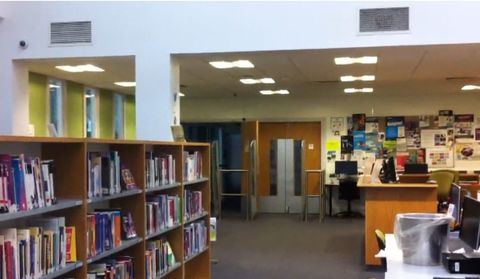
- Legenda: Pic Above: Broxbourne LC
-
Learning Centre - Opening Times
- Broxbourne
- Monday
- 8.30am - 7.30pm
- Tuesday
- 8.30am - 5pm
- Wednesday
- 8.30am - 7.30pm
- Thursday
- 8.30am - 5pm
- Friday
- 8.30am - 4.30pm
- Ware
- Monday
- 8.30am - 5pm
- Tuesday
- 8.30am - 7.30pm
- Wednesday
- 8.30am - 5pm
- Thursday
- 8.30am - 7.30pm
- Friday
- 8.30am - 4.30pm
-
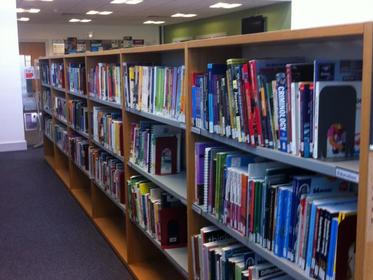
- Not only do we have a range of text books and various subject-related
- books, but we also have a lot of fiction books as well.
- To
- take out a book, please speak to the LC staff.
- By using our Eclipse system (mobile app available!), you can view your outstanding loans, search resources and reserve items!
- Please speak to the LC team to get your account for Eclipse created.
-
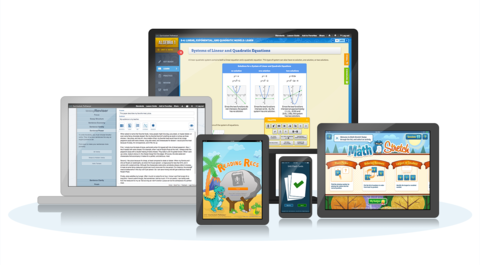
- Using Eclipse, you can access thousands of online resources including e-books and journals for free
- Please speak to the LC team to have your Eclipse account activated.
- To find out more about Eclipse and our other online resources, check out the LC page on Moodle
- "Whats Moodle?" You may ask... but keep reading to find out!
-
- We have lots of computers for learners to use for independent study, researching or completing assignments.
- To log in to these computers, you will need your student number, as found on your ID card, as well as your password printed on your enrolment receipt.
- Don't know your password? The LC staff can reset it for you.
- In Ware, we also have iMacs available.
- Want to use your own device such as phone, tablet, laptop? Make sure you connect to the HRC MyDevice network!
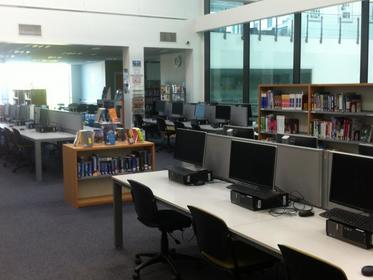
- Legenda: Pic above: Broxbourne LC
-
- Printing
- We have printers that can print A4 / A3
- in both campuses.
- Colour printing, as well as black &
- white, is available.
- Printing will cost print credits from
- your account. You will have a certain allowance from the start of the year. To
- top these up, speak to the Learning Centre staff.
- Stationery
- Various stationery can be purchased from
- the LC desk, this includes:
- Pencils, pens, plastic pockets, treasury tags, coloured paper, highlighters, glue sticks and USB Memory Sticks
- We also offer various services such as: Photocopying, binding and
- laminating
-
- Logging
- in
- Upon
- logging into a computer, you will start a 2 hour timer before you are logged
- out of the system. This is so that everyone has an equal chance to use a computer. If you
- need an extension on your time, please ask the LC staff.
- You
- can see how much longer you have by checking the timer in the bottom right
- corner of your screen.
- Food
- and drink
- You are allowed to drink bottled water in the Learning Centre. Please use the canteens for
- any other drinks or food.
- Noise
- levels
- Please
- be respectful of others who are trying to work. If you are repeatedly causing
- disruption, you may be asked to leave the Learning Centre.
- Fines
- If
- you take out a book and do not return it on time, you will have to pay a fine. Please speak to the LC staff if you would like to extend your borrowing period.
- ID
- Cards
- Like
- anywhere else in the college, in the LC, you are required to wear your college
- ID card visibly at all times.
-
- At HRC, all of our students have a
- Microsoft Office 365 account.
- This provides you with:
- •A
- college email address (your-student-number@student.hrc.ac.uk)
- - You can forward emails sent to this email address to your personal one. For instructions, please see the Office 365 page on Moodle.
- •OneDrive
- - Unlimited online storage. This is cloud based and much safer than using a USB stick!
- •Full
- Office software (Word, PowerPoint, Excel and more!) which you can:
- -Install on your home computer for
- free
- -Use via your internet browser
- -Use on your Smartphone
- Legenda: For more information about Office 365, click on the button on the front page of Moodle
-
Moodle - https://vle.hrc.ac.uk
- Moodle is our Virtual Learning
- Environment (or VLE, for short). It is the student homepage at Hertford
- Regional College.
- It
- is the place to go for:
- •College
- news and information
- •Access to Office 365
- •Access to your Individual Learning Plan
- •Access to your course page via the 'My Courses' button
- Your tutor may expect you to use Moodle to view resources, submit work or participate in online activities e.g. discussions or quizzes.
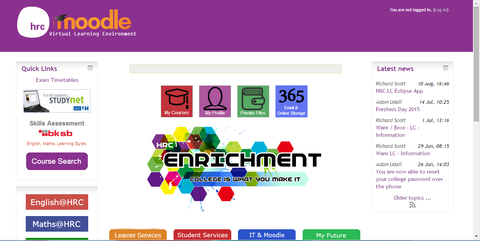
- Legenda: To log into Moodle, use your student number as a Username, followed by the password printed on your enrolment receipt.
Informações
- Descrição
- powerpoint
- Criado por
- elearninghrc · ago 2015
- Atualizado
- 3 nov 2016
- Visualizações
- 256
- Tags
- Avaliação