
Internet protocol
Slides do conjunto (58)
-
- Point of Presence (PoP) - An access point to the internet. Normally, it is a location which contains all of the hardware
- which allows internet users access to the internet. An Internet Service Provider (ISP) may
- operate several PoPs in their area to allow good access to the internet.
- Network Access Point (NAP) - An interchange between networks within the internet. It allows ISPs to interconnect with
- each other.
- https://www.youtube.com/watch?v=vUD8U7eLbQ0 (Incorporar)
-
- Internet Protocol (IP) - The protocol used to route packets of information across the internet.
- An individual unit of data which is carried across a network, including the internet. It is made
- up of a header which identifies the packet and a body which is the actual data message. It
- is one of the functions of the Transmission Control Protocol (TCP) to organise an internet
- message into packets.
- https://www.youtube.com/watch?v=zyL1Fud1Z1c (Incorporar)
-
Transmission Control Protocol (TCP)
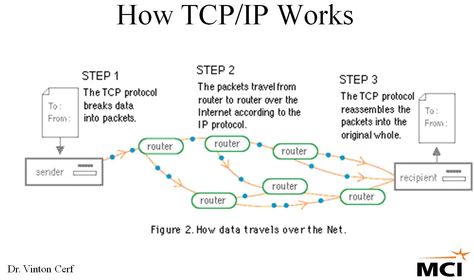
- Transmission Control Protocol(TCP) - The protocol which takes data from a user’s application program and passes it to the IP for
- transfer across the internet. The reverse operation is performed at the destination computer,
- i.e. the TCP reassembles the data (from individual packets) and forwards them to the user’s
- application program. The close relation with the IP means that the terms are usually used in
- combination, i.e. TCP/IP.
-
- File transfer protocol - A standard protocol which allows files to be transferred between two computers on a TCP-based
- network. It is commonly used to download programs to your computer from other servers and to
- upload web pages that you have created to the server that is hosting them on the internet.
- https://www.youtube.com/watch?v=4qlwqHcYYGM (Incorporar)
-
- Internet Service Provider - Direct connection to the internet would be very costly and so ISP provide a cost-effective
- gateway for people and organisations to get onto the internet. In the UK there are many
- ISP, with some of the most popular ones being BT (British Telecom), Virgin Media and Sky.
- https://www.youtube.com/watch?v=7_LPdttKXPc (Incorporar)
-
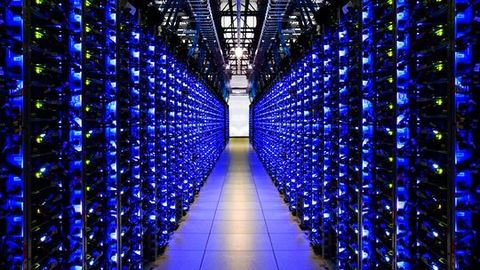
- Server - A computer or program which runs purely to serve the needs of other computers. It runs special
- server software to service the requirements of the users (clients). There are several types of servers,
- including file servers and printer servers on a local area network (LAN), and web and email servers
- that manage communication with the internet.
-
- A client is a piece of computer hardware or software that accesses a service made available by a server. The server is often (but not always) on another computer system, in which case client accesses the service by any of a network. the term applies to programs or devices that are part of a client - server model.
- https://www.youtube.com/watch?v=tFiXxzzdgFY (Incorporar)
-
- A router is a networking device that forwards data packets between computer networks. Routers perform the "traffic directing" functions on the Internet. A data packet is typically forwarded from one router to another through the networks that constitute the internetwork until it reaches its destination node.
- https://www.youtube.com/watch?v=9LhkW_dkZvU (Incorporar)
-
- A backbone means the main connecting data routes between large networks on the internet and smaller networks in
- local regions.
-
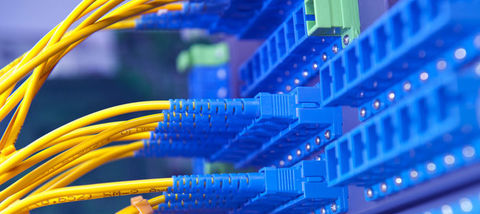
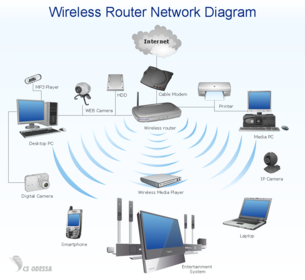
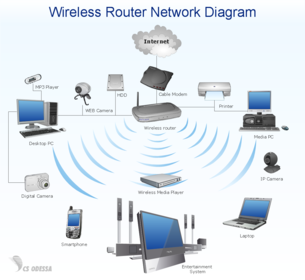
- It shows how pieces of technology connect together.
-
- https://www.youtube.com/watch?v=7ZHv6hD2sBc (Incorporar)
- Broadband - A wired connection through a broadband supplier
- Dial - Up - A wired connection using a modem and telephone lines
-
- Wireless - connects without using wires.
-
- Bandwidth - it is how the speed of sections of the internet is measured. It describes how much much capacity (space) there is to carry data .Bandwidth is measured in bits per second
- https://www.youtube.com/watch?v=1XaEXCsk218 (Incorporar)
-
- An Ethernet cable
- is used to connect a user to a
- network.
- https://www.youtube.com/watch?v=Bwn9dmKwX9E (Incorporar)
-
- A Hyperlink is a link that, when clicked on,
- takes the website reader to another web page on the website or to a different website.
- https://www.youtube.com/watch?v=keo0dglCj7I (Incorporar)
-
- Websites are held on a computer called a web server , which is connected to the
- internet and delivers web pages to users’ computers. When an internet user wants
- to look at a web page from a specific website, it is the web server’s job to deliver
- (download) those pages to the user’s computer.
- https://www.youtube.com/watch?v=wukg_do5AV4 (Incorporar)
-
- Wizard – A sequence of dialogue boxes which lead the user
- through a series of well-defined
- steps.

-
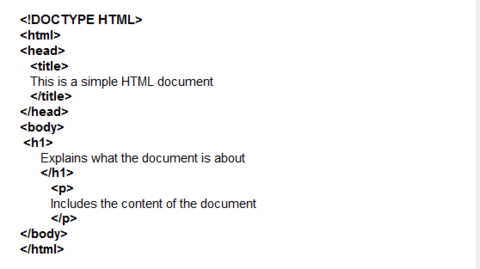
- It stands for Hypertext markup language. It is a computer language and is used to create web pages
- https://www.youtube.com/watch?v=Ggh_y-33Eso (Incorporar)
-
- HTML element – An individual
- component of a HTML
- document. The content between each pair of tags is called an HTML element . The language is
- written as a series of elements. Gradually the elements build up to describe a web
- page.
-
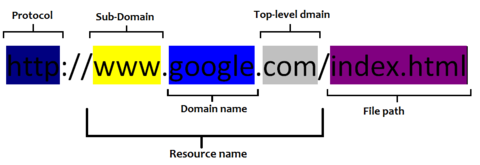
- Web pages are searched for using a uniform resource locator (URL) , which is a string
- of characters that identify a particular web page on the internet. Every web page has a
- unique URL. They are made of three parts
- Protocol - these tell the browser what to do with the URL
- Domain name - This is the name of the website
- Path - this points to a specific web page.
-
- Search engine – A ‘search and
- find’ system into which you type
- what you are looking for and a
- series of ‘best match’ results will
- then be displayed. Search engines work by retrieving information from the HTML of web pages and
- storing this on an indexed database.

- Legenda: Examples of search engines.
-
- Codec - A device or program
- used to encode or decode data.
- https://www.youtube.com/watch?v=GhWki9a7s18 (Incorporar)
-
- Devices/ components - Used as a generic term to
- mean computers, peripheral
- hardware, mobile telephones,
- manufacturing plant,
- environment monitors and many
- other things.
-
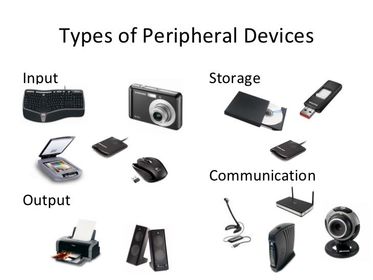
- Peripheral – Any device, such as
- a printer, attached to a computer
- to expand its functionality
-
- internet packets – A formatted
- block of data sent over the
- networks and the internet.
- A packet contains the addresses
- of send and destination, the data
- and error checking.
-
- In computing and
- telecommunications, a byte is unit of digital information which commonly consists of eight bits.
-
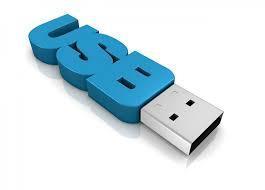
- Universal Serial Bus (USB) is a serial transmission method which was introduced to
- make many of the connections to a computer look the same. Nowadays USB is used in
- a wide variety of devices, such as mobile telephones, memory sticks and MP3 players.
- USB ports also supply power to some devices.
-
Client side and server side processing
- Client-side processing is the use of a scripting language to create code on web pages
- which provides interactivity.
- Advantages - speed and security
- Disadvantages - computer speed
- Server side processing
- Is where the interactivity on a web page is processed on the web server.
- Advantage - efficiency
- Disadvantage - Security
- https://www.youtube.com/watch?v=DcBB2Fp8WNI (Incorporar)
-
- Bi-directional transmission has several meanings within data communication, but it
- is essentially about transmitting in both directions. Most recently the term has been
- applied to fi bre optics. Using the current technology, light passes in one direction
- only, so you have to add extra fi bres to the bundle to carry a signal in the opposite
- direction.
-
- Packet switching is the process of data being broken into 'packet packets' before being sent through a network and then reassembled at the other end. This method is used on the internet.
- https://www.youtube.com/watch?v=XqjqUzstSKA (Incorporar)
-
- Simplex transmission: sends data in one direction only. A radio broadcast is a good
- example of simplex transmission.

-
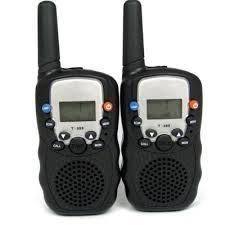
- Half-duplex transmission: allows two-way transmissions but the devices don’t transmit
- at the same time. Example - a walky talky
-
- Full duplex transmission: allows two-way communication at the same time.
- The telephone system, land or mobile, is an example of a full duplex system.
- https://www.youtube.com/watch?v=73zvwDBpYJs (Incorporar)
-
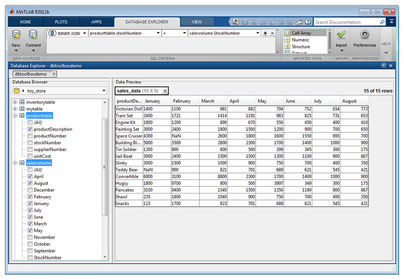
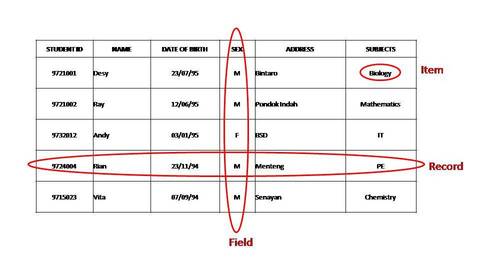
- A collection of data
- stored in a structured way.
-
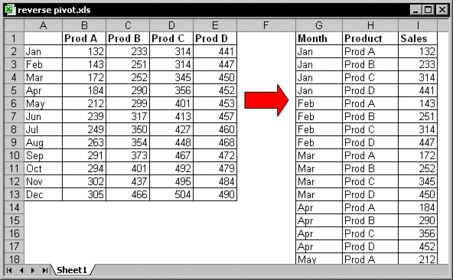
- A two-dimensional
- representation of data in a
- database.
-
- A group of selected
- data which are associated in
- some way.
- Field
- A single piece of data within a record.
-
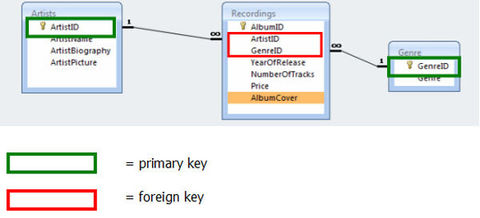
- A single unique
- key used to identify each record
- in a table.
-
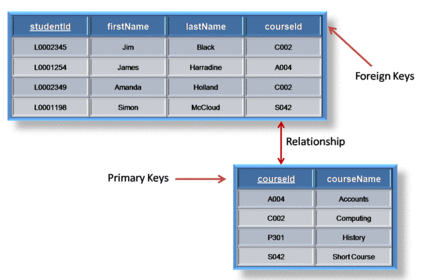
- A field which can
- be used to cross-reference and
- access associated information
- across many tables.
- The tables may themselves hold fi elds
- which are primary keys in other tables ( foreign keys ) which can be used to access
- associated information from many tables in one query.
-
- Database management systems (DBMS) are the programs which allow you to create
- any database that you need and to use the databases you have created.
-
- SQL is the language that generates the code used by the DBMS.
-
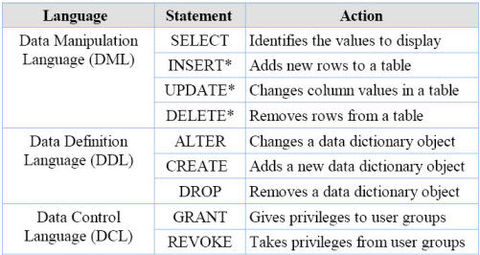
- data definition Language (DDL): This is the part which is used to define the
- database structure.
-
- data Manipulation Language (dML): This is the part used to add, delete, change
- and query the data which is held in the database structure.
-
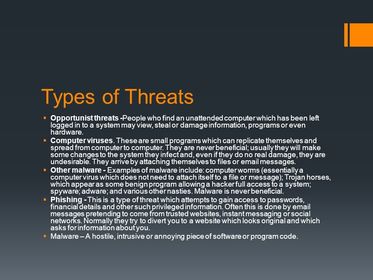
- Opportunist threats. People who find an unattended computer which has been
- left logged in to a system may view, steal or damage information, programs or even
- hardware.
-
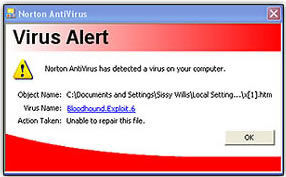
- Computer viruses. - These are small programs which can replicate themselves and
- spread from computer to computer. They are never beneficial; usually they will make
- some changes to the system they infect and, even if they do no real damage, they
- are undesirable. They arrive by attaching themselves to files or email messages.
-
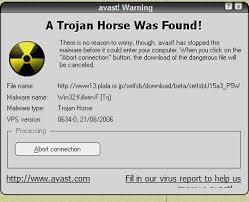
- Examples of malware include: computer worms (essentially a
- computer virus which does not need to attach itself to a file or message); Trojan
- horses, which appear as some benign program allowing a hacker full access to a
- system; spyware; adware; and various other nasties. Malware is never beneficial.
- Malware is there to do some harm.
-
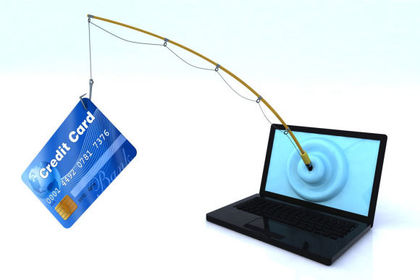
- This is a type of threat which attempts to gain access to passwords,
- financial details and other such privileged information. Often this is done by email
- messages pretending to come from trusted websites, instant messaging or social
- networks. Normally they try to divert you to a website which looks original and which
- asks for information about you.
-
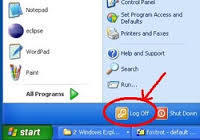
- Physical barriers. These include turning off computers and locking offi ces when the
- systems are unattended to prevent damage by people, the environment (e.g. fire,
- flooding, electrical interference) or thefts.
-
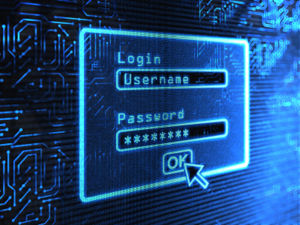
- Passwords are sequences of characters, known only
- to the computer user, which allow access to a computer, network or application.
- Passwords should always be strong so that it is hard for someone else to guess them
- or work them out.
-
- These can be set up to allow individuals to have access to only
- specific levels of an application and to prevent unauthorised users from accessing
- particular data.
-
- These can be set up to allow individuals to have access to only
- specific levels of an application and to prevent unauthorised users from accessing
- particular data.
-
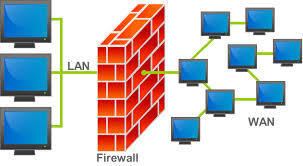
- This is a piece of software that monitors all data arriving at your computer
- from the internet and all data leaving your computer. It stops anything that it thinks
- is harmful or unwanted (such as viruses, spam, Trojan horses and hackers).
-
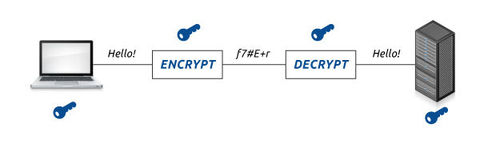
- This is used to codify data so that it cannot be read by anyone who does
- not have the key to the code. An algorithm, sometimes known as a cipher, is applied
- to the data at the transmission end and the reverse is applied at the reception end.
-
- Making a backup of data is the only way of recovering from a
- total data disaster.
-
- Provides 8 principles that govern the way data is stored and used.
- used fairly and lawfully
- used for limited, specifically stated purposesused in a way that is adequate, relevant and not excessive
- accurate
- kept for no longer than is absolutely necessary
- handled according to people’s data protection rights
- kept safe and secure
- not transferred outside the European Economic Area without adequate protection

-
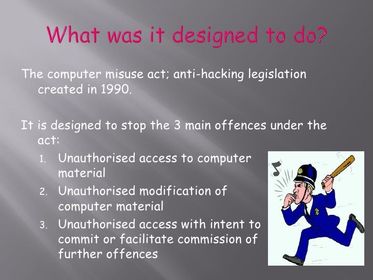
- Introduced to protect from hackers and malicious use of viruses
-
Copyright, Designs and Patents Act 1988
- Protects creators of original works.

-
Freedom to Information Act 2000

- Provides individual the right to see information stored about them. Data can be also accessed about public bodies.
-
Online database and local database
- An online database is a database accessible from a network, including from the Internet. It differs from a local database, held in an individual computer or its attached storage, such as a CD.
Informações
- Descrição
- Slides sobre Internet protocol, criado por josephj17 em 04-11-2015.
- Criado por
- josephj17 · nov 2015
- Atualizado
- 15 abr 2016
- Visualizações
- 0
- Avaliação