
Quiz
Microsoft 70-687 - Configuring Windows 8.1
Este quiz tem tipos de pergunta que abrem no player de sempre.
Perguntas do quiz (182)
1A company has 100 client computers that run Windows 8.1.
You need to assign static IPv6 addresses to the client computers.
Which Windows Powershellcmdlet should you run?- ASet-NetTCPSetting
- BSet-NetIPInterface
- CSet-NetlPv6Protocol
- Dset-NetIPAddress
2A company has an Active Directory Domain Services (AD DS) domain. All client computers run Windows 8.1.
Portable client computers no longer connect to the corporate wireless network.
You need to ensure that when the corporate wireless network is available, the computers always connect to it automatically.
Which two actions would achieve the goal? (Each correct answer presents a complete solution. Choose two.)- ACreate a Group Policy object (GPO) to configure a wireless network policy. Link the GPO to the organizational unit that contains the computers.
- BConfigure the corporate wireless network as an unmetered network.
- CConfigure the corporate wireless network as a preferred network.
- DManually connect to the corporate wireless network and select the option to connect automatically to that network.
3A company has client computers that run Windows 8.1. The corporate network is configured for IPv4 and IPv6.
You need to disable Media Sensing for IPv6 on the client computers without affecting IPv4 communications.
What should you do on each client computer?- ARun the Disable-NetAdapterBinding Windows PowerShell cmdlet.
- BRun the Disable-NetAdapter Windows PowerShell cmdlet.
- CRun the Set-NetlPv6Protocol Windows PowerShell cmdlet.
- DRun the Set-NetlPv4Protocol Windows PowerShell cmdlet.
4A company has an Active Directory Domain Services (AD DS) domain. All client computers run Windows 8.1. Two computers named COMPUTER1 and COMPUTER2 are connected to one network switch and joined to the domain. Windows Firewall is turned off on both computers.
You are planning a remote management solution.
You have the following requirements:
Ensure that COMPUTER2 can run remote commands on COMPUTER1.
Test the solution by successfully running a command from COMPUTER2 that executes on COMPUTER1.
You need to select the commands to run on COMPUTER1 and COMPUTER2 to meet the remote management requirements.
Which commands should you run?
COMPUTER1 [blank_start]_______________[blank_end]
COMPUTER2 [blank_start]_______________[blank_end]- Awecutil -s COMPUTER1 ipconfig
- Bwininit /s COMPUTER1 ipconfig
- Cwinrm quickconfig
- Dwinrs quickconfig
- Ewinrs -r:COMPUTER1 ipconfig
5A company has 100 client computers that run Windows 8.1. The client computers are members of a workgroup.
A custom application requires a Windows Firewall exception on each client computer.
You need to configure the exception on the client computers without affecting existing firewall settings.
Which Windows PowerShell cmdlet should you run on each client computer?- ANew-NetFirewallRule
- BSet-NetFirewallSetting
- CSet-NetFirewallRule
- DSet-NetFirewallProfile
- ENew-NetIPSecMainModeRule
6A company has an Active Directory Domain Services (AD DS) domain. All client computers run Windows 8.1. Portable client computers connect to the corporate wireless network.
You have the following requirements:
Prevent users from configuring a wireless network by using settings from a USB flash drive.
Do not affect the use of other USB devices.
You need to create a Group Policy object (GPO) to meet the requirements.
Which GPO should you create?- AA GPO that disables the Allow only USB root hub connected Enhanced Storage Features policy setting.
- BA GPO that enables wireless policy processing.
- CA GPO that prohibits connections to mobile broadband networks when roaming.
- DA GPO that configures Windows Connect Now settings.
7A company has client computers that run Windows 8.1.
The client computers are connected to a corporate private network.
Users are currently unable to connect from their home computers to their work computers by using Remote Desktop.
You need to ensure that users can remotely connect to their office computers by using Remote Desktop. Users must not be able to access any other corporate network resource from their home computers.
Which setting should you configure on the home computers?- AVirtual Private Network connection
- BRemote Desktop local resources
- CDirectAccess connection
- DRemote Desktop Gateway IP address
8A company has an Active Directory Domain Services (AD DS) domain. All client computers run Windows 8.1. Client computers use Window BitLocker Drive Encryption with a Trusted Platform Module (TPM) chip.
You need to create a Group Policy object (GPO) that will secure the TPM owner information.
Which policy setting should you configure?- AEnable the Turn on TPM backup to Active Directory Domain Services policy setting.
- BEnable the Configure the level of TPM usage authorization information available to the registry policy setting.
- CSet the Configure the level of TPM owner authorization information available to operating system policy setting to Full.
- DEnable the Configure TPM platform validation profile policy setting.
9A company has client computers that run Windows 8.1. The company uses Windows BitLocker Drive Encryption with the data-only option o all client computers.
You delete a file containing highly confidential information from your computer.
You need to clear the free space on the hard drive to minimize the chance of the confidential information being recovered.
Which command should you run on the client computer?- Amanage-bde -w
- Bchkdsk/spotfix
- Cdiskpart clean
- DBdeHdCfg -target c: shrink
10You deploy several tablet PCs that run Windows 8.1.
You need to minimize power usage when the user presses the sleep button.
What should you do?- AConfigure the active power plan to disable Wake Timers.
- BConfigure the active power plan to use Fast Startup.
- CIn Power Options, configure the sleep button setting to Hibernate.
- DIn Power Options, configure the sleep button setting to Sleep.
11A company has an Active Directory Domain Services (AD DS) domain. All client computers run Windows 8.1 and are joined to the domain.
You have the following requirements:
Ensure that files in shared network folders are available offline.
Maximize efficiency for users who connect to shared network folders from a mobile device.
You need to configure Group Policy settings to meet the requirements.
What should you do first?- AEnable and configure the Configure slow-link mode policy setting.
- BEnable the Enable file synchronization on costed networks policy setting.
- CEnable the Synchronize all offline files when logging on policy setting.
- DEnable and configure the Specify administratively assigned Offline Files policy setting.
12You install Windows 8.1 on a desktop computer. You create a system image and then install third-party desktop apps and create personal data. You disable the creation of restore points.
The computer is not running optimally.
You need to remove the third-party applications and preserve files that are stored in your Documents folder.
You start the computer from a system repair disk.
Which troubleshooting option should you use?- ARefresh your PC without affecting your files
- BSystem Restore
- CRemove everything and install Windows
- DSystem Image Recovery
13A company has client computers that run Windows 8.1. File History is on.
An employee downloads data to a folder on drive D named Archives.
You need to ensure that the user can restore files from the Archives folder by using File History.
What should you do?- AConfigure the File History advanced settings to include the Archives folder.
- BFrom the File History configuration options, change the drive and select the Archives folder.
- CCreate a library named History and add the Archives folder to the library.
- DMove the Archives folder into the Windows system folder.
14You have a portable computer that runs Windows 8.1. You are creating a backup plan.
You have the following requirements:
Automatically back up the files in your Documents folder every hour.
Ensure that you can recover different versions of the backed-up files.
Do not back up the Windows operating system files.
You need to configure the computer to meet the requirements.
Which two actions should you perform? (Each correct answer presents part of the solution.
Choose two.)- ACreate a volume mount point in your Documents folder.
- BConnect an external hard drive to the computer.
- CSchedule a task to create a restore point every hour.
- DCreate a recovery drive on drive C.
- ETurn on File History.
15A company has client computers that run Windows 8.1.
You install a new device on a client computer. The device installation includes an application that runs when the computer starts. You experience problems with the application.
You need to prevent the application from running when the computer starts, without affecting any other application.
What should you do?- AConfigure the application by using Task Manager.
- BRun the bcdedit command.
- CConfigure the device by using Device Manager.
- DRun the msconuig command.
16A company has client computers that run Windows 8.1. Finance department employees store files in the C:\Finance directory. File History on.
A Finance department employee attempts to restore a file to a previous version by using File History. The file is not available to restore.
You need to establish why the file history is not available and ensure that it is available in the future.
Which two actions should you perform? (Each correct answer presents part of the solution.
Choose two.)- ASet the Protection Settings for drive C to On.
- BRestore the data files from the Previous
- CVersions tab located in the folder properties.
- DReview the File History backup log.
- EMove the file into a library.
17A company has a branch office with client computers that run Windows 8.1. Files are saved locally on the client computers and are not backed up regularly.
You need to ensure that you can retrieve previous versions of locally saved files from each client computer.
Which three actions should you perform in sequence? (To answer, move the appropriate actions from the list of actions to the answer area and arrange them in the correct order.)- A1. Configure a Shared Folder Named SharedArchive on the network
2. Configure FIle History to use the SharedArchive folder.
3. Turn on File History and copy the data to the Documents Library - B1. Configure a Shared Folder names SharedArchive on the network
2. Create a folder named Local Archive on the system drive
3. Configure File History to use the LocalArchive folder - C1. Create a folder named Local Archive on the system drive
2. Configure a Shared Folder names SharedArchive on the network
3. Configure File History to use the LocalArchive folder
- A1. Configure a Shared Folder Named SharedArchive on the network
18An organization has client computers that run Windows 7.
You install the Windows Assessment and Deployment Kit (ADK) in the environment.
You capture user settings and data files to a network share, and then perform a clean installation of Windows 8.1 on the client computers.
You need to apply the user profiles from the Windows 7 installation to the Windows 8.1 installation.
What should you do?- ARun the Ioadstate command.
- BCopy the Default Profile to a folder on drive C.
- CRun the scanstate command.
- DRun Windows Easy Transfer and select the user profile to migrate.
- ERun the ImageX command
19A company has client computers that run Windows 8.1. Each employee has one client computer at the office. Some employees also have personal computers at home.
The company has applications that run only on Windows 8.1.
You need to deploy Windows To Go so that employees can run the applications on their home computers.
Which two command-line tools should you use? (Each correct answer presents part of the solution. Choose two.)- Aisoburn
- BBdeHdCfg
- CImageX
- Dbcd boot
20A company has an Active Directory Domain Services (AD DS) domain. All client computers run Windows 7.
You plan to upgrade the client computers to Windows 8.1 Pro.
You need to choose the methods that do not require the manual entry of a product key during the upgrade.
Which two methods should you choose? (Each correct answer presents a complete solution. Choose two.)- AUse the Windows 8.1 online upgrade tool.
- BUse Group Policy to assign the Windows 8.1 installation file to the client computers.
- CUse the Microsoft Deployment Toolkit.
- DExtract the contents of the Windows 8.1 .iso image file to a new shared folder and run the setup program from that folder.
21A computer currently runs a 32-bit version of Windows 7 Ultimate.
You need to deploy a 64-bit version of Windows 8.1 to the computer. The new deployment must be the only version of Windows on the computer.
Which three actions should you perform in sequence? (To answer, move the appropriate actions from the list of actions to the answer area and arrange them in the correct order.)- A1. Start the computer from the Windows 8 installation media.
2. Select the Custom installation option.
3. Select the installation option to delete each partition on the hard drive. - B1. Select the Custom installation option.
2. Start the computer from the Windows 8 installation media.
3. Select the installation option to delete each partition on the hard drive. - C1. Select Upgrade installation option
2. Using Windows Explorer, run the setup program from the Windows 8 installation media
3. Select the installation option to delete each partition on the hard drive.
- A1. Start the computer from the Windows 8 installation media.
22A company has 100 client computers that run Windows XP 64-bit Edition.
You are deploying new computers that run a 32-bit version of Windows B.
You need to transfer the contents of each user’s Documents folder to the new computer by using the least amount of administrative effort.
What should you do?- ABack up the folders by running the NTBackup command.
Then restore the backup to the new computer. - BManually copy the folder content to a USB flash drive.
Then paste the files to the new computer. - CUse Windows Easy Transfer.
- DUse the User State Migration Tool.
- ABack up the folders by running the NTBackup command.
23Ten client computers run Windows Vista and a custom application. The custom application is compatible with Windows 8.1.
You purchase 10 new computers that have Windows 8.1 pre-installed. You plan to migrate user settings and data from the Windows Vista computers to the Windows 8.1 computers. You install the User State Migration Toolkit (USMT) on a USB flash drive.
You need to ensure that the custom application settings are applied to the Windows 8.1 computers after the migration is complete.
Which three actions should you perform in sequence? (To answer, move the appropriate actions from the list of actions to the answer area and arrange them in the correct order.)- A1. Run the scanstate command on the Windows Vista Computer
2. Install the custom application on the Windows 8 Computers.
3. Run the loadstate command on the Windows 8 computers. - B1. Install the custom application on the Windows 8 computers.
2. Run the scanstate command on the Windows Vista Computer
3. Run the loadstate command on the Windows 8 Computer - C1. Run the scanstate command on the Windows Vista Computer
2. Run the loadstate command on the Windows 8 Computer
3. Install the custom application on the Windows 8 computers.
- A1. Run the scanstate command on the Windows Vista Computer
24A company has 100 client computers that run Windows 8.1.
You plan to install a custom app that requires a license key.
You need to ensure that the installation process does not prompt for the manual entry of a license key.
What should you do?- AInstall and run the Microsoft Deployment Toolkit.
- BInstall and run the Microsoft Assessment and Planning Toolkit.
- CInstall and run the Windows App Certification Kit.
- DInstall and run the Windows Application Compatibility Toolkit.
25A company has an Active Directory Domain Services (AD DS) domain. All client computers run Windows 8.1 and are members of the domain. Client computers maintain a list of sites in the Internet Explorer Restricted Sites security zone.
Users of one client computer are able to download and install an application from a site within the Restricted Sites zone.
You need to ensure that users of the computer can install applications only from sites that are not in the Restricted Sites zone.
What should you do?- ARun the Set-ExecutionPolicy Windows PowerShell cmdlet.
- BConfigure the Software Restriction Policy settings in the local Group Policy of the computer.
- CAdd the blocked application as a software restriction policy to the GPO that configures AppLocker.
- DRun the Cet-AppLockerPolicy Windows PowerShell cmdlet.
- EAdd the blocked application as an additional AppLocker rule to the GPO that configures AppLocker.
26You manage computers that run Windows 8.1.
You plan to install a desktop app named App1 on one of the client computers.
You need to install the app without any user interaction and without displaying a progress bar.
Which command should you run?- Amsiexec /i appl.msi /qb
- Bmsiexec /x appl.msi /qb
- Cmsiexec /i appl.msi /qn
- Dmsiexec /x appl.msi /qn
27You update the video card driver on a portable computer that runs Windows 8.1.
When a user connects the portable computer to an external monitor, the external monitor duplicates the display on the portable computer screen.
You need to ensure that the user can display additional desktop space on the external monitor.
What should you do?- ARun the DisplaySwitch /extend command.
- BStart the computer from the Windows 8.1 installation media and perform a system image recovery.
- CRoll back the video card driver to the previous version.
- DRun the sic /scannow command.
28A company has client computers that run Windows 8.1.
You attempt to roll back a driver for a specific device on a client computer.
The Roll Back Driver button is unavailable in Device Manager.
You need to roll back the driver to the previous version.
What should you do first?- AIn the system properties for hardware, modify the device installation settings.
- BDisable driver signature enforcement.
- CIn the local Group Policy, modify the device installation restrictions.
- DRun Device Manager as an administrator.
29A company has an Active Directory Domain Services (AD DS) domain with one physical domain controller. All client computers run Windows 8.1.
A client computer hosts a Windows 8.1 virtual machine (VM) test environment. The VMs are connected to a private virtual switch that is configured as shown in the Virtual Switch Manager exhibit. (Click the Exhibit button.)
Exhibit shows a new virtual switch with the switch being a "Private Virtual Switch"
Configure the test environment to allow VMs to communicate with the host machine.
Minimize impact on the host machine.
You need to meet the requirements.
What should you do?- ACreate a new virtual switch with a Private Network [CP1] connection type.
- BCreate a new virtual switch with an ExternalNetwork connection type.
- CChange the VLAN ID of the private virtual switch to Enable Virtual LAN identification.
- DCreate a new virtual switch with an Internal Network connection type.
30A company has client computers that run Windows 8.1. On all client computers, Internet Explorer has the Display intranet sites in Compatibility View option enabled and the Download updated compatibility lists from Microsoft option disabled.
The corporate website was designed for a previous version of Internet Explorer. When viewed on the client computers, menus and image on the corporate website are displayed out of place.
You need to ensure that the corporate website displays correctly on the client computers
without negatively impacting the display of any other website.
What should you do?- AManually add the corporate website to the compatibility view settings.
- BEnable the Display all websites in Compatibility View option.
- CDisable the Display intranet sites in Compatibility View option.
- DManually download an updated compatibility list from Microsoft.
31A portable computer that runs Windows 8.1 uses a mobile broadband connection for the corporate wireless network. The computer also has a wired corporate network connection. The computer successfully downloads Windows updates when connected to either network.
You need to ensure that the computer automatically downloads updates by using Windows Update only while connected to the wired corporate network connection.
What should you do?- ASet the corporate wireless network to metered.
- BSet the corporate wireless network to non-metered.
- CConfigure the Specify intranet Microsoft update service location local Group Policy setting.
- DConfigure a Windows Firewall connection security rule.
32You manage client computers that run Windows 7 and Windows 8.1.
You are configuring Windows updates for all client computers.
You have the following requirements:
All client computers must use a specific Windows Server Update Services (WSUS) server for updates.
All client computers must check for updates each hour.
You need to configure local Group Policy settings to meet the requirements.
Which three actions should you perform? (Each answer presents part of the solution.
Choose three.)- AConfigure the Automatic Maintenance Activation Boundary policy setting.
- BConfigure the Automatic Updates detection frequency policy setting.
- CEnable the Specify intranet Microsoft update service location policy setting.
- DEnable the Configure Automatic Updates policy setting for automatic download and scheduled installation.
- EEnable the Reschedule Automatic Updates scheduled installations policy setting.
33A company has client computers that run Windows 8.1.
You need to create a baseline performance report that includes disk status by using the least amount of administrative effort.
What should you do?- AStart the System Diagnostics Data Collector Set.
- BCreate and start a custom Data Collector Set.
- CStart the System Performance Data Collector Set.
- DAdd counters to Performance Monitor, and then print the Performance Monitor output.
34A company has client computers that run Windows 8.1 in a kiosk environment.
You need to ensure that Windows updates are automatically applied and cannot be disabled by users.
What should you do?- AConfigure Windows Update to install updates automatically.
- BIn the local Group Policy, enable the Turn on recommended updates via Automatic
Updates policy setting. - Cmsiexec /i app1.msi /qn
- DIn the local Group Policy, configure the Remove access to use all Windows Update features policy setting.
35You have a computer that runs Windows 8.1, and three unused external disk drives.
You are creating a volume to store picture files.
You have the following requirements:
Use all three external disk drives.
Ensure that the volume is accessible from a single drive letter.
Ensure data redundancy between the disk drives in the event of a hardware failure.
You need to create the volume.
Which three actions should you perform in sequence? (To answer, move the appropriate actions from the list of actions to the answer area and arrange them in the correct order.)
1. [blank_start]__________________[blank_end]
2. [blank_start]__________________[blank_end]
3. [blank_start]__________________[blank_end]- ACreate a new Storage Pool
- BSelect the External Hard Drive
- CRun the Disk Management Tool
- DSet the resiliency type to Parity
- ESet the resiliency type to None
36A company has client computers that run Windows 8.1. Each computer has two hard drives.
You need to create a dynamic volume on each computer that maximizes write performance.
Which kind of dynamic volume should you create?
- AStriped volume
- BRAID 5 volume
- CSpanned volume
- DMirrored volume
37A local printer named PRINTER1 is shared from a client computer named COMPUTER1 that run a 32-bit version of Windows 8.1. A workgroup contains client computers that run a 64-bit version of Windows 8.1.
Computers in the workgroup can’t currently print to PRINTER1.
You need to ensure that the workgroup computers can print to PRINTER1.
Which three actions should you perform in sequence? (To answer, move the appropriate actions to the answer area and arrange them in the correct order.)- A1. Obtain the 64-bit driver for Printer1
2. Add the driver on COMPUTER1
3. Connect the workgroup computers to Printer1 - B1. Add the driver on COMPUTER1
2. Obtain the 64-bit driver for Printer1
3. Connect the workgroup computers to Printer1 - C1. Add the driver on COMPUTER1
2. Connect the workgroup computers to Printer1
3. Obtain the 64-bit driver for Printer1
- A1. Obtain the 64-bit driver for Printer1
38A company has client computers that run Windows 8.1.
The company implements the following security requirements:
All client computers must use two-factor authentication.
At least one authentication method must include exactly four characters or gestures.
You need to choose authentication methods that comply with the security requirements.
Which two authentication methods should you choose? (Each correct answer presents part of the solution. Choose two.)- APIN
- BBiometric authentication
- CPicture password
- DMicrosoft account
39A company has an Active Directory Domain Services (AD DS) domain. All client computers run Windows 8.1.
A local printer is shared from a client computer. The client computer user is a member of the Sales AD security group.
You need to ensure that members of the Sales security group can print to the shared printer and modify only their own print jobs.
Which permission should you grant to the Sales group?- AManage queue
- BPrint
- CManage documents
- DManage this printer
- EManage spooler
40Your computer runs Windows 8.1 and is connected to an Active Directory Domain Services (AD DS) domain.
You create a folder and share the folder with everyone in your organization.
You need to modify the NTFS permissions of the folder to meet the following criteria:
Users from the Supervisors AD security group must be able to open files, but not modify them.
Users from the Marketing AD security group must be able to create, modify, and delete files.
Users from both groups must not be able to delete the folder.- AAssign the Supervisors group the Read and Write permissions. Assign the Marketing group the Modify permission and the Delete Subfolders and Files special permission.
- BAssign the Supervisors group the Read and Write permissions. Assign the Marketing group the Full Control permission.
- CAssign the supervisors group the Read permission. Assign the Marketing group the Read and Write permissions and the Delete Subfolders and Files special permission.
- DAssign the Supervisors group the Read permission. Assign the Marketing group the Read and Write permissions and the Delete special permission.
41A desktop computer runs Windows 8.1. The computer is joined to an Active Directory Domain Services (AD DS) domain named contoso.com.
You have two domain user accounts:
A primary account named User1 that does not have domain administrative privileges.
An account named Admin1 that has administrative privileges in the domain.
You are currently logged in as User1. You need to run an application named appl.exe.
You have the following requirements:
Start the application by using your administrative credentials.
Minimize the application load time.
You need to complete the command to meet the requirements.
C:\> [blank_start]_________________[blank_end] [blank_start]________________[blank_end]
/user:[blank_start]_________________[blank_end] appl.exe- Arunas
- Bprofile
- Crunonce
- D/noprofile
- Econtoso\admin1
- Fcontoso\user1
42A company has 50 client computers that run Windows 8.1. Forty client computers are connected to a secure internal network, and 10 client computers are located in public kiosks.
A new company security policy includes the following requirements:
Visitors can access only kiosk computers.
Employees can access and shut down only internal computers.
Only administrators can access all computers remotely.
Only administrators can shut down kiosk computers.
You need to assign security groups to local security policies to meet the requirements.
Policy Internal..............................Internal Computers.............................Kiosk Computers
Allow log on locally..................... [blank_start]___________________[blank_end]...................... [blank_start]_________________[blank_end]
Allow log on through ................. [blank_start]___________________[blank_end]...................... [blank_start]____________________[blank_end]
Remote Desktop Services
Shutdown the system ................ [blank_start]___________________[blank_end]...................... [blank_start]____________________[blank_end]- AAuthenticated Users
- BAdministrators
- CGuests
- DAdministrators
- EAuthenicated Users
- FGuests
- GAuthenticated Users
- HGuests
- IAdministrators
- JAuthenicated Users
- KGuests
- LAdministrator
- MAdminstrators
- NAuthenticated Users
- OGuests
- PAuthenticated Users
- QAdministrators
- RGuests
43A company has an Active Directory Domain Services (AD DS) domain. All client computers run Windows Vista and are members of the domain. A Group Policy object (GPO) configuring a software restriction policy is implemented in the domain to block a specific application.
You upgrade a computer to Windows 8.1 and implement a GPO that configures an AppLocker rule in the domain. The blocked application runs on the Windows 8.1 computer but not on the Windows Vista computers.
You need to ensure that the application is blocked from running on all computers and the AppLocker rule is applied to the computers in the domain.
What should you do?- AAdd the blocked application as an additional AppLocker rule to the GPO that configures AppLocker.
- BRun the Get-AppLockerPolicy Windows PowerShell cmdlet.
- CRun the Set-ExecutionPolicy Windows PowerShell cmdlet.
- DConfigure the software restriction policy as a local policy on the Windows 8.1 computer.
- EAdd the blocked application as a software restriction policy to the GPO that configures AppLocker.
44A company has client computers that run Windows 8.1. Users store data on company- issued USB flash drives.
You establish that users are able to store data on personally owned USB flash drives.
You need to ensure that users can save data on company flash drives but not on personal flash drives.
What should you do?- ADisable driver signature enforcement.
- BRun Device Manager as an administrator.
- CIn the local Group Policy, modify the device installation restrictions.
- DIn the system properties for hardware, modify the device installation settings.
45You manage computers that run Windows 8.1.
You plan to install a desktop app named MarketingApp on one of the client computers.
You need to display a progress bar to the user while installing the app.
Which command should you run?- Amsiexec /i marketingapp.msi Jqn
- Bmsiexec /i marketingapp.msi /qb
- Cmsiexec /x marketingapp.msi /qb
- Dmsiexec /x marketingapp.msi /qn
46A company has 10 client computers that run Windows 8.1. You are responsible for technical support. You purchase a support tool from the Windows Store while logged in with your Microsoft account.
You install the support tool on several client computers.
Three months later, you attempt to install the support tool on another client computer. The installation fails.
You need to ensure that you can install the support tool on the client computer.
What should you do?- ALog in with your Microsoft account and remove a computer from the Windows Store device list.
- BOn the computer on which you want to install the tool, synchronize the Windows Store application licenses.
- CDisassociate your Microsoft account from the computer on which you want to install the tool. Then reassociate your Microsoft account with the computer.
- DReset your Microsoft account password.
47You update the video card driver on a computer that runs Windows 8.1.
You can no longer configure the display settings to extend the display to a projector.
You need to restore the display options as quickly as possible and retain all user data.
What should you do?- ARoll back the video card driver to the previous version.
- BRun the DisplaySwitch/extend command.
- CRun the sic /scannow command.
- DStart the computer from the Windows 8.1 installation media and perform a system image recovery.
48A company has an Active Directory Domain Services (AD DS) domain with one physical domain controller. All client computers run Windows 8.1.
A client computer hosts a Windows 8.1 virtual machine (VM) test environment. The VMs are connected to a private virtual switch that is configured as shown in the Virtual Switch Manager exhibit.
The VMS are unable to connect to the domain controller. You have the following requirements:
Configure the test environment to allow VMs to communicate with the domain controller.
Ensure that the VMs can communicate with other VMS fl the test environment when the domain controller is unavailable.
You need to meet the requirements.
What should you do first?- ACreate a new virtual switch with an Internal Network connection type.
- BCreate a new virtual switch with a Private Network connection type.
- CCreate a new virtual switch with an External Network connection type.
- DChange the connection type of the private virtual switch to Internal only.
49A company has an Active Directory Domain Services domain. All client computers run Windows 8.1 and are joined to the domain.
You run the ipconfiq command on a client computer. The following output depicts the results.
Ethernet adapter Local Area Connection 3:
IPv4........... - 192.168.1.102
Subnet...... - 255.255.255.0
Gateway... -
You need to ensure that you can establish a DirectAccess connection from the client computer to the network.
What should you do?- ACreate a new VPN connection.
- BRemove the computer from the domain.
- CEnable IPv6 on the network adapter.
- DConfigure a static IPv4 address.
50A computer currently runs a 64-bit version of Windows 7 Enterprise.
You need to deploy a 64-bit version of Windows 8.1 Pro to the computer. The new deployment must not affect the Windows 7 installation on the computer.
Which three actions should you perform in sequence? (To answer, move the appropriate actions from the list of actions to the answer area and arrange them in the correct order.)
1. [blank_start]___________________[blank_end]
2. [blank_start]___________________[blank_end]
3. [blank_start]___________________[blank_end]- AIn Disk Mgmt, shrink current HD
- BStart CPU from the Win 8 install media
- CSelect the Custom installation option
51A client laptop runs Windows 7 Professional and a custom application. The custom application is compatible with Windows 8.1.
You plan to migrate user settings and data from the client laptop to a new tablet PC that runs Windows 8.1 Pro. You install the User State Migration Toolkit (USMT) on a USB flash drive.
You need to ensure that the custom application settings are applied to the tablet PC after the migration is complete.
Which three actions should you perform in sequence? (To answer, move the appropriate actions from the list of actions to the answer area and arrange them in the correct order.)
1. [blank_start]______________[blank_end]
2. [blank_start]______________[blank_end]
3. [blank_start]______________[blank_end]- ARun the Scanstate command on the laptop
- BInstall the custom app on the tablet PC
- CRun the loadstate cmd on the tablet PC
52An organization has client computers that run Windows 7. You upgrade the client computers to Windows 8.1 without migrating the local user profiles. You install the Windows Assessment and Deployment Kit (ADK) in the environment.
You need to migrate the user profiles from the Windows 7 installation to the Windows 8.1 installation.
What should you do first on each client computer?- ARun the scanstate command.
- BRun Windows Easy Transfer and select the user profile to migrate
- CRun the Ioadstate command.
- DCopy the Default Profile to a folder on drive C.
- ERun the ImaqeX command.
53A company has an Active Directory Domain Services (AD DS) domain. All client computers run Windows 8.1.
A local printer is shared from a client computer. The client computer user is a member of the Sales AD security group.
You need to ensure that members of the Sales security group can modify the order of documents in the print queue, but not delete the printer share.
Which permission should you grant to the Sales group?- AManage queue
- BManage this printer
- CPrint
- DManage spooler
- EManage documents
54A company has an Active Directory Domain Services (AD DS) domain. All client computers run Windows 8.1.
A notification appears when domain users change Windows settings and when applications try to make changes to client computers.
You need to ensure that a notification appears only when an application tries to make changes to the computer.
What should you do?- AConfigure the Notification Area Icons settings on the client computers.
- BCreate a Group Policy object (GPO) that enables the Admin Approval Mode for the built- in Administrator account policy.
- CConfigure the User Account Control (UAC) settings on the client computers.
- DCreate a Group Policy object (GPO) that disables the Run all administrators in Admin Approval Mode policy.
55Your computer runs Windows 8.1 and is connected to an Active Directory Domain Services (AD DS) domain.
You create a folder and share the folder with everyone in your organization.
You need to modify the NTFS permissions of the folder to meet the following criteria:
Users from the Marketing security group must be able to open files, but not modify them.
Users from the Supervisors security group must be able to create, modify, and delete files.
Users from both groups must not be able to delete the folder.
Which permissions should you set?- AAssign the Marketing group the Read permission. Assign the Supervisors group the Read and Write permissions and the Delete Subfolders and Files special permission.
- BAssign the Marketing group the Read and Write permissions. Assign the Supervisors group the Full Control permission.
- CAssign the Marketing group the Read and Write permissions. Assign the Supervisors group the Modify permission and the Delete Subfolders and Files special permission.
- DAssign the Marketing group the Read permission. Assign the Supervisors group the Read and Write permissions and the Delete special permission.
56You deploy several tablet PCs that run Windows 8.1.
You need to minimize power usage when the user presses the sleep button.
What should you do?- AIn Power Options, configure the sleep button setting to Hibernate.
- BDisable the C-State control in the computer’s BIOS.
- CConfigure the active power plan to set the system cooling policy to passive.
- DIn Power Options, configure the sleep button setting to Sleep.
57A company has an Active Directory Domain Services (AD DS) domain. All client computers run Windows 8.1.
You need to minimize the amount of Trusted Platform Module (TPM) authorization information that is stored in the registry.
What should you do?- AEnable Platform Configuration Register indices (PCRs) 0, 2, 4, and 11 for the Configure TPM validation profile for native UEFI firmware configuration policy setting.
- BCreate a Group Policy object (GPO) that disables the Configure the level of TPM owner authorization information available to operating system policy setting.
- CCreate a Group Policy object (GPO) that sets the Configure the level of TPM owner authorization information available to operating system policy setting to None.
- DCreate a Group Policy object (GPO) that enables the Turn on TPM Local Encryption policy setting.
58A company has an Active Directory Domain Services (AD DS) domain. All client computers run
Windows 8.1 and are joined to the domain.
You have the following requirements:
Ensure that files in shared network folders are available offline.
Minimize all data access times.
Reduce network bandwidth usage.
You need to configure Group Policy settings to meet the requirements.
What should you do first?- AEnable the Enable file synchronization on costed networks policy setting.
- BEnable and configure the Configure slow-link mode policy setting.
- CEnable and configure the specify administratively assigned Offline Files policy setting.
- DEnable the Synchronize all offline files when logging on policy setting.
59A company has client computers that run Windows 8.1. The company uses Windows BitLocker Drive Encryption with the data-only option o all client computers.
You need to remove data fragments that exist in the free space on the local computer disk drives, without affecting current user data.
Which command should you run on the computers?- ABdeHdCfg
- Bdiskpart
- Cchkdsk
- Dmanage-bde
60A company has 100 client computers that run Windows 8.1.
The client computers are connected to a corporate private network.
Users are currently unable to connect from their home computers to their work computers by using Remote Desktop.
You need to ensure that users can remotely connect to their office computers by using
Remote Desktop. Users must not be able to access any other corporate network resource from their home computers.
What should you do?- AConfigure a Virtual Private Network connection.
- BConfigure the Remote Desktop Gateway IP address in the advanced Remote Desktop Connection settings on each client.
- CConfigure the local resource settings of the Remote Desktop connection.
- DConfigure a DirectAccess connection.
61You install Windows 8.1 on a desktop computer and install a third-party desktop app. The computer runs optimally until you install another third-party desktop app.
You need to remove only the most recently installed third-party desktop app.
You start the computer from a system repair disk.
Which troubleshooting option should you use?- ASystem Image Recovery
- BRemove everything and install Windows
- CSystem Restore
- DRefresh your PC without affecting your files
62A company has a main office and three branch offices. The company has 20 portable computers that run Windows 8.1. Portable computer users can install local devices while in any branch office.
Your manager has instructed you to collect information about faulty devices and drivers within the company’s branch offices.
You need to create a performance report that includes a list of incorrectly installed devices by using the least amount of administrative effort.
What should you do?- AAdd counters from each portable computer to Performance Monitor, and then print the Performance Monitor output.
- BStart the System Performance Data Collector Set on each portable computer.
- CStart the System Diagnostics Data Collector Set on each portable computer.
- DCreate and start a custom Data Collector Set on each portable computer.
63A company has an Active Directory Domain Services (AD DS) domain. Client computers in the Test department run Windows 8.1 and are connected to the domain.
You need to ensure that Windows updates are not automatically applied and cannot be enabled by users.
What should you do?- ACreate a Group Policy object (GPO) to enable the Turn on recommended updates via Automatic Updates policy setting.
- BConfigure Windows Update to install updates automatically.
- CCreate a Group Policy object (GPO) to configure the Remove access to use all Windows Update features policy setting.
- DCreate a Group Policy object (GPO) to configure the Configure Automatic Updates policy setting.
64A company has client computers that run Windows 8.1. The client computers are in a workgroup. Windows Remote Management (WinRM) is configured on all computers.
You need to configure a computer named COMPUTER1 to retrieve Windows event logs from all other computers in the workgroup.
Which three actions should you perform? (Each correct answer presents part of the
solution. Choose three.)- AAdd machine accounts of all other computers to the Event Log Readers local group on COMPUTER1.
- BCreate and configure a collector-initiated subscription.
- CStart the Windows Event Collector service on all computers other than COMPUTER1.
- DStart the Windows Event Collector service on COMPUTER1.
- ECreate and configure a source computer initiated subscription.
- FStart the Windows Event Log service on all computers other than COMPUTER1.
- GAdd COMPUTER1 machine account to the Event Log Readers local group on all other computers.
65You have a computer that runs Windows 8.1, and three unused external disk drives.
You are creating a volume to store picture files. You have the following requirements:
Use all three external disk drives.
Ensure that the volume is accessible from a single drive letter.
Maximize the available space.
You need to create the volume.
Which three actions should you perform in sequence? (To answer, move the appropriate actions from the list of actions to the answer area and arrange them in the correct order.)
1. [blank_start]_______________[blank_end]
2. [blank_start]_______________[blank_end]
3. [blank_start]_______________[blank_end]- ACreate a new storage pool
- BSelect the external hard drives
- CSet the resiliency type to None
66A local printer named PRINTER1 is shared from a client computer named COMPUTER1 that run a 64-bit version of Windows 8.1.
The workgroup contains client computers that run a 32-bit version of Windows 8.1. Computers in the workgroup can’t currently print to PRINTER1.
You need to ensure that the workgroup computers can print to PRINTER1.
Which three actions should you perform in sequence? (To answer, move the appropriate actions to the answer area and arrange the correct order.)
1. [blank_start]_______________[blank_end]
2. [blank_start]_______________[blank_end]
3. [blank_start]_______________[blank_end]- AObtain he 32-bit driver for PRINTER1
- BInstall the driver on 1 CPU in workgroup
- CObtain the 64-bit driver for PRINTER1
- DConnect the work group CPUs to PRINTER1
- EInstall the driver on COMPUTER1
67A company has an Active Directory Domain Services (AD DS) domain. All client computers run Windows 8.1. Two computers named COMPUTER1 and COMPUTER2 are connected to one network switch and joined to the domain. Windows Firewall is turned off on both computers.
You are planning a remote management solution. You have the following requirements:
Ensure that COMPUTER1 can run remote commands on COMPUTER2.
Test the solution by successfully running a command from COMPUTER1 that executes on COMPUTER2.
You need to select the commands to run on COMPUTER1 and COMPUTER2 to meet the remote management requirements.
Which commands should you run?
On this computer...............Run this command
Computer1 ............ [blank_start]________________________[blank_end]
Computer2 ............ [blank_start]________________________[blank_end]- Awinrs -r:COMPUTER2 ipconfig
- Bwecutil -s COMPUTER2 ipconfig
- Cwinrm quickconfig
68A company has an Active Directory Domain Services (AD DS) domain. All client computers run Windows 8.1. Some computers have a Trusted Platform Module (TPM) chip. Members of the ITStaff security group are part of the local Power Users group on each client computer.
You need to configure a single Group Policy object (GPO) that will allow Windows BitLocker Drive Encryption on all client computers by using the least amount of privilege necessary.
Which commands should you run?
1. [blank_start]____________________________[blank_end]
2. Create a GPO the enables the Require additional authentication at startup policy setting.
3. [blank_start]____________________________[blank_end]- ARun GPO Editor with a domain admin acct
- BEnable option to allow Bitlocker w/o TPM
69A company has client computers that run Windows 8.1. All client computers allow incoming Remote Desktop connections.
You attempt to connect from COMPUTER1 to COMPUTER2 by using Remote Desktop.
Remote Desktop cannot connect to the remote computer. You establish that the firewall settings on COMPUTER2 have not been set to allow incoming connections.
From COMPUTER1, you need to enable Remote Desktop traffic through Windows Firewall on COMPUTER2.
Which commands should you run?
C:\>psexec \\Computer1 [blank_start]________________________[blank_end] [blank_start]______________________[blank_end] [blank_start]_________________________[blank_end] [blank_start]___________________________[blank_end]- Anetsh
- Bremoteadmin enable
- Cfirewall set
- Dservice
- Eremotedesktop enable
70A portable computer that runs Windows 8.1 uses a mobile broadband connection for the corporate wireless network.
The computer also ha a wired corporate network connection. The computer successfully downloads Windows updates when connected to either network.
You need to ensure that the computer automatically downloads updates by using Windows Update while also connected to the wireless corporate network connection.- ASet the corporate wireless network to metered.
- BSet the corporate wireless network to non-metered.
- CConfigure the Specify intranet Microsoft update service location local Group Policy setting.
- DConfigure a Windows Firewall connection security rule.
71A company has client computers that run Windows 8.1. Each computer has two hard drives.
You need to create a dynamic volume on each computer that maximizes write performance with data fault tolerance.
Which kind of dynamic volume should you create?- AStriped Volume
- BRAID 5 Volume
- CSpanned Volume
- DMirrored Volume
72A company has client computers that run Windows 8.1.
The company implements the following security requirements:
All client computers must use two-factor authentication.
At least one authentication method must include more than four characters or gestures.
You need to choose authentication methods that comply with the security requirements.
Which two authentication methods should you choose? (Each correct answer presents part of the solution. Choose two.)- APIN
- BBiometric authentication
- CPicture Password
- DMicrosoft Account
73All client computers in a company’s network environment run Windows 8.1. A client computer has two internal hard disk drives. The hard drives are configured as shown in the following table.
Drive . Size . Free Space . Type
------------------------------------------------------------------
C . 250GB . 20GB . Dynamic
D . 500GB . 450GB . Dynamic
You are choosing a backup destination for drive C.
You have the following requirements:
Ensure that the backup file is available if drive C fails.
Ensure that the backup file can be accessed by other computers on the network.
Support the backup of multiple system images.
You need to select a backup destination that meets the requirements.
Which destination should you select?- Ashared network folder
- Bdrive D
- Cmultiple DVDs
- Dexternal hard drive
74You are in the process of setting up File History on your workstation.
You are configuring the Size of offline cache Advanced settings.
Which of the following is the default setting?- A2%
- B5%
- C10%
- D20%
75You are in the process of setting up File History on your workstation.
You are configuring the Save copies of files Advanced settings.
Which of the following is the default setting?- A15 minutes
- B30 minutes
- C1 hour
- D6 hours
76You are employed as an administrator at contoso.com.
The network consists of a single Active Directory Domain Services (AD DS) domain, named contoso.com.
All workstations on the contoso.com network have Windows 8.1 installed.
You need to configure files history on a client system.
You notice that the free storage space on the selected drive is low, but you do not have a spare drive to replace it.
What should you do?- AConfigure the save copies of files setting to back up files once a day.
- BConfigure Size of offline cache setting to 2%
- CKeep saved versions setting to be 1 month
- DKeep saved versions setting until space is needed
77You are employed as an administrator at contoso.com. The contoso.com network is made up of an Active Directory Domain Services (AD DS) domain, named ABC.com.
All workstations on the contoso.com network, including laptops, have Windows 8.1 installed.
Your users have just been issued new laptops for use outside the office.
These users currently log in to their desktop workstations using a Windows domain account.
They would like their laptops to be set up exactly like their desktop workstations.
Which of the following would easily allow them to achieve this?- ATransfer the user settings with the File and Transfer wizard
- BWindows Easy Transfer
- CMigrate the user profiles with USMT
- DLink the Windows domain accounts to a Windows Live ID.
78A company has 50 touch-enabled client computers that run Windows 7.
You are planning to migrate the client computers to Windows 8.1. You have the following requirements:
Choose the installation or upgrade path that includes touch-optimized desktop versions of Microsoft Word, Excel, PowerPoint, and OneNote.
Minimize new hardware requirements.
You need to choose the path that meets the requirements.
Which path should you choose?- AUpgrade to Windows RT
- BPerform a clean installation of Windows 8.1 Enterprise
- CPurchase hardware with Windows RT pre-installed.
- DUpgrade to Windows 8.1 Enterprise.
79A company has 100 client computers that run Windows Vista. The company uses several custom applications.
The company plans to replace the Windows Vista computers with new computers that run Windows 8.1.
You need to establish which of the currently installed applications will work on Windows 8.1.
What should you do?- AInstall and run the Windows App Certification Kit.
- BInstall and run the Microsoft Assessment and Planning Toolkit.
- CInstall and run the Microsoft Deployment Toolkit.
- DInstall and run the Windows Application Compatibility Toolkit.
80A company has 10 client computers that run Windows 8.1. Employees log on to resources by using multiple accounts.
You need to back up the user name and password for each logon account.
What should you do on each client computer?- ABack up each user’s Personal Information Exchange PKCS #12 (.pfx) certificate.
- BUse Credential Manager to save the information to a USB flash drive.
- CUse File History to back up the ntuser.dat file.
- DRun the Export-Certificate Windows PowerShell cmdlet.
81A company has client computers that run Windows 8.1. You implement an AppLocker file hash rule that allows an application to run. You then apply a service pack to the application.
When users attempt to run the application, the application is blocked by Group Policy.
You need to ensure that the application runs.
What should you do?- AEnable the Reschedule Automatic Updates scheduled installations Group Policy setting.
- BSet the wired network connection to non-metered.
- CSet the wired network connection to metered.
- DConfigure the Automatic Maintenance setting.
82A company has an Active Directory Domain Services (AD DS) domain. The corporate environment includes a Windows Software Update Services (WSUS) server. All client computers run Windows 8.1 and a custom web application. The company has a Microsoft Software Assurance for Volume Licensing agreement.
After deploying Windows Updates to the computers, the web application stops responding. You establish that a specific optional update installed by Windows Update is causing the problem. In the Windows Update Control Panel item, the option to remove the update is unavailable.
You need to remove the optional update from one client computer.
What should you do?- AInstall and run the Debugging tools for Windows.
- BClear the SusClientID registry value on the client computer.
- CRestart the computer from a Diagnostic and Repair Toolset (DaRT) boot disk and use the Crash Analyzer tool.
- DRun the wuauclt /resetauthorization command on the client computer.
- ERestart the computer from a Diagnostic and Repair Toolset (DaRT) boot disk and use the Hotfix Uninstaller tool.
83A client computer that runs Windows 8.1 has two hard disk drives: a system drive and a data drive.
You are preparing to back up the computer prior to installing a developing software product.
You have the following requirements:
The system disk that is part of the backup must be mountable from within Windows.
The system disk that is part of the backup must be bootable.
The backup must be viable to restore in the event of a hard disk failure.
The backup must contain data from both hard disk drives.
You need to select a backup method.
Which method should you use?- ASystem repair disk
- BStorage pool
- CSystem image
- DFile History
84You administer Windows 8.1 client computers in your company network.
You receive a virtual hard disk (VHD) file that has Windows 8.1 Pro preinstalled, along with several business applications.
You need to configure your client computer to start from either the VHD file or from your current operating system.
Which three actions should you perform? (Each correct answer presents part of the solution. Choose three.)- AImport the contents of the system store from a file.
- BExport the contents of the system store into a file.
- CAttach the VHD file by using Disk Management.
- DMake the VHD disk bootable.
- ECreate a new empty boot configuration data store.
- FCreate a new entry in the boot configuration data store.
85A company has client computers that run Windows 8.1. The client computer systems frequently use IPSec tunnels to securely transmit data.
You need to configure the IPSec tunnels to use 256-bit encryption keys.
Which encryption type should you use?- A3DES
- BDES
- CRSA
- DAES
86You are configuring a computer that will be used in a kiosk in a public area. You install a new internal hard drive.
You need to protect the computer from starting an unauthorized operating system.
What should you do?- AEnsure that the computer BIOS supports Unified Extensible Firmware Interface (UEFI) and is enabled.
Install Windows 8.1 Pro 64-bit using UEFI and install it on the internal hard drive. - BInstall Windows 8.1 Pro 64-bit on the internal hard drive.
Enable BitLocker on the internal hard disk. - CPartition the internal hard drive as MBR disk.
Install Windows 8.1 Enterprise 64-bit. - DPartition the internal hard drive as GPT disk.
Install Windows 8.1 Pro 64-bit.
- AEnsure that the computer BIOS supports Unified Extensible Firmware Interface (UEFI) and is enabled.
87A desktop computer that runs Windows 8.1 downloads updates but does not install them. The computer is connected to the corporate network by using a wired network connection.
You need to ensure that the computer automatically installs updates.
What should you do?- ASet the wired network connection to non-metered.
- BConfigure the Automatic Maintenance setting.
- CEnable the Reschedule Automatic Updates scheduled installations Group Policy setting.
- DSet the wired network connection to metered.
88You administer a group of 10 client computers that run Windows 8.1. The client computers are members of a local workgroup. Employees log on to the client computers by using their Microsoft accounts.
The company plans to use Windows BitLocker Drive Encryption.
You need to back up the BitLocker recovery key.
Which two options can you use? (Each correct answer presents a complete solution.
Choose two.)- ASave the recovery key to a file on the BitLocker-encrypted drive.
- BSave the recovery key in the Credential Store.
- CSave the recovery key to SkyDrive.
- DPrint the recovery key.
89You administer Windows 8.1 computers in your company network.
You install a new video driver. The computer will not start properly after restart. You are able to enter Safe Mode with Command Prompt.
You need to be able to start normally. You also need to ensure that user data is not lost.
What should you do?- ARun the rstrui.exe command.
- BRoll back the driver.
- CTurn on File History.
- DCreate a restore point.
90You administer Windows 8.1 Pro client computers in your company network.
You need to configure a backup and recovery solution that meets the following requirements:
Recovers the system if it doesn’t start.
Recovers the system if the hard drive fails.
Which two actions should you perform? (Each correct answer presents part of the solution.
Choose two.)- ATurn on File History.
- BCreate a storage space.
- CConfigure system protection.
- DCreate a system repair disk.
- ECreate a system image backup.
91A company has an Active Directory Domain Services (AD DS) domain. All client computers run Windows 7. You plan to upgrade the client computers to Windows 8.1 Pro.
You need to choose the methods that do not require the manual entry of a product key during the upgrade.
Which two methods should you choose? (Each correct answer presents a complete solution. Choose two.)- AUse the Volume Activation Management Tool.
- BUse the Microsoft Deployment Toolkit.
- CUse the Windows 8.1 online upgrade tool.
- DCreate a catalog (.clg) file by using Windows System Image Manager (SIM).
92You administer computers in your company network. All computers in the network belong to a single Active Directory Domain Services (AD DS) domain. The network includes Windows Server 2012 servers located in a perimeter network.
You add a new Windows 8.1 computer to the perimeter network. You enable only Remote Desktop access to the Windows 8.1 computer from other computers located outside the perimeter network.
You need to use the Windows 8.1 computer to manage the Windows servers in the perimeter network.
What should you do?- AAdd the Windows 8.1 computer as a Trusted Host to the servers.
- BEnable PowerShell Remoting on the Windows 8.1 computer.
- CAdd the Windows 8.1 computer as a Trusted Host to computers outside the perimeter network.
- DInstall Remote Server Administration Tools for Windows 8.1 (RSAT) on the Windows 8.1 computer.
93A company has 10 portable client computers that run Windows 8.1.
The portable client computers have the network connections described in the following table.
Network Name...............Connection Type...................Network Profile
CorpWifi..................................Wireless...............................Private..........
CorpWired................................Wired..................................Public...........
HotSpot.............................Public Hotspot..........................Public...........
None of the computers can discover other computers or devices, regardless of which connection they use.
You need to configure the connections so that the computers can discover other computers or devices only while connected to the CorpWired or CorpWifi connections.
What should you do on the client computers?- AFor the CorpWired connection, select yes, turn on sharing and connect to devices.
- BChange the CorpWired connection to public. Turn on network discovery for the Public profile. For the HotSpot connection, select No, don’t turn on sharing or connect to devices.
- CFor the CorpWifi connection, select yes, turn on sharing and connect to devices.
- DTurn on network discovery for the Public profile.
- ETurn on network discovery for the Private profile.
94You administer Windows 8.1 Pro laptops in your company network. Your network has a
Remote Access Server (RAS) in a perimeter network that runs Windows Server 2012.
All laptop users have a PPTP VPN configured on their computer. Users report that their VPN disconnects when they switch between WLAN and WWAN networks.
You need to ensure that if a VPN is disconnected, the laptop will automatically attempt to reconnect.
What should you do?- ACreate a new VPN connection, and the open Local Computer Policy and define Files not cached policy.
- BRun the netsh.exe command and include the wlan parameter
- CCreate a new VPN connection, and disable offline files
- DCreate a new Remote Desktop connection, and then set the Local Computer policy to Disable drives redirection for Remote Desktop Services.
95You administer client computers in your company network. The network includes an Active Directory Domain Services (AD DS) domain.
Employees in the human resources (HR) department are getting new Windows 8.1 Enterprise computers. The HR department uses a line of business (LOB) Windows Store app named Timesheet that is not available in Windows Store.
You need to ensure that all employees in the HR department can use Timesheet on their new computers.
What should you do?- AUse a Microsoft account to log on to each computer.
- BUse a local account to log on to each computer.
- CActivate the side loading product key on each computer.
- DInstall and run the Windows App Certification Kit.
96A company has client computers that run Windows 8.1. Finance department employees store files in the C:\Finance directory. File History is on.
A Finance department employee attempts to restore a file to a previous version by using File History. The file is not available to restore.
You need to establish why the file history is not available and ensure that it is available in the future.
Which two actions should you perform? (Each correct answer presents part of the solution.
Choose two.)- AReview the File History backup log.
- BMove the file into a library.
- CRestore the data files from the Previous Versions tab located in the folder properties.
- DSet the Protection Settings for drive C to On.
97You administer Windows 8.1 Pro computers in your company network.
A user informs you that he wants to use a picture password on his computer.
You need to configure a picture password with a custom picture for the user.
Which prerequisites should you comply with for each element in order to configure the required picture password?
The User Account [blank_start]_____________________[blank_end]
The Custom Picture [blank_start]______________________[blank_end]- AMicrosoft Account
- BNon-microsoft account
- CPIN Code assigned
- Dstore within the user profile
- Estored within the windows folder
98You administer Windows 8.1 Enterprise (64-bit) computers in your company network. For some applications, some computers run a 32-bit version of the application, and other computers run a 64-bit version of the application.
You want to distribute a package that contains updates for the 32-bit applications only.
You need to determine if a particular computer is running 32-bit or 64-bit versions of the applications.
From the Select columns window, which column should you add to Task Manager? (To answer, select the appropriate column name in the answer area.)
__ I/O read bytes
__ I/O write bytes
__ I/O other bytes
[blank_start]__[blank_end] Image Path name
__ Command Line
[blank_start]__[blank_end] Operating System Context
[blank_start]__[blank_end] Platform
__ Elevated
__ UAC Virtualization
[blank_start]__[blank_end] Description
__ Data Execution Prevention- AX
- BNULL
- CX
- DNULL
- EX
- FNULL
- GX
- HNULL
99You install Windows 8.1 Enterprise on new laptops that will be shipped to remote users in the sales department of your company. You create new VPN connections on the laptops.
Your company security policy requires that the maximum allowed network outage time for the VPN connection should be less than 10 minutes.
You need to configure the required timeout.
Which protocol should you use?- A
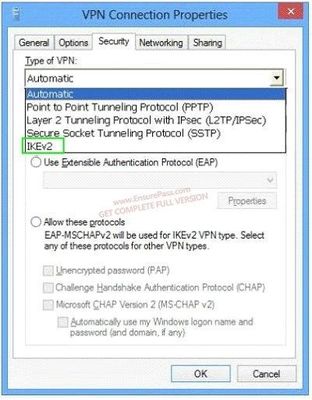
- BHere is a hint you A-hole
- A
100A company has client computers that run Windows 8.1. Each computer has two hard drives.
You need to create a dynamic volume on each computer to support the following features:
Fault tolerance
Fast write performance
What kind of dynamic volume should you create?- AStriped volume
- BSpanned volume
- CRAID 5 volume
- DMirrored volume
101A portable computer that runs Windows 8.1 uses a mobile broadband connection. The computer successfully downloads Windows updates only when not connected to the corporate wireless network.
You need to ensure that the computer automatically downloads updates by using Windows Update while connected to the corporate wireless network.
What should you do?- AConfigure the Specify intranet Microsoft update service location local Group Policy setting.
- BSet the corporate wireless network to metered.
- CSet the corporate wireless network to non-metered.
- DConfigure a Windows Firewall connection security rule.
102A company has client computers that run Windows 8.1. The client computers are in a workgroup. Windows Remote Management (WinRM) is configured on all computers.
You need to configure a computer named COMPUTER1 to retrieve Windows event logs from all other computers in the workgroup.
Which three actions should you perform?- AStart the Windows Event Collector service on COMPUTER1.
- BAdd machine accounts of all other computers to the Event Log Readers local group on COMPUTER1.
- CStart the Windows Event Log service on all computers other than COMPUTER1.
- DCreate and configure a source computer-initiated subscription.
- EAdd the COMPUTER1 machine account to the Event Log Readers local group on all computers.
- FStart the Windows Event Collector service on all computers other than COMPUTER1.
- GCreate and configure a collector-initiated subscription.
103You administer Windows 8.1 Enterprise computers in your company’s Active Directory Domain Services (AD DS) domain.
Your company uses several peripheral devices. The drivers for these devices are not available on Windows Update.
You need to ensure that the drivers install when users connect these devices to their computers.
What should you do?- AFor the Group Policy setting Prioritize all digitally signed drivers equally during the driver ranking and selection process, select Disabled.
- BFrom Device Manager, find the detected scanner device and select Update Driver.
- CAdd the following registry key to the computers:
HKEY_LOCAL_MACHINE/Software/Microsoft/Windows/Current Version/DevicePath. Add ?osystemroot%\inf and the UNC path to the drivers share. - DFor the Group Policy setting Configure driver search locations, select Enabled. Make the drivers available on the UNC path to the driver’s share.
104You use a Windows 8.1 Pro computer. The computer stores research data in a folder named C:\Research.
You turn on File History.
You need to back up the Research folder.
What should you do?- ACreate a new library and include the folder in the library.
- BCreate a new volume mount point in the root of the folder.
- CCreate a new storage space and move the folder to the storage space.
- DCreate a new restore point.
105You administer 100 Windows 8.1 laptops, all of which have PowerShell Remoting enabled.
You run the following command on a computer named Computer1.
Invoke-Command -filepath \\Computer2\Share\MyScript.ps1 -computer name Computer2
MyScriptl.psl fails to execute.
You verify that you are able to access it from the network.
You need to be able to execute MyScriptl.psl on Computer1.
What should you do?- ACopy MyScriptl.psl to a local drive on Computer1 and run the Invoke-Command cmdlet on Computer1.
- BRun the Set-ExecutionPolicycmdlet on Computer1.
- CRun the Enter-PSSessioncmdlet on Computer1.
- DRun the Set-ExecutionPolicycmdlet on Computer2.
106You administer Windows 8.1 computers for a software development company.
The marketing department is going to meet a potential customer to demonstrate the product. You want to configure a laptop that has a stand-alone virtual machine that runs Windows 8.1 Enterprise and the latest build of your software.
You need to enable BitLocker on the system drive of the virtual machine.
What should you do first?- AActivate Windows.
- BJoin the virtual machine to an Active Directory Domain Services (AD DS) domain.
- CTurn on the Require additional authentication at startup local policy.
- DTurn off the Require additional authentication at startup local policy.
107A company has a main office and several branch offices. The company has an Active Directory Domain Services (AD DS) domain. All client computers run Windows 8.1. All printers are deployed to all client computers by using Group Policy.
When a user attempts to print from his portable client computer while at a branch office, the main office printer is set as his default printer.
You need to ensure that a location-specific default printer for each branch office is set for the user.
What should you do?- ACreate a Group Policy object (GPO) that enables the Computer location policy setting.
- BIn the Manage Default Printers dialog box, select the Always use the same printer as my default printer option.
- CIn the Manage Default Printers dialog box, select the Change my default printer when I change networks option.
- DCreate a Group Policy object (GPO) that enables the Allow Print Spooler to accept client connections policy setting.
108You use many Windows Store apps on a computer that runs Windows 8.1.
You are planning a performance audit on the computer.
You need to establish the volume of data upload from each app over a five-day period.
Which three actions should you perform?- AOn the fifth day, review the upload statistics in Task Manger.
- BConfigure Task Manager to save usage data to a file.
- CConfigure Task Manager to record data upload from each Windows Store app.
- DOn the first day, delete any existing application usage history
- EOpen Task Manager and add the Uploads column.
109A computer runs Windows 8.1. You install an application by running an .msi file.
You need to apply a patch to the application.
Which command should you run?- Adism /Online /add-package:C:\MyPatch.msp
- Bdism /get-AppPatches /get-PackageInfo:C:\MyPatch.msp
- Cmsiexec /x “C:\MyPatch.msp”
- Dmsiexec/p “C:\MyPatch.msp”
110A company has client computers that run Windows 8.1.
Users can run applications that have been downloaded from the Internet only with administrator approval.
You need to ensure that users can run downloaded applications without administrator approval.
What should you do?- ASet the Internet zone privacy level to Low.
- BSet the Internet zone security level to Medium.
- CSet the User Account Control (UAC) settings to Never notify.
- DTurn off Windows SmartScreen.
111You are configuring two client computers that run Windows 8.1: A desktop computer named COMPUTER1 and a portable computer named COMPUTER2.
You have the following requirements:
Store all personal data in a folder named Data on COMPUTER1.
Ensure that you can access all personal data from COMPUTER2, even when a network connection is unavailable.
Synchronize personal data between the computers twice a day.
You need to configure the computers to meet the requirements.
Which two actions should you perform?- AIn Sync Center. configure a schedule for offline files.
- BFrom COMPUTER1, connect to COMPUTER2 and configure the Data folder to always
be available offline. - CFrom COMPUTER2, map a network driver to the Data folder on COMPUTER1.
- DIn Sync Center, set up a new sync partnership.
- EFrom COMPUTER2, connect to COMPUTER1 and configure the Data folder to always be available offline
112A company has client computers that run Windows 8.1. You set up new virtual private network (VPN) connections on all client computers. The VPN connections require the use of a smart card for authentication.
Users are unable to connect to the corporate network by using the VPN connections. The connection properties are configured as shown in the exhibit.
You need to ensure that the client computers can connect to the corporate network.
What should you do?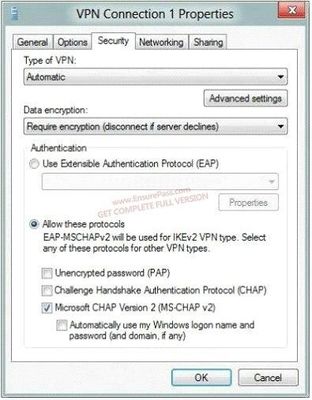
- AEnable Challenge Handshake Authentication Protocol (CHAP).
- BChange the VPN type to IKEv2.
- CIn the advanced settings, select Use preshared key for authentication.
- DChange the authentication setting to Use Extensible Authentication Protocol (EAP).
113A company has a main office located in Miami, and branch offices in Boston, Los Angeles, and Portland. The office networks are configured as described in the following table.
A management computer in the main office, named COMPUTER1, runs Windows 8.1 and several third-party management applications.
You are configuring access to COMPUTER1. You have the following requirements:
Ensure that only users in the Boston office can connect to COMPUTER1 by using HTTP.
Ensure that only users in the Los Angeles office can connect to COMPUTER1 by using HTTPS.
Ensure that only users in the Portland office can connect to COMPUTER1 by using FTP.
You need to configure access to COMPUTER1.
How should you configure Windows Firewall?
City....................IP..........................Protocol..........Port Number................IP Type
Boston .........10.30.0.0/24...........[blank_start]_________[blank_end]...........[blank_start]_____________[blank_end]...............[blank_start]__________[blank_end]
Los Angeles..10.40.0.0/24...........[blank_start]_________[blank_end]...........[blank_start]_____________[blank_end]...............[blank_start]__________[blank_end]
Portland........10.20.0.0/16...........[blank_start]_________[blank_end]...........[blank_start]_____________[blank_end]...............[blank_start]__________[blank_end]- AFTP
- BHTTP
- CHTTPS
- DFTP
- EHTTP
- FHTTPS
- GFTP
- HHTTP
- IHTTPS
- J21
- K22
- L80
- M443
- NTCP
- OUDP
- PTCP
- QUDP
- RTCP
- SUDP
- T21
- U22
- V80
- W443
- X21
- Y22
- Z80
- AA443
114A company plans to upgrade its client computer operating systems from Windows 7 to Windows 8.1.
You need to use the User State Migration Tool (USMT) to configure the migration profile to exclude all files in the users’ Documents folders.
Which command should you run on the client computers before the upgrade?
Command: [blank_start]____________________[blank_end] [blank_start]_________________[blank_end] [blank_start]____________________[blank_end]- Ascanstate
- B/genconfig:
- Cconfig.xml
115You administer Windows 8.1 computers in your company network. All computers include Windows 8.1 compatible Trusted Platform Module (TPM).
You configure a computer that will run a credit card processing application.
You need to ensure that the computer requires a user to enter a PIN code when starting the computer.
Which policy should you configure?
[blank_start]____________________________[blank_end]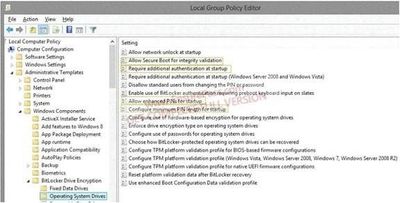
- AAllow Secure Boot 4 Integrity validation
- BRequireAdditional authentication startup
- CAllow enhanced PICs for startup
- DConfig minimum pin length for startup
116A company has client computers that run Windows 8.1. Finance department employees store files in the C:\Finance directory. File History is on.
A Finance department employee attempts to restore a file to a previous version by using File History. The file is not available to restore.
You need to establish why the file history is not available and ensure that it is available in the future.
Which two actions should you perform? (Each correct answer presents part of the solution.
Choose two.)- AChange the File History drive.
- BReview the File History backup log.
- CMove the file into a library.
- DStart the Volume Shadow Copy Service.
117A company has client computers that run Windows 8.1. File History is on.
An employee downloads data to a folder on drive D named Archives.
You need to ensure that the user can restore files from the Archives folder by using File History.
What should you do?- ACreate a library named History and add the Archives folder to the library.
- BStart the Windows Backup service.
- CTurn on the Volume Shadow Copy Service.
- DStart the Block Level Backup Engine service.
118You administer Windows 8.1 client computers in you company network.
You deploy an application that requires a specific Windows update to be installed on the computers.
You need to verify that the update is installed on specific computers.
What are two possible ways to achieve this goal?- ARun The system update readiness tool
- BOpen View updates history
- COpen the Check for updates applet
- DRun the DISM command with the /image and /get-packageinfoswiches
- ERun the DISM command with the /online and /get-packageinfoswiches
119You administer Windows 8.1 Pro computers in your company network.
A user named User1 encrypts a sensitive file named file.txt by using Encrypting file systems (EFS) A user named User2 must be able to read file.txt.
You need to configure unencrypted read access to file.txt for User2
What should you do?- AConfigure Advanced Attributes
- BConfigure Effective Access
- CConfigure Advanced Security Settings
- DShare the folder that contains file.txt.
120You plan to purchase new Windows 8.1 tablets for you company network.
You need to ensure that tablet users are able to use the Windows 8.1 Snap feature.
Which hardware specifications should you meet in choosing tablets?- Amonitor and video adapter that support a minimum screen resolution of 1366 x 768
- Bmonitor that supports at least three simultaneous touches
- Cmonitor that supports at least five simultaneous touches
- Dmonitor and video adapter that support a minimum screen resolution of 1024 x 768
121You have a computer that runs Windows 8.1. You install a custom application by using an .msi file that is located in your Documents library.
The computer begins to experience performance issues. You decide to reinstall the custom application. When you run the .msi file, you receive an error message about a corrupted file.
You need to ensure that you can reinstall the application.
What should you do?- ARun the replace command, specify the application’s .msi file as the source, and then specify the application’s original installation directory as the destination.
- BUse file History to revert the application’s .msi file to a previous version.
- CRun the msiexec /f command and specify the application’s .msi file.
- DRun the reset /f command and specify the application’s .msi file.
122A Company has 10 computers that run windows vista. The computers are members of a workgroup.
The company plans to upgrade the computers to Windows 8.1. You are planning a deployment strategy.
You need to ensure that users can log on to their existing accounts and access their existing data after the upgrade.
Which three actions should you perform in sequence?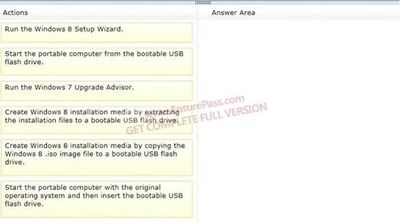
- A
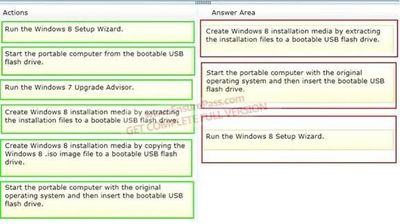
- BNot this one
- A
123You administer Windows 8.1 computers in you company network. all computers include Windows 8.1 compatible trusted platform modele (TPM).
You configure a computer that will run a credit processing application.
You need to ensure that the computer requires a user to enter a PIN code when starting the computer.
Which policy should you configure?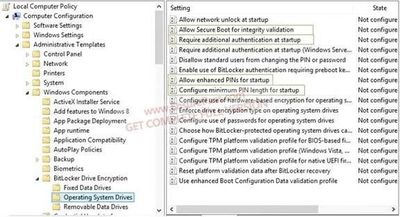
- AAllow Secure Boot for Integrity validation
- BRequire Additional authentication at startup
- CAllow enhanced PINs for Startup
- DConfigure minimum PIN length for startup a local
124You administer Windows 8.1 client computers in your company network.
A guest at your company is connected to the Internet as shown in the following exhibit.
You need to ensure that the guest user is able to share network resources over Wi-Fi without lowering the overall security of the computer.
What should you do?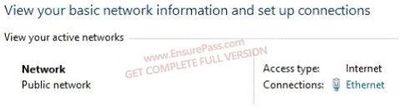
- AChange the network location type to Work.
- BConfigure File sharing connections settings for All networks.
- CChange the network location type to Private.
- DConfigure File and printer sharing settings for Public networks.
125A company has client computers that run Windows 8.1.
When a user tries to print from his portable client computer while connected to the corporate network, he discovers that the default printer is set to his home printer instead of to the office printer.
You need to ensure that the default printer for the computer is the office printer when the computer is connected to the corporate network and the user’s home printer when the computer is connected to his home network.
What should you do on the portable computer?- AIn the printer properties of the corporate printer, configure the active port with the correct TCP/IP settings for the printer.
- BInstall the corporate printer and set it as the default printer. Then add the home printer to the homegroup settings.
- CConnect to the home network and choose Connect from the shared printer object context menu. Then connect to the corporate network and choose Connect from the shared printer object context menu.
- DSet a default printer for each network.
126A company has an Active Directory Domain Services (AD DS) domain. All client computers run Windows 8.1.
You need to configure 20 portable computers so that they sleep after 20 minutes when running on battery power. You must accomplish this goal by using the least amount of administrative effort.
Which two actions should you perform?- AEdit the local Group Policy to configure the Shut Down options.
- BCreate a Group Policy object (GPO) that configures the Sleep Management settings.
- CCreate a Group Policy object (GPO) that configures the Power Management settings.
- DLink the Group Policy object (GPO) to the organizational unit containing the portable computers.
- EEdit the local Group Policy to configure the Power Management settings.
127You install Windows 8.1 on a client computer.
Several days later, you establish that the computer has been infected by malware. You are unable to establish when the computer was infected.
You need to restore the client computer to full functionality.
What should you do?- AStart the computer using the Last Known Good Configuration option.
- BUse the Refresh your PC without affecting your files function.
- CStart the computer in Safe Mode.
- DUse the Remove everything and install Windows function.
128A company has an Active Directory Domain Services (AD DS) domain. All client computers run Windows 8.1.
You need to ensure that only administrators can access removable storage devices on client computers.
Which two Group Policy settings should you configure?- AEnable the Prevent installation of removable devices policy.
- BDisable the Allow only USB root hub connected Enhanced Storage Features policy.
- CCreate an AppLocker deny rule with a path condition of %HOT%.
- DStart the Application Identity service.
- EEnable the Allow administrators to override Device Installation Restriction policies policy.
129A company has client computers that run Windows 8.1. Each employee has one client computer at the office. Some employees also have personal computers at home.
The company has applications that run only on Windows 8.1.
You need to deploy Windows To Go so that employees can run the applications on their home computers.
Which two command-line tools should you use? (Each correct answer presents part of the solution. Choose two.)- Abcdedit
- BDISM
- Cbcdboot
- DImageX
130A company has an Active Directory Domain Services (AD DS) domain. All client computers run Windows 8.1 and are joined to the domain. All Sales department employees are members of the Sales organizational unit (CU). AppLocker rules control the installation of applicatior on client computers.
You create a new Group Policy object (GPO) to configure an AppLocker file hash rule. The file hash rule allows an application to run and links the application to the Sales OU. Several minutes later, you establish that the AppLocker rule is not present on some computers within SalesOU and the application cannot run.
You need to quickly ensure that the application can run.
What should you do?- ARun the Get-AppLockerPolicy Windows PowerShell cmdlet.
- BConfigure the AppLocker properties to enforce rules.
- CRun the gpupdate /force command.
- DCreate a new AppLocker file hash condition.
131You administer Windows 8.1 laptops in your company network.
You install several custom desktop applications on the laptops.
You need to create a custom recovery image for Windows to use when selecting the Refresh your PC option. The custom recovery image must include the custom desktop applications.
Which command should you use to create the custom recovery image?- ARecdisc.exe
- BRecover.exe
- CRecimg.exe
- DRecoveryDrive.exe
132You administer Windows 8.1 client computers in your company network. A computer that is used by non-administrator users has a directory named C:\Folder1.
A shared collection of Microsoft Excel files is stored in the C:\Folder directory, with non- administrator users being granted modify permissions to the directory.
You discover that some files have been incorrectly modified by a user.
You need to determine which user made changes to the directory’s folder’s files.
Which two actions should you perform? (Each correct answer presents part of the solution.
Choose two.)- ASet local policy: Computer Configuration\Windows Settings\Security Settings\Local Policies\Audit Policy\Audit object access to Failure.
- BFrom the Auditing Entry for Folder1, set the Principal to Guests, and then set the Type to Failure for the Modify permission.
- CFrom the Auditing Entry for Folder1, set the Principal to Everyone, and then set the Type to Success for the Modify permission.
- DSet local policy: Computer Configuration\Windows Settings\Security Settings\Local Policies\Audit Policy\Audit object access to Success.
133A company network contains two workgroups named Workgroup1 and Workgroup2. Workgroup1 contains computers that run Windows 7. Workgroup2 contains computers that run Windows 8.1.
You run the Enable-PSRemoting Windows PowerShell cmdlet on the Workgroup2 computers.
You need to ensure that administrators can manage the Workgroup1 computers from the Workgroup2 computers by using Windows PowerShell Remoting.1
Which two actions should you perform? (Each correct answer presents part of the complete solution. Choose two.)- AInstall Windows PowerShell 2.0 on the Workgroup1 computers.
- BRun the winrmquickconfig command on the Workgroup2 computers.
- COn the Workgroup1 computers, add the Workgroup2 computers to the trusted hosts in Windows Remote Management (WinRM).
- DRun the winrrnquickconfig command on the Workgroup1 computers.
- EOn the Workgroup2 computers, add the Workgroup1 computers to the trusted hosts in
Windows Remote Management (WinRM).
134A computer that runs Windows B has two hard disk drives. The user stores data files in specific storage locations outside of the standard libraries on both drives.
File search results are delayed.
You need to return relevant search results more quickly.
What should you do?- ARemove all directories from indexed locations.
- BAdd the specific storage locations to indexed locations.
- CAllow indexing of file contents in non-indexed locations.
- DAdd encrypted files to the index.
135A company has client computers that run Windows XP or Windows Vista.
The company plans to upgrade all client computers to Windows 8.1. You are planning a deployment strategy.
You need to identify the elements that will be retained after the upgrades.
Which elements will be retained? (To answer, drag the appropriate element or elements to the correct location or locations in the answer area. Elements may be used once, more than once, or not at all. You may need to drag the split bar between panes or scroll to view content.)
Win XP to Win 8.-.....[blank_start]________________________________[blank_end]
Windows Vista to Windows 8.-........................[blank_start]________________________[blank_end]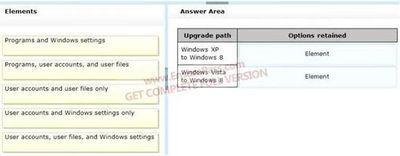
- AUser accounts and users files only
- BUser accts, user files, and Win settings
136A company has an Active Directory Domain Services (AD DS) domain. All client computers run Windows 8.1. The company has three departments named Accounting, Human Resources (HR), and Marketing. User account objects are stored in their respective departmental AD security groups and have full access to shared folders for each department.
A new company policy requires that the following access rules are in place:
Users must have complete access only to their department’s shared folder.
Accounting department users must be able to change files in the HR folder.
HR department users must be able to change files in the Marketing folder.
Marketing department users must be able to change files in the Accounting folder.
You need to comply with the company policy.
Which permissions should you assign? (To answer, drag the appropriate security group or groups to the correct location or locations in the answer area. Security groups may be used once, more than once, or not at all. You may need to drag the split bar between panes or scroll to view content.)
.....................................Access Control List................................
Shared Folder..................Full Control...................Modify........
Accounting...................[blank_start]_________________[blank_end]............[blank_start]__________[blank_end]......
HR.................................[blank_start]_________________[blank_end]............[blank_start]__________[blank_end].......
Marketing....................[blank_start]_________________[blank_end]............[blank_start]__________[blank_end].......- AAccounting
- BUsers
- CEveryone
- DHR
- EMarketing
- FAccounting
- GUsers
- HEveryone
- IHR
- JMarketing
- KAccounting
- LUsers
- MEveryone
- NHR
- OMarketing
- PAccounting
- QUsers
- REveryone
- SHR
- TMarketing
- UAccounting
- VUsers
- WEveryone
- XHR
- YMarketing
- ZAccounting
- AAUsers
- ABEveryone
- ACHR
- ADMarketing
137You administer Windows 8.1 Enterprise client computers in your company network.
You change settings on a reference computer by using the Windows Firewall with Advanced Security tool. You want to apply the same settings to other computers.
You need to save the Windows Firewall with Advanced Security configuration settings from the reference computer. You also need to be able to import the configuration settings into a Group Policy object later.
What should you do?- ARun the netshadvfirewall export c:\settings.xrnl command.
- BRun the netshadvfirewall export c:\settings.txt command.
- CRun the netshadvfirewall export c:\settinqs.wfw command.
- DRun the netsh firewall export c:\settings.xml command.
138You administer Windows 8.1 Pro computers in your company network. A server named Server1 runs Windows Server 2012. Server1 allows incoming VPN and Remote Desktop connections.
A remote user requires access to files on Server1.
You need to prevent the user from downloading any files from Server1 to his local computer. Your solution must ensure that the user can read the files on Server1.
What should you do?- ACreate a new VPN connection. Disable local drive mappings.
- BCreate a new Remote Desktop connection.
- CSet the Local Computer policy to Disable drives redirection for Remote Desktop Services.
- DCreate a new Remote Desktop connection. Set the Local Computer policy to Disable clipboard redirection for Remote Desktop Services.
139A company has 10 client computers that run Windows 8.1.
An employee updates a device driver on her computer and then restarts the computer. Windows does not start successfully. You start the computer in Safe Mode.
You need to identify the most recently installed driver and gather the maximum amount of information about the driver installation.
What should you do?- AIn Device Manager, run a scan for hardware changes.
- BIn the Event Viewer console, display the Hardware Events log.
- CIn the Programs and Features Control Panel item, display the installed updates.
- DDisplay the contents of the Windows\inf\setupapi.dev.log file.
140Employees are permitted to bring personally owned portable computers that run Windows 8.1 to the office. They are permitted to install corporate applications by using the management infrastructure agent and access corporate email by using Windows Mail.
An employee’s personally owned portable computer is stolen.
You need to protect the corporate applications and email messages on the computer.
Which two actions should you perform? (Each correct answer presents part of the solution.
Choose two.)- APrevent the computer from connecting to the corporate wireless network.
- BDisconnect the computer from the management infrastructure.
- CChange the user’s password.
- DInitiate a remote wipe.
141A company has lab computers that run Windows 8.1. On all lab computers, Internet Explorer has the Display intranet sites in Compatibility View option enabled and the Download updated compatibility lists from Microsoft option disabled. All lab computers access only internal corporate websites.
A corporate website was designed for a previous version of Internet Explorer. When viewed on the lab computers, menus and images on the website are displayed out of place.
You need to ensure that all corporate websites display correctly on the lab computers.
What should you do?- AEnable the Display all websites in Compatibility View option.
- BManually add the corporate website to the compatibility view settings.
- CManually download an updated compatibility list from Microsoft.
- DDisable the Display intranet sites in Compatibility View option.
142You administer Windows 8.1 Pro computers in your company network. The computers are configured to allow remote connections. You attempt to create a Remote Desktop Connection to a computer named Computer1. You receive the following message:
”Remote Desktop can’t connect to the remote computer.”
You are able to ping Computer1. You discover that Remote Desktop Firewall rules are not present on Computer1.
You need to connect to Computer1 by using Remote Desktop.
Which PowerShell commands should you run on Computer1?- ANew-NetFirewallRule -DisplayNameRdpTCPin -localPort 3389 -Protocol TCP
- BSet-NetFirewallRule -Name RemoteSvcAdmin-In-TCP -Enabled True
- CNew-NetFirewallRule -DisplayNameRdpTCPout -localPort 3389 -Protocol TCP – Direction Out -Action Allow
- DSet-NetFirewallRule -Name RemoteFwAdmin-In-TCP -Enabled True
143A client computer runs Windows 8.1 and has a 1 TB hard disk drive. You install several third-party desktop apps on the computer. The hard disk drive has very little available space.
After you install an app update, the computer becomes unresponsive.
You have the following requirements:
Return the computer and applications to an operational state.
Free additional hard disk space.
You need to meet the requirements by using the least amount of administrative effort.
Which two actions should you perform? (Each correct answer presents part of the solution.
Choose two.)- ARun the Remove everything and install Windows feature.
- BConfigure the maximum disk space usage for System Restore to 1%.
- CConfigure the maximum disk space usage for System Restore to 5%.
- DRun the Refresh your PC without affecting your files feature.
- EPerform a system restore on the client computer.
144A company has a client computer that runs Windows 8.1 with secure boot enabled. You install a third-party adapter with an Option ROM in the computer.
When you start the computer, it starts in the Windows Recovery Environment (Windows RE).
You need to ensure that the computer starts normally.
What should you do?- AInstall a Trusted Platform Module (TPM) chip.
- BStart the computer in Safe Mode. Then update the adapter drivers.
- CReplace the third-party adapter with an adapter that is signed by a trusted Certificate Authority (CA).
- DCreate a self-signed certificate. Associate the certificate with the third-party adapter.
145A company has an Active Directory Domain Services (AD DS) domain. The company has 100 client computers and tablets that run Windows 8.1. Each user has a unique local user account on each device he or she uses.
The company wants to simplify the logon process for atl users.
You have the following requirements:
Reduce the number of unique user accounts for each user.
Unify the initial Windows 8.1 theme across all Windows 8.1 devices.
Ensure that Windows Store apps maintain the last used state across all Windows 8.1 devices.
You need to configure an authentication method that meets the requirements.
Which authentication method should you configure?- APin
- BMicrosoft account
- CActive Directory user account
- DPicture password
146You administer Windows 7 client computers in your company network. The computers are members of an Active Directory Domain Services (AD DS) domain and have 16-bit applications installed.
You plan to upgrade all of the computers from Windows 7 to Windows 8.1.
You need to ensure that the 16-bit applications will continue to run on Windows 8.1.
What are two version of Windows 8.1 that you could use to achieve this goal? (Each correct answer presents a complete of the solution. Choose two.)- AWindows 8.1 Pro (64-bit)
- BWindows 8.1 Enterprise (64-bit)
- CWindows 8.1 Pro (32-bit)
- DWindows RT
- EWindows 8.1 Enterprise (32-bit)
147You use a computer that has Windows 8.1 Pro installed.
Your personal files are stored in a storage pool that is distributed across multiple USB drives.
You need to configure a daily backup solution that meets the following requirements:
Automatically backs up all of your personal files that are located in the storage pool.
Automatically backs up operating system files.
Ensures that you can restore any file.
What should you do?- ACreate a recovery drive.
- BTurn on File History.
- CConfigure Windows 7 File Recovery.
- DConfigure system protection.
148A computer that runs Windows 8.1 is configured with a 2 TB storage pool. The storage pool currently shows 1 TB of available space.
You try to save 100 MB of files to the storage drive. An error message states that the drive is full.
You need to make an additional 1 TB of space available in the storage pool.
What should you do?- AConnect a 1 TB drive to the computer and add the new drive to the storage pool.
- BConnect a 1 TB drive to the computer and assign a drive letter to the new drive.
- CSet the resiliency type of the storage pool to Parity.
- DSet the logical size of the storage pool to 2 TB.
149You are troubleshooting a computer that runs Windows 8.1. The computer is not joined to a domain.
You are unable to change any of the advanced Internet options, which are shown in the Advanced Internet Options exhibit. (Click the Exhibit button.)
You need to ensure that you can change the advanced Internet options.
Which tool should you use?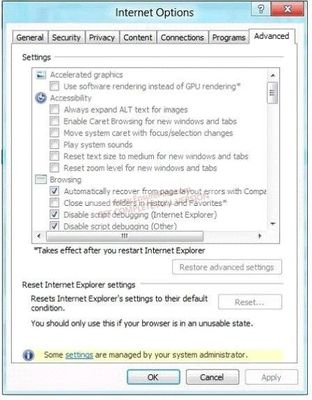
- ACredential Manager
- BAuthorization Manager
- CGroup Policy Object Editor
- DEase of Access Center
150You use a Windows 8.1 computer. You pin some of your favorite websites to the Start screen.
When you click a pinned website, the site opens in Internet Explorer.
You need to ensure that the pinned websites open in Internet Explorer for the desktop.
What should you do?- AIn Internet Options, set Choose how you open links to Always in Internet Explorer on the desktop.
- BIn Internet Options, select Open Internet Explorer tiles on the desktop.
- CIn Internet Options, select Enable flip ahead.
- DIn Internet Options, set Choose how you open links to Let Internet Explorer decide.
151You administer Windows 8.1 Enterprise client computers in your company network.
You change settings on a reference computer by using the Windows Firewall with Advanced Security tool. You want to apply the same settings to other computers.
You need to save the windows Firewall with Advanced Security configuration settings from the reference computer. You also need to be able to import the configuration settings into a Group Policy object later.
What should you do?- AOpen Local Group Policy Editor, select the Local Policies node, and then select the Export List action.
- BOpen Local Group Policy Editor, select the Security Settings node, and then select the Export List action.
- CRun the netshadvfirewall export c:\settings.wfw command.
- DRun the netshadvfirewall export c:\settings.xml command.
152You are preparing to deploy a new computer that runs Windows 8.1. You plan to copy the user’s data from his current computer to the new computer.
You need to generate a list of data that will be copied from his existing computer to the new computer.
Which three actions should you perform in sequence? (To answer, move the appropriate actions from the list of actions to the answer area and arrange them in the correct order.)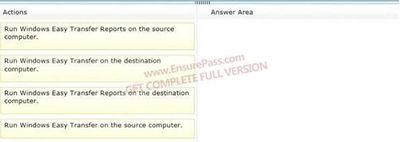
- AThis is the answer
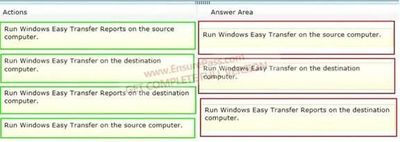
- BNot me
- AThis is the answer
153A company is setting up a new branch office. You deploy 10 new Windows 8.1 64-bit client computers in the branch office.
The computers cannot connect to the Internet. You run the ipconfig command on one computer. The following output depicts a portion of the results.
You need to ensure that the computers can connect to the Internet.
What should you do?
- ADeploy a Dynamic Host Configuration Protocol (DHCP) server. Configure all computers to use DHCP.
- BDeploy an Internet Information Services (IIS) server. Configure all computers to use IIS.
- CDeploy a Domain Name System (DNS) server. Configure all computers to use DNS.
- DDeploy a Windows Internet Name Service (WINS) server. Configure all computers to use WINS.
154A company has an Active Directory Domain Services (AD DS) domain. All client computers are joined to the domain and run Window 8.1. You set up a management computer named COMPUTER1.
You plan to administer COMPUTER1 by using Windows Remote Shell (WinRS) from your client computer.
You are unable to connect to COMPUTER1 by running the winrs command.
You need to ensure that you can manage only COMPUTER1 by using WinRS.
What should you do?- ARun the winrsnetdom join command on all client computers.
- BRun the winrsnetdom join command only on COMPUTER1.
- CRun the winrmquickconfig command on all client computers.
- DRun the winrmquickconfig command only on COMPUTER1.
- ERun the winrs /ad /u:administrator command on COMPUTER1.
155You administer Windows 8.1 client computers in your company network.
A user reports that her Internet connection is slower than usual.
You need to identify the Process Identifiers (PIDs) of applications that are making connections to the Internet.
Which command should you run?- Anetstat -an
- Bjpconfig /showclassid
- Cnetstat -o
- Dnetsh set audit-logging
- Enetsh show netdlls
156You administer Windows 8.1 computers in your company network.
You need to configure remote computers to receive Windows Remote Shell commands.
Which cmdlet should you run on the remote computers?- AEnable-PSRemoting
- BSet-PSSessionConfiguration
- CNew-PSSession
- DSet-NetConnectionProfile
157You administer Windows 8.1 Pro computers in your company network.
A user reports that her computer experiences frequent STOP errors.
You need to repair the Windows 8.1 installation. Your solution must ensure that the user retains her current documents and settings.
What should you do?- ACreate a recovery drive.
- BReinstall Windows 8.1. Restore the user’s personal files from a backup.
- CRun Reset your PC.
- DRun Refresh your PC.
158You administer a Windows 8.1 Pro client computer. You disable system protection, install custom drivers, and create a system image.
You test a new application and discover that the computer becomes unresponsive.
You need to return your computer to the state that existed prior to the installation of the application.
What should you do?- AStart the computer from a system recovery drive, and then perform System Restore.
- BStart the computer from a system repair disk, and then perform System Image Recovery.
- CStart the computer from the system repair disk, and then from the command prompt, run the BCDEdit /copy command.v
- DRun Reset your PC.
159A company has Windows 8.1 client computers. Users store data files in their user profile libraries.
You need to ensure that you can restore data files to any date while minimizing system overhead.
Which two actions should you perform? (Each answer presents part of the solution.
Choose two.)- AEnable Storage Spaces.
- BConfigure settings to save copies of files daily.
- CTurn on File History.
- DConfigure Windows 7 File Recovery.
160A company has an Active Directory Domain Services (AD DS) domain. All client computers run Windows 8.1. A client computer named COMPUTER1 has a shared printer named PRINTER1 installed and Remote Desktop enabled.
A user named Intern is a member of a security group named Sales. The Sales group is a member of the Remote Desktop Users group on COMPUTER1. Only the Sales group has access to PRINTER1.
You need to configure COMPUTER1 to meet the following requirements:
Allow all members of the Sales group other than Intern to establish Remote Desktop connections to COMPUTER1.
Allow Intern to print to PRINTER1.
What should you do?- AAssign Intern the Deny access to this computer from the network user right. Assign the Sales group the Allow log on locally user right.
- BAssign Intern the Deny log on through Remote Desktop Services user right.
- CRemove the Sales group from the Remote Desktop Users group.
- DRemove Intern from the Sales group.
161A company has an Active Directory Domain Services (AD DS) domain. The corporate environment includes a Windows Software Update Services (WSUS) server. All client computers run Windows 8.1 and a custom web application. The company has a Microsoft Software Assurance for Volume Licensing agreement.
After deploying Windows Updates to the computers, the web application stops responding. You establish that a specific optional update installed by Windows Update is causing the problem. In the Windows Update Control Panel item, the option to remove the update is unavailable.
You need to remove only the optional update from one client computer.
What should you do?- ARestart the computer from a Diagnostic and Repair Toolset (DaRT) boot disk and use the Hotfix Uninstaller tool.
- BFrom the c:\Windows folder, open the $NTUninstallKBxxxx folder for the update and run the uninstall command.
- CStart the computer by using the Last Known Good Configuration option.
- DUse System Restore to restore the computer to a point before the update was installed.
- ERun the Update-Sources Windows PowerShell cmdlet.
162You add two hard drives to a Windows 8.1 computer. The computer does not have a RAID controller.
You plan to store data only on the two new hard drives.
You need to ensure that data loss will not occur if only one hard drive fails.
What should you do?- ACreate a spanned volume.
- BCreate a storage pool that contains both drives and set the resiliency type to Two-way mirror.
- CCreate a storage pool that contains both drives and set the resiliency type to Parity.
- DCreate a storage pool that contains one drive, and then add the second drive to the pool.
163A company plans to deploy Windows 8.1 to 100 client computers. Each client computer has 8 GB of memory.
You have the following requirements:
Ensure that the operating system fully utilizes the available memory.
Ensure that the operating system can be activated by using a Key Management Service (KMS) client setup key.
Minimize the operating system space requirements.
You need to identify the appropriate edition of Windows 8.1 to install on the client computers.
Which edition should you install?- AWindows 8.1 Enterprise 32-bit
- BWindows 8.1 64-bit
- CWindows 8.1 Pro 32-bit
- DWindows 8.1 Enterprise 64-bit
- EWindows 8.1 Pro 64-bit
- FWindows 8.1 32-bit
164A company has 100 client computers that run various editions of Windows 7. The company plans to upgrade or replace computers so that all client computers run an edition of Windows 8.1.
The company plans to use the following programs and features on the Windows 8.1 computers:
32-bit and 64-bit software
Desktop apps
Windows Media Player
Storage Spaces
You need to identify the installation or upgrade paths that support the programs and features.
Which three paths meet the requirements? (Each correct answer presents a complete solution. Choose three.)- AAttach the VHD file by using Disk Management.
- BImport the contents of the system store from a file.
- CExport the contents of the system store into a file.
- DMake the VHD disk bootable.
- ECreate a new empty boot configuration data store.
- FCreate a new entry in the boot configuration data store.
165You administer desktop computers in your company network.
You are developing User State Migration Tool (USMT) procedures.
You need to ensure that the files located in C:\projects are included in the migration package.
What should you do?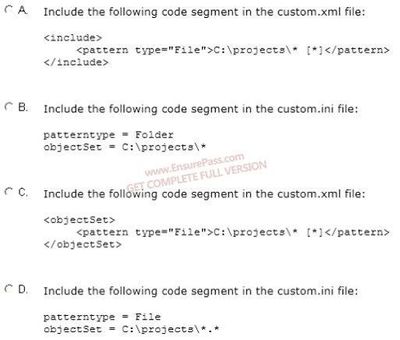
- AOption A
- BOption B
- COption C
- DOption D
166You administer Windows XP and Windows 7 client computers in your company network. You add 100 new client computers that have Windows 8.1 Enterprise installed.
You need to migrate user profiles, local groups membership, and network mapped drives to the new client computers. You download and copy User State Migration Tool (USMT) files to a network share.
Which three actions should you perform next, in sequence? (To answer, move the appropriate three actions from the list of actions to the answer area and arrange them in the correct order.)
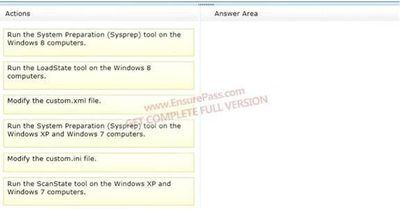
- AThis one
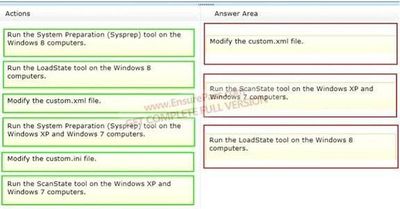
- BNot me
- AThis one
167A company has a Windows 8.1 client computer with secure boot enabled. You install a third-party adapter with an Option ROM in the computer.
When you start the computer, it starts in the Windows Recovery Environment (Windows RE).
You need to ensure that the computer starts normally.
What should you do?- AConfigure a system boot password from the system BIOS.
- BDisable C-State configuration from the system BIOS.
- CReplace the third-party adapter with an adapter that is signed by a trusted Certificate Authority (CA).
- DEnable hardware virtualization from the system BIOS.
- EActivate the Trusted Platform Module (TPM).
168A company has a Microsoft Software Assurance with Volume Licensing agreement. All client computers run Windows 8.1.
An employee updates a device driver on his computer and then restarts the computer. Windows does not start successfully. You establish that the updated driver is the cause of the problem.
You need to prevent the updated driver from running on startup, without impacting other drivers or personal data.
What should you do?- AUse the Windows 8.1 PC Reset feature.
- BReset the computer to the manufacturer’s system image.
- CStart the computer with the Diagnostic and Recovery Toolset and configure the driver options.
- DUse the File History feature.
169You administer an installation of Windows 8.1 that runs as a virtual machine. The virtual machine has one 60-GB fixed size virtual hard disk with a single partition assigned as Volume C.
The virtual machine runs out of disk space. You increase the size of the virtual hard disk file to 200 GB to support an application demand for increased storage on Volume C.
You discover that Volume C is still 60 GB in File Explorer of the virtual machine.
You need to ensure that Volume C is configured to use 200 GB.
What should you do?- AConfigure the Virtual Disk type from fixed size to dynamic disk.
- BFrom Disk Management of the virtual hard disk, run the Extend the volume action task.
- CFrom Disk Management of the host computer, extend the Volume C.
- DCreate a new storage space of Simple (no resiliency) type.
170You administer client computers in your company network. The network includes an Active Directory Domain Services (AD DS) domain.
Employees in the human resources (HR) department are getting new Windows 8.1 Enterprise computers. The HR department uses a line of business (LOB) Windows Store app named Timesheet that is not available in Windows Store.
You need to ensure that all employees in the HR department can use Timesheet on their new computers.
What should you do?- ASet the Allow all trusted applications to install group policy to Enabled.
- BSet the Turn off the Store application group policy to Enabled.
- CInstall and run the Microsoft Deployment Toolkit.
- DInstall and run the Windows App Certification Kit.
171You are troubleshooting a Windows 8.1 computer. The computer is not joined to a domain.
You are unable to change any of the advanced Internet options, which are shown in the Advanced Internet Options exhibit. (Click the Exhibit button.)
You need to ensure that you can change the advanced Internet options.
What should you do?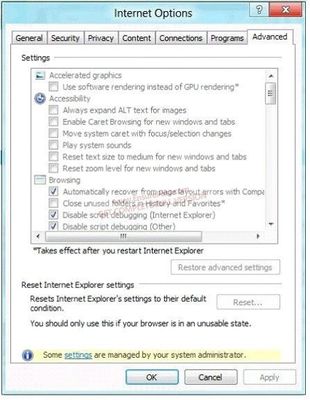
- AUse the Group Policy Object Editor.
- BUse the Internet Explorer Administration Kit (IEAK).
- CRun Internet Explorer and use the Settings charm to change options.
- DRun the iexplore -k command.
172You administer Windows 8.1 Enterprise client computers in your company network.
You need to prevent users from installing applications published by a specific publisher in Windows Store.
Which type of AppLocker rule should you create?- APackaged app
- BWindows Installer
- CExecutable
- DScript
173A company has an Active Directory Domain Services (AD DS) domain. All company employees work on their personally owned computers, which are not members of the domain. The computers are running Windows XP Home, Windows Vista Business, Windows 7 Home Premium, or Windows 8.1. The company is a volume license subscriber.
The company plans to deploy Group Policies to all computers.
You need to ensure that every employee’s computer is subject to the Group Policies.
What should you do first?- AJoin all the computers to the same homegroup.
- BStart each computer from a USB flash drive on which you have installed Windows To Go.
- CStart each computer from a USB flash drive on which you have installed BitLocker To Go.
- DJoin all the computers to the domain.
174A company has Windows 8.1 client computers. The company uses Windows BitLocker Drive Encryption and BitLocker Network Unlock on all client computers.
Your need to collect information about BitLocker Network Unlock status.
Which command should you run?- ARun the BitLockerWizard command.
- BRun the bitsadmin command.
- CRun the manage-bde command.
- DRun the BdeHdCfg command.
175You connect a portable Windows 8.1 computer to a corporate network by using a VPN connection.
You are unable to access websites on the Internet only when you are using the VPN connection.
You need to ensure that you can access websites when connected to the corporate network.
What should you do?- AConfigure the VPN connection to use only L2TP/IPSec.
- BIn the TCP/IPv4 properties of the VPN connection, disable the Use default gateway on remote network setting.
- CConfigure the VPN connection to use only PPTP.
- DIn the TCP/IPv4 properties of the VPN connection, enable the Use default gateway on remote network setting.
- EIn the TCP/IPv4 properties of the local area connection, disable the Automatic metric setting.
176You administer Windows 8.1 Pro computers in your company network. A server named Server1 runs Windows Server 2012. Server1 allows incoming VPN and Remote Desktop connections.
A remote user requires access to files on Server1.
You need to prevent the user from downloading any files from Server1 to his local computer.
Your solution must ensure that the user can read the files on Server1.
What should you do?- ACreate a new VPN connection. Disable local drive mappings.
- BCreate a new VPN connection. Disable offline files.
- CCreate a new Remote Desktop connection. Set the Local Computer policy to Disable drives redirection for Remote Desktop Services.
- DCreate a new Remote Desktop connection. Set the Local Computer policy to Disable clipboard redirection for Remote Desktop Services.
177A company has an Active Directory Domain Services (AD DS) domain. The company has 20 Windows 8.1 tablet PCs that are connected to the domain.
You need to configure an authentication method that simplifies the process of logging on to the tablet PCs and maximizes the security.
Which authentication method should you configure?- AActive Directory user account
- BPIN
- CPicture password
- DMicrosoft account
178You install a new hard drive as drive D on a Windows 8.1 computer. The computer is shared by two users.
You need to prevent either user from using more than half the available space on drive D of the computer.
What should you do?- AReconfigure drive D and create two volumes of equal size.
- BCreate a share for each user on drive D.
- CConfigure quota management on drive D.
- DConfigure Storage Spaces on drive D.
179A company has 10 Windows 8.1 (64-bit) client computers.
You plan to create backup resources to allow the recovery of Windows 8.1 on any of the client computers.
You need to ensure that you can recover the computers from bootable media.
What should you do?- ATurn on File History.
- BCreate a new pool and storage space.
- CRun the Remove everything and install Windows feature.
- DRun the bcdboot command.
- ERun the recdisc command.
180A company has Windows 8.1 client computers. Employees use multiple Windows Store apps on the computers.
An employee installs a legacy app on his portable computer and then experiences problems with the computer. He installs two additional legacy apps and the problems increase.
You need to return the computer to its default state and retain all user data and Windows Store apps.
What should you do?- ARun the Remove everything and install Windows feature.
- BPerform a system restore to the most recent restore point.
- CUse Windows 7 File Recovery to restore all Windows system files.
- DRun the Refresh your PC without affecting your files feature.
181A company has Windows 8.1 client computers.
A user stores files in multiple locations.
You need to determine which of the locations will be included in File History.
Which three of the following file locations are included in File History? (Each correct answer presents part of the solution. Choose three.)- APublic Documents and Public Pictures
- BContacts, Desktop, and Favorites
- CAll system files
- DC:\Users and C:\ProgramData
- EMy Documents and My Pictures
- FDesktop and Recycle Bin
182You administer Windows 8.1 client computers in your company network. The company has an Active Directory Domain Services (AD DS) domain. The network uses a DHCP server.
You want to assign a static dynamic host configuration protocol (DHCP) reservation for a client computer.
You need to identify the media access control (MAC) address of the client computer.
Which command should you use?- Aipconfig /allcompartments /all
- Bipconfig /renew
- Cipconfig /all
- Dipconfig /flushdns
Informações
- Descrição
- Quiz sobre Microsoft 70-687 - Configuring Windows 8.1, criado por orthrobbie em 09-09-2015.
- Autor
- orthrobbie
- Idioma
- English
- Visualizações
- 54
- Histórico
- Criado em 9 set 2015 · atualizado em 27 set 2016
- Avaliação
- Ainda sem avaliações Avalie este quiz