
Mindmap
Operating Systems
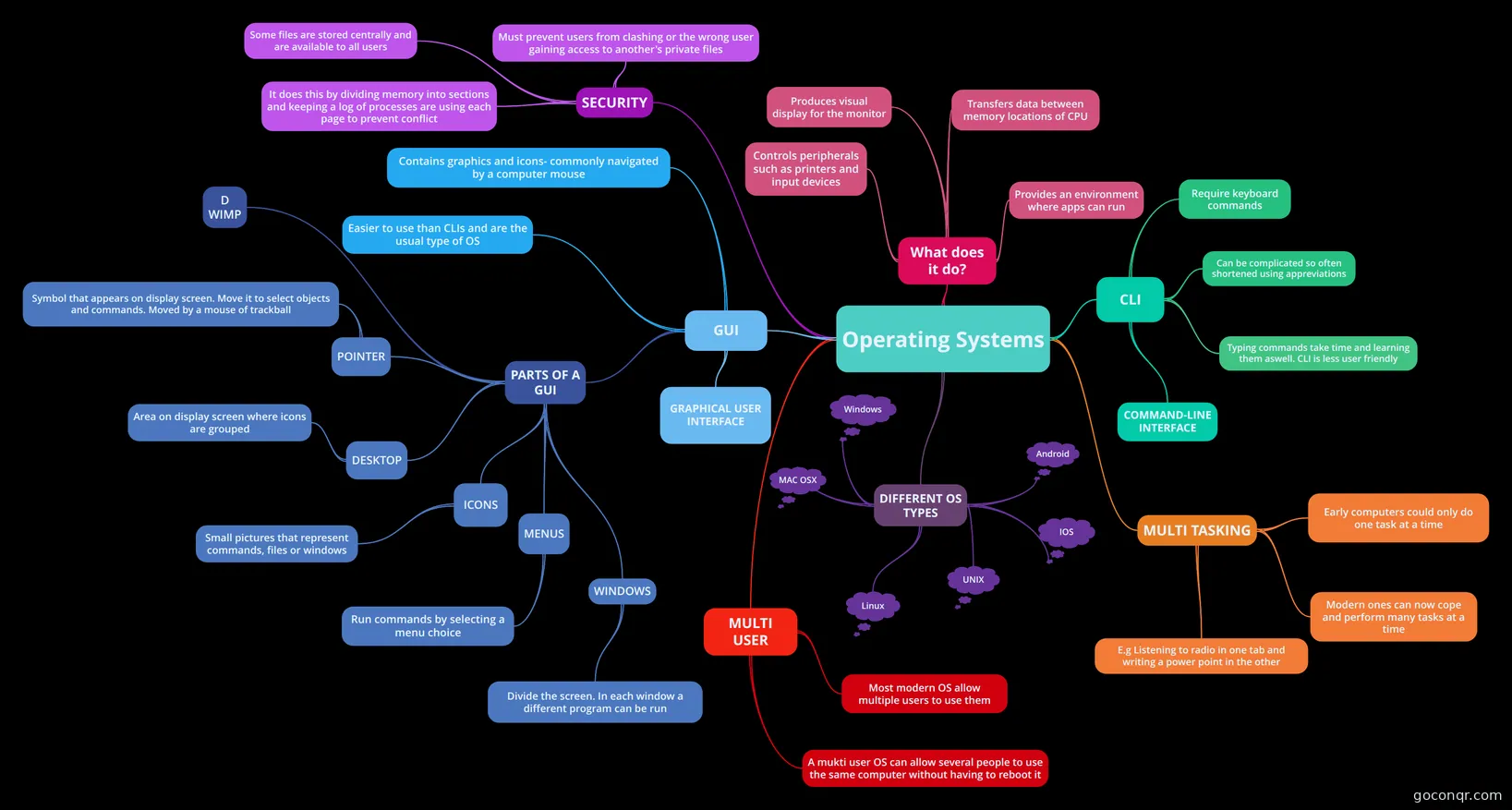
Mind map: Operating systems
Inhalt der Mindmap
Operating Systems
GUI
- GRAPHICAL USER INTERFACE
- Contains graphics and icons- commonly navigated by a computer mouse
- Easier to use than CLIs and are the usual type of OS
- PARTS OF A GUI
- POINTER
- Symbol that appears on display screen. Move it to select objects and commands. Moved by a mouse of trackball
- DESKTOP
- Area on display screen where icons are grouped
- ICONS
- Small pictures that represent commands, files or windows
- MENUS
- Run commands by selecting a menu choice
- WINDOWS
- Divide the screen. In each window a different program can be run
- D WIMP
- POINTER
CLI
- COMMAND-LINE INTERFACE
- Require keyboard commands
- Can be complicated so often shortened using appreviations
- Typing commands take time and learning them aswell. CLI is less user friendly
DIFFERENT OS TYPES
- MAC OSX
- Linux
- Windows
- UNIX
- Android
- IOS
What does it do?
- Transfers data between memory locations of CPU
- Produces visual display for the monitor
- Controls peripherals such as printers and input devices
- Provides an environment where apps can run
MULTI TASKING
- Early computers could only do one task at a time
- Modern ones can now cope and perform many tasks at a time
- E.g Listening to radio in one tab and writing a power point in the other
MULTI USER
- Most modern OS allow multiple users to use them
- A mukti user OS can allow several people to use the same computer without having to reboot it
SECURITY
- Must prevent users from clashing or the wrong user gaining access to another's private files
- It does this by dividing memory into sections and keeping a log of processes are using each page to prevent conflict
- Some files are stored centrally and are available to all users