
Mindmap
Cloud Storage
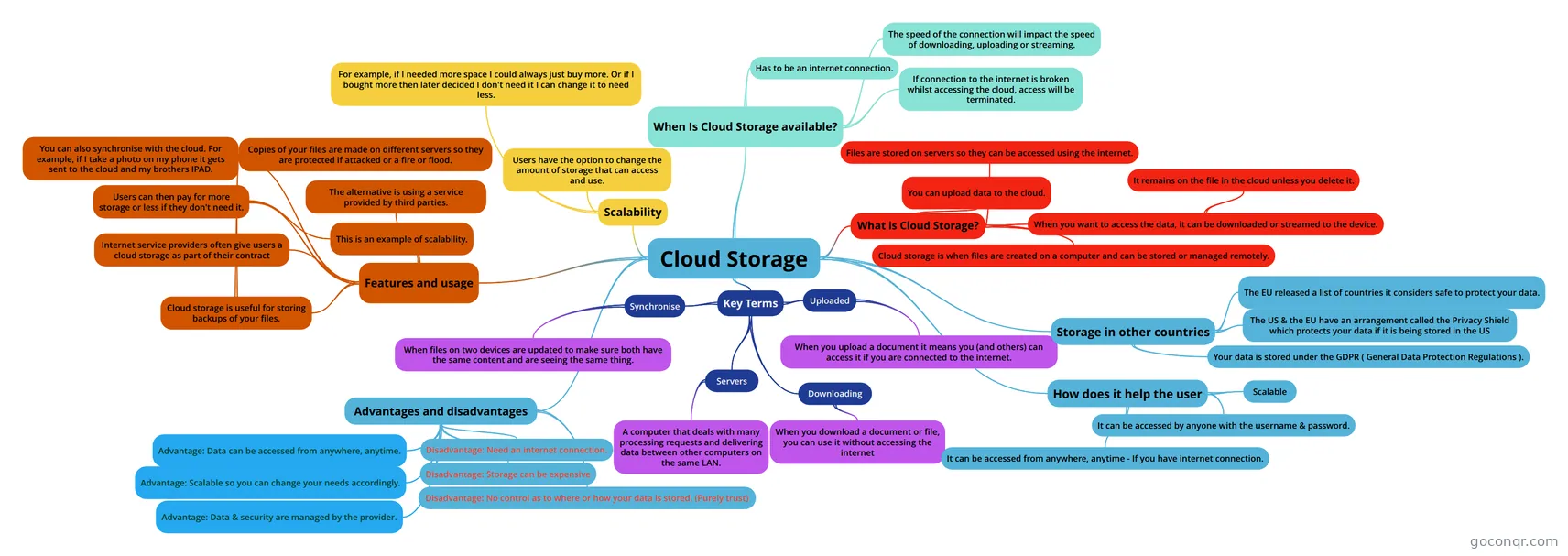
Mind map: Cloud storage
Inhalt der Mindmap
Cloud Storage
Key Terms
- Downloading
- When you download a document or file, you can use it without accessing the internet
- Uploaded
- When you upload a document it means you (and others) can access it if you are connected to the internet.
- Servers
- A computer that deals with many processing requests and delivering data between other computers on the same LAN.
- Synchronise
- When files on two devices are updated to make sure both have the same content and are seeing the same thing.
- Downloading
What is Cloud Storage?
- Cloud storage is when files are created on a computer and can be stored or managed remotely.
- Files are stored on servers so they can be accessed using the internet.
- When you want to access the data, it can be downloaded or streamed to the device.
- It remains on the file in the cloud unless you delete it.
- You can upload data to the cloud.
Features and usage
- Internet service providers often give users a cloud storage as part of their contract
- Users can then pay for more storage or less if they don't need it.
- This is an example of scalability.
- The alternative is using a service provided by third parties.
- Cloud storage is useful for storing backups of your files.
- Copies of your files are made on different servers so they are protected if attacked or a fire or flood.
- You can also synchronise with the cloud. For example, if I take a photo on my phone it gets sent to the cloud and my brothers IPAD.
Scalability
- Users have the option to change the amount of storage that can access and use.
- For example, if I needed more space I could always just buy more. Or if I bought more then later decided I don't need it I can change it to need less.
When Is Cloud Storage available?
- Has to be an internet connection.
- If connection to the internet is broken whilst accessing the cloud, access will be terminated.
- The speed of the connection will impact the speed of downloading, uploading or streaming.
Storage in other countries
- Your data is stored under the GDPR ( General Data Protection Regulations ).
- The US & the EU have an arrangement called the Privacy Shield which protects your data if it is being stored in the US
- The EU released a list of countries it considers safe to protect your data.
How does it help the user
- It can be accessed from anywhere, anytime - If you have internet connection.
- It can be accessed by anyone with the username & password.
- Scalable
Advantages and disadvantages
- Advantage: Data can be accessed from anywhere, anytime.
- Disadvantage: Need an internet connection.
- Disadvantage: Storage can be expensive
- Disadvantage: No control as to where or how your data is stored. (Purely trust)
- Advantage: Scalable so you can change your needs accordingly.
- Advantage: Data & security are managed by the provider.
Informationen
- Beschreibung
- GCSE IT Mindmap am Cloud Storage, erstellt von Joseph Stalin am 10/10/2018.
- Erstellt von
- Joseph Stalin
- Aufrufe
- 4
- Bewertung