
Mindmap
Computer System (By Joshua Beard)
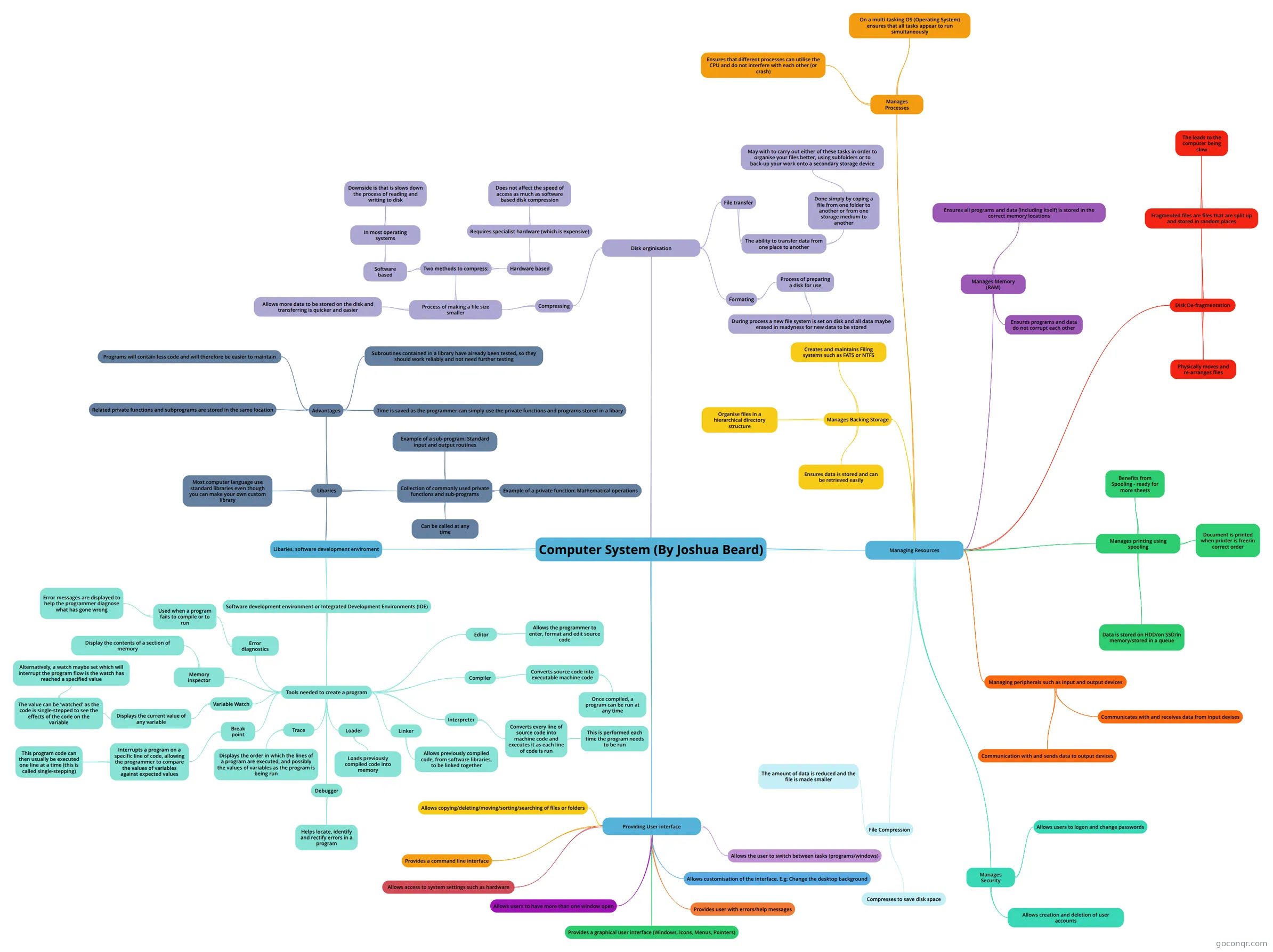
Mind map: computer system
Inhalt der Mindmap
Computer System (By Joshua Beard)
Managing Resources
- Managing peripherals such as input and output devices
- Communication with and sends data to output devices
- Communicates with and receives data from input devises
- Manages printing using spooling
- Data is stored on HDD/on SSD/in memory/stored in a queue
- Document is printed when printer is free/in correct order
- Benefits from Spooling - ready for more sheets
- Manages Backing Storage
- Ensures data is stored and can be retrieved easily
- Creates and maintains Filing systems such as FATS or NTFS
- Organise files in a hierarchical directory structure
- File Compression
- Compresses to save disk space
- The amount of data is reduced and the file is made smaller
- Disk De-fragmentation
- Fragmented files are files that are split up and stored in random places
- The leads to the computer being slow
- Physically moves and re-arranges files
- Fragmented files are files that are split up and stored in random places
- Manages Memory (RAM)
- Ensures programs and data do not corrupt each other
- Ensures all programs and data (including itself) is stored in the correct memory locations
- Manages Processes
- Ensures that different processes can utilise the CPU and do not interfere with each other (or crash)
- On a multi-tasking OS (Operating System) ensures that all tasks appear to run simultaneously
- Manages Security
- Allows creation and deletion of user accounts
- Allows users to logon and change passwords
- Managing peripherals such as input and output devices
Providing User interface
- Allows access to system settings such as hardware
- Provides a command line interface
- Allows users to have more than one window open
- Allows the user to switch between tasks (programs/windows)
- Allows customisation of the interface. E.g: Change the desktop background
- Provides user with errors/help messages
- Provides a graphical user interface (Windows, Icons, Menus, Pointers)
- Allows copying/deleting/moving/sorting/searching of files or folders
Libaries, software development enviroment
- Libaries
- Collection of commonly used private functions and sub-programs
- Example of a private function: Mathematical operations
- Example of a sub-program: Standard input and output routines
- Can be called at any time
- Advantages
- Time is saved as the programmer can simply use the private functions and programs stored in a libary
- Related private functions and subprograms are stored in the same location
- Subroutines contained in a library have already been tested, so they should work reliably and not need further testing
- Programs will contain less code and will therefore be easier to maintain
- Most computer language use standard libraries even though you can make your own custom library
- Collection of commonly used private functions and sub-programs
- Software development environment or Integrated Development Environments (IDE)
- Tools needed to create a program
- Editor
- Allows the programmer to enter, format and edit source code
- Compiler
- Converts source code into executable machine code
- Once compiled, a program can be run at any time
- Converts source code into executable machine code
- Interpreter
- Converts every line of source code into machine code and executes it as each line of code is run
- This is performed each time the program needs to be run
- Converts every line of source code into machine code and executes it as each line of code is run
- Linker
- Allows previously compiled code, from software libraries, to be linked together
- Loader
- Loads previously compiled code into memory
- Debugger
- Helps locate, identify and rectify errors in a program
- Trace
- Displays the order in which the lines of a program are executed, and possibly the values of variables as the program is being run
- Break point
- Interrupts a program on a specific line of code, allowing the programmer to compare the values of variables against expected values
- This program code can then usually be executed one line at a time (this is called single-stepping)
- Interrupts a program on a specific line of code, allowing the programmer to compare the values of variables against expected values
- Variable Watch
- Displays the current value of any variable
- The value can be 'watched' as the code is single-stepped to see the effects of the code on the variable
- Alternatively, a watch maybe set which will interrupt the program flow is the watch has reached a specified value
- The value can be 'watched' as the code is single-stepped to see the effects of the code on the variable
- Displays the current value of any variable
- Memory inspector
- Display the contents of a section of memory
- Error diagnostics
- Used when a program fails to compile or to run
- Error messages are displayed to help the programmer diagnose what has gone wrong
- Used when a program fails to compile or to run
- Editor
- Tools needed to create a program
- Libaries
Disk orginisation
- Formating
- Process of preparing a disk for use
- During process a new file system is set on disk and all data maybe erased in readyness for new data to be stored
- Process of preparing a disk for use
- File transfer
- The ability to transfer data from one place to another
- Done simply by coping a file from one folder to another or from one storage medium to another
- May with to carry out either of these tasks in order to organise your files better, using subfolders or to back-up your work onto a secondary storage device
- Done simply by coping a file from one folder to another or from one storage medium to another
- The ability to transfer data from one place to another
- Compressing
- Process of making a file size smaller
- Allows more date to be stored on the disk and transferring is quicker and easier
- Two methods to compress:
- Software based
- In most operating systems
- Downside is that is slows down the process of reading and writing to disk
- In most operating systems
- Hardware based
- Requires specialist hardware (which is expensive)
- Does not affect the speed of access as much as software based disk compression
- Requires specialist hardware (which is expensive)
- Software based
- Process of making a file size smaller
- Formating