
Mindmap
Folio Challenge 1

Inhalt der Mindmap
Folio Challenge 1
Ideation
- The Australian Stem Video Game Challenge is an annual competition for aspiring game designers. This years Theme was SCALE.
- “We’re looking for creative, engaging and fun responses to the theme – they can be very literal and direct, or highly conceptual. Let your imagination run wild!”
- Example : A scale in the grocery store or the deliberate distortion of size
- Direct
- Comparison of size
- One object is larger than the other
- A weight scale
- Doctor
- Cooking
- Comparison of size
- Conceptual
- Distortion of size
- Making some things abnormally larger/taller/thinner/smaller than natural
- Example : A beetle eating a skyscraper
- Making some things abnormally larger/taller/thinner/smaller than natural
- Something that increases in size
- Example : Showing the growth of a plant
- The butterfly effect
- A small decision with a large effect. The action increases in scale
- Example : A butterfly flying through a cyclone
- A small decision with a large effect. The action increases in scale
- Scales of justice
- Example : A hand holding balanced/unbalanced scales
- Distortion of size
- “We’re looking for creative, engaging and fun responses to the theme – they can be very literal and direct, or highly conceptual. Let your imagination run wild!”
- Image
- Landscape
- Snow and ice
- Desert
- Mountain
- Ocean
- River
- Forest
- Flower field
- Autumn trees
- Modern Scene
- Cityscape
- Subway
- Building
- House
- Concrete jungle
- Day/Night
- Dark or light, stars or sky
- Landscape
- Colour
- Schemes
- Natural
- Abstract
- Shades
- Warm
- Cool
- Bright
- Dark
- Schemes
- Animation
- Moving image
- Natural Phenomemon
- Rain
- Snow
- Comet
- Sun/Moon movement
- Cloud movement
- Central focus
- Movement of the main object
- Bouncing
- Moving back and forth
- Movement of the main object
- Background movement
- Cars moving in and out of screen
- A train moving about
- Lights tuning on and off
- Natural Phenomemon
- Moving image
- The Australian Stem Video Game Challenge is an annual competition for aspiring game designers. This years Theme was SCALE.
Available Resources
- Software
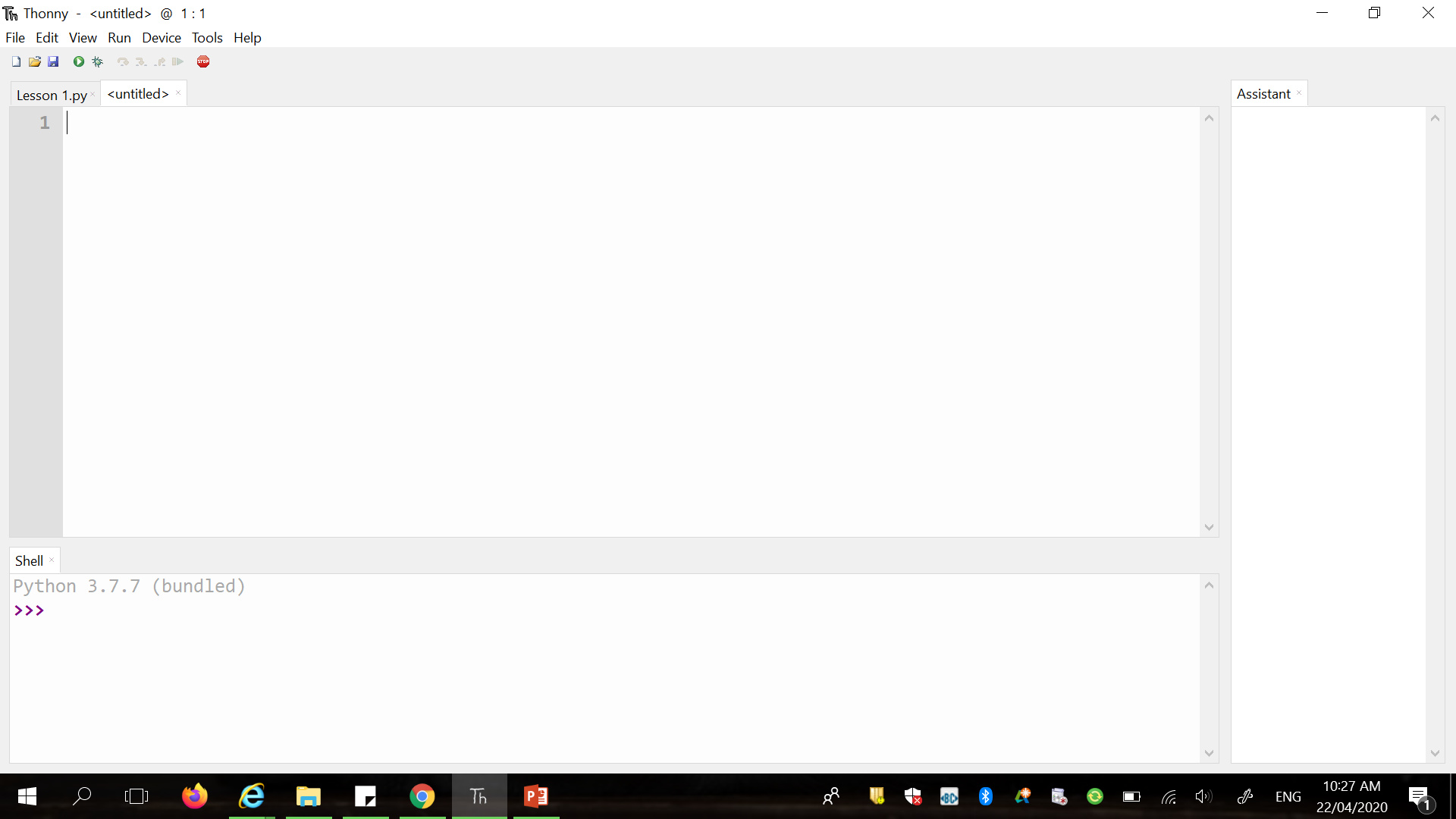
- Python Thonny
- Arcade package/library
- Allows a programmer to use compact and simplifyed predetermined code to creata an output and receive input
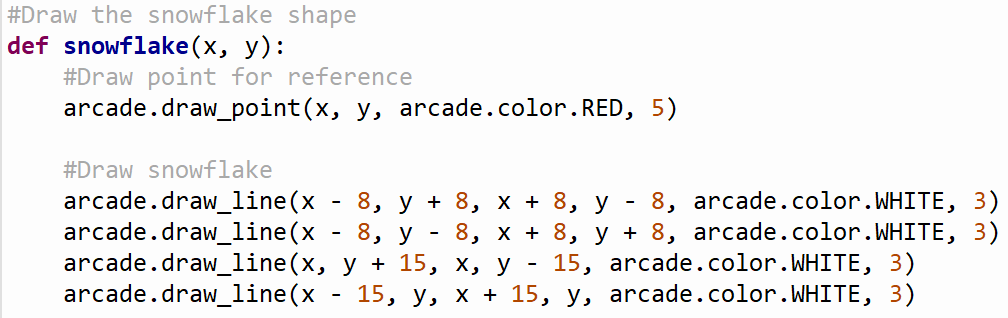
- Shapes and outlines
- Functions
- A function must be defined and then called
- x, y variables in the defined function must be filled when called
- A function must be defined and then called
- Start and End requirements
- Import Library/ies
- Rendering for images
- Running
- Creating a drawing window
- Import Library/ies
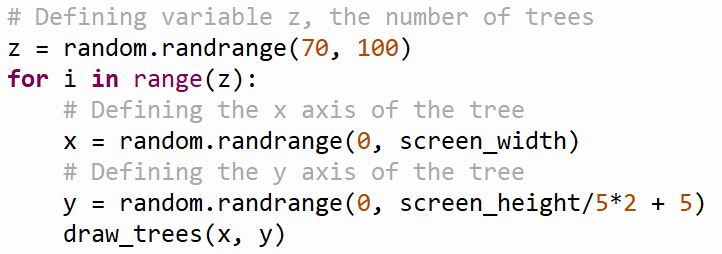
- Looping
- Random
- Import library
- Choosing randomly from a range of integers
- Import library
- Animation
- Define animation function
- Specify the starting point, teh direction of movement and how much the subject will move
- State how many times per second the image will be redrawn
- Define animation function
- Main Function
- Define
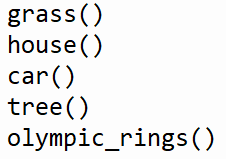
- Call secondary functions
- Run
- Define
- Other
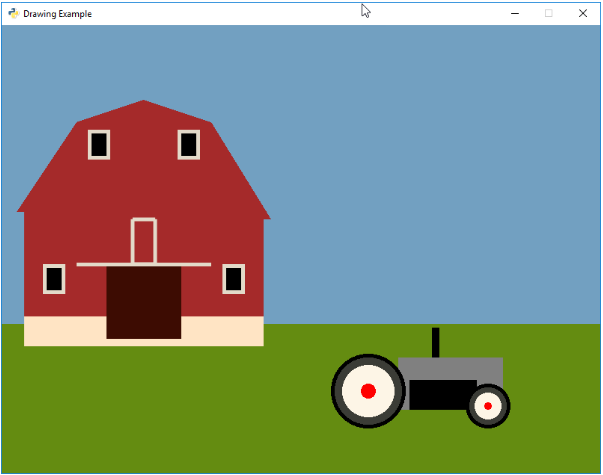
- Example image
- Thonny work screen
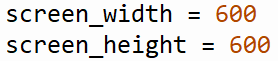
- Stating variables
- Text
- Example image
- Shapes and outlines
- To transfer to Thonny: import arcade
- Allows a programmer to use compact and simplifyed predetermined code to creata an output and receive input
- Arcade package/library
- Python Thonny
- Hardware
- Laptop
- School provided laptop with limitations on speed, data, hard drive space and charging capacities.
- Laptop
- Information/Research
- Internet Arcade Library
- Provides lessons for using the Arcade package
- Provides snippets of code
- Provides lists of colours/commands
- https://arcade.academy/
- Kenney Assets
- Provides pre-coded sprites and kits
- https://www.kenney.nl/assets
- Internet Arcade Library
- School
- The teacher
- For questions and certain issues
- BlackBoard Lessons
- For guidance and knowledge
- The teacher
- Software
Functional Requirements
- Use Python Thonny
- Use the Arcade library
- Example : import arcade
- Use the Arcade library
- Adhere to the topic of SCALE
- Can be literal/direct or metaphorical/conceptual representation
- For example: A cooking scale or a size comparison
- Can be literal/direct or metaphorical/conceptual representation
- Use Python Thonny
Non functional Requirements
- The solution must be legible and logical
- Both the code and the documentation must be concise and structureed
- Spacing, format, hashtags, images, bullet points
- Both the code and the documentation must be concise and structureed
- The asthetics must be pleasing and sensical
- The image must be be recognisable as a concept
- No fabricated nonsense
- The colours must be used in the correct sense
- No green skies and orange oceans
- The image must be be recognisable as a concept
- The solution must be legible and logical
Prescribed Criteria
- Use multiple colours
- https://arcade.academy/arcade.color.html?highlight=colors
- Example: arcade.color.BLACK
- Use from the existing Arcade library colours or produce new ones
- Create a coherant picture
- Use multiple types of graphic functions
- Circles
- Rectangles
- Polygons
- Create three functions that draw something
- Combine a series of shapes and colours to create an image with a recognisable human concept
- For example : A landscape, an object, a scene
- Use multiple types of graphic functions
- Animate at least one aspect of the drawing
- Use on_draw commands
- Example : def on_draw(delta_time):
- Use positioning commands with unknown variables
- Example : on_draw.snowflake6_y -= 3
- Use on_draw commands
- Correct and neat appearance of code
- Use blank lines to break up sections of code for improved readability
- Separate functions/classes and loops/others
- Separate functions/classes and loops/others
- Use comments effectively
- Use a # to ensure that the comments are inactive
- Label functions and the purpose of loops/others
- Use a # to ensure that the comments are inactive
- Use blank lines to break up sections of code for improved readability
- Use multiple colours
Self-prescribed Criteria
- The image must appear appealing
- As well as being a coherant picture, it must also have good, cohesive placement of shapes and a pleasing colour scheme
- The code must be simple
- The use of functions and loops to shorten the amount of code and avoid repetition
- The animation must appear smooth
- When there is too much to process, the animation is clunky and jerky
- The image must appear appealing
Constraints/Limitations
- Time
- 6 weeks
- Documentation also must be completed and there is a second challenge to complete. Time must be used wisely to ensure all aspects are completed.
- The final product must not be too complex or time consuming
- 6 weeks
- Skill/Knowledge
- Limited to what has been learnt in teh weeks before the task assignment
- Also limited to what can be learnt in the 6 weeks given to complete the task
- Limited by the extent of knowledge available on the internet
- Limited to what has been learnt in teh weeks before the task assignment
- Software
- Python Thonny
- Arcade library
- The Arcade library must have limitations, but it is likely very flexible and has many wys to perform one activity. It is not likely to come across an issue.
- Arcade library
- Python Thonny
- The prescribed criteria
- Must use multiple colours, create a coherant image, use comments and spacing, animate, use function and graphics
- A single moving dot would not suffice. The prescribed criteria ensure that a certain amount of effort must be applied.
- Must use multiple colours, create a coherant image, use comments and spacing, animate, use function and graphics
- The task
- The result must follow the theme of SCALE and must therefore have an aspect representative of it
- May not be able to create any image desired
- The result must follow the theme of SCALE and must therefore have an aspect representative of it
- Time
Bilder und Dateien der Mindmap



























Informationen
- Beschreibung
- Year 10 Digital Technologies Mindmap am Folio Challenge 1, erstellt von Julia de Beer am 13/05/2020.
- Erstellt von
- Julia de Beer
- Aufrufe
- 0
- Bewertung