
Mindmap
Storage types and devices
Inhalt der Mindmap
Storage types and devices
3.1 Backing up of data
- Backing up refers to the copying of files/data to a different medium(disk, tape, flash drive, etc.)in case of a problem with the main secondary storage device.
- Why back up data?
- To safegaurd against loss of data due to the failure of the original secondary storage device
- To safeguard against damage caused by hackers. This may not be their intention(they may only want to gain information for other purposes.
- Why back up data?
- This chapter covers many forms of secondary storage and compares the advantages and disadvantages of each type.
- In Chapter 1 you learnt about the primary memory, known as RAM and ROM. We will consider a number of storage devices later devices later but first it is important to consider why we need to back up data using thes devices and also how data is accessed.
- Backing up refers to the copying of files/data to a different medium(disk, tape, flash drive, etc.)in case of a problem with the main secondary storage device.
Storage devices
- HDD( Hard disk drive) - A drive with a disk that is placed in a computer and cannot be easily removed
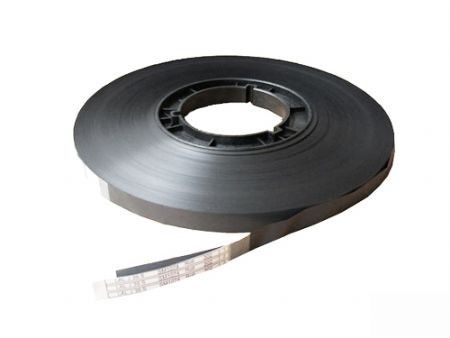
- Magnetic tape - tape used in recording sound, pictures, or computer data.
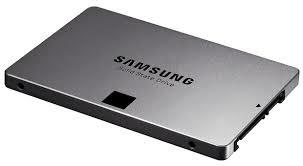
- SSD( Solid state drive) -a nonvolatile storage device that stores persistent data on solid-state flash memory
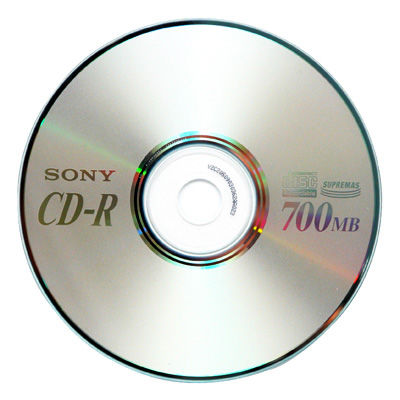
- CD/ DVD - a compact disc used as a read-only optical memory device for a computer system.
3.2 Types of access
- Serial access
- When using serial access it is necessary to star at the beginning of the file and then access each record in turn until the required record is found.
- It is primarily used on magnetic tape systems and is essentially a very slow form of data access.
- When the original magnetic tape needs updating, an additional tape is required. The transaction file contains all the new data to allow the master file to be updated.
- It is used in applications where speed of access, or where the order in which the data is accessed, isn't important.
- Direct access
- Direct access is used with magnetic disks, optical media and solid state media.
- The computer uses the key field to calculate where data should be stored. It is then able to access the data directly from the calculated position.
- Consequently, access is much faster than with serial access. when updating files using direct access, the old records/data are simply written over by the new records/ data. It is not necessary to sort records into any specific order first.
- It is used in applications where data access speed is vital.
- Serial access
3.3 Secondary Storage media
- Dating right back to the advent of the personal computer, all systems have come equipped with some form of secondary storage
- When a user loads data into a computer, the information is stored temporarily int the RAM - if the computer was turned off, this data would be lost.
- Secondary storage devices ensure that data is stored permanently so that it can be used again at a later date
- Throughout the chapter, you will notice that the term byte is used to measure the size of memory or storage.
- Typically, storage sizes or file sizes are measured in kilobytes (KB), megabytes(MB), gigabytes(GB), and terabytes(TB)
Bilder und Dateien der Mindmap
Informationen
- Beschreibung
- Mindmap am Storage types and devices, erstellt von enrique smith am 21/11/2016.
- Erstellt von
- enrique smith
- Aufrufe
- 1
- Bewertung