
Mindmap
Representation of data
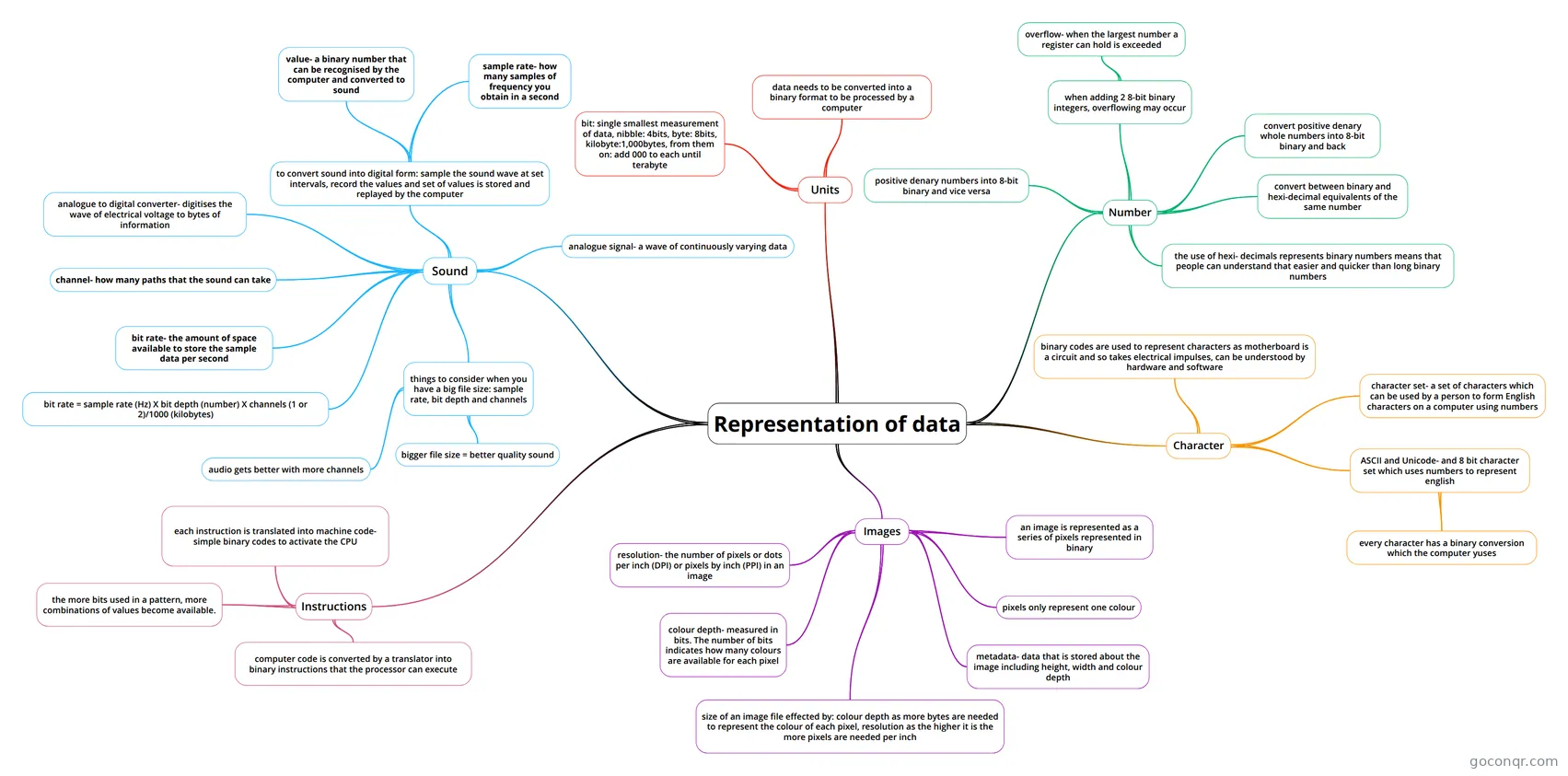
Mind map: Data representation
Inhalt der Mindmap
Representation of data
Units
- bit: single smallest measurement of data, nibble: 4bits, byte: 8bits, kilobyte:1,000bytes, from them on: add 000 to each until terabyte
- data needs to be converted into a binary format to be processed by a computer
Number
- positive denary numbers into 8-bit binary and vice versa
- when adding 2 8-bit binary integers, overflowing may occur
- overflow- when the largest number a register can hold is exceeded
- convert positive denary whole numbers into 8-bit binary and back
- convert between binary and hexi-decimal equivalents of the same number
- the use of hexi- decimals represents binary numbers means that people can understand that easier and quicker than long binary numbers
Character
- binary codes are used to represent characters as motherboard is a circuit and so takes electrical impulses, can be understood by hardware and software
- character set- a set of characters which can be used by a person to form English characters on a computer using numbers
- ASCII and Unicode- and 8 bit character set which uses numbers to represent english
- every character has a binary conversion which the computer yuses
Images
- an image is represented as a series of pixels represented in binary
- pixels only represent one colour
- resolution- the number of pixels or dots per inch (DPI) or pixels by inch (PPI) in an image
- metadata- data that is stored about the image including height, width and colour depth
- colour depth- measured in bits. The number of bits indicates how many colours are available for each pixel
- size of an image file effected by: colour depth as more bytes are needed to represent the colour of each pixel, resolution as the higher it is the more pixels are needed per inch
Sound
- analogue signal- a wave of continuously varying data
- to convert sound into digital form: sample the sound wave at set intervals, record the values and set of values is stored and replayed by the computer
- sample rate- how many samples of frequency you obtain in a second
- value- a binary number that can be recognised by the computer and converted to sound
- analogue to digital converter- digitises the wave of electrical voltage to bytes of information
- channel- how many paths that the sound can take
- bit rate- the amount of space available to store the sample data per second
- bit rate = sample rate (Hz) X bit depth (number) X channels (1 or 2)/1000 (kilobytes)
- things to consider when you have a big file size: sample rate, bit depth and channels
- audio gets better with more channels
- bigger file size = better quality sound
Instructions
- each instruction is translated into machine code- simple binary codes to activate the CPU
- computer code is converted by a translator into binary instructions that the processor can execute
- the more bits used in a pattern, more combinations of values become available.
Informationen
- Beschreibung
- Mindmap am Representation of data, erstellt von lauren murray am 28/11/2016.
- Erstellt von
- lauren murray
- Aufrufe
- 1
- Bewertung