
Mapa mental
4. Inter-VLAN Routing
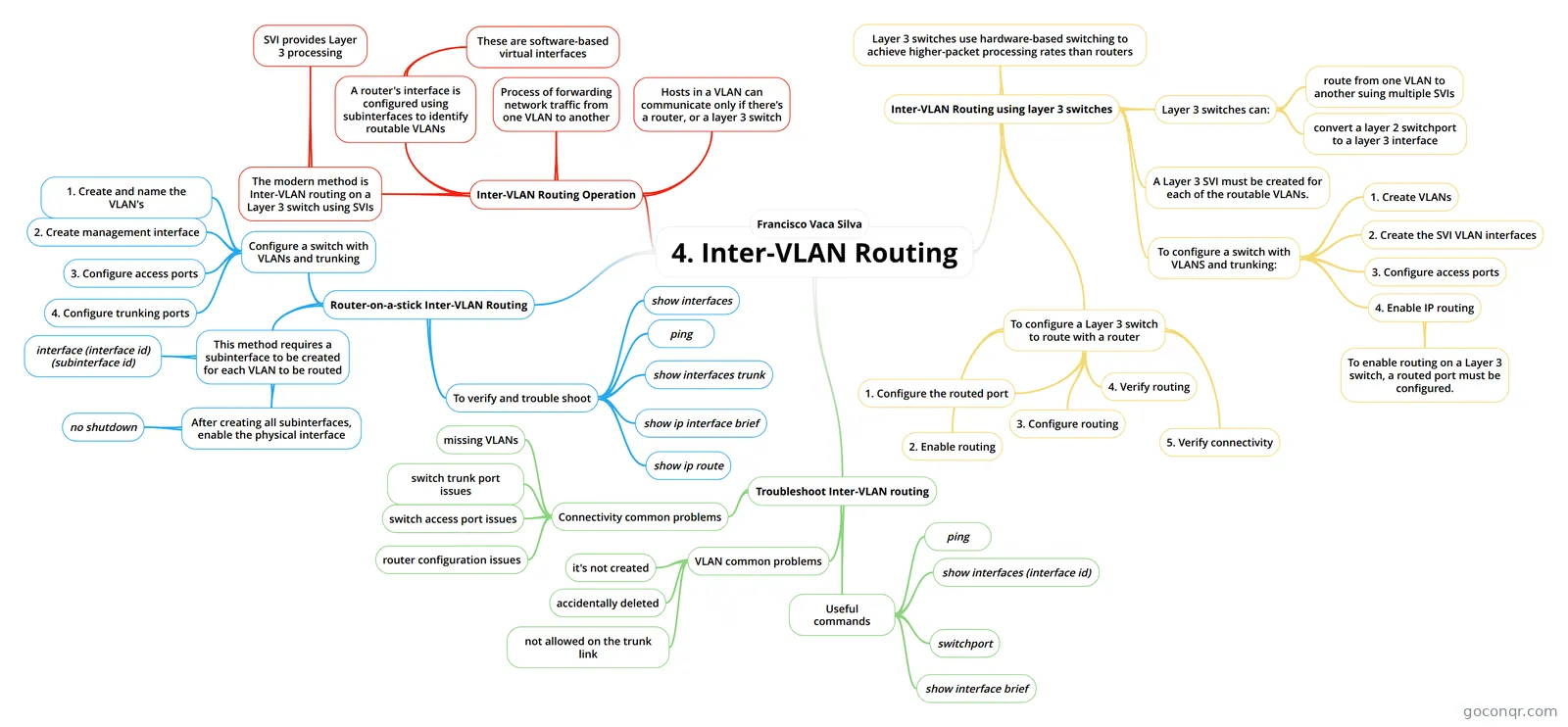
Mind map: Inter-VLAN routing
Contenido del mapa
4. Inter-VLAN Routing
Inter-VLAN Routing Operation
- Process of forwarding network traffic from one VLAN to another
- Hosts in a VLAN can communicate only if there's a router, or a layer 3 switch
- A router's interface is configured using subinterfaces to identify routable VLANs
- These are software-based virtual interfaces
- The modern method is Inter-VLAN routing on a Layer 3 switch using SVIs
- SVI provides Layer 3 processing
Router-on-a-stick Inter-VLAN Routing
- Configure a switch with VLANs and trunking
- 1. Create and name the VLAN's
- 2. Create management interface
- 3. Configure access ports
- 4. Configure trunking ports
- This method requires a subinterface to be created for each VLAN to be routed
- interface (interface id) (subinterface id)
- After creating all subinterfaces, enable the physical interface
- no shutdown
- To verify and trouble shoot
- ping
- show ip route
- show ip interface brief
- show interfaces
- show interfaces trunk
- Configure a switch with VLANs and trunking
Inter-VLAN Routing using layer 3 switches
- Layer 3 switches use hardware-based switching to achieve higher-packet processing rates than routers
- Layer 3 switches can:
- route from one VLAN to another suing multiple SVIs
- convert a layer 2 switchport to a layer 3 interface
- A Layer 3 SVI must be created for each of the routable VLANs.
- To configure a switch with VLANS and trunking:
- 1. Create VLANs
- 2. Create the SVI VLAN interfaces
- 3. Configure access ports
- 4. Enable IP routing
- To enable routing on a Layer 3 switch, a routed port must be configured.
- To configure a Layer 3 switch to route with a router
- 1. Configure the routed port
- 2. Enable routing
- 3. Configure routing
- 4. Verify routing
- 5. Verify connectivity
Troubleshoot Inter-VLAN routing
- Connectivity common problems
- missing VLANs
- switch trunk port issues
- switch access port issues
- router configuration issues
- VLAN common problems
- it's not created
- accidentally deleted
- not allowed on the trunk link
- Useful commands
- ping
- show interfaces (interface id)
- switchport
- show interface brief
- Connectivity common problems
Francisco Vaca Silva
Información
- Descripción
- Mapa Mental sobre 4. Inter-VLAN Routing, creado por Paco Vaca el 19/02/2021.
- Creado por
- Paco Vaca
- Visitas
- 0
- Valoración