
Mapa mental
I.C.T Scratch.
Contenido del mapa
I.C.T Scratch.
Sprite
- It is a character that you choose
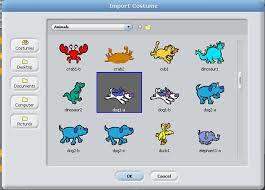
- You would create a character by clicking create character and you can scroll through the list or upload an image.
- It is a character that you choose
Script
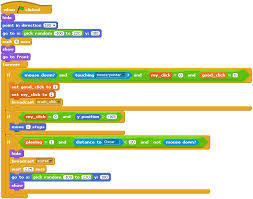
- This is the box on the left had corner of the screen where you can insert actions
- There are different sections that you can choose from ( more in the picture)
- This is the box on the left had corner of the screen where you can insert actions
Costumes
- you can change their costumes by editing the picture (sprite) and adding colours.
Control
- To control your sprite you need to put in actions (as mentioned in the script) to make it do things
- An example would be 'say "...." '
- Where the ... is you would enter your own text
- You could make it say hello or have a conversation with another sprite in your stage
- Where the ... is you would enter your own text
- An example would be 'say "...." '
- To control your sprite you need to put in actions (as mentioned in the script) to make it do things
Stage
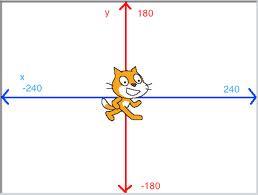
- This is where your sprite/s stand when you are giving actions
- You could tell it to move 30 steps to the right...
- This is where your sprite/s stand when you are giving actions
Imágenes y archivos del mapa
Información
- Descripción
- Mapa Mental sobre I.C.T Scratch., creado por jlfishy el 09/06/2014.
- Creado por
- jlfishy
- Visitas
- 17
- Valoración