
Mapa mental
Agile Practices
Contenido del mapa
Agile Practices
Project Initiation
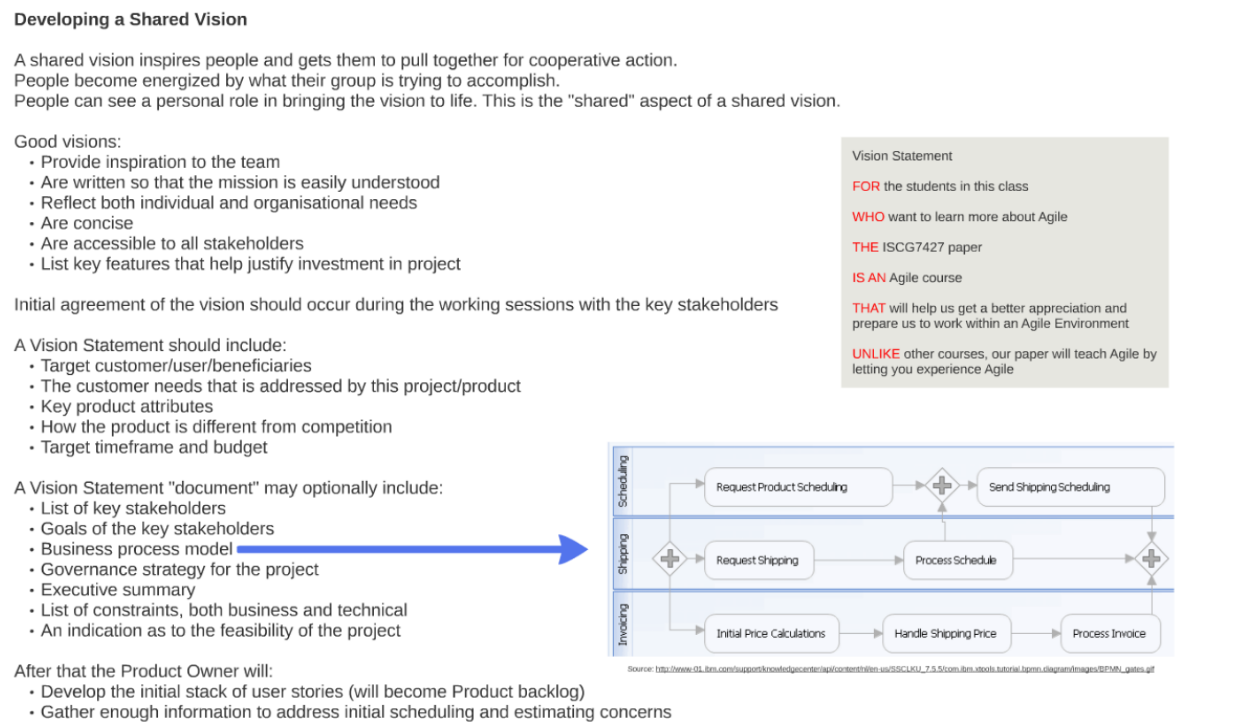
- Developing a Shared Vision
Planning & Features
- Creating User Stories
- Short, simple description of a feature told from the perspective of the person who desires the new capability, usually a user or customer of the system.
- Defer details and capture them through discussion just in time for development
- Captured by team members, product owners, scrum master and users
- Usually in the format of Role-Feature-Reason
- Why?
- Useful for planning work
- Focus on delivering value to stakeholders
- Eliminate waste effort by just-in-time elaboration
- Vehicle to add features in iterative development
- Bill Wake
- Bill Wake's invest model to write user stories 1. Independent 2. Negotiable 3. Valuable 4. Estimateable 5. Small 6. Testable
- Non-Functional Requirements
- e.g. Speed & availability
- Technical stories
- e.g. The system will conform to corporate user interface guidelines
- are
- Cross-cutting
- Pertinent to many functional requirements (user stories)
- Typically maintained outside of the work item list
- Addressed throughout the entire project
- Often technical constraints on your solution
- Drive
- Development of acceptance or system tests
- which validate that your solution conforms to those requirements
- Development of architectural aspects
- The definition of what it means to be done at the end of an iteration
- Development of acceptance or system tests
- Backlog Grooming
- Also called Backlog Refinement or Story Time
- act of adding detail, estimates and order to items in the Product Backlog. If this is not doen at Backlog Grooming meeting, the tasks will be done in a sprint planning meeting
- Ongoing process conducted by the collaboration of the Product Owner and team members
- Help make Sprint Planning Meeting more efficient and enhance quality through better understanding
- Grooming usually time-boxed to 5-10% of the Development Team's capacity
- Typically 3 days before Sprint Planning Meeting and on a weekly basis
- Development Team is responsible for all estimates. Product Owner supports team by helping understand items and select trade-offs
- Development Team is responsible for all estimates. Product Owner supports team by helping understand items and select trade-offs
- How grooming is performed is determined by the Scrum Team
- Ideally discuss 2 sprints worth of backlog items
- 3 common ways to add details
- Create graphics and/or text to describe a user story
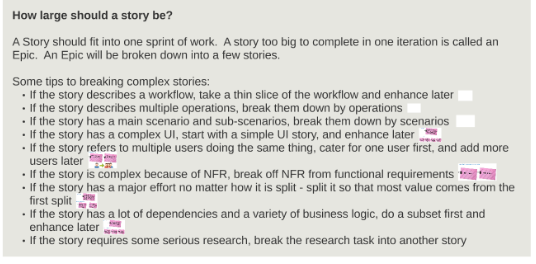
- Break up a complex user story into a few simple user stories
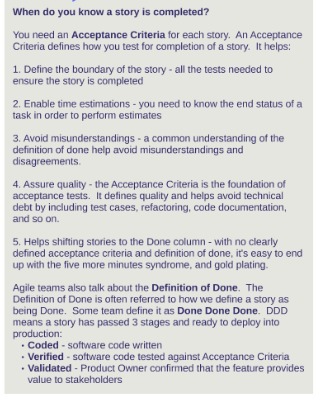
- Identify Acceptance Criteria for a user story
- Prioritise User Stories
- prioritised user stories / features will be added to product backlog.
- product backlog will also contain technical tasks, defects to be fixed, and knowledge acquisitions tasks.
- Product Owner
- Prioritisation is performed by the product owner, who balances the needs of all stakeholders, not just users.
- Team Member
- suggest priorities but must be able to explain the reasoning and trade-offs invoved
- done at:
- when creating the initial user stories / features that define initial scope of the backlog
- Sprint Planning meeting
- any time required by Stakeholders (decided by product owner)
- Approaches
- Value-driven approach (core approach)
- assign in-scope high-level requirements across all Sprints in priority oder by business value
- Risk - Value Driven Approach (disciplined approach)
- Assign high-risk items, particularly architecturally significant requirements, to early iterations
- Value-driven approach (core approach)
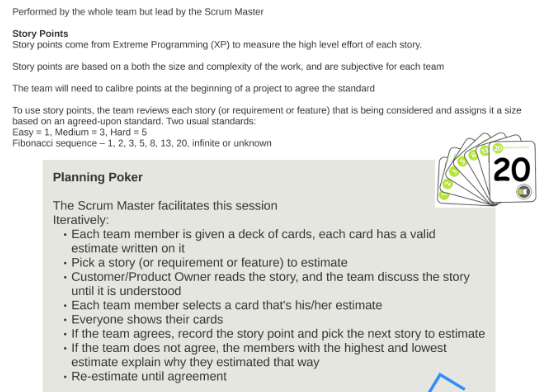
- Estimate Story Points
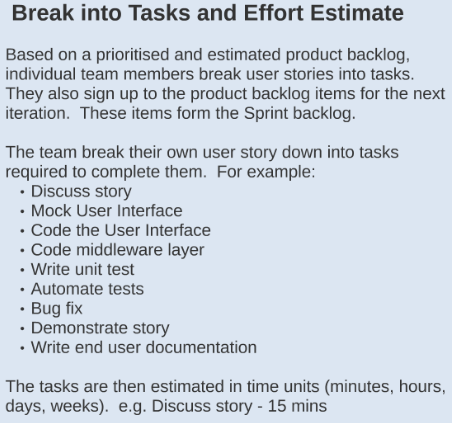
- Break into Tasks & Effort Estimate
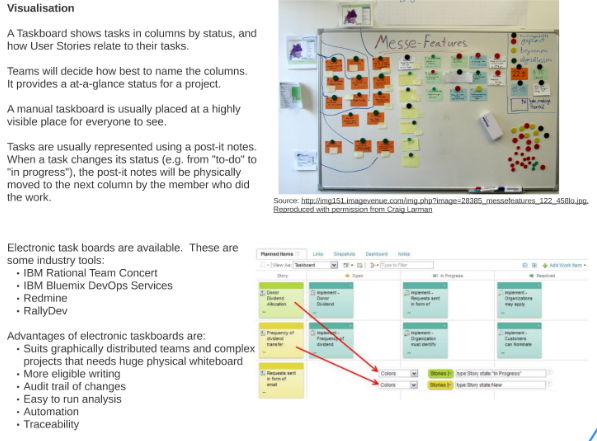
- Burndown tracking
- A graph that shows the remaining units to complete that is measurable and will eventually become zero Scrum Master keeps track of the points completed and remaining in each and plot them in charts and put up on a whiteboard
- Iteration burndown
- estimated effort hours remaining in the iteration
- Release burndown
- estimated functionality yet to be built for the release
- Product burndown
- estimated functionality yet to be built spanning multiple releases
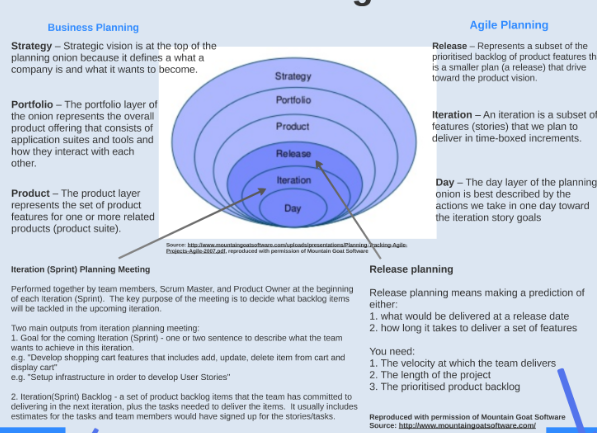
- Release and Iteration Planning
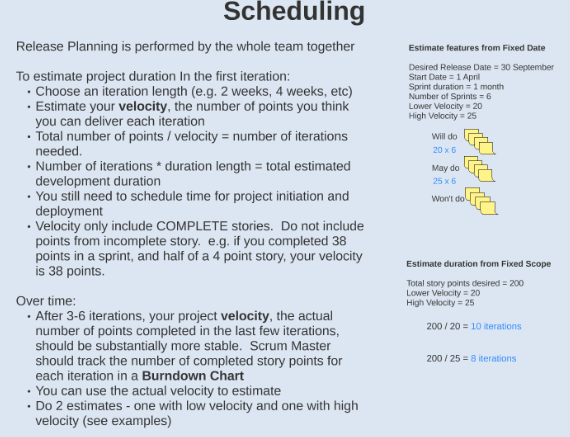
- Scheduling
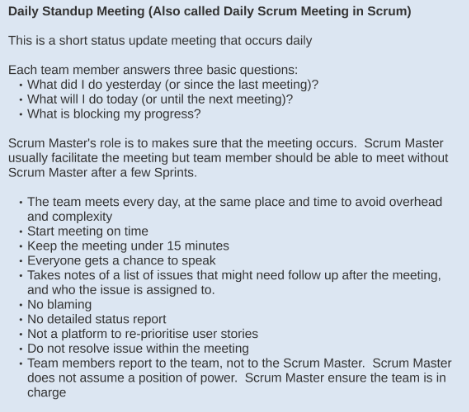
- Daily Scrum Meeting
- Creating User Stories
Construction
- Iterations & Pace
- process that makes progress through successive refinement.
- Sustainable pace
- the rate of work that a team can consistently maintain without burning out team members
- Xp
- popularised by the Extreme Programming (XP) methodology
- 40 hour work week
- brief spurts of overtime are acceptable, but can't be sustained indefinitely.
- reconise sustained overtimer as failure
- Strategies
- Acknowledge - you're still working productivly at sustainable pace
- Organise - the project into short iterations
- Avoid mini-waterfalls
- Adopt a continuous integration strategy
- Collaborate frequently with team membrs
- Iterations & Incremental Development
- Incremental process
- process which software is built and delivered in pieces. Each piece, or increment, represents a complete subset of functionality. The increment ma be either small or large, perhaps ranging from just a system's login screen on the small end, to a highly flexible se of data management screens
- Iteration process
- An iterative process is one that makes progress through successive refinement. A development team takes a first cut at a system, knowing it is incomplete or weak in some (perhaps many) areas. The team then iteratively refines those areas until the product is satisfactory. With each iteration the software is improved through the addition of greater detail
- Incremental process
- Architectural Spike
- Model Storming
- Continuous Integration
- Practice of merging all developer working copies with a shared mainline sereval times a day. was first named and proposed as part of Extreme Programming
- The practice involves team members integrate their work frequently, usually each person integrates at least daily leading to multiple integrations per day. Version Control to repository and continuous build tools are used for integration the code nd build, and then automated tests are run to get immediate feedback on integration problems.
- Key benefits: identify integration problems early andaddress them before they build up to more complex problems, or integration Hell as described by XP
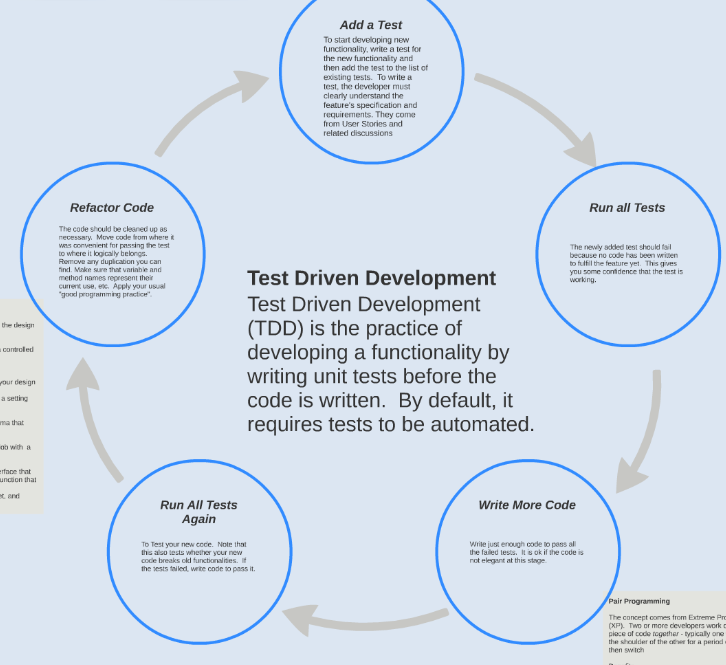
- Test Driven Development
- The practice of dveloping a functionality by writing unit tests before the code is written. By default, it requires tests to be automated.
- Add a Test
- To start developing new functionality, write a test for the new functionality and then add the test to the list of existing tests.
- To write a test, the developer must clearly understand the feature's specification and requirements. They come from User Stories and related discussions
- Run all Tests
- The newly added tests should fail because no code has been written to fulfill the feature yet. This gives you some confidence that the test is working
- Wrte More Code
- Write just enough code to pass all the failed tests. It is ok if the code is not elegant at this stage
- Run all Tests Again
- Test your new code. Note that is also tests whether your new code breaks old functionalities. If the tests failed, writes code to pass it
- Pair Programming
- The concept comes from Extreme Programming (XP). 2 or more developers work on the same piece of code together - typyically one watching over the shoulder of the other for a period of time and then switch
- Benefits
- Enhanced quality
- The pair or group checks the artifact for quality
- Redused Cost of Development
- Inconsistencies and bugs are caught early in the cycle
- Knowledge sharing
- Domain knowledge and development techniques are shared among individuals (pair or group).
- Enhanced quality
- POtential barriers
- Work in pairs
- Some ppl might not be comfortable or feel intimidated working in pairs
- Culture / habits
- Some cultural aspects personal habits can be obstacles to pairing
- Work in pairs
- Refactor Code
- Refactoring
- Simple change to your source that improves the design without changing its semantics
- by refactoring you can evolve your development assets in a controlled manner, maintain the high quality of your design.
- Code Refactoring
- A small change to your code to improve your design that retain the behavioural semantics of your code.
- eg Rename a method, move a method, remove a setting method
- Database Refactoring
- Simple change to a database schema that improves its design while retaining both its behaviour and informational semantics eg Move a column, rename a table, replace a blob with a table
- User Interface Refactoring
- A simple change to the user interface that improves the design without changing the semantics of the function that is provided to the user. e.g. Align widgets, standardise formats, move a widget
- Refactoring
- Iterations & Pace
Delivering
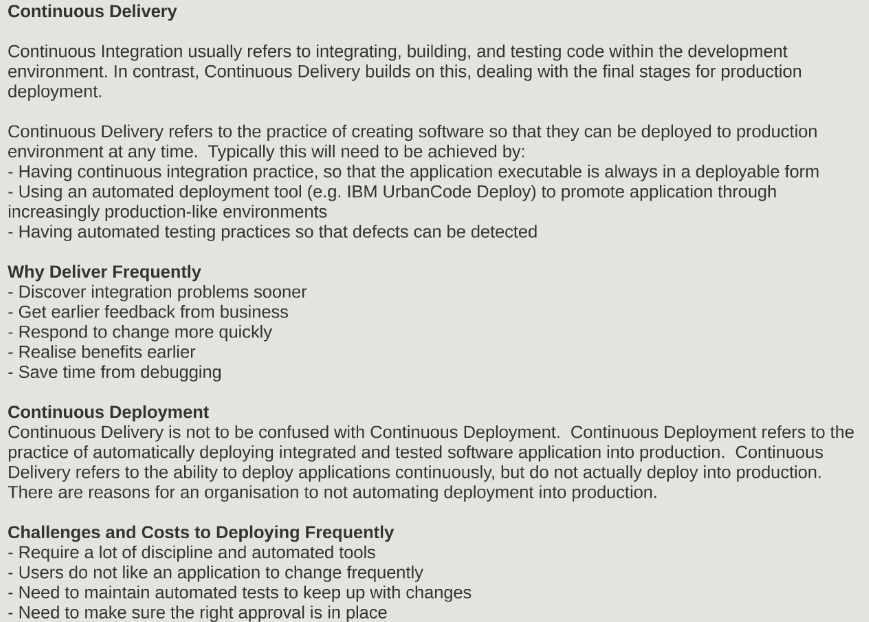
- Continuous Delivery
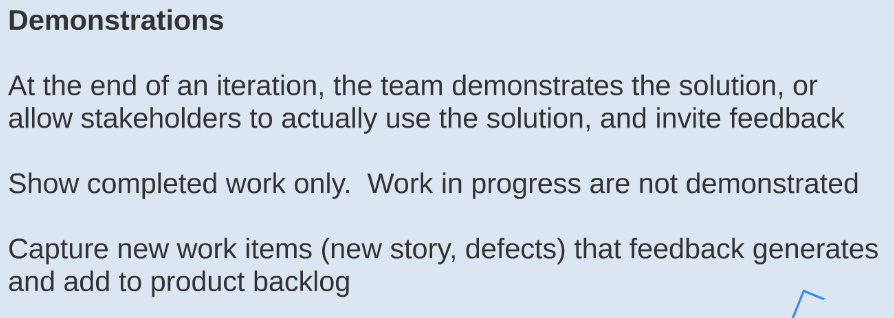
- Demonstrations
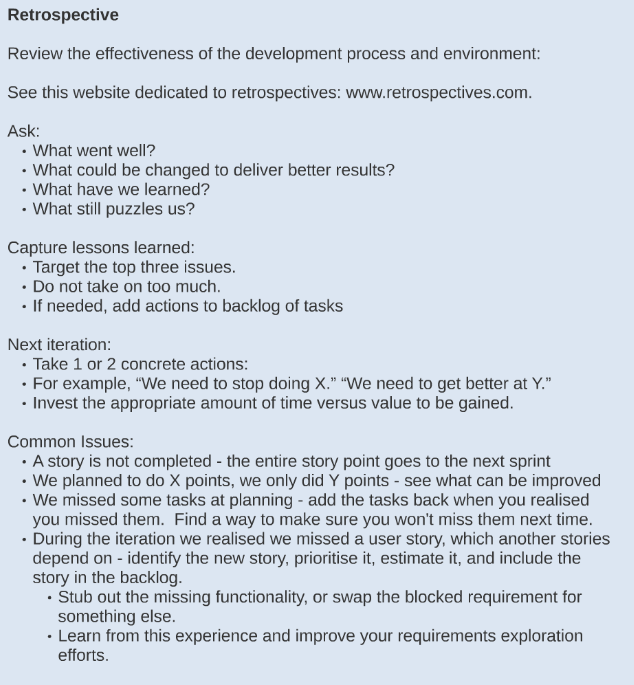
- Retrospective
Imágenes y archivos del mapa
Información
- Descripción
- Mapa Mental sobre Agile Practices, creado por Jana Flego el 13/01/2020.
- Creado por
- Jana Flego
- Visitas
- 1
- Historial
-
- Creado por Freda Fung · 23 sep 2016
- Copiado por Jana Flego · 13 ene 2020
- Valoración
Más sobre Agile Principles and Practices