
Sin título
Diapositivas del conjunto (15)
-
-
-
-
-
-
-
-
-
-
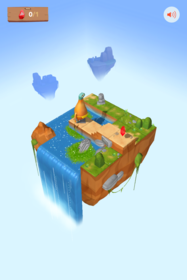
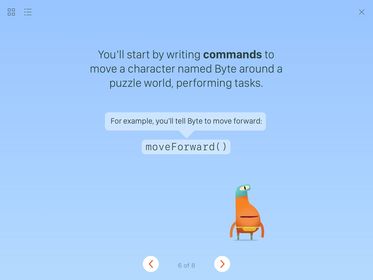
- Goal: Use Swift commands to tell Byte to move and collect a gem.
- Your character, Byte, loves to collect gems but can't do it alone. in this first puzzle, you'll need to write Swift commands to move Byte across the puzzle world to collect a gem.
- Look for the gem in the puzzle world
- Enter the correct combination of the moveForward() and collectGem() commands.
- Tap Run My Code.
- Pie de imagen: Puzzle World
-
- Correct code:
- moveForward()
- moveForward()
- moveForward()
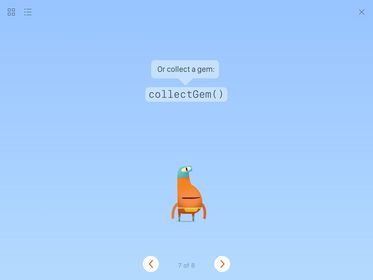
- collectGem()
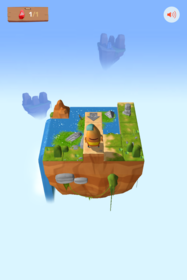
- Pie de imagen: Gem collected
-
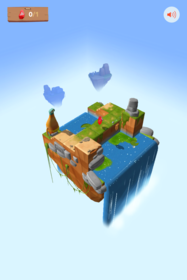
- Goal: Combine move and turn commands to collect the gem.
- This puzzle is just like the last one, but this time Byte needs to turn left to reach the gem. you can use the commands from the previous puzzle as well as a new command: turnLeft().
- Plan the commands you need to make Byte move to a gem and collect it.
- Enter your commands in the code area.
- Run your code
- Pie de imagen: Puzzle World
-
- Correct Code:
- moveForward()
- moveForward()
- turnLeft()
- moveForward()
- moveForward()
- collectGem()
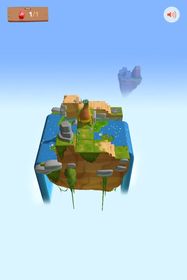
- Pie de imagen: Gem Collected
-
- Goal: Collect the gem, then toggle the switch.
- So far, you've learned how to make Byte move around and collect a gem. in this puzzle, you'll use another new command: toggleSwitch()
- Closed switches are off and show as grey.
- Open switches are on and show as white.
- Enter the commands to move Byte to the gem, then collect it.
- Continue entering commands to move Byte to the switch, and then toggle it.
- Run your code
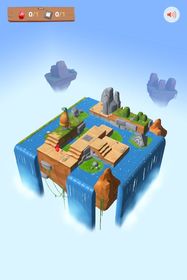
- Pie de imagen: Puzzle World
-
- Correct code:
- moveForward()
- moveForward()
- turnLeft()
- moveForward()
- collectGem()
- moveForward()
- turnLeft()
- moveForward()
- moveForward()
- toggleSwitch()
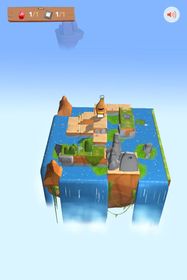
- Pie de imagen: Toggled Switch

Información
- Descripción
- Diapositivas sobre Sin título, creado por Stephen Reed el 01/02/2017.
- Creado por
- Stephen Reed · feb 2017
- Actualizado
- 4 feb 2017
- Visitas
- 2
- Valoración