
Test
Final Cut Pro X
Crea una cuenta gratis para terminar este test
Guarda tu progreso y consulta tu resultado final.
¿Ya tienes cuenta? Inicia sesión
Preguntas del test (13)
1An Event is similar to a folder that holds video clips, audio clips, and still images.
- AVerdadero
- BFalso
2What is contained in the folder on a connected disk associated with an Event?
- AOriginal Source Media Files
- BKeywords
- CRelated Render Files
- DA Database File
3How do you skim through a clip in the Event Browser?
- AMake sure skimming is on (s).
- BIn the Event Browser, move your pointer from one side of the clip thumbnail to the other.
- CUse the left and right arrow keys on the keyboard while the clip in the Event Browser is selected.
- DPress the space bar when the clip is selected.
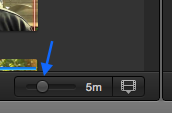
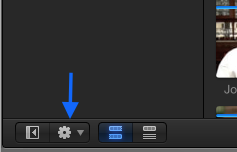
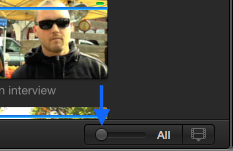
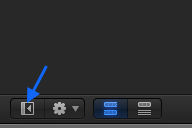
4Which picture represents the best way to show a single thumbnail representing a clip in the Event Browser?
- AMove the slider to this position
- BSelect hear and choose "Show clips as single thumbnail"
- CMove the slider to this position
- DSelect here and choose "Show clips as single thumbnail"
- AMove the slider to this position
5In addition to clicking the Play button, which keys on your keyboard can you press to play a clip sequence forward?
- AJ
- BL
- CK
- DSpacebar
6Which keys do you press to move the playhead forward or backward in one-frame increments in the Viewer and Timeline?
- AK
- BLeft Arrow
- CUp Arrow
- DRight Arrow
7Of the following possible answers, which ones represent whether the playhead is at the beginning or ending of a clip?
- A
- B
- C
- D
- A
8In the Event Browser, how do you toggle a clip's audio waveforms on or off? (Picture)
- AClick here and select/deselect "Show Waveforms",
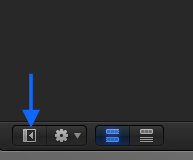
- BClick here and select/deselect "Show Waveforms"
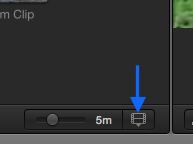
- CClick here and select "Show/Hide Waveforms"
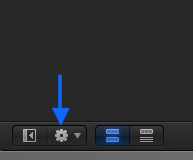
- DClick here and select "Show/Hide Waveforms",
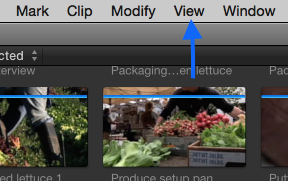
- AClick here and select/deselect "Show Waveforms",
9How can you hide Final Cut Pro?
- AH
- BCommand-H
- COption-H
- DControl-Command-H
10How can you resize the Viewer to make it larger or smaller and still see the Event Browser and Timeline?
- AClick arrows here
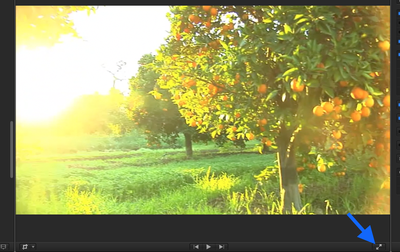
- BDrag line here
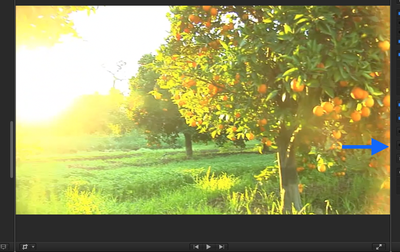
- CDrag line left/right
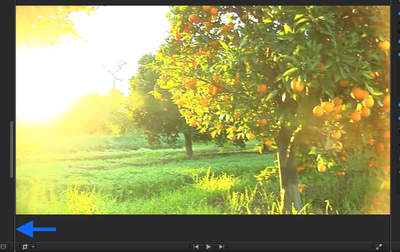
- DClick Here
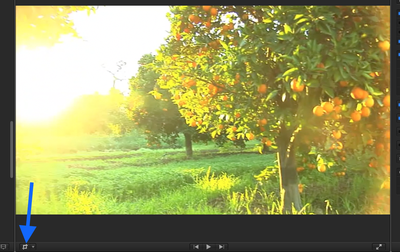
- AClick arrows here
11What is the keyboard shortcut for the Select Tool
- AS
- BT
- CA
- DR
12How do you create an Event?
- AFile>New Event
- BN
- COption-N
- DCommand-N
13How do you import media files into an Event?
- ASelect an Event and click the Import Files button in the Event Browser.
- BFile>Import.
- CUse a keyboard shortcut.
- DControl-click the Event in the Event library.
Información
- Descripción
- Preparation for the Pearson Final Cut Pro X Exam based on the Peach Pit books.
- Autor
- Chris Redding
- Idioma
- English
- Visitas
- 245
- Etiquetas
- Valoración
- 5,0 de 5 · 1 valoración Valora este test