¡GoConqr estrena diseño! Cuéntanos qué te parece.

Fichas

microsoft word shortcuts
Aaron Baughcum Computer 7th grade Inglés 10 fichas

microsoft word shortcuts

Fichas del conjunto (10)

  1. 1—Microsoft Word Symbol. It was created by Microsoft to easily access and create documents. It was founded in 1981 by Charles Simonyi. It was then bought by Microsoft.Microsoft Word Symbol. It was created by Microsoft to easily access and create documents. It was founded in 1981 by Charles Simonyi. It w...
  2. 2—This is the Copy symbol. It is what you look for on Microsoft Word when you need to know the shortcut for Copy. Copying is when you select words and you copy them to the clipboard, there you can paste them. The shortcut is Ctrl + CThis is the Copy symbol. It is what you look for on Microsoft Word when you need to know the shortcut for Copy. Copying is when you selec...
  3. 3—This is the paste symbol. This is what you look for when you need to know the shortcut for Paste. This paste' whatever is copied on the clipboard most recently. The shortcut is Ctrl + VThis is the paste symbol. This is what you look for when you need to know the shortcut for Paste. This paste' whatever is copied on the c...
  4. 4—This is the center symbol. This makes all the selected characters move to the middle of the document. Aligned like it is on the symbol. The Shortcut is Ctrl + EThis is the center symbol. This makes all the selected characters move to the middle of the document. Aligned like it is on the symbol. T...
  5. 5—This is the Bold Symbol. You use this to make your words darkened and expanded, aka bolding' them. The Shortcut is Ctrl + BThis is the Bold Symbol. You use this to make your words darkened and expanded, aka bolding' them. The Shortcut is Ctrl + B
  6. 6—This is the Italicize Symbol. You use this to make your words more slanted. The shortcut is CTRL + IThis is the Italicize Symbol. You use this to make your words more slanted. The shortcut is CTRL + I

  7. 7—This is the underline symbol. It underlines your words. The shortcut is Ctrl + UThis is the underline symbol. It underlines your words. The shortcut is Ctrl + U

  8. 8—This is the Print Symbol. You use this to print out your document. The Shortcut is Ctrl + PThis is the Print Symbol. You use this to print out your document. The Shortcut is Ctrl + P

  9. 9—This is the save icon. You use this to save your document before exiting. The shortcut is Ctrl + SThis is the save icon. You use this to save your document before exiting. The shortcut is Ctrl + S
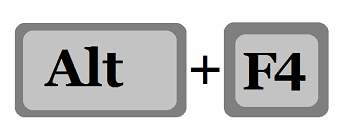
  10. 10—This is the Alt + F4 icon. You use this to quickly exit your document. The shortcut is self explanatory: Alt + F4This is the Alt + F4 icon. You use this to quickly exit your document. The shortcut is self explanatory: Alt + F4
Información

Descripción
regasdfasdfeaf
Creado por
Aaron Baughcum
Visitas
0
Valoración

Escríbenos

¿Sobre qué es tu mensaje?

¿Qué te parece el nuevo diseño?

¿Te gusta?