
Mapa mental
The Human-Computer Interface
Conteúdo do mapa
The Human-Computer Interface
The human-computer interface or (HCI) is where the computer and the user meet.
It is normally reffered to as user interface and finds out the way the user interacts with the computer and tells you what is wanted.
Main types of user interfaces
- Command-line interface
- Users type in a certain type of words and symbols.
- This type of interface was used in the early days of computing and can really only be used by skilled ICT users.
- Some of the commands may have “switches” to provide options for the command.
- For example, in Microsoft operating systems, the command for listing the files in a folder called “DOCS” on drive C, is: DIR C:\DOCS
- A switch, \W, specifies that the filenames are to be printed across the screen instead of down and the instruction that needs to be entered at the command prompt is: DIR C:\DOCS /W
- Some instructions may have a number of switches and the commands can become quite complex.
- Advantages
- Instructions execute quickly
- Instructions are versatile - meaning the user can select a large number of options for each instruction.
- The operating system s smaller when loaded into memory.
- Disadvantages
- You need to learn the special instructions used.
- If you mistype an instruction or spell it wrong, then it cannot be executed.
- Some commands and their options can be very complex, so high-level ICT skills are needed.
- Menu-driven interface
- A menu of options is displayed and the user selects one.
- This is more user friendly because nothing has to be remembered.
- A list of options available to the user is displayed and the user then selects one of them, usually by clicking the mouse button with the mouse pointer on the option required or by pressing a key on the keyboard.
- Several menus may be available to the user and they are usually organised into groups of similar options. Selecting one option may open another menu.
- Some sub-menus can then also have further sub-menus too.
- Advantages
- Navigation to find the option required is simple.
- You do not need to learn what instructions are available as they are displayed in the menu.
- User input is validated as only the options shown can be used.
- Disadvantages
- Some options in a menu may not mean anything to the user.
- It can be difficult to find options if there are many menus and sub-menus.
- Graphical user interface (GUI)
- Small pictures are used to represent options the user can select.
- Most modern computer operating systems use a graphical user interface (GUI). Small meaningful pictures called icons represent instructions that are available to the user, and each one is selected by using the mouse pointer.
- Modern operating systems use WIMP environments
- Window
- Icon
- Menu
- Pointer
- Most GUIs provide help if users have difficulty. The purpose of a command button is often displayed if the mouse pointer hovers over it and a help menu provided a searchable database that explains how to perform various tasks. Sometimes the help provided is a link to a website.
- Disadvantages
- It is large and complex. It can take up a lot of a computer’s resources and may run slowly.
- Advantages
- Only a low level of ICT skills is needed for the easy-to-use, intuitive interface.
- There is no need to learn any instructions.
- Pictures are more meaningful than words, so small children or people with reading problems can use this sort of interface.
- You can alter the way in which a GUI displays data to suit your own circumstances.
- Voice Interface
- There is a small microphone on the computer.
- The user speaks a command to the computer.
- It analyses the voice pattern and executes the instruction.
- Special Devices
- E.G. Braille boards
- A Braille board is a special type of keyboard blind people use and it has a special and unique pattern for each letter so they can still type on a computer/latop.
- E.G. foot switches
- Foot switches allow you to use a computer even if you do not have any arms.
- E.G. Braille boards
- Command-line interface
Sound and speech interfaces
- A microphone is used as an input device, the user speaks spoken commands and the sound is analysed and the command then carried out.
- This type of user interface is useful if the user has a disability or has no hands free to operate other input devices such as keyboards or mice.
- The advantages of a sound or speech interface is that it can be used without hands.
- The disadvantages are that people speak differently and the computer may have difficulty understanding different people and people speak different languages and the interface may only be able to understand one of them.
Touch sensitive interface
- Some devices work by a user touching them. Touch screens are often used in places where devices such as a mouse or keyboard may get stolen or damaged.
- Touch screens are often situated in places where members of the public can use them e.g. doctors’ surgeries, banks etc.
- Advantages
- Only a low level of ICT skills are neeed
- There is a small possibility of damage or theft.
- They can be used in environments where gloves are necessary and so a keyboard cannot easily be used.
- Disadvantages
- The disadvantages of a touch screen is that it may become dirty or scratched and difficult to read.
On screen help
- Most software has some way in which help can be obtained. Sometimes this is generalised help, sometimes it is known as context-related help as it gives you help about the part of the software you are using at the moment.
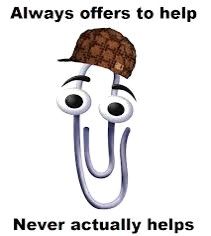
- In older versions of Microsoft office, there was an Office Assistant which popped up to give context-sensitive help. After a while this could become annoying and it was often turned off.
Point-of-sale interface
- The checkout tills in a supermarket of other large store are usually linked to a computer that monitors the sale of items. The main computer stores data about the prices of all the goods and how many of each item remain the shop. The till is often called a point-of-sale (POS) terminal.
- The data is usually input using a barcode reader or a keyboard. Items and prices are displayed on a small monitor and a receipt is printed.
Biometric systems
- Biometric systems use physical characteristics such as fingerprints, voice, facial features and eye scans to identify people.
- Theses systems although not fool proof, offer high levels of security but are expensive to buy and install.
- The latest issue of passports in the UK are known as biometric passports. They contain an electronic chip which stores digitally coded measurements of passport holders’ features, such as the distance between eyes, nose, mouth and ears.
- Laptops and phones are now protected with fingerprint identification.
- Computer programs have been developed to analyse pictures from CCTV to decide whether you are up to no good!
Computer software
- A program is a set of instructions that tells a computer what to do.
- Software is defined as the programs that run on a computer system. Software is usually divided into two main types
- Applications software: programs that perform a specific task (e.g. stock control program or computer game) and generic programs that can be used for general-purpose tasks (e.g. a word-processing program).
- Systems software: programs that help a computer system to work (e.g. operating system, disk defragmenter and compilers)
Imagens e arquivos do mapa
Informações
- Descrição
- Mapa Mental sobre The Human-Computer Interface, criado por Nichh em 15-10-2014.
- Criado por
- Nichh
- Visualizações
- 4
- Avaliação