
Mapa mental
Data Representations
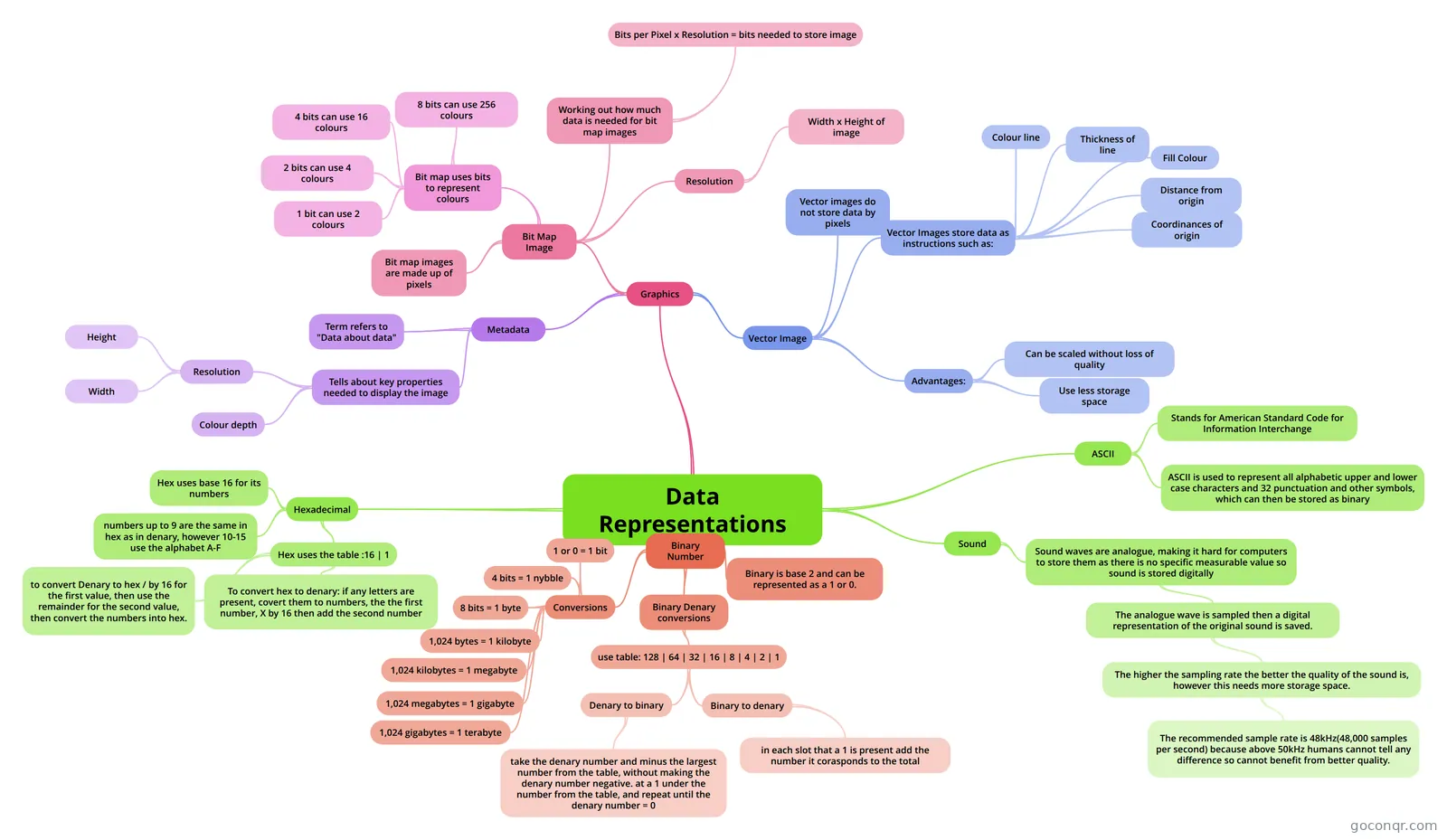
Mind map: Data representations
Conteúdo do mapa
Data Representations
Binary Number
- Binary is base 2 and can be represented as a 1 or 0.
- Conversions
- 1 or 0 = 1 bit
- 4 bits = 1 nybble
- 8 bits = 1 byte
- 1,024 bytes = 1 kilobyte
- 1,024 kilobytes = 1 megabyte
- 1,024 megabytes = 1 gigabyte
- 1,024 gigabytes = 1 terabyte
- Binary Denary conversions
- use table: 128 | 64 | 32 | 16 | 8 | 4 | 2 | 1
- Denary to binary
- take the denary number and minus the largest number from the table, without making the denary number negative. at a 1 under the number from the table, and repeat until the denary number = 0
- Binary to denary
- in each slot that a 1 is present add the number it corasponds to the total
- Denary to binary
- use table: 128 | 64 | 32 | 16 | 8 | 4 | 2 | 1
Graphics
- Bit Map Image
- Bit map images are made up of pixels
- Bit map uses bits to represent colours
- 1 bit can use 2 colours
- 2 bits can use 4 colours
- 4 bits can use 16 colours
- 8 bits can use 256 colours
- Working out how much data is needed for bit map images
- Bits per Pixel x Resolution = bits needed to store image
- Resolution
- Width x Height of image
- Vector Image
- Vector images do not store data by pixels
- Vector Images store data as instructions such as:
- Colour line
- Thickness of line
- Fill Colour
- Distance from origin
- Coordinances of origin
- Advantages:
- Can be scaled without loss of quality
- Use less storage space
- Metadata
- Term refers to "Data about data"
- Tells about key properties needed to display the image
- Resolution
- Height
- Width
- Colour depth
- Resolution
- Bit Map Image
Hexadecimal
- Hex uses base 16 for its numbers
- numbers up to 9 are the same in hex as in denary, however 10-15 use the alphabet A-F
- Hex uses the table :16 | 1
- to convert Denary to hex / by 16 for the first value, then use the remainder for the second value, then convert the numbers into hex.
- To convert hex to denary: if any letters are present, covert them to numbers, the the first number, X by 16 then add the second number
ASCII
- Stands for American Standard Code for Information Interchange
- ASCII is used to represent all alphabetic upper and lower case characters and 32 punctuation and other symbols, which can then be stored as binary
Sound
- Sound waves are analogue, making it hard for computers to store them as there is no specific measurable value so sound is stored digitally
- The analogue wave is sampled then a digital representation of the original sound is saved.
- The higher the sampling rate the better the quality of the sound is, however this needs more storage space.
- The recommended sample rate is 48kHz(48,000 samples per second) because above 50kHz humans cannot tell any difference so cannot benefit from better quality.
- The higher the sampling rate the better the quality of the sound is, however this needs more storage space.
- The analogue wave is sampled then a digital representation of the original sound is saved.
- Sound waves are analogue, making it hard for computers to store them as there is no specific measurable value so sound is stored digitally
Informações
- Descrição
- GCSE Computing Mapa Mental sobre Data Representations, criado por hcl.wong em 05-10-2013.
- Criado por
- hcl.wong
- Visualizações
- 73
- Tags
- Avaliação