
Mapa mental
Computer Software
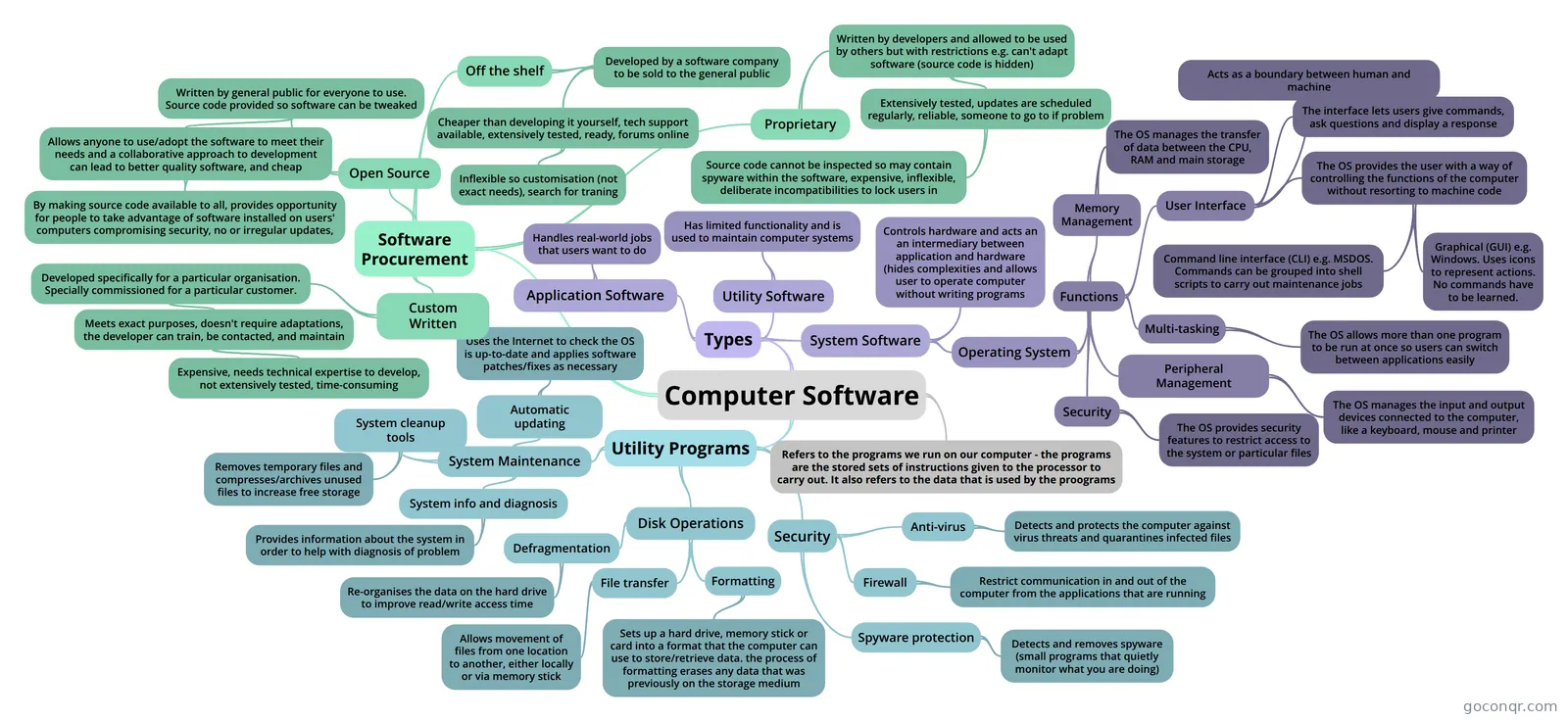
Mind map: Computer software
Conteúdo do mapa
Computer Software
Refers to the programs we run on our computer - the programs are the stored sets of instructions given to the processor to carry out. It also refers to the data that is used by the proograms
Types
- Utility Software
- Has limited functionality and is used to maintain computer systems
- Application Software
- Handles real-world jobs that users want to do
- System Software
- Operating System
- Functions
- Memory Management
- The OS manages the transfer of data between the CPU, RAM and main storage
- User Interface
- The OS provides the user with a way of controlling the functions of the computer without resorting to machine code
- Command line interface (CLI) e.g. MSDOS. Commands can be grouped into shell scripts to carry out maintenance jobs
- Graphical (GUI) e.g. Windows. Uses icons to represent actions. No commands have to be learned.
- Acts as a boundary between human and machine
- The interface lets users give commands, ask questions and display a response
- The OS provides the user with a way of controlling the functions of the computer without resorting to machine code
- Peripheral Management
- The OS manages the input and output devices connected to the computer, like a keyboard, mouse and printer
- Multi-tasking
- The OS allows more than one program to be run at once so users can switch between applications easily
- Security
- The OS provides security features to restrict access to the system or particular files
- Memory Management
- Functions
- Controls hardware and acts an an intermediary between application and hardware (hides complexities and allows user to operate computer without writing programs
- Operating System
- Utility Software
Utility Programs
- Security
- Anti-virus
- Detects and protects the computer against virus threats and quarantines infected files
- Firewall
- Restrict communication in and out of the computer from the applications that are running
- Spyware protection
- Detects and removes spyware (small programs that quietly monitor what you are doing)
- Anti-virus
- Disk Operations
- Formatting
- Sets up a hard drive, memory stick or card into a format that the computer can use to store/retrieve data. the process of formatting erases any data that was previously on the storage medium
- File transfer
- Allows movement of files from one location to another, either locally or via memory stick
- Defragmentation
- Re-organises the data on the hard drive to improve read/write access time
- Formatting
- System Maintenance
- System info and diagnosis
- Provides information about the system in order to help with diagnosis of problem
- System cleanup tools
- Removes temporary files and compresses/archives unused files to increase free storage
- Automatic updating
- Uses the Internet to check the OS is up-to-date and applies software patches/fixes as necessary
- System info and diagnosis
- Security
Software Procurement
- Proprietary
- Written by developers and allowed to be used by others but with restrictions e.g. can't adapt software (source code is hidden)
- Extensively tested, updates are scheduled regularly, reliable, someone to go to if problem
- Source code cannot be inspected so may contain spyware within the software, expensive, inflexible, deliberate incompatibilities to lock users in
- Extensively tested, updates are scheduled regularly, reliable, someone to go to if problem
- Written by developers and allowed to be used by others but with restrictions e.g. can't adapt software (source code is hidden)
- Off the shelf
- Developed by a software company to be sold to the general public
- Cheaper than developing it yourself, tech support available, extensively tested, ready, forums online
- Inflexible so customisation (not exact needs), search for traning
- Cheaper than developing it yourself, tech support available, extensively tested, ready, forums online
- Developed by a software company to be sold to the general public
- Open Source
- Written by general public for everyone to use. Source code provided so software can be tweaked
- Allows anyone to use/adopt the software to meet their needs and a collaborative approach to development can lead to better quality software, and cheap
- By making source code available to all, provides opportunity for people to take advantage of software installed on users' computers compromising security, no or irregular updates,
- Allows anyone to use/adopt the software to meet their needs and a collaborative approach to development can lead to better quality software, and cheap
- Written by general public for everyone to use. Source code provided so software can be tweaked
- Custom Written
- Developed specifically for a particular organisation. Specially commissioned for a particular customer.
- Meets exact purposes, doesn't require adaptations, the developer can train, be contacted, and maintain
- Expensive, needs technical expertise to develop, not extensively tested, time-consuming
- Meets exact purposes, doesn't require adaptations, the developer can train, be contacted, and maintain
- Developed specifically for a particular organisation. Specially commissioned for a particular customer.
- Proprietary
Informações
- Descrição
- GCSE Computing Mapa Mental sobre Computer Software, criado por lisawinkler10 em 31-05-2015.
- Criado por
- lisawinkler10
- Visualizações
- 24
- Avaliação