
Mapa mental
Digital Imaging
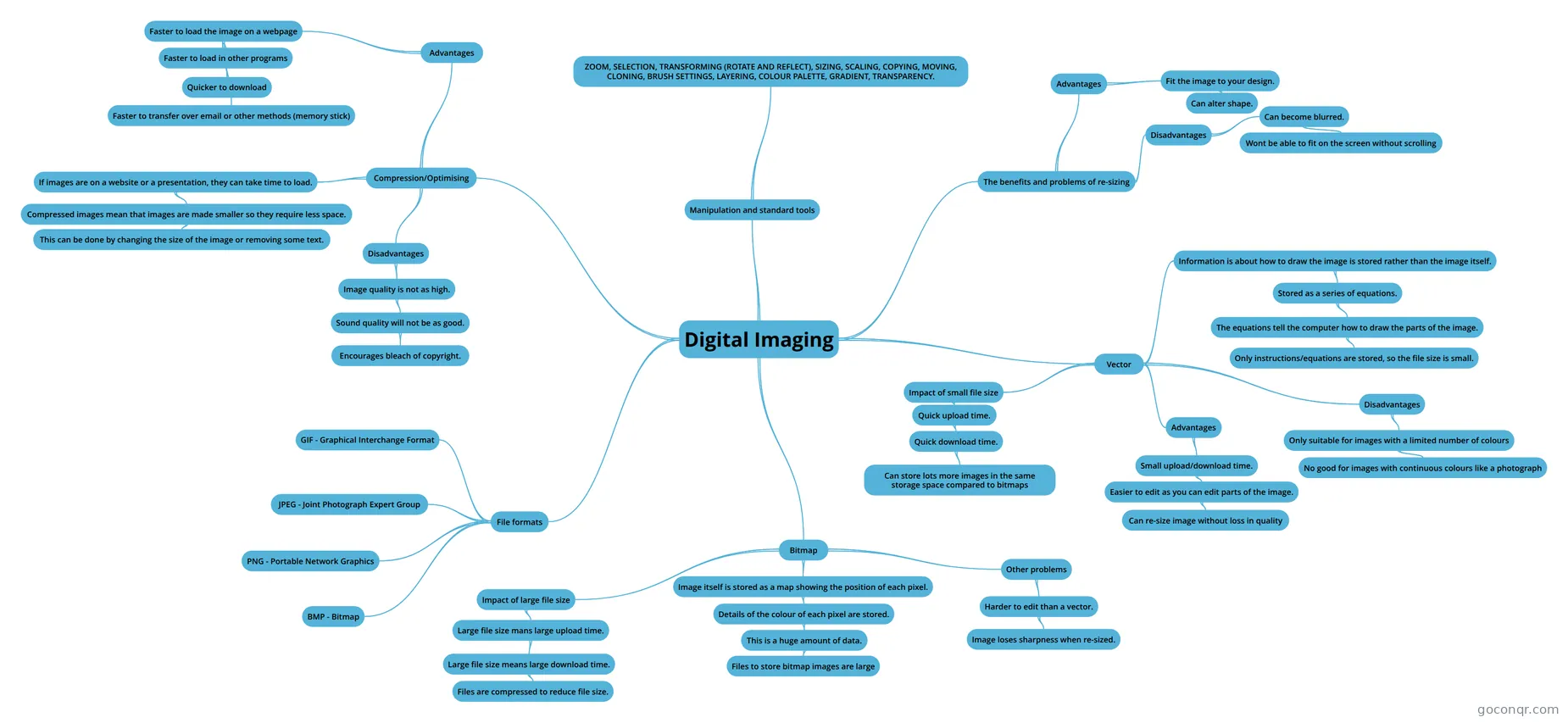
Mind map: Digital imaging
Conteúdo do mapa
Digital Imaging
Bitmap
- Impact of large file size
- Large file size mans large upload time.
- Large file size means large download time.
- Files are compressed to reduce file size.
- Large file size means large download time.
- Large file size mans large upload time.
- Other problems
- Harder to edit than a vector.
- Image loses sharpness when re-sized.
- Harder to edit than a vector.
- Image itself is stored as a map showing the position of each pixel.
- Details of the colour of each pixel are stored.
- This is a huge amount of data.
- Files to store bitmap images are large
- This is a huge amount of data.
- Details of the colour of each pixel are stored.
- Impact of large file size
Vector
- Impact of small file size
- Quick upload time.
- Quick download time.
- Can store lots more images in the same storage space compared to bitmaps
- Quick download time.
- Quick upload time.
- Advantages
- Small upload/download time.
- Easier to edit as you can edit parts of the image.
- Can re-size image without loss in quality
- Easier to edit as you can edit parts of the image.
- Small upload/download time.
- Disadvantages
- Only suitable for images with a limited number of colours
- No good for images with continuous colours like a photograph
- Only suitable for images with a limited number of colours
- Information is about how to draw the image is stored rather than the image itself.
- Stored as a series of equations.
- The equations tell the computer how to draw the parts of the image.
- Only instructions/equations are stored, so the file size is small.
- The equations tell the computer how to draw the parts of the image.
- Stored as a series of equations.
- Impact of small file size
The benefits and problems of re-sizing
- Advantages
- Fit the image to your design.
- Can alter shape.
- Fit the image to your design.
- Disadvantages
- Can become blurred.
- Wont be able to fit on the screen without scrolling
- Can become blurred.
- Advantages
Manipulation and standard tools
- ZOOM, SELECTION, TRANSFORMING (ROTATE AND REFLECT), SIZING, SCALING, COPYING, MOVING, CLONING, BRUSH SETTINGS, LAYERING, COLOUR PALETTE, GRADIENT, TRANSPARENCY.
File formats
- GIF - Graphical Interchange Format
- JPEG - Joint Photograph Expert Group
- PNG - Portable Network Graphics
- BMP - Bitmap
Compression/Optimising
- Advantages
- Faster to load the image on a webpage
- Quicker to download
- Faster to load in other programs
- Faster to transfer over email or other methods (memory stick)
- Faster to load the image on a webpage
- Disadvantages
- Image quality is not as high.
- Sound quality will not be as good.
- Encourages bleach of copyright.
- Sound quality will not be as good.
- Image quality is not as high.
- If images are on a website or a presentation, they can take time to load.
- Compressed images mean that images are made smaller so they require less space.
- This can be done by changing the size of the image or removing some text.
- Compressed images mean that images are made smaller so they require less space.
- Advantages
Informações
- Descrição
- Mapa Mental sobre Digital Imaging, criado por Bethany Walker em 19-01-2017.
- Criado por
- Bethany Walker
- Visualizações
- 4
- Avaliação
Mais sobre Bitmap and Vector Graphics