O GoConqr está de visual novo! Conte para nós o que você achou.

Slides

Ubidots Setup

Scott C Arduino Inglês 28 slides 1.062 visualizações

Slides do conjunto (28)

  1. Ubidots Setup

    • Ubidots Setup
    • Legenda: Setting up the Ubidots Dashboard button
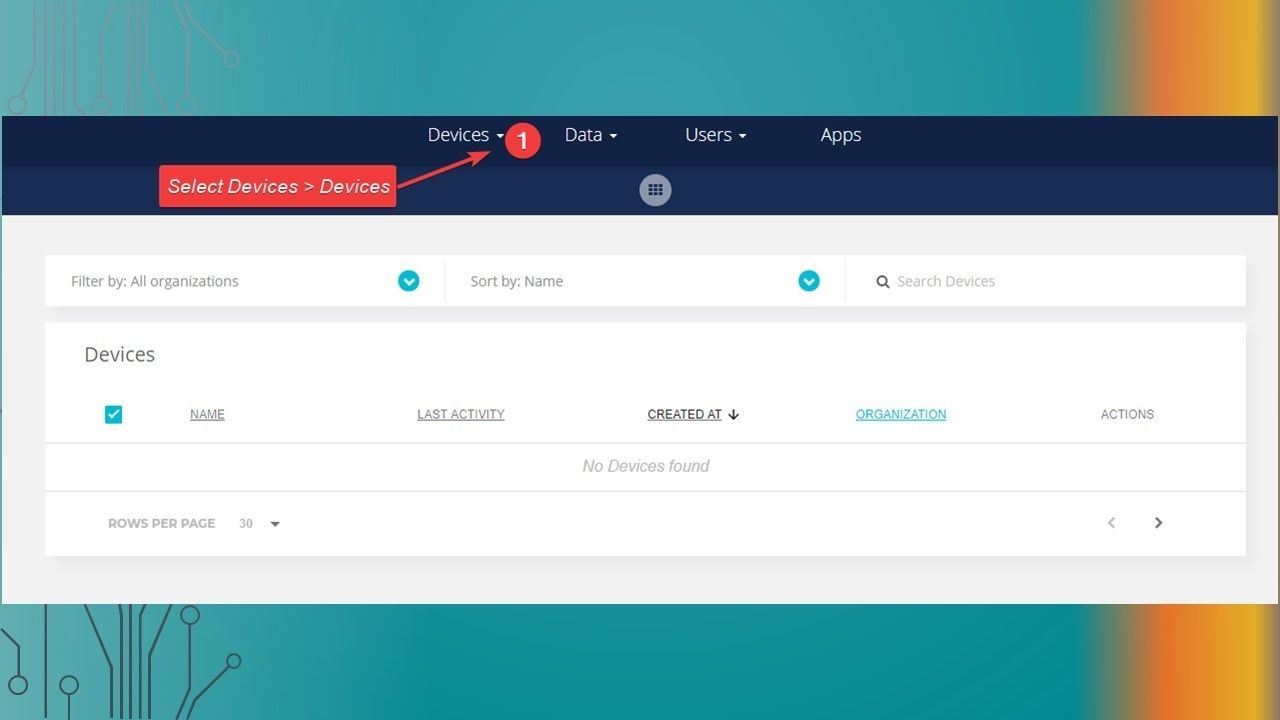
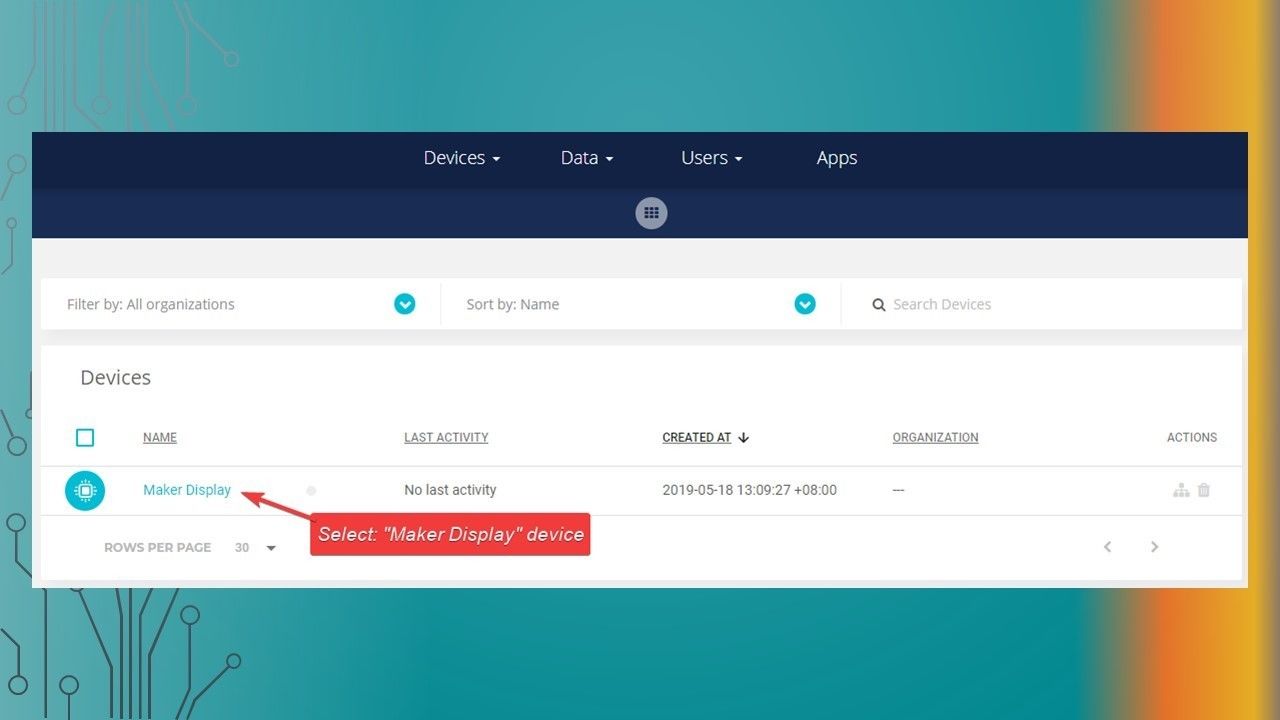
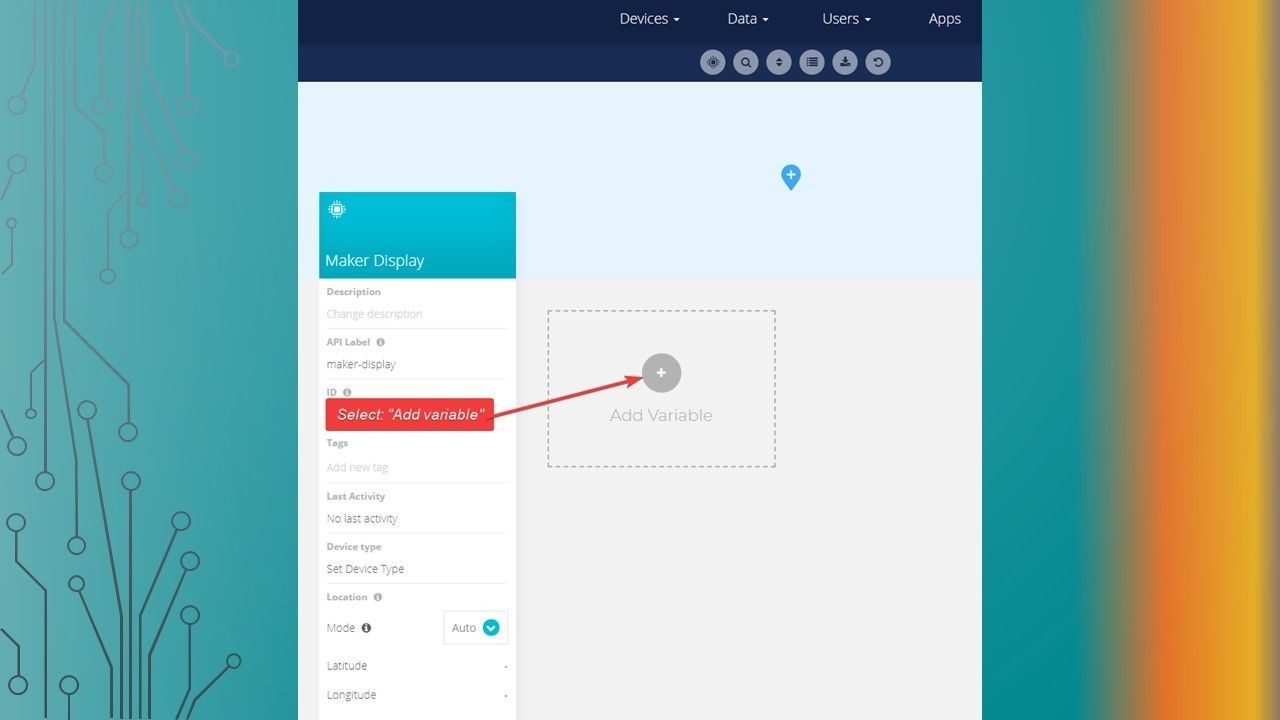
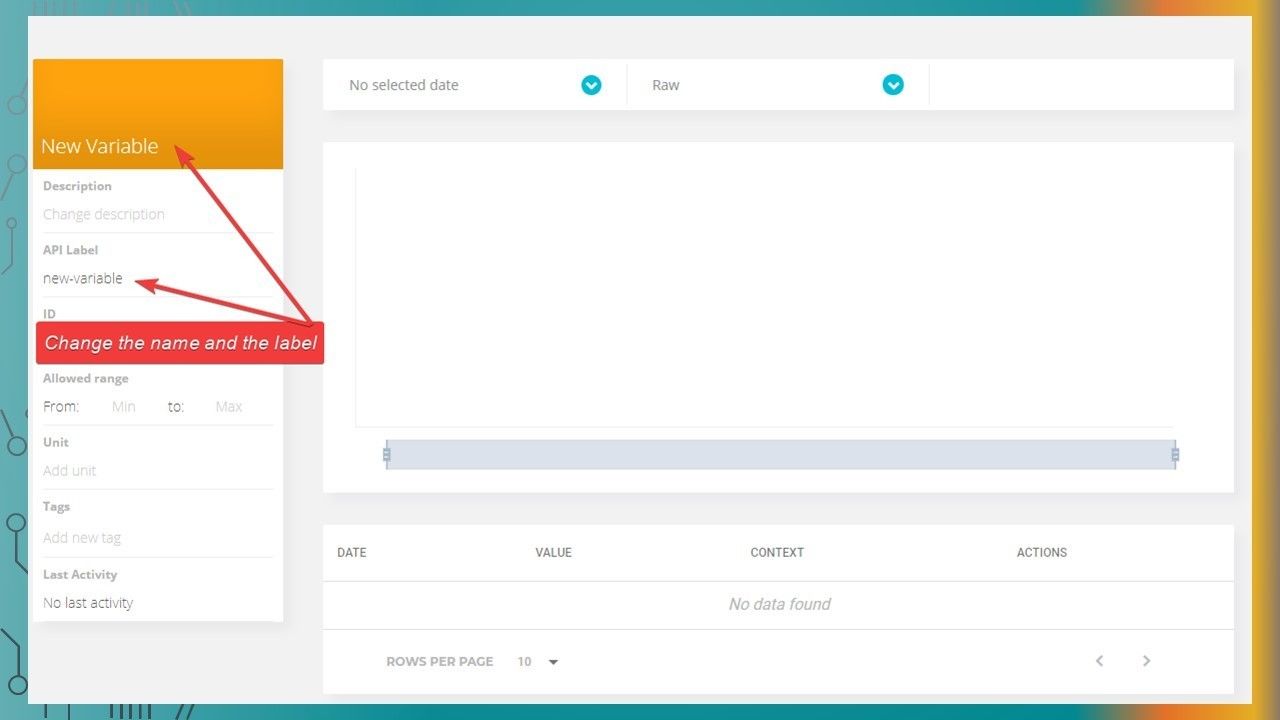
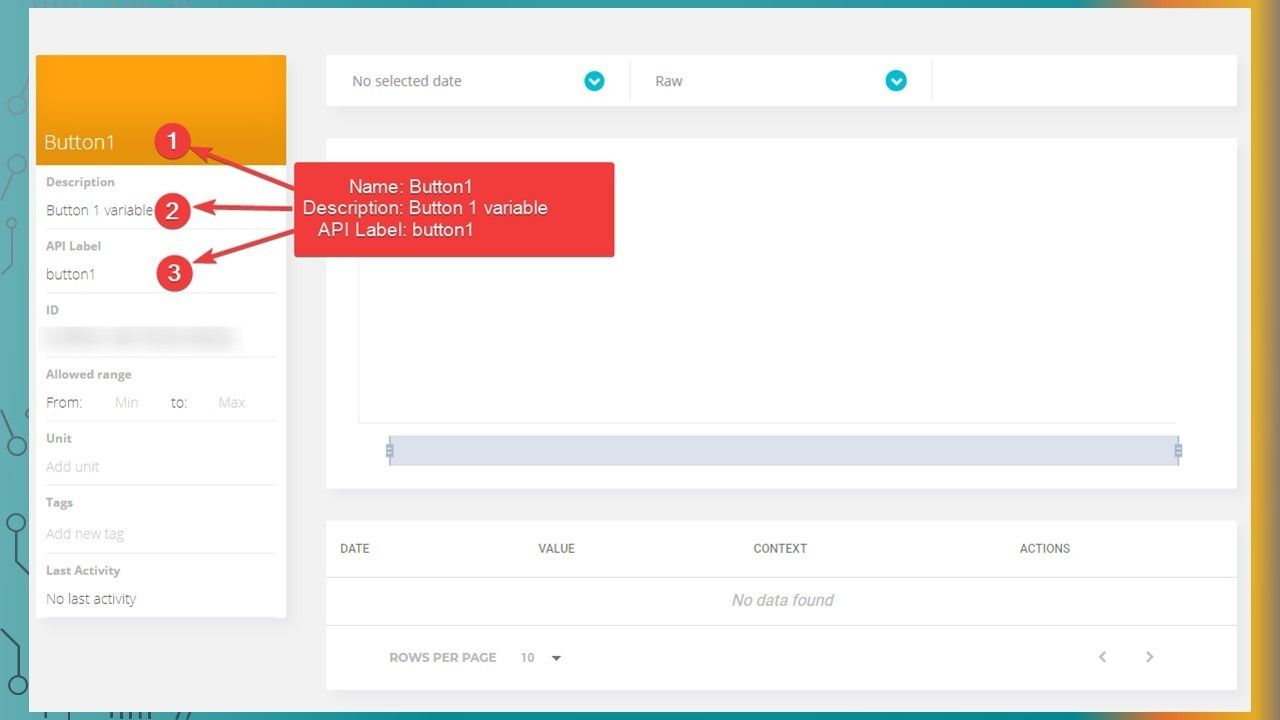
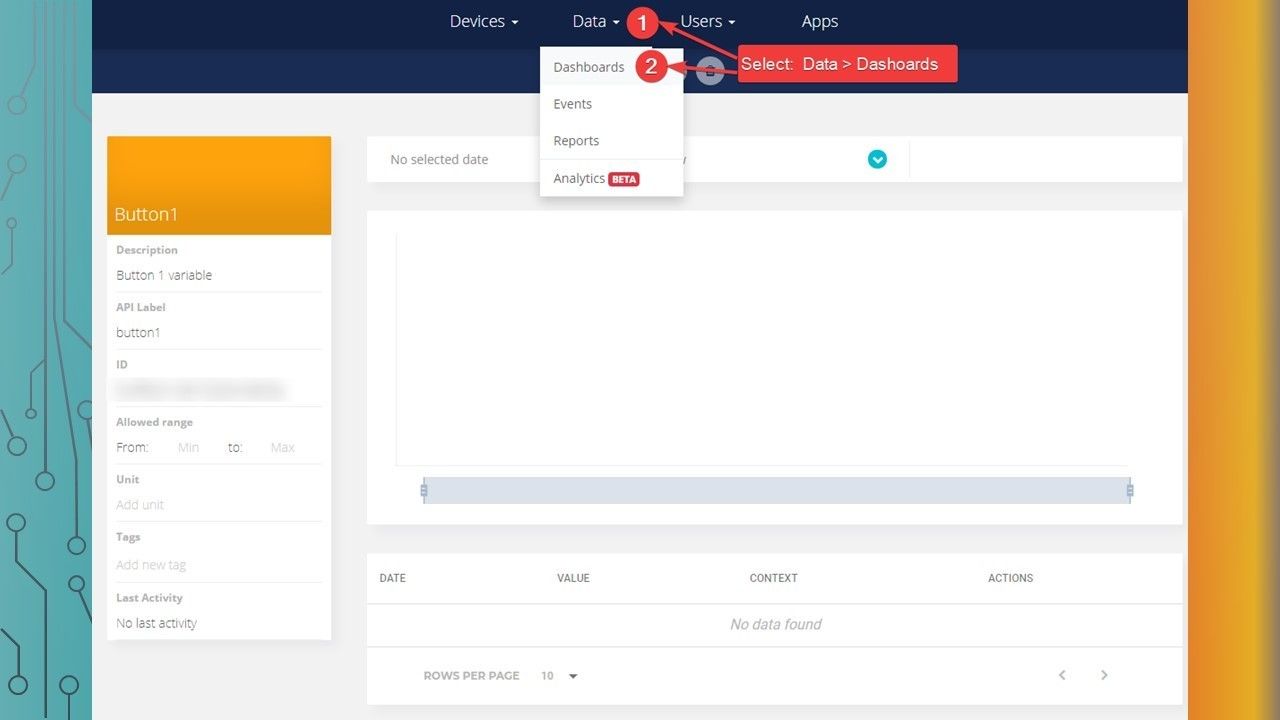
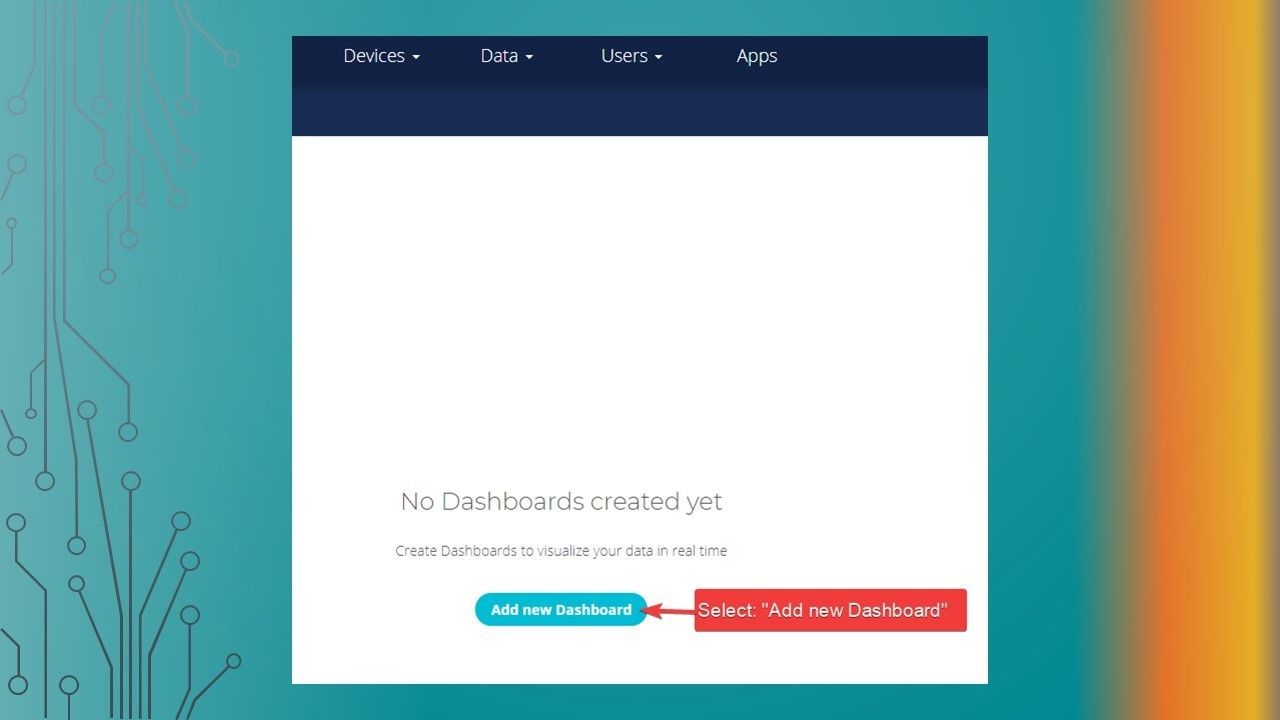
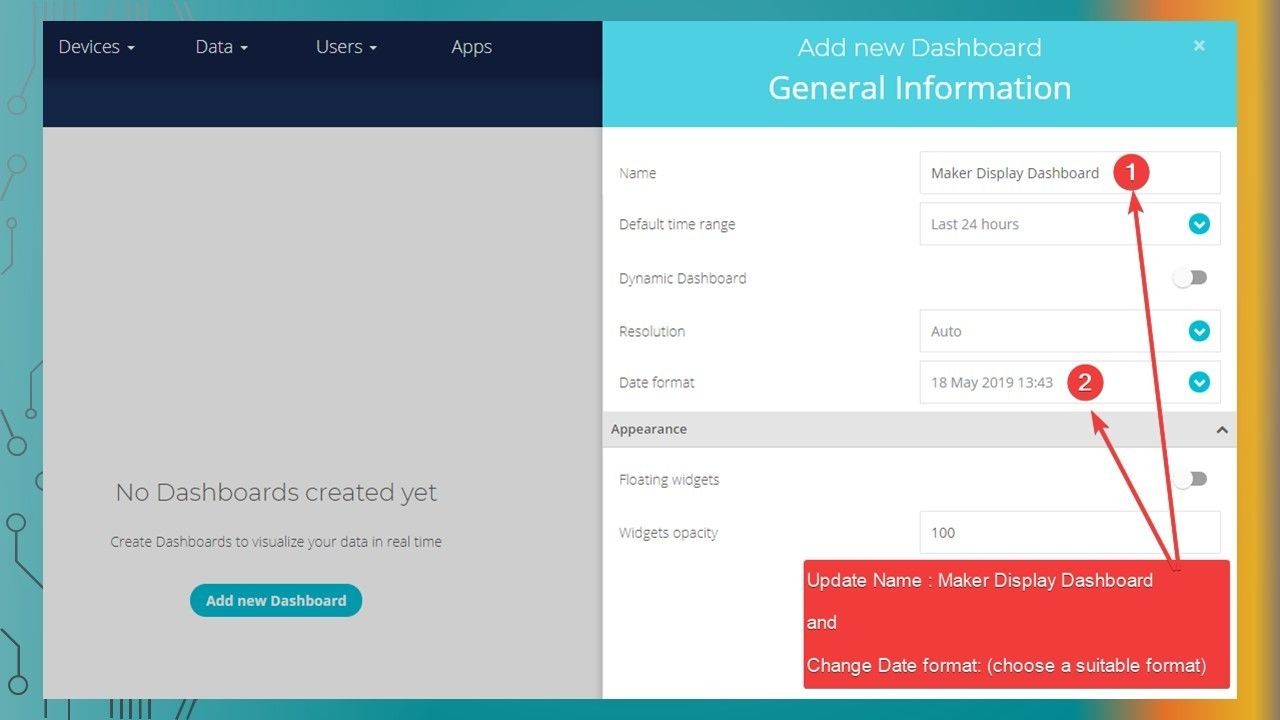
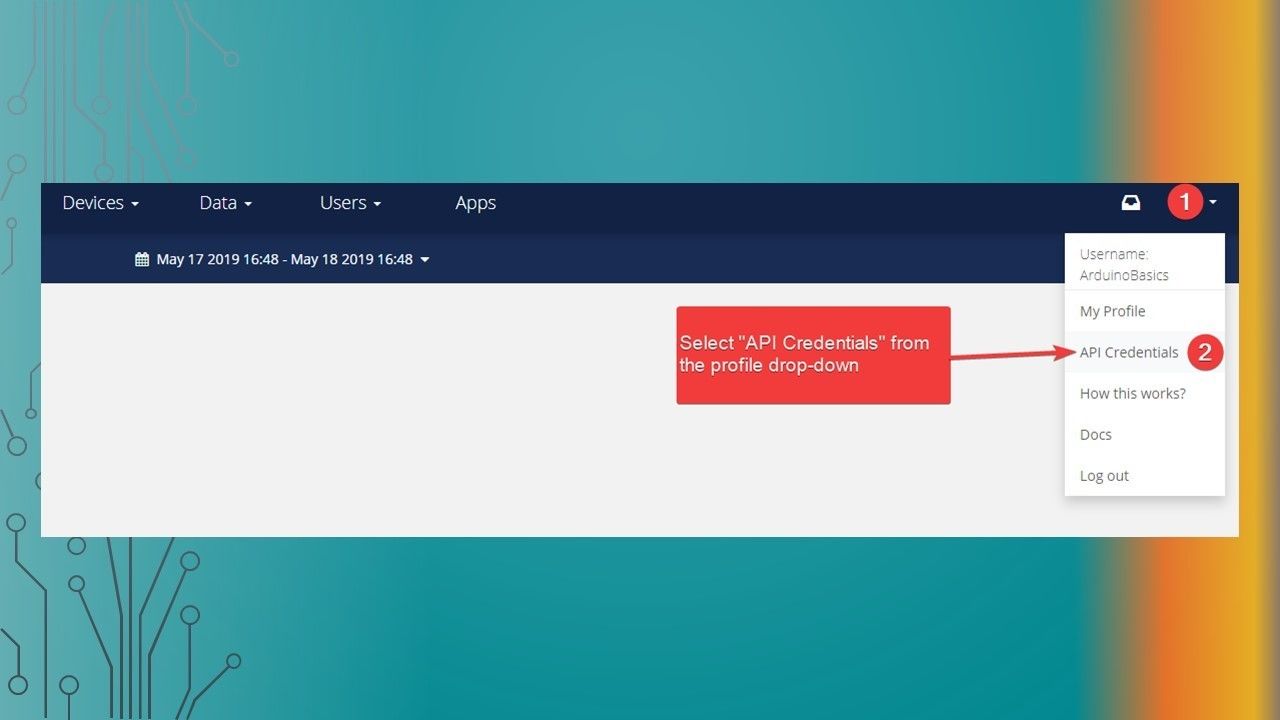
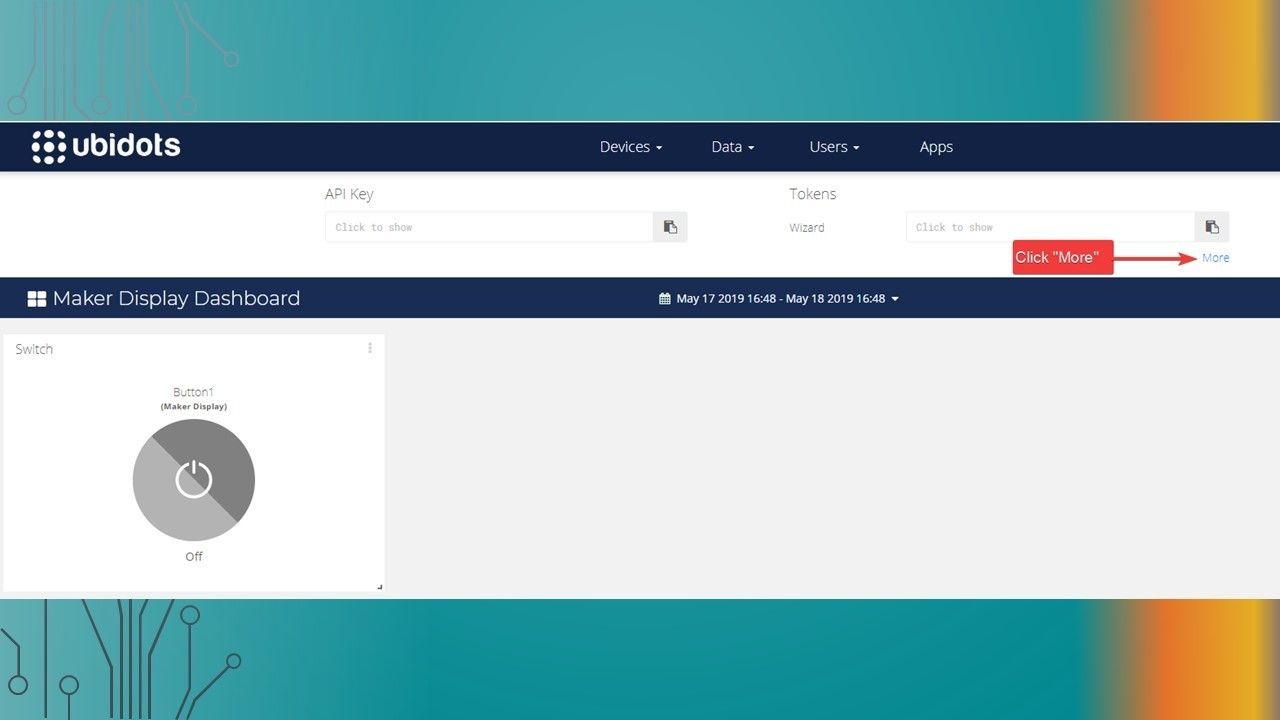
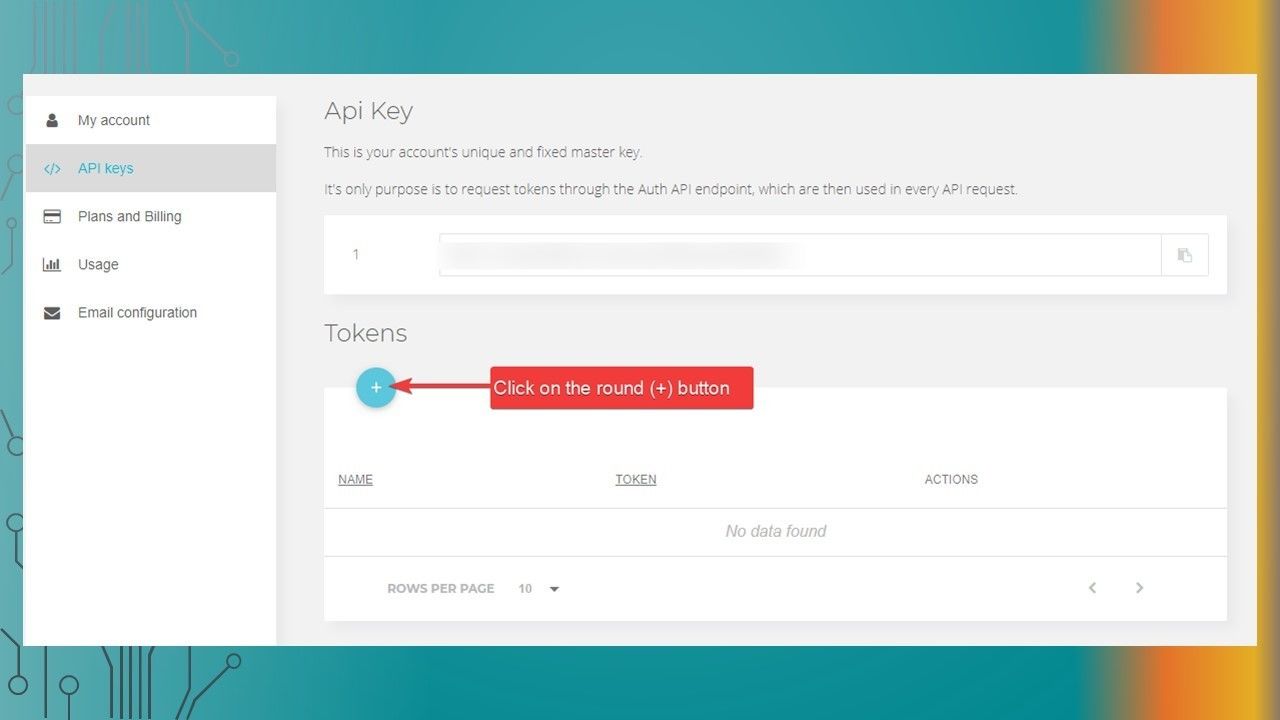
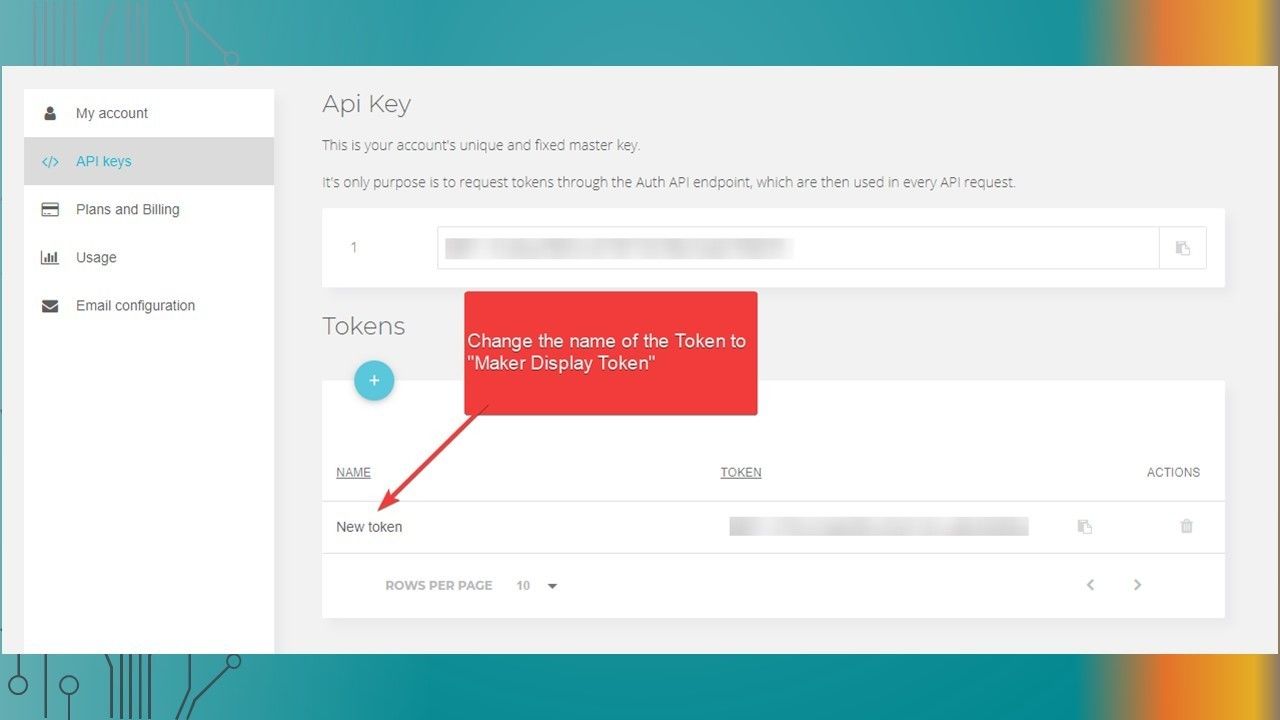
    • The following presentation will show you the steps required to setup the Ubidots dashboard button to communicate with the Maker Display via MQTT
  2. Creating a Device

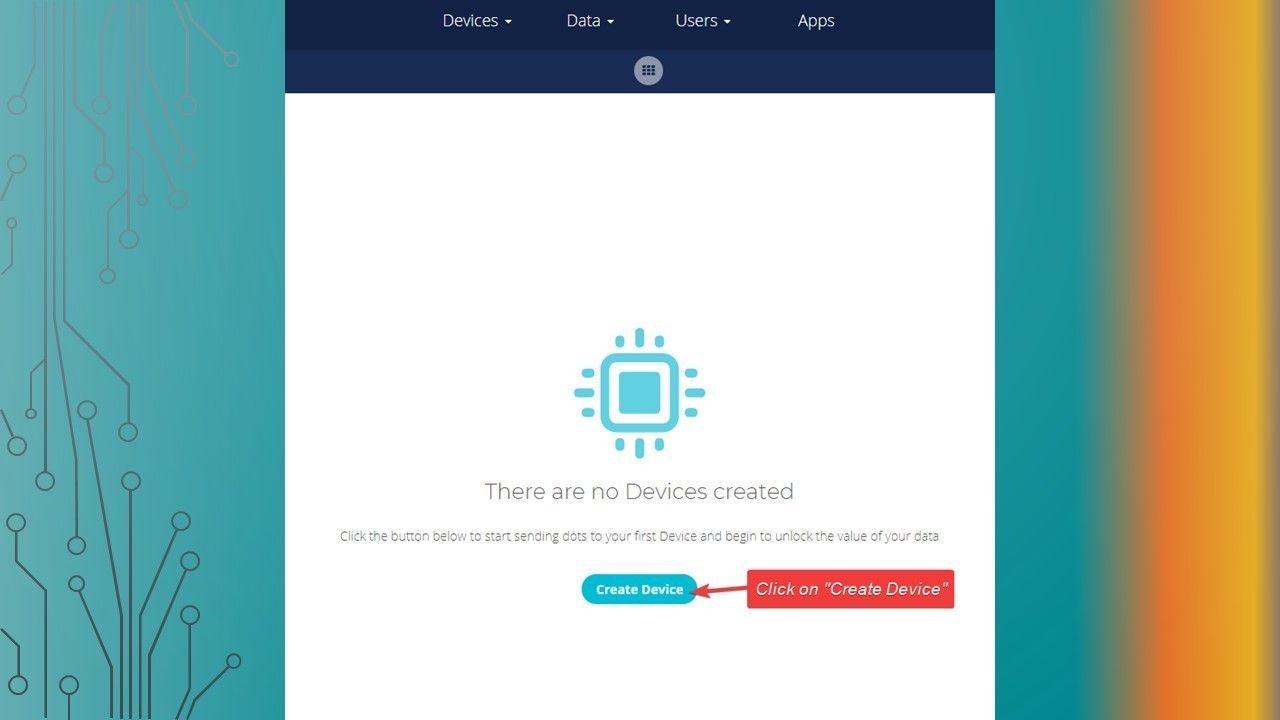
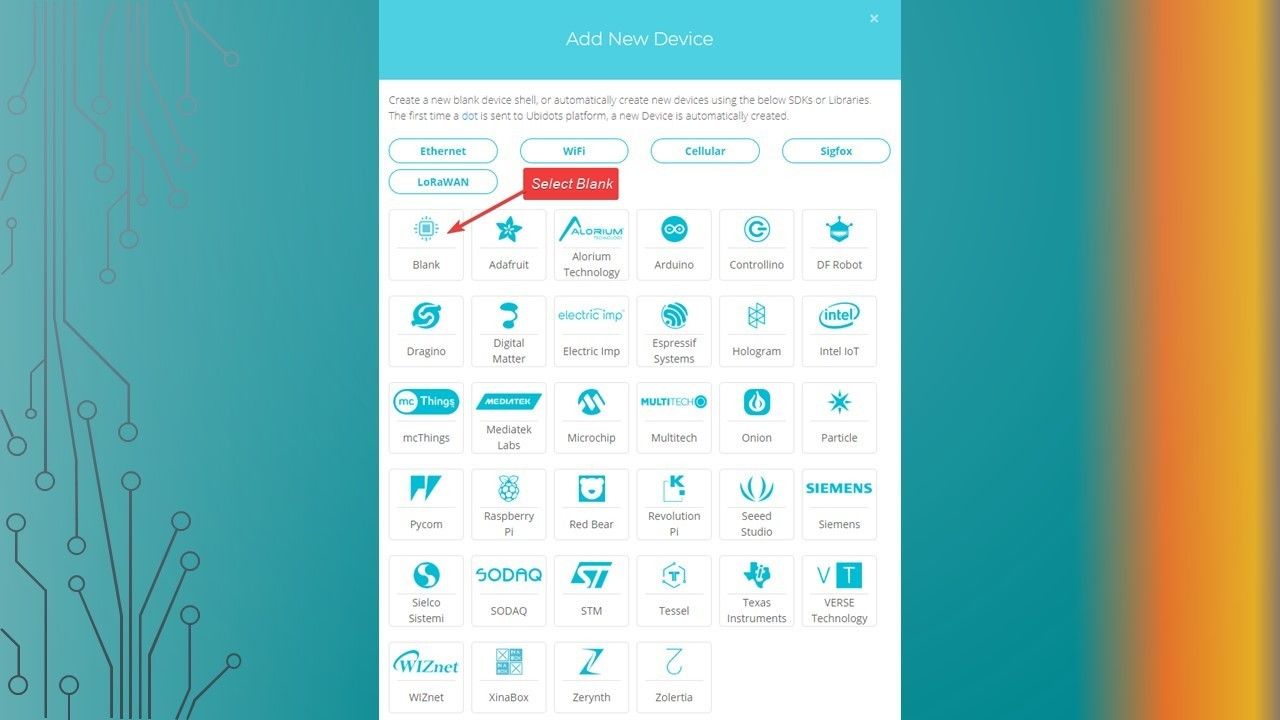
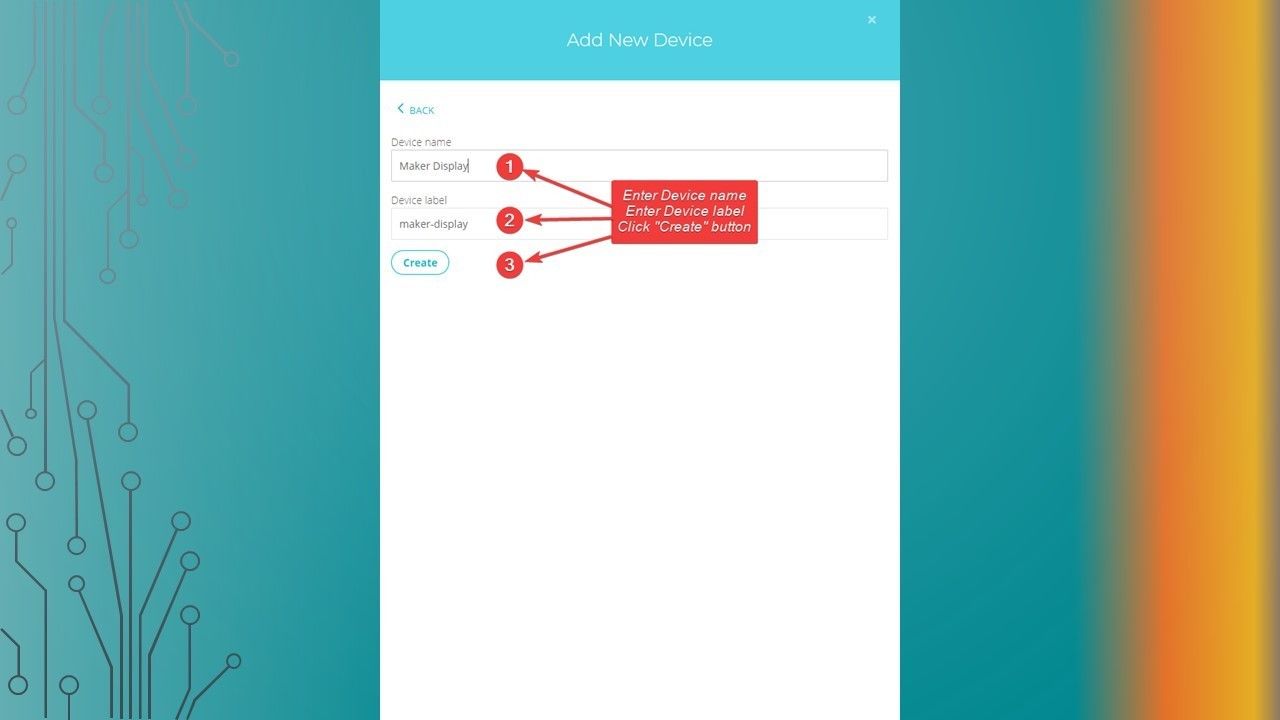
    • Creating a Device
  3. Slide 3

    • Ubidots Setup
  4. Slide 4

    • Ubidots Setup
  5. Slide 5

    • Ubidots Setup
  6. Slide 6

    • Ubidots Setup
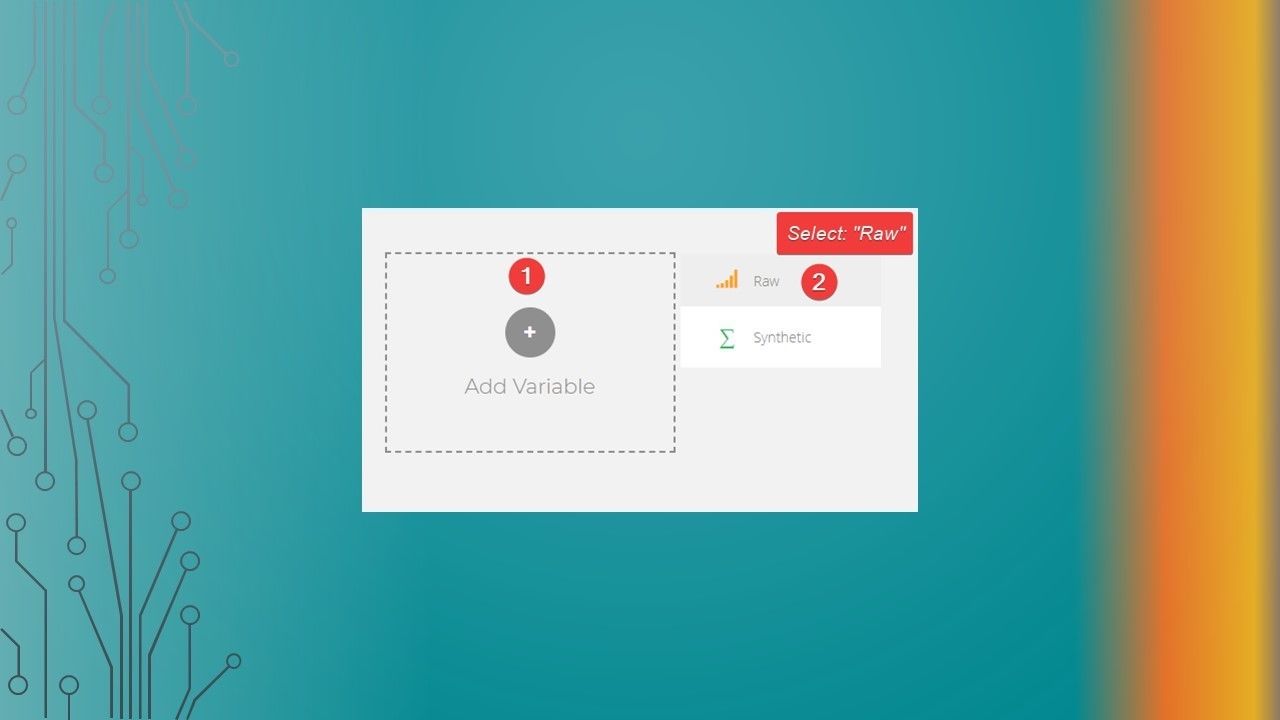
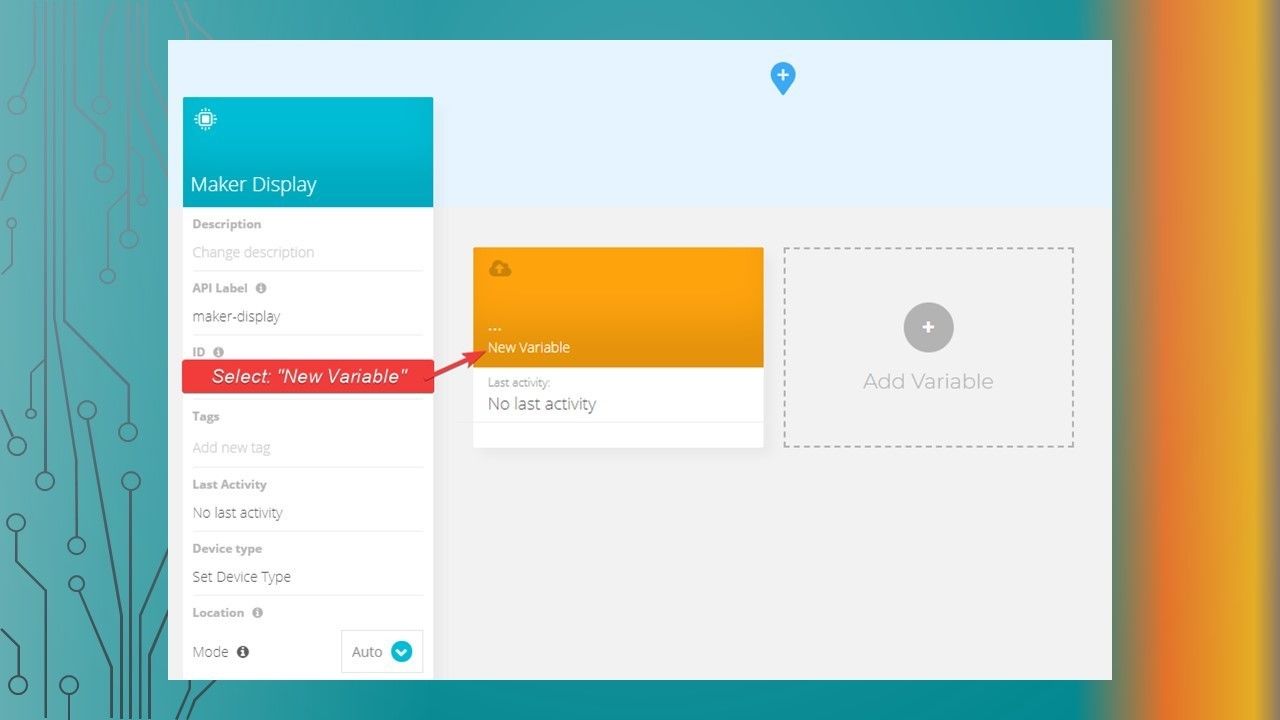
  7. Creating a Variable

    • Creating a Variable
  8. Slide 8

    • Ubidots Setup
  9. Slide 9

    • Ubidots Setup
  10. Slide 10

    • Ubidots Setup
  11. Slide 11

    • Ubidots Setup
  12. Creating a Dashboard

    • Creating a Dashboard
  13. Slide 13

    • Ubidots Setup
  14. Slide 14

    • Ubidots Setup
  15. Add a Widget to the Dashboard

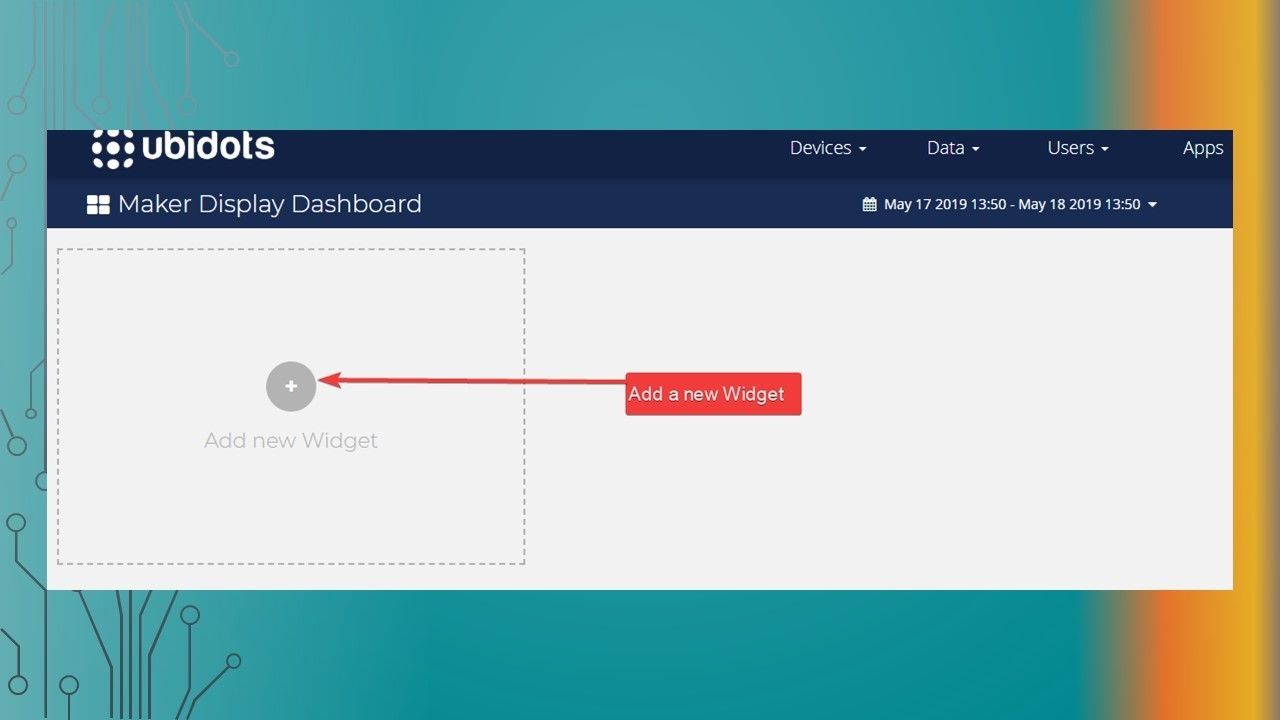
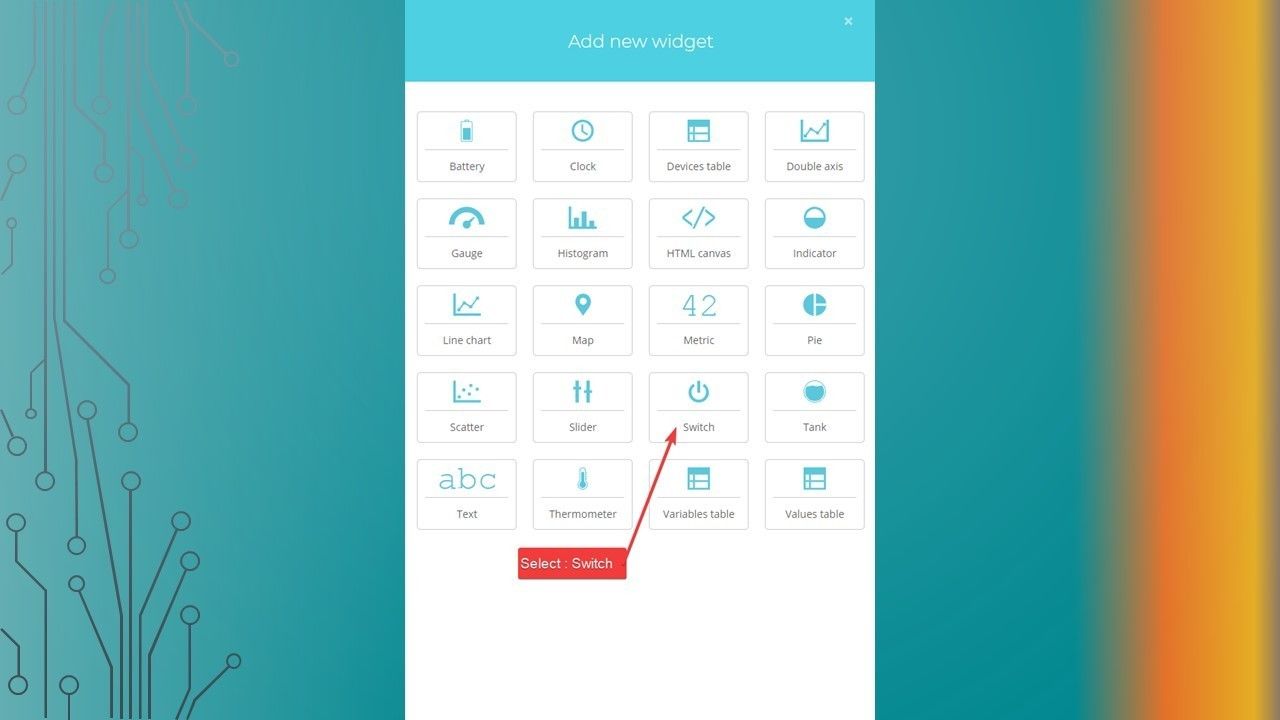
    • Add a Widget to the Dashboard
  16. Slide 16

    • Ubidots Setup
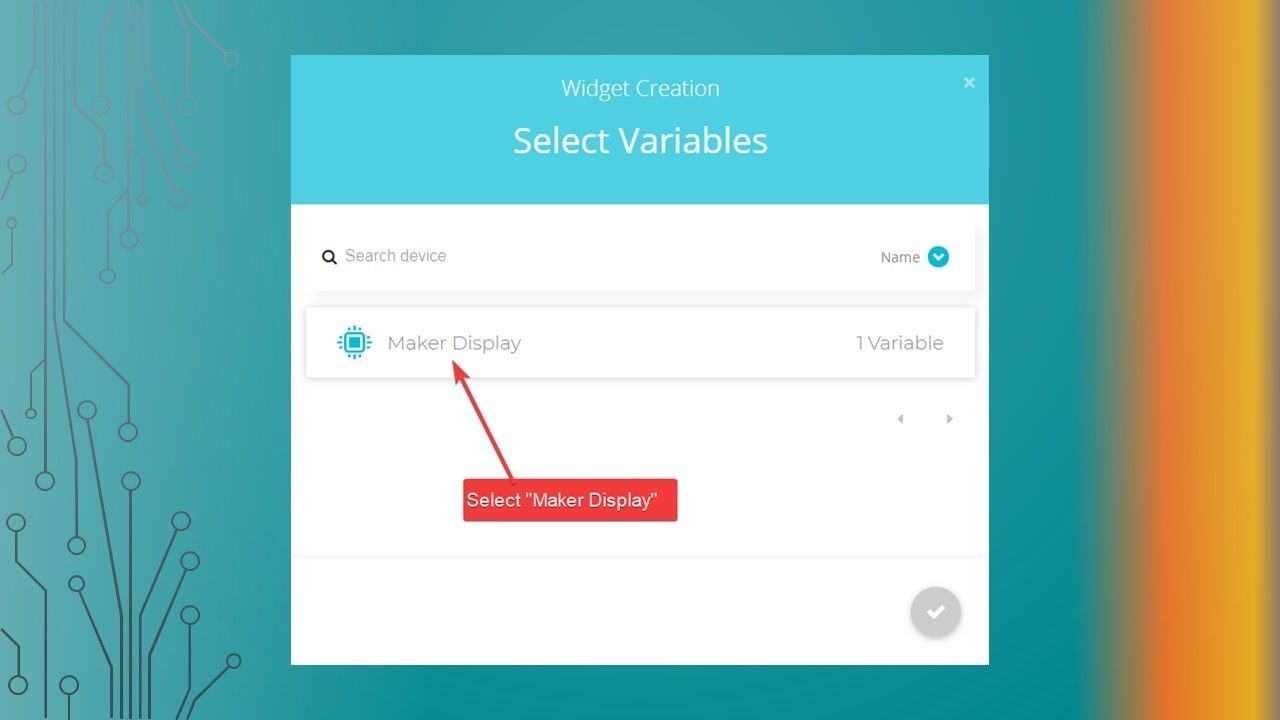
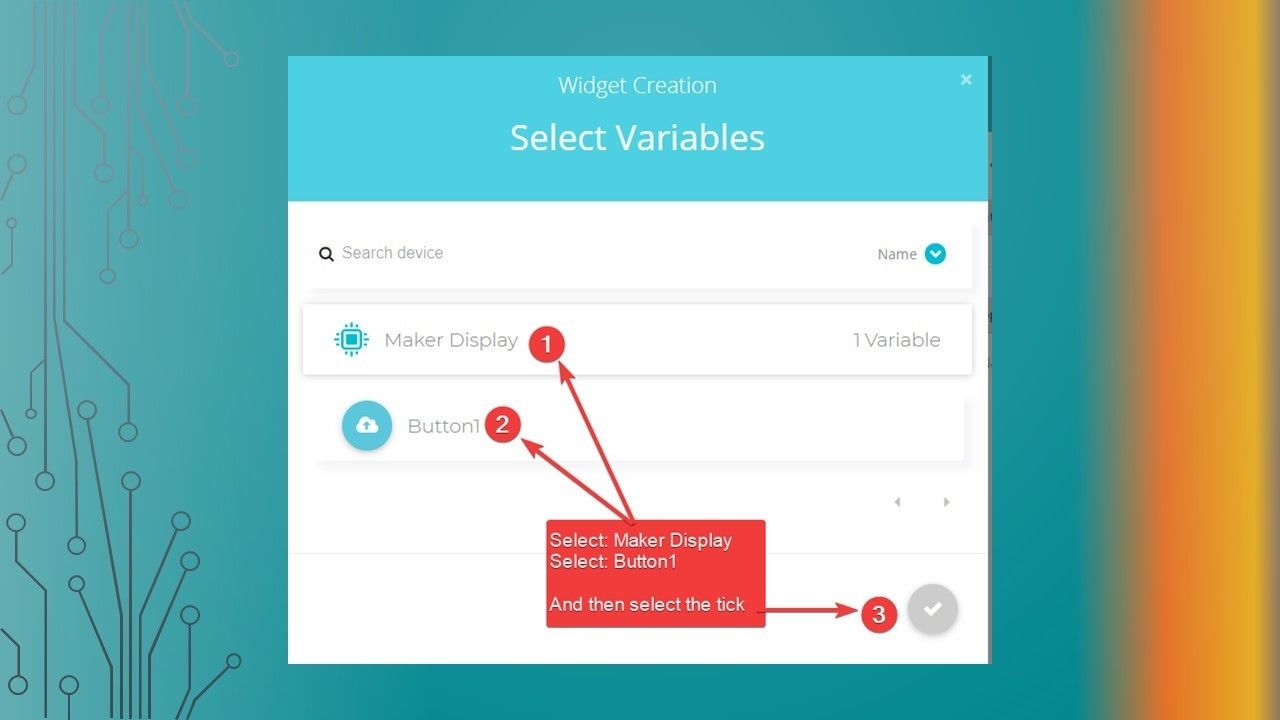
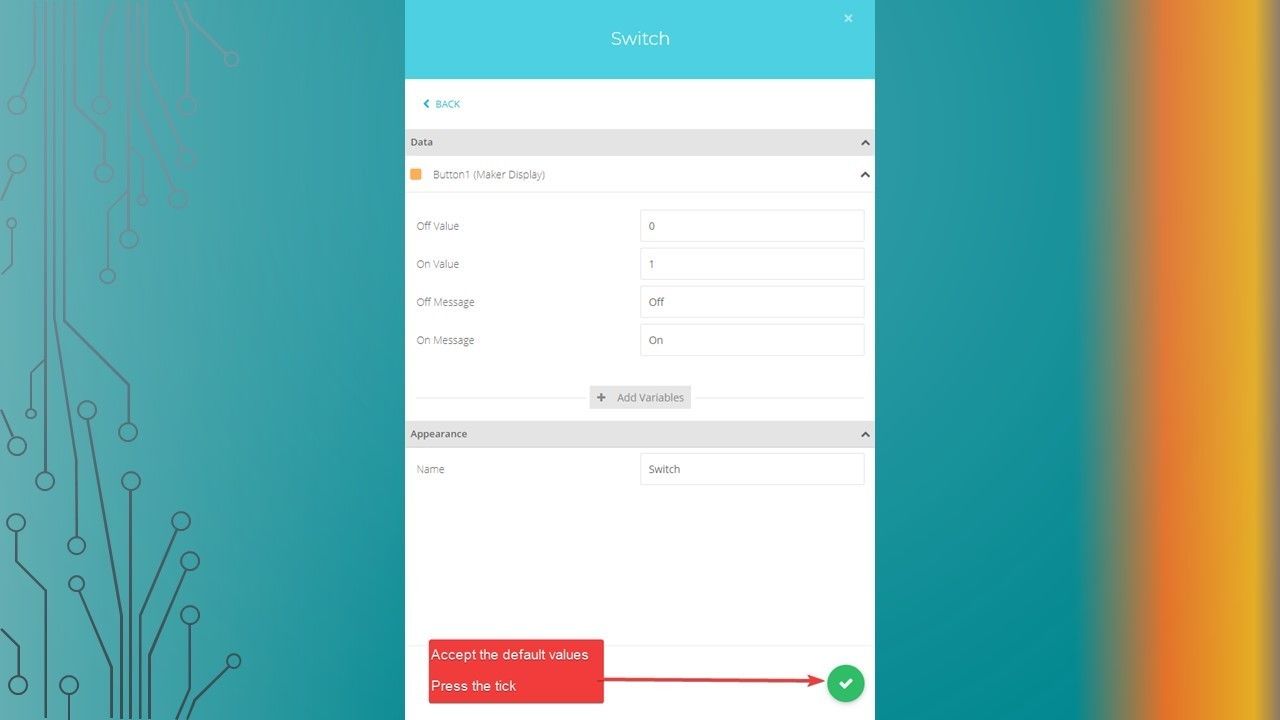
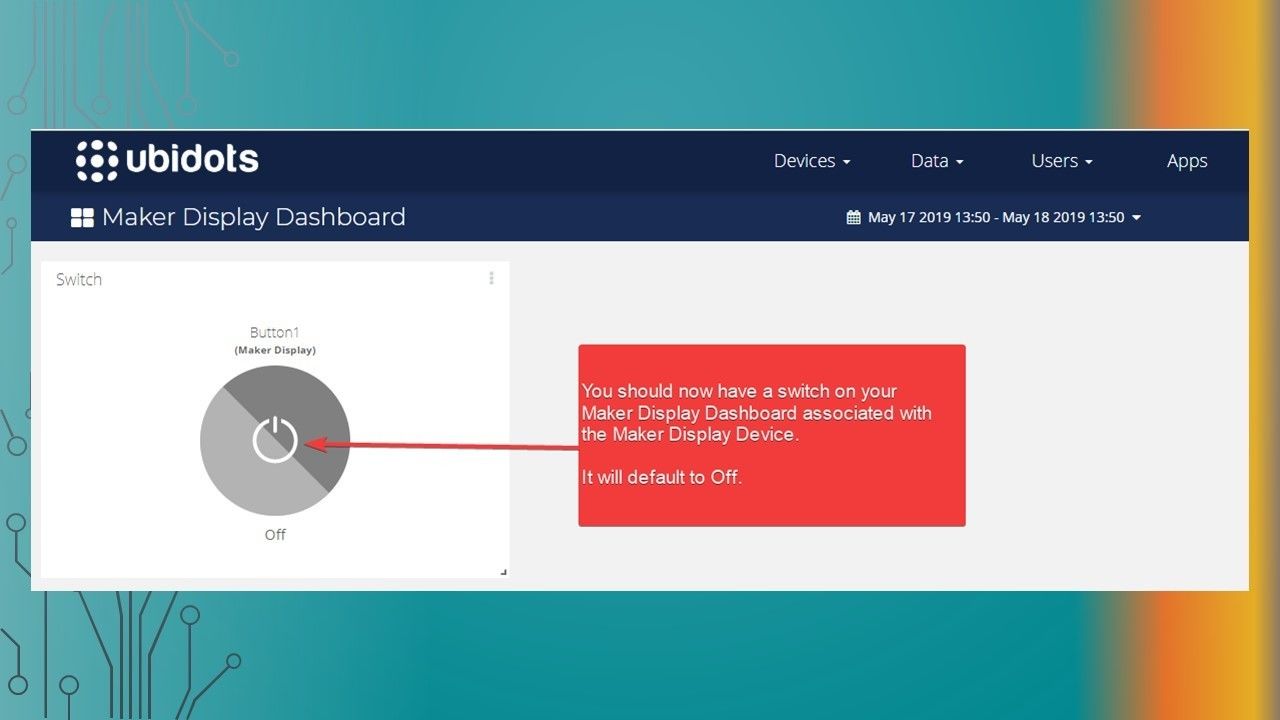
  17. Associate the Device & Variable to Widget

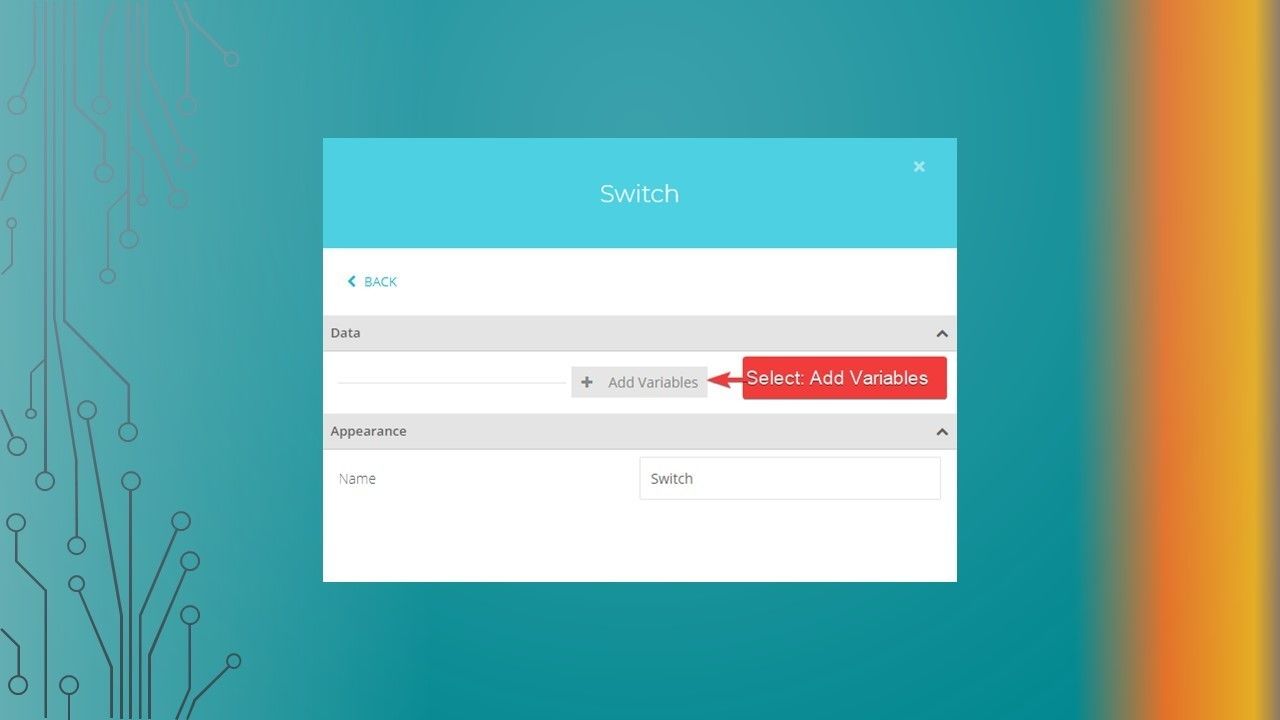
    • Associate the Device & Variable to Widget
  18. Slide 18

    • Ubidots Setup
  19. Slide 19

    • Ubidots Setup
  20. Slide 20

    • Ubidots Setup
  21. Slide 21

    • Ubidots Setup
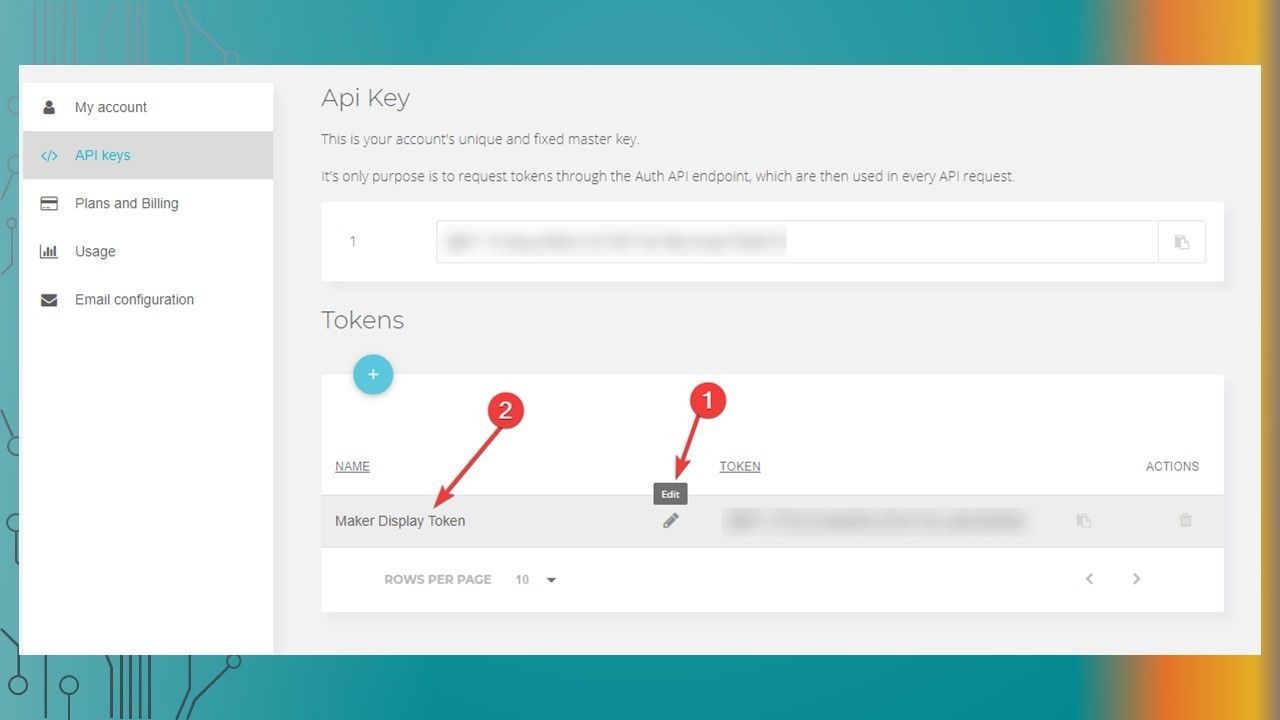
  22. Create a new Ubidots TOKEN

    • Create a new Ubidots TOKEN
  23. Slide 23

    • Ubidots Setup
  24. Slide 24

    • Ubidots Setup
  25. Slide 25

    • Ubidots Setup
  26. Slide 26

    • Ubidots Setup
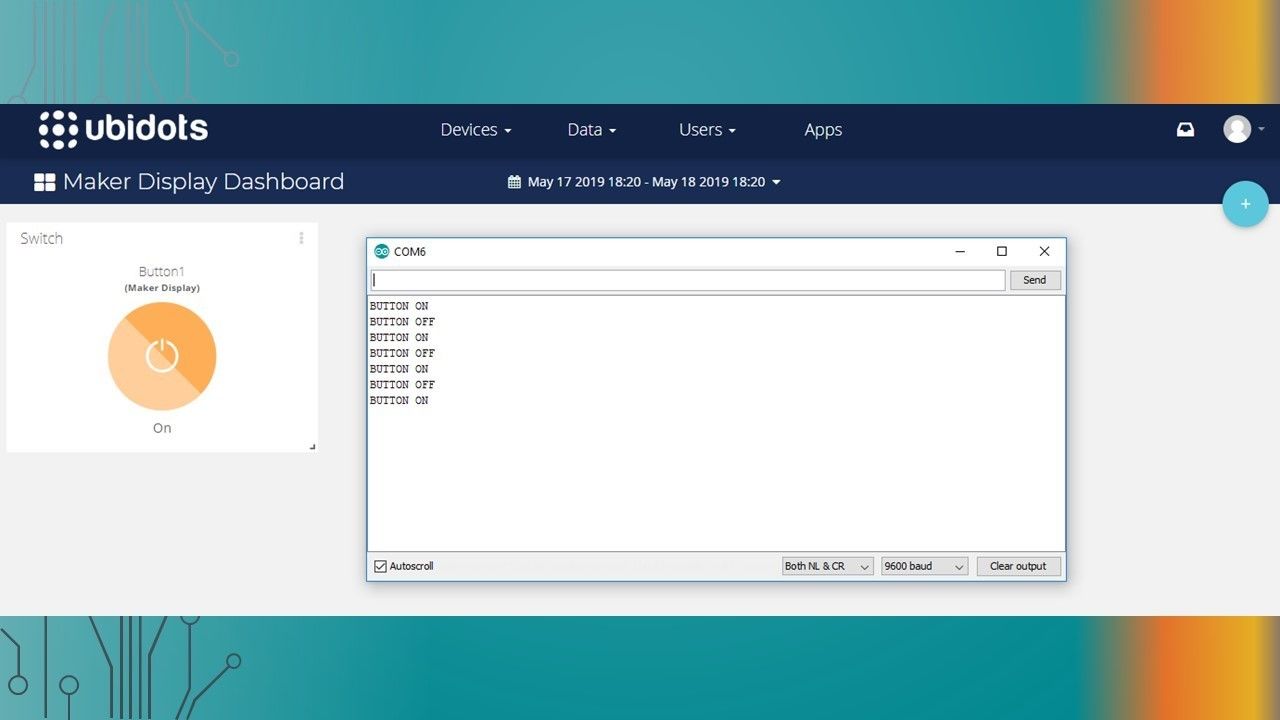
  27. Testing the button with the Maker Display

    • Testing the button with the Maker Display
  28. Slide 28

    • Ubidots Setup

Informações

Descrição
The process to setup the Ubidots dashboard button.
Criado por
Scott C · mai 2019
Atualizado
19 mai 2019
Visualizações
1.062
Avaliação

Fale Conosco

Sobre o que é sua mensagem?

O que você acha do novo visual?

Você gostou?