
Flashcards
State Diagram
Flashcards do conjunto (10)
- 1What is a State Diagram?A state diagram shows the behavior of classes in response to external stimuli. Specifically a state diagram describes the behavior of a single object in response to a series of events in a system.
- 2What is the Difference between a State Diagram and a Flowchart?A flowchart illustrates processes that are executed in the system that change the state of objects. A state diagram shows the actual changes in state, not the processes or commands that created those changes.
- 3How to Draw a State Diagram1. Find the initial and final state of the object in question.
2. Think of the states the object might undergo.
3. Certain transitions will not be applicable when an object is in a particular state - 4Basic State Chart Diagram Symbols and NotationsStates
Transition
Initial State
Final State
Synchronization and Splitting of Control
History - 5StatesStates represent situations during the life of an object. You can easily illustrate a state in SmartDraw by using a rectangle with rounded corners.
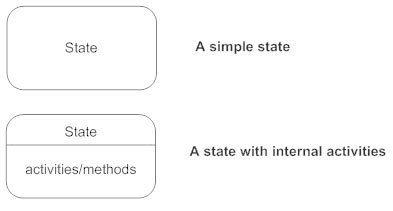
- 6TransitionA solid arrow represents the path between different states of an object. A state can have a transition that points back to itself.

- 7Initial StateA filled circle followed by an arrow represents the object's initial state.

- 8Final StateAn arrow pointing to a filled circle nested inside another circle represents the object's final state.

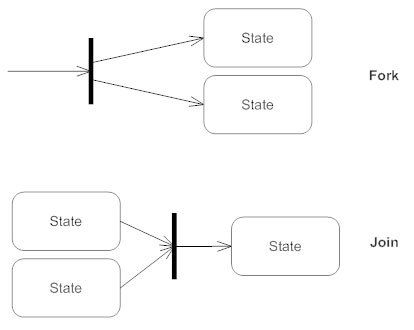
- 9Synchronization and Splitting of ControlA short heavy bar with two transitions entering it represents a synchronization of control.
- 10HistoryThe history icon is placed inside a superstate to model the behavior of the superstate having intelligence to remember the last substate that control was in.

Informações
- Descrição
- FlashCards about State Diagram
- Criado por
- José Alfredo Santes Benítez
- Visualizações
- 23
- Tags
- Avaliação