
4019758
Presentation
Description

Slide Set by PuurplePandaPaws, updated more than 1 year ago
More
Less
|
|
Created by PuurplePandaPaws
about 10 years ago
|
|
Resource summary
Slide 1
Point of presence
An access point to the internet. Normally, it is a location which has all of the hardware which allows internet users access to the internet.
Slide 2
Network access point
An interchange between networks within the internet.
Slide 3
Internet Protocol
The Internet Protocol (IP) is the method or protocol by which data is sent from one computer to another on the internet. Each computer (known as a host) on the Internet has at least one IP address that uniquely identifies it from all other computers on the Internet.
Slide 4
Transmission Control Protocol
TCP enables two hosts to establish a connection and exchange streams of data. TCP guarantees delivery of data and also guarantees that packets will be delivered in the same order in which they were sent.
Slide 5
File Transfer Protocol
File Transfer Protocol (FTP) is a standard Internet protocol for sending files between computers on the Internet over TCP/IP connections.
Slide 6
Internet Service Provider
Direct connection to the internet would be very costly and so ISPs provide a cost-effective
gateway for people and organisations to get onto the internet. In the UK there are many
ISPs, with some of the most popular ones being BT (British Telecom), Virgin Media and Sky.

Slide 7
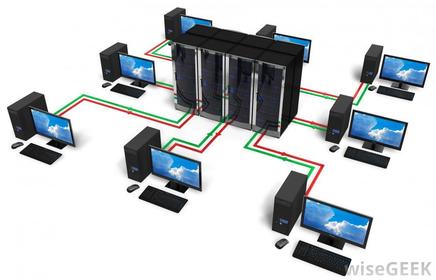
Server
er A computer or program which runs purely to serve the needs of other computers. It runs special
server software to service the requirements of the users (clients).
Slide 8
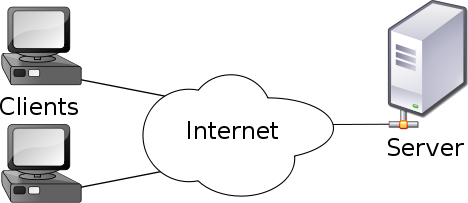
Client
A computer that uses the services given by the server.
Slide 9
Router
a device which forwards data packets to the appropriate parts of a computer network and finds the quickest way for the packets to get there.
Slide 10
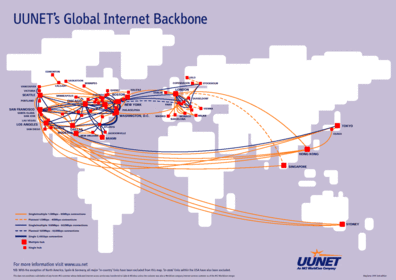
Backbone
The main connecting data routes between large networks on the internet and smaller networks in
local regions.
Slide 11
Wireless
A connection that doesn't require wires. It is not fixed to a stationary computer and can be used wherever there's an wireless internet connection.

Slide 12
Broadband
A wired connection through a broadband supplier. It has better reception and faster than dial-up.

Slide 13
Dial-up
A wired connection using a modem and telephone lines. It can use existing telephone lines, giving connection where broadband is not available
Slide 14
Bit
A bit (short for binary digit) is the smallest unit of data in a computer. A bit has a single binary value, either 0 or 1 and is the amount of data
transferred within a unit of time
Slide 15
Bandwidth
Bandwidth is how the speed of sections of the internet is measured. It is measured in bits per second - the number of bits of data that can be transmitted in one second. High bandwidth means more information can be moved during that time, therefore giving a faster internet connection.
Slide 16
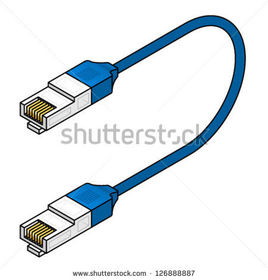
An Ethernet cable
is used to connect a user to a
network.
Ethernet
Slide 17
THE WORLDWIDE WEB

Slide 18
Hyperlink
The world wide web works because of hyperlinks. They connect web pages together. When a hyperlink is clicked, a user is taken to another page on a website or a completely different website.

Slide 19
Web Servers
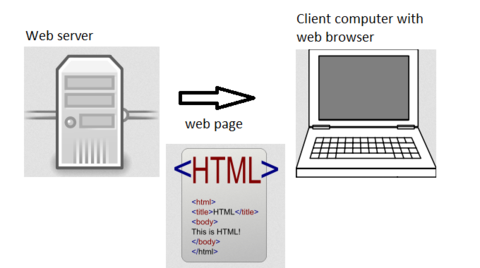
Websites are stored on web servers. When a user accesses a website through a web browser it is temporarily downloaded onto their computer. It is the web server's job to deliver the web page requested.
Slide 20
Wizard
A sequence of dialogue boxes which lead the user through a series of well-defined steps.

Slide 21
HTML
HTML is a computer language used to create web pages. You can create HTML directly in the language itself or by using authoring software (such as Adobe® Dreamweaver ® or Microsoft ® Expression) which uses templates and wizards to create HTML code.

Slide 22
HTML Elements
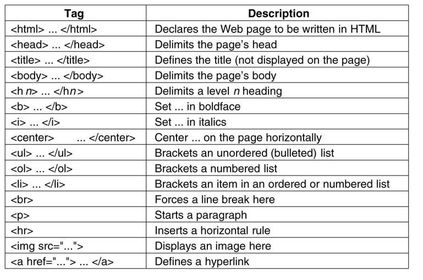
HTML is made up of tags. Most of them are in pairs. Pairs of tags are called HTML ELEMENTS. The open tag is written between triangular brackets . Most tags also have a close tag, which is the same as an open tag but includes a forward slash e.g. text.
Slide 23
URL
A URL (Universal Resource Locator) is an address for a web page. A URL is made up of several parts. The protocol tell the browser what to do with the URL.. The domain is the name of the website and the path points to a specific web page.
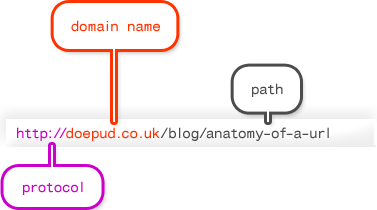
Caption: : Parts of A URL
Slide 24
Search Engines.
Search engines are websites that allow users to find data on the internet. Examples include google.com and yahoo.com. The items are normally presenting in ranking order, with the most popular or relevant results at the top of the list. Some websites pay search engines for they're websites to be at the top in order to get viewed by more people.
Slide 25
Codec
A device or program used to encode or decode data. We need codecs because video and music files are large, they become difficult to transfer across the Internet quickly. To help speed up downloads, mathematical "codecs" were built to encode ("shrink") a signal for transmission and then decode it for viewing or editing. Without codecs, downloads would take three to five times longer than they do now.
Slide 26
Devices/Components
Used as a generic term to mean computers, peripheral hardware, mobile telephones, manufacturing plant, environment monitors and many other things.
Slide 27
Peripheral
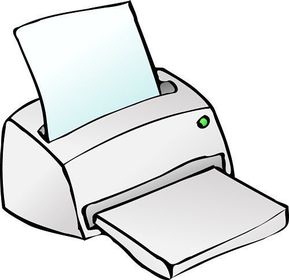
Any device, such as a printer, attached to a computer to expand its functionality.
Slide 28
Internet Packet
A formatted block of data sent over the networks and the internet. A packet contains the addresses of send and destination, the data and error checking.
Slide 29
Mbps
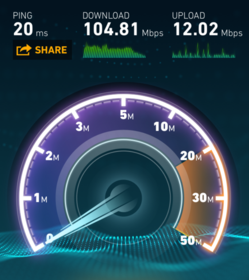
Stands for megabits per second. Approximately a million bits can be transmitted through the media in one second. It is a measure of bandwidth (the total information flow over a given time) on a telecommunications medium.
Slide 30
Gbps
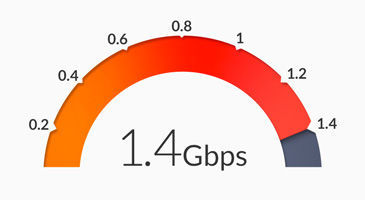
When spelled Gbps, short for Gigabits per second, a data transfer speed measurement for high-speed networks such as Gigabit Ethernet. When used to describe data transfer rates, a gigabit equals 1,000,000,000 bits.
Slide 31
Sun Spot Activity
Sun Spot Activity
From time to time there is the equivalent of a huge wave of flame released from the surface of the Sun. This releases millions of charged particles, some of which hit the Earth. These can cause disruption to data transmissions.
Slide 32
Geostationary Satellites
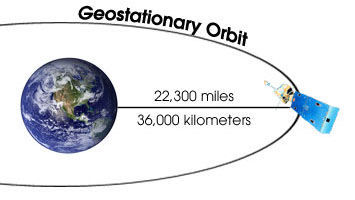
A satellite orbiting the Earth at a height of 35,786 km does so at the same speed that the Earth
is rotating. It therefore appears to be stationary above a single point on the Earth’s surface.
Slide 33
Byte
In most computer systems, a byte is a unit of data that is eight binary digits long. A byte is the unit most computers use to represent a character such as a letter, number, or typographic symbol (for example, "g", "5", or "?").
Slide 34
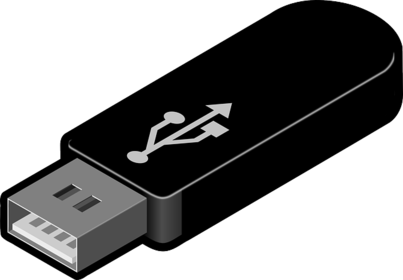
USB
-USB, short for Universal Serial Bus, is a standard type of connection for many different kinds of devices. Generally, USB refers to the types of cables and connectors used to connect these many types of external devices to computers. -A higher speed serial connection standard that supports low-speed devices (e.g. mice, keyboards, scanners) and higher-speed devices (e.g. digital cameras).
Slide 35
Client side processing
Client-side processing is the use of a scripting language to create code on web pages which provides interactivity. The important point is that the interaction takes place within the web page and the code is downloaded to the user’s computer when the web page is opened by the user's browser. Benefi ts of client-side processing include:•Speed: The interaction may be faster once the code has been downloaded with thepage.Security: It is more secure (than server-side processing) as all the action takes placein the downloaded page and nothing comes from the browser, which could causecorruption or security problems. Disadvantages of client-side processing include:•It is browser specific: Not all scripts work the same way on all browsers, so you mayhave to create different versions depending on the browsers used.•Computer speed: It can be affected by the speed of your own computer. Asall of the activity is taking place on a downloaded web page, the speed of thedownload and the speed of processing will depend on your computer system. If theprocessing is complex or resource hungry, it may run slowly or cause other programsto run slowly on your system.
Slide 36
Server side processing
Server-side processing involves the use of scripts which reside and are run on another computer on the internet (the web server). Information is submitted to a server which processes it to provide results in the form of a web page. Benefits of server-side processing include:
•Efficiency: Complex code may run more efficiently, as it does not have to be downloaded on to the user’s computer. Browser independent: The code is browser independent so therefore can be run on any web browser. Speed: Performance is affected only by the speed of the web server. As all of the processing is done on the web server, the speed of your own computer is only significant for the downloading of the web pages. All of the other processing takes place on a highly resourced and speedy server.
Disadvantages of server-side processing include:Security: The exchange of data over the network may present security risks.Overloading: A server needs to be able to cope with large volumes of users.j
Slide 37
Bi-directional transmission
Bi-directional transmission has several meanings within data communication, but it is essentially about transmitting in both directions. Most recently the term has been applied to fibre optics. Using the current technology, light passes in one direction only, so you have to add extra fibres to the bundle to carry a signal in the opposite direction.
Slide 38
Packet switching
Packet switching is the process of data being broken into 'packets' before being sent through a network and then resembled at the other end. This method is used on the internet.

Slide 39
Simplex
Simplex transmission: sends data in one direction only. A radio broadcast is a good example of simplex transmission.

Slide 40
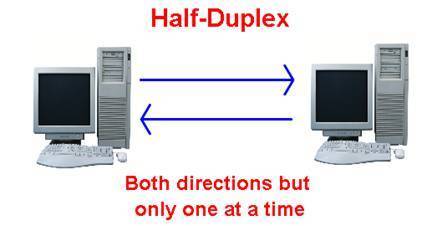
Half duplex
Half-duplex transmission: allows two-way transmissions but the devices don’t transmit at the same time. A system being used to monitor and control manufacturing processes can use half-duplex transmissions. It will send a message to the control computer, which will respond with new settings, but they both cannot send messages at the same time. Some network systems use half-duplex to maximise bandwidth.
Slide 41
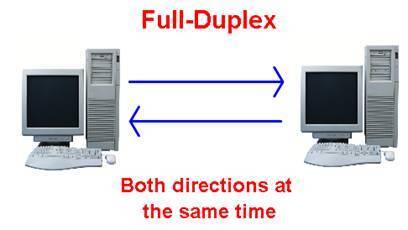
Full duplex
It allows two-way communication at the same time. The telephone system, land or mobile, is an example of a full duplex system.
Slide 42
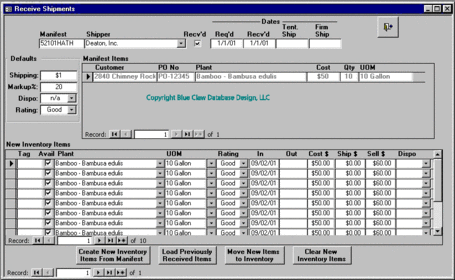
Database
A collection of data stored in a structured way.
Slide 43
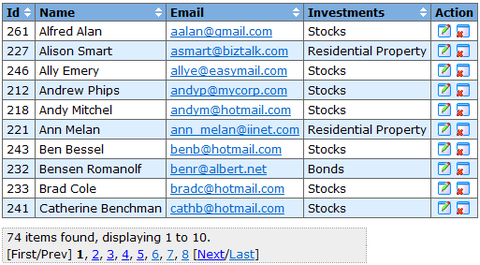
Table
A set of data is stored in a table, for examples information about all of the learners in a school.
Slide 44
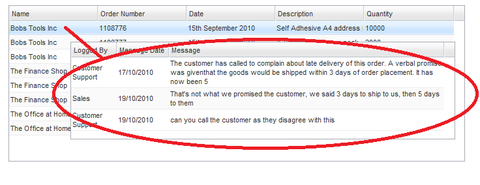
Record
A row in a table that stores data about a single item is a record, for example information about one learner.
Slide 45
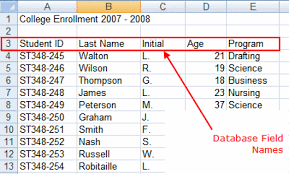
Fields
The columns in a table store categories called fields, for example Name, Address, Gender, Date of Birth.
Slide 46
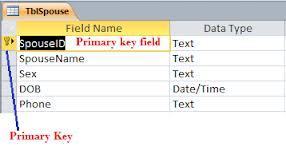
Primary key
A single unique key used to identify each record in a table.
Slide 47
Foreign key
A field which can be used to cross-reference and access associated information across many tables.

Slide 48
DBMS
The DBMS allows you to create, maintain, search and sort data on a database. It allows different users to access the database at the same time, and can provide different levels of access to the data.
Slide 49
SQL
SQL is the language that generates the code used by the DBMS.
Slide 50
DML
data Manipulation Language (dML): This is the part used to add, delete, change and query the data which is held in the database structure.
data Manipulation Language (dML): This is the part used to add, delete, changeand query the data which is held in the database structure.
Slide 51
DDL
data definition Language (ddL): This is the part which is used to define the database structure.
Slide 52
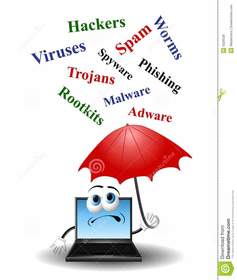
Threats to data
Slide 53
Opportunist
People who find an unattended computer which has been left logged in to a system may view, steal or damage information, programs or even hardware.

Slide 54
Virus
These are small programs which can replicate themselves and spread from computer to computer. They are never beneficial; usually they will make some changes to the system they infect and, even if they do no real damage, they are undesirable. They arrive by attaching themselves to files or email messages.

Slide 55
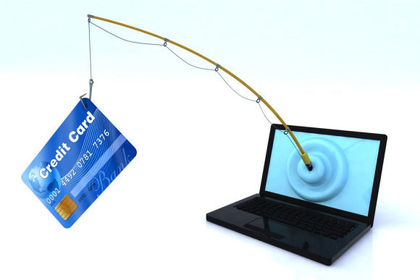
Phishing
This is a type of threat which attempts to gain access to passwords, financial details and other such privileged information. Often this is done by email messages pretending to come from trusted websites, instant messaging or social networks. Normally they try to divert you to a website which looks original and which asks for information about you.
Slide 56
Trojan (Malware)
Trojans are malicious programs that perform actions that have not been authorised by the user. These actions can include:Deleting dataBlocking dataModifying dataCopying dataDisrupting the performance of computers or computer networksMalware is an abbreviated term meaning “malicious software.” This is software that is specifically designed to gain access or damage a computer without the knowledge of the owner. There are various types of malware including spyware, keyloggers, true viruses, worms, or any type of malicious code that infiltrates a computer.

Slide 57
Protection of data
Slide 58
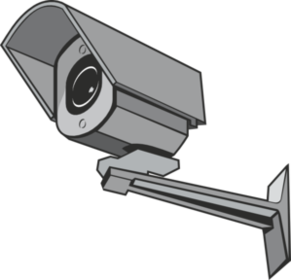
Physical barriers
Real world protection such as locks on doors, CCTV cameras and turning computers off at night.
Slide 59
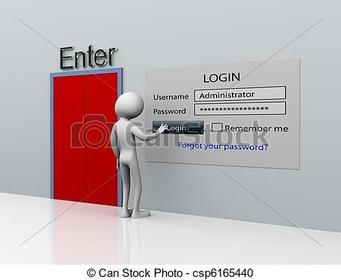
Password Control of Access
Using strong passwords that are at least eight characters long, and include at least on uppercase letters, lowercase letter, number and symbol.
Slide 60
Access Levels
Ensuring people only have access to the parts of the system they need and training them before giving them greater access.

Slide 61
Anti-virus software
This is set up to intercept computer viruses before they can become resident on the computer. The software can isolate the virus, remove it and sometimes repair any damage. Equivalent security programs exist for other types of malware.

Slide 62
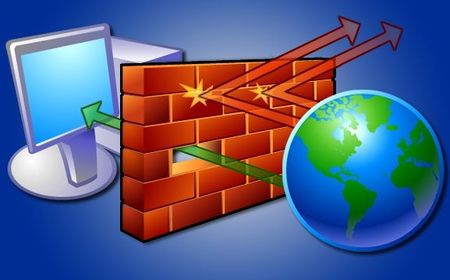
Firewall
Software that monitors data coming in and out of a network and protects it from viruses, malware and hackers. It puts a 'wall' around a network..
Slide 63
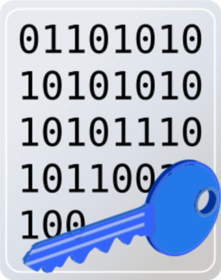
Encryption
Turning data into a secret code before sending it over a network or the internet, so that if it is intercepted it will not be understood.
Slide 64
Backup and recovery
Making a copy of data in a different place to the original becomes corrupt or is accidentally deleted.
Slide 65
Recovery
Making a backup of data is the only way of recovering from a total data disaster. Many individuals and organisations back up data to Flash ® solid state storage devices or magnetic tape at night. The tapes are stored safely in a separate place, so that they are not destroyed by any disaster which could destroy the master system (fire, earthquake, etc.).

Slide 66
Legislation
A number of relatively laws exist within the UK in response to the increased use of computer systems. Data Protection Act 1998 - Provides 8 principles that govern the way data about individuals is stored and used.Computer Misuse Act 1990 - Introduced to protect from hackers and malicious use of viruses Copyright, Designs and Patents Act 1988 - Protects creators of original works.Freedom of Information Act 2000 - Provides individual the right to see information stored about them. Data can be accessed about public bodies.
Slide 67
The 8 principles of the data protection act
Processed fairly and lawfully.
Processed only for one or more specified and lawful purpose.
Adequate, relevant and not excessive for those purposes.
Accurate and kept up to date - data subjects have the right to have inaccurate personal data corrected or destroyed if the personal information is inaccurate to any matter of fact.
Kept for no longer than is necessary for the purposes it is being processed.
Processed in line with the rights of individuals - this includes the right to be informed of all the information held about them, to prevent processing of their personal information for marketing purposes, and to compensation if they can prove they have been damaged by a data controller's non-compliance with the Act.
Secured against accidental loss, destruction or damage and against unauthorised or unlawful processing - this applies to you even if your business uses a third party to process personal information on your behalf.
Not transferred to countries outside the European Economic Area - the EU plus Norway, Iceland and Liechtenstein - that do not have adequate protection for individuals' personal information, unless a condition from Schedule four of the Act can be met.
Want to create your own Slides for free with GoConqr? Learn more.