
Notes
Visual Basic - creado desde un Mapa Mental

Content of the notes (1)
Page 1
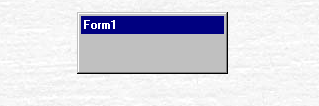
Formulario
Cuadro de herramientas
propiedades de objetos
tipos de datos
estructuras de control
Name: Name of the form, necessary to call the form from the code. Caption: Text that appears in the form title Backcolor: Background color of the form. Forecolor: color of the form text.
WindowState: It allows us to indicate the way in which the form will appear when it is called. It has three possible values: 0 es Normal, 1 es Minimized y 2 es Maximized.
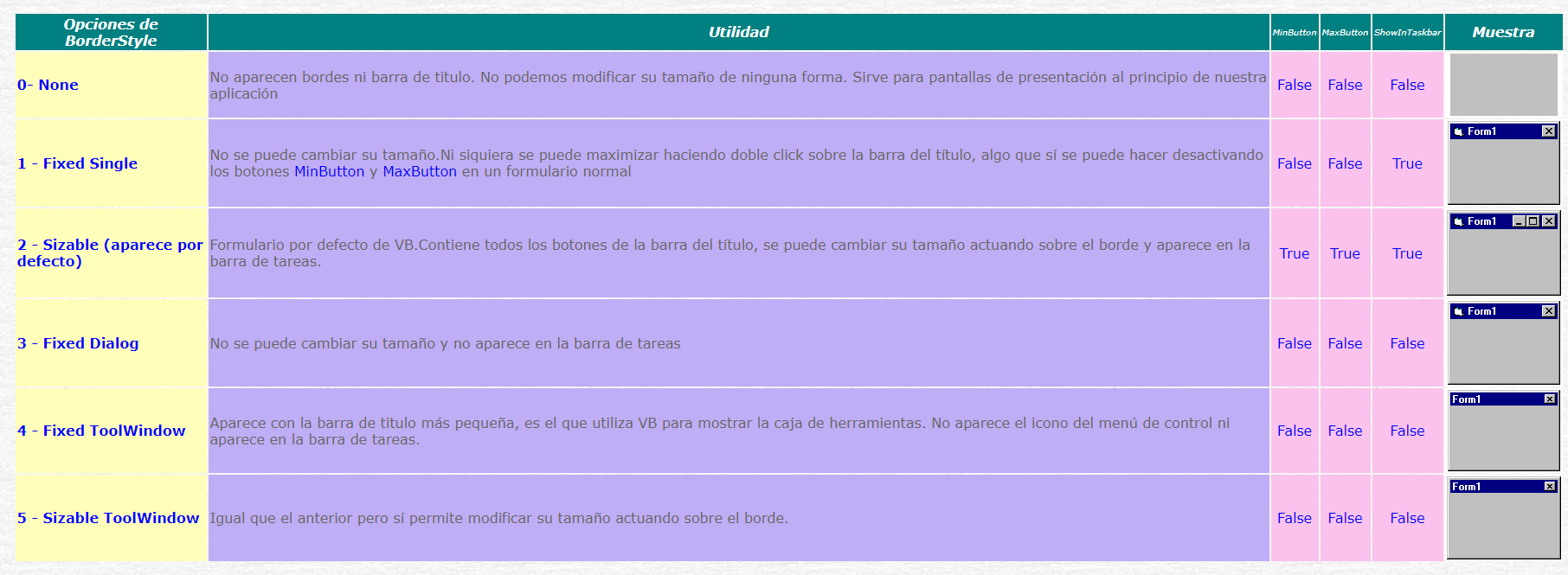
MinButton and MaxButton: These are two properties that only support True or False values. They allow the minimize and maximize buttons to be enabled
Tomado de http://moisesrbb.tripod.com/formular.htm
ShowInTaskbar: Through this property we can control which particular form appears or not in the Windows taskbar
Icon: It allows us to modify the icon that appears to the left of the title bar
ControlBox: Controla la aparición del menú de control
Seleccionar objetos
Label
TextBox
ComboBox
MyListBox
CheckBox
OptionButton
Propiedad
Frame
Propiedad CommandButton
Tabula
MultiPage
ScrollBar
SpinButton
Image
Tomado de https://docs.microsoft.com/es-es/office/vba/language/reference/user-interface-help/toolbox
Form
Label
Textbox
Button
Msgbox dialog box:
Boolean
Byte
Char
Date
Decimal
Double
Integer
Long
Object
SByte
Short
Single
String
UInteger
ULong
User-Defined
UShort
Tomado de https://visualbasictutor.wordpress.com/tipos-de-datos-de-visual-basic/
IF–THEN–ELSE
While–Wend
SELECT–CASE
FOR–NEXT


Information
- Description
- Ciencias Medioambientales Note on Visual Basic - creado desde un Mapa Mental, created by William Fontecha Caceres on 02/04/2019.
- Created by
- William Fontecha Caceres
- Views
- 1
- History
-
- Created by William Fontecha Caceres · Apr 2, 2019
- Copied to Note by William Fontecha Caceres · Apr 2, 2019
- Rating