
Mindmap
Unit 2.6 - Data Representation
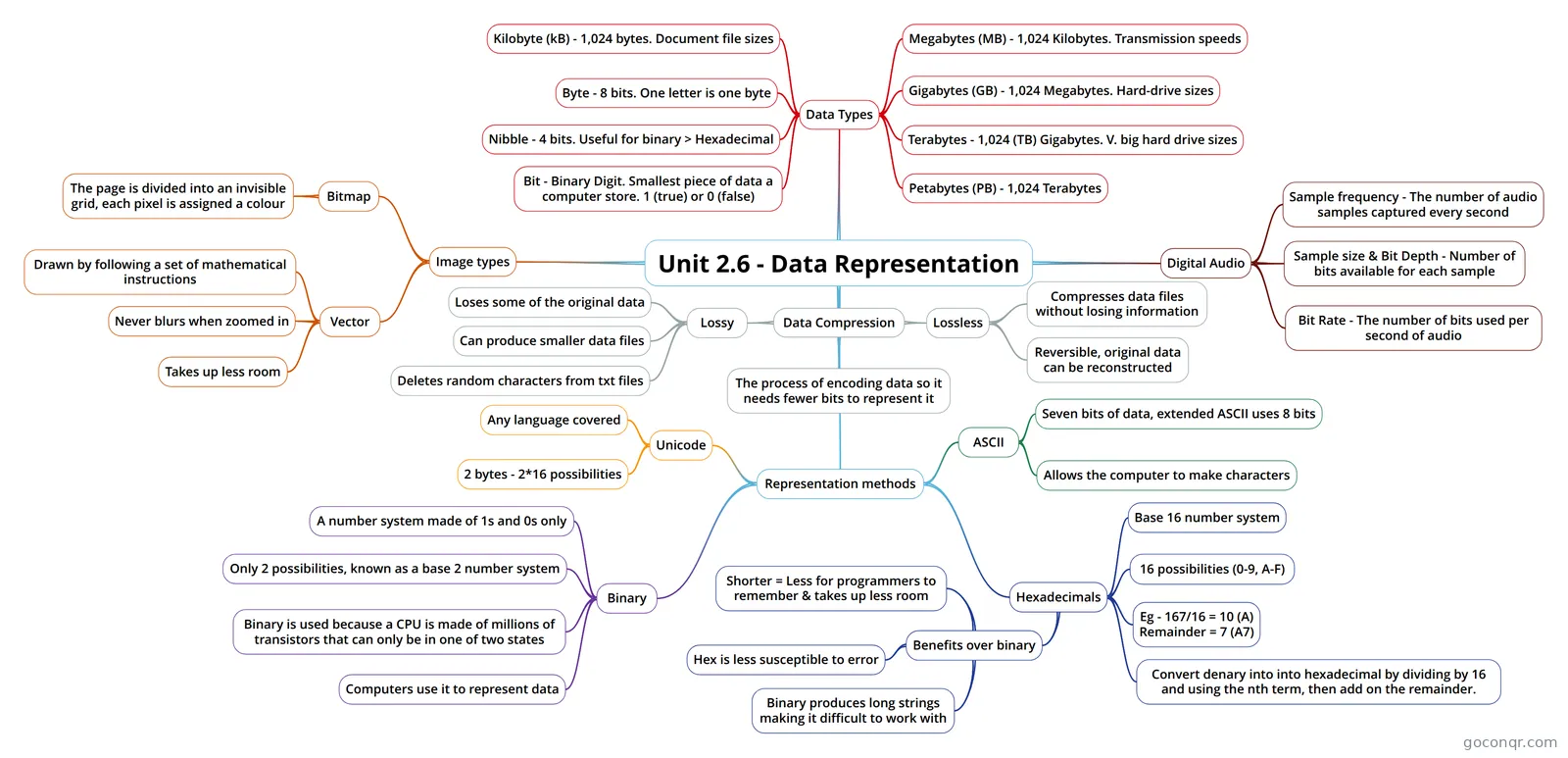
Mind map: data representation
Inhalt der Mindmap
Unit 2.6 - Data Representation
Data Types
- Bit - Binary Digit. Smallest piece of data a computer store. 1 (true) or 0 (false)
- Nibble - 4 bits. Useful for binary > Hexadecimal
- Byte - 8 bits. One letter is one byte
- Kilobyte (kB) - 1,024 bytes. Document file sizes
- Megabytes (MB) - 1,024 Kilobytes. Transmission speeds
- Gigabytes (GB) - 1,024 Megabytes. Hard-drive sizes
- Terabytes - 1,024 (TB) Gigabytes. V. big hard drive sizes
- Petabytes (PB) - 1,024 Terabytes
Image types
- Bitmap
- The page is divided into an invisible grid, each pixel is assigned a colour
- Vector
- Drawn by following a set of mathematical instructions
- Never blurs when zoomed in
- Takes up less room
- Bitmap
Representation methods
- Binary
- A number system made of 1s and 0s only
- Only 2 possibilities, known as a base 2 number system
- Binary is used because a CPU is made of millions of transistors that can only be in one of two states
- Computers use it to represent data
- Hexadecimals
- Base 16 number system
- 16 possibilities (0-9, A-F)
- Convert denary into into hexadecimal by dividing by 16 and using the nth term, then add on the remainder.
- Eg - 167/16 = 10 (A) Remainder = 7 (A7)
- Benefits over binary
- Binary produces long strings making it difficult to work with
- Hex is less susceptible to error
- Shorter = Less for programmers to remember & takes up less room
- ASCII
- Seven bits of data, extended ASCII uses 8 bits
- Allows the computer to make characters
- Unicode
- 2 bytes - 2*16 possibilities
- Any language covered
- Binary
Digital Audio
- Sample frequency - The number of audio samples captured every second
- Sample size & Bit Depth - Number of bits available for each sample
- Bit Rate - The number of bits used per second of audio
Data Compression
- The process of encoding data so it needs fewer bits to represent it
- Lossless
- Compresses data files without losing information
- Reversible, original data can be reconstructed
- Lossy
- Loses some of the original data
- Can produce smaller data files
- Deletes random characters from txt files
Informationen
- Beschreibung
- Year 10 Computing Mindmap am Unit 2.6 - Data Representation, erstellt von Dan Roberts am 14/03/2019.
- Erstellt von
- Dan Roberts
- Aufrufe
- 8
- Bewertung