
Computer Systems
608 resources created by 551 users
This Computer Systems page on GoConqr gathers community-made mind maps, quizzes, flashcards and notes on the CPU, memory, storage, input and output devices, operating systems and logic gates. It's built for school students revising hardware and software topics, and for teachers after ready-made material. There are over 5,000 resources here, including more than 100 quizzes and over 3,500 mind maps, mostly at secondary level and aimed at courses such as GCSE Computer Science. Pick a topic, try a quiz, then build your own.
Top Computer Systems resources
-
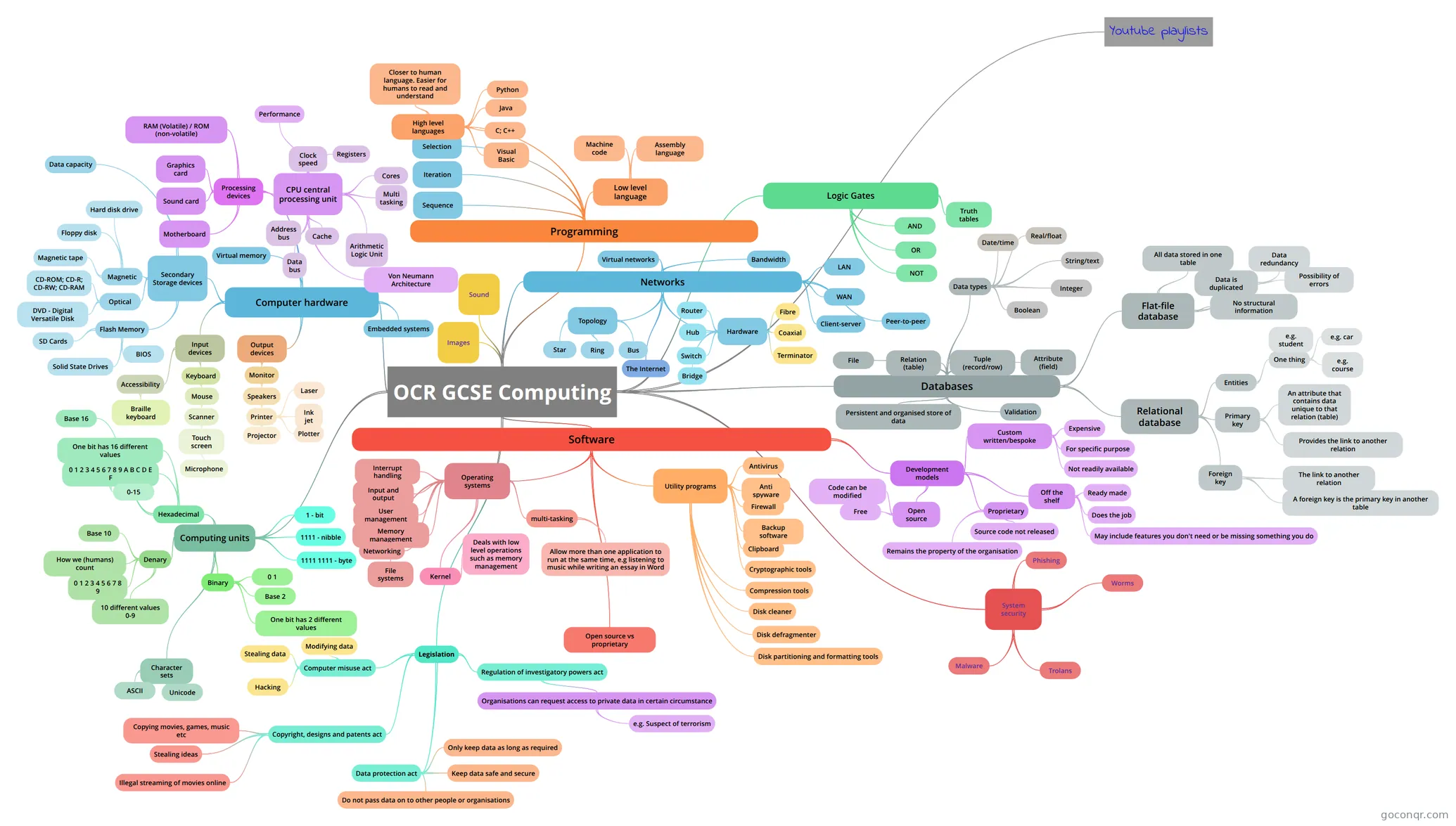 Mind map OCR GCSE Computing
-
61 cardsComputer Science Flash Cards For Section 1 What does CPU stand for and what is it?
-
31 questionsSDP10 Final - Part II Given the declaration int A[10][20]; in C, the following assembly code implements A[i][j] = 1; (assuming A,...
-
21 questionsChapter 3 Review A technician is troubleshooting a PC that will not boot. When the PC is powered on, it emits a series of be...
-
34 cardsocr gcse computing - chapter 1 What is a computer?
-
61 cardsGCSE AQA Computer Science - Definitions This is not a challenge for the light-hearted. You must have complete knowledge of all, to be capable of ha...
-
44 cardsA-Level Computer Science mock To Help With Mock Test
-
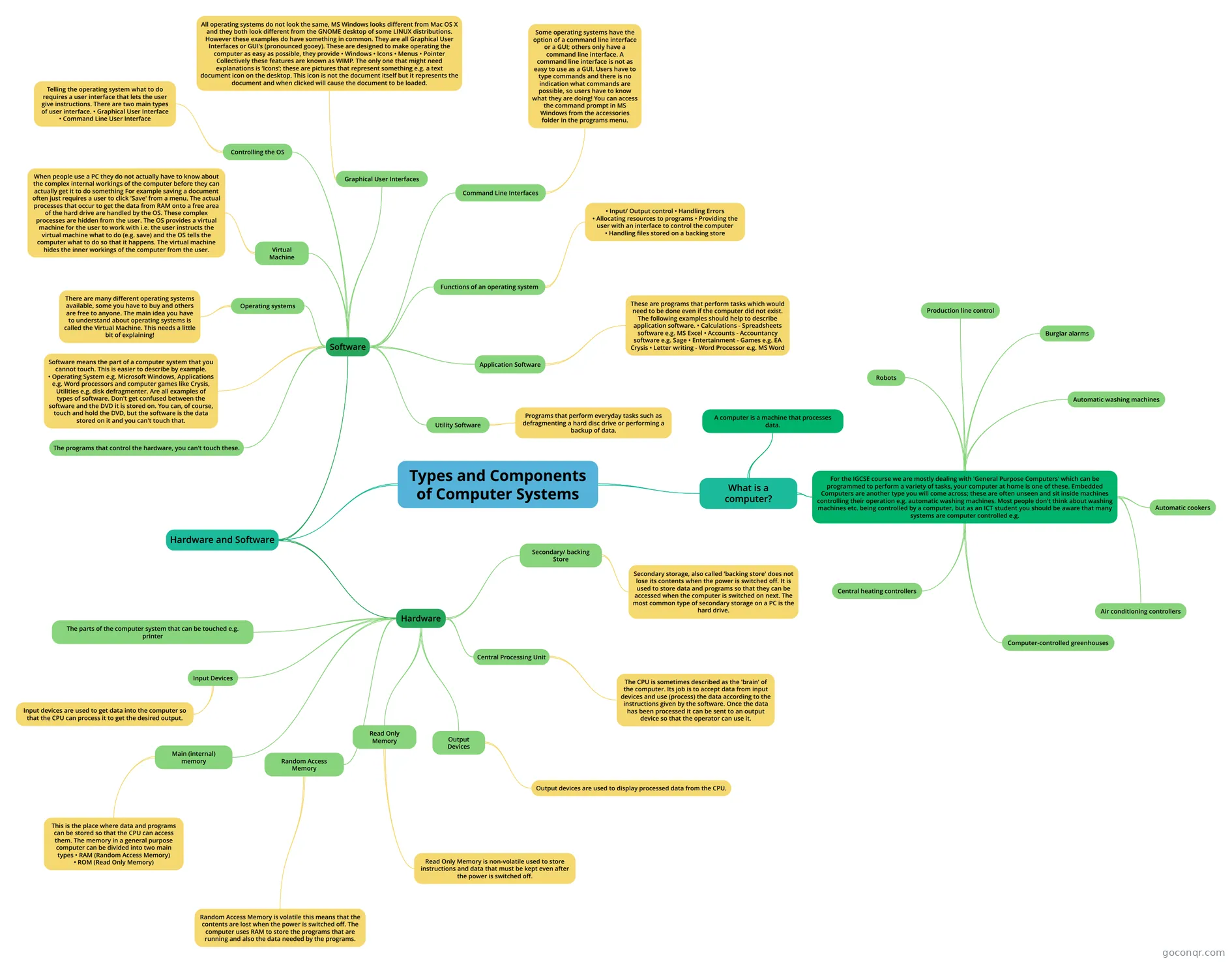 Mind map Types and Components of Computer Systems
Quizzes
See all 66 quizzes-
31 questionsSDP10 Final - Part II Given the declaration int A[10][20]; in C, the following assembly code implements A[i][j] = 1; (assuming A,...
-
21 questionsChapter 3 Review A technician is troubleshooting a PC that will not boot. When the PC is powered on, it emits a series of be...
-
10 questionsCPU and Memory What hardware defines a computer?
-
32 questionsChapter 9 exam - v4.1 - printers Which factor affects the speed of an inkjet printer?
-
22 questionsChapter 9 Review Which factor affects the speed of an inkjet printer?
-
25 questionsSecondary storage devices Which of the following storage devices will most likely have the highest capacity?
-
10 questionsQuiz of the internal components of the computer The data that store in the memory components is not lost when the computer is off
-
9 questionsAQA GCSE Computer Science Quiz What are the data types
Mind maps
See all 282 mind maps-
OCR GCSE Computing
-
Types and Components of Computer Systems
-
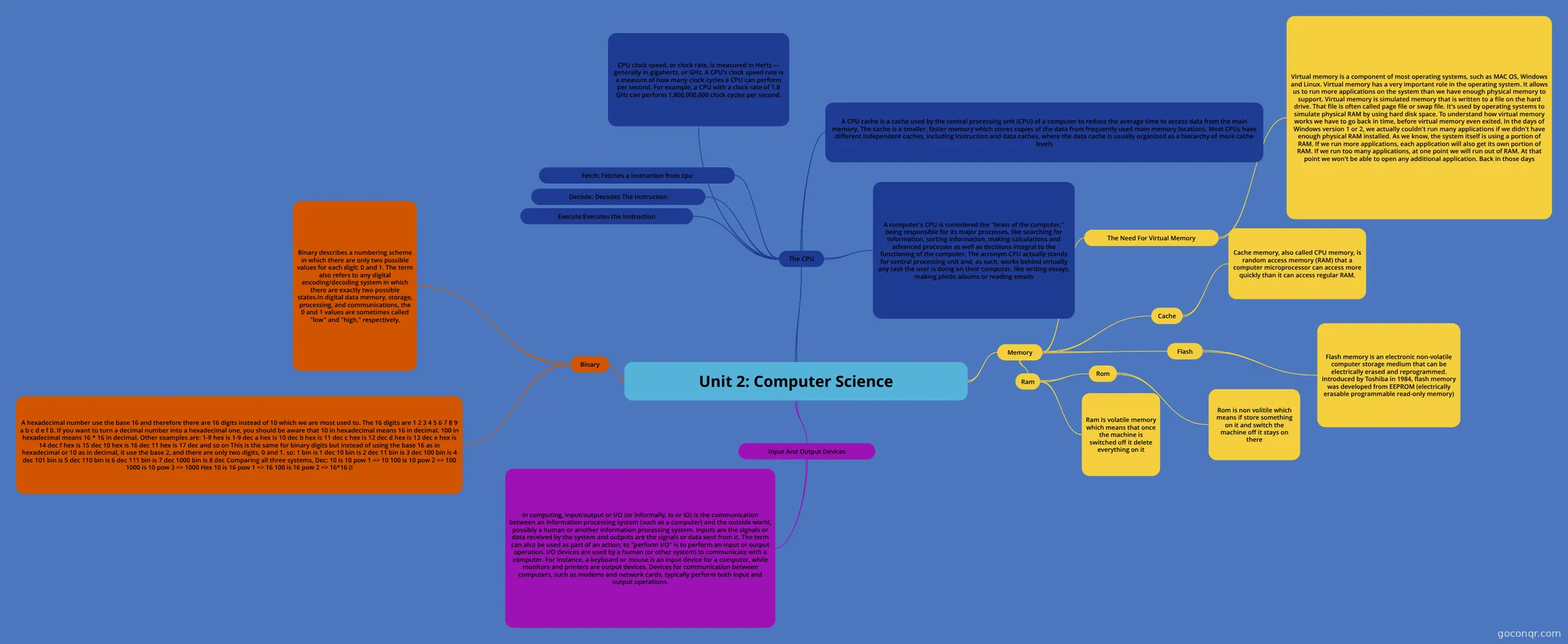 Unit 2: Computer Science
-
OCR GCSE Computer Science 1.1
-
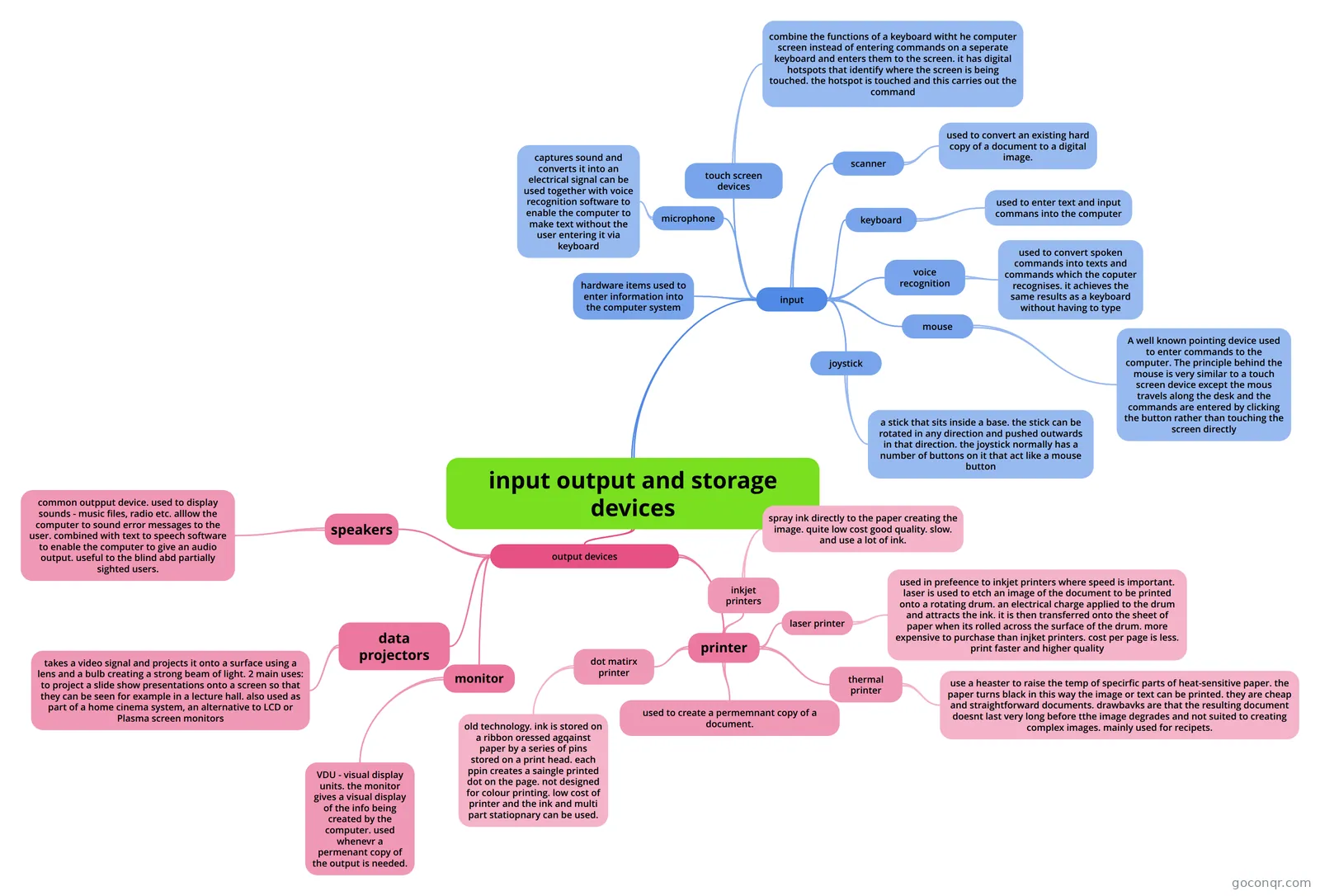 input output and storage devices
-
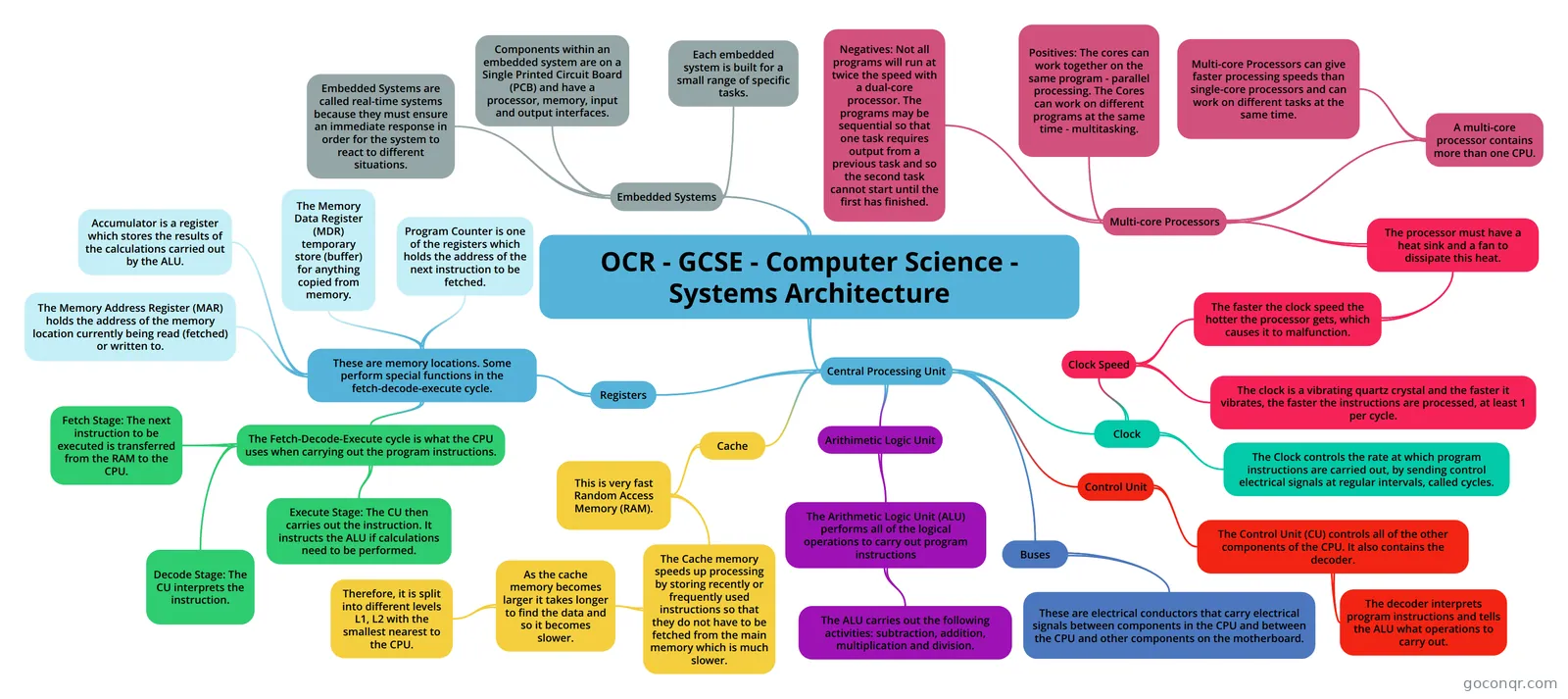 OCR - GCSE - Computer Science - Systems Architecture This is a mind map of all the content students will need to know for the GCSE OCR Computer Science speficat...
-
Computing Hardware - CPU and Memory OCR Computing - Hardware
-
Operating Systems Mindmap on Operating Systems
Flashcards
See all 241 flashcards-
61 cardsComputer Science Flash Cards For Section 1 What does CPU stand for and what is it?
-
34 cardsocr gcse computing - chapter 1 What is a computer?
-
61 cardsGCSE AQA Computer Science - Definitions This is not a challenge for the light-hearted. You must have complete knowledge of all, to be capable of ha...
-
44 cardsA-Level Computer Science mock To Help With Mock Test
-
30 cardsComp. Science Illuminated Ch 1-3 Key Terms
-
18 cardsHardware and Software What is a hardware?
-
8 cardsCS Flash Cards Very easy and short flash cards to memorize the simple parts of a PC
-
20 cardsHardware and Software Name one type of Optical Media
Flowcharts
Notes
See all 13 notes-
GCSE Computing: Hardware GCSE Computing: HardwareContentsKeywordsThe Central Processing Unit (CPU) How it works The fetch-execute cycle Dual-core and quad-core processors How common characteristics of CPU's such as clock speed, cache size and...
-
Input Devices And Media Fundamentals of Hardware and Software INPUT DEVICES AND MEDIAS Input This is what you put into the computer. Input may also refer to data, software or instructions that you enter into the computer’s memory. Input Medi...
-
GCSE notes
-
IT Unit One Unit 1 basics: CPU- Central Processing Unit- Controls what happens on the computer. Handles all instructions received from software and hardware Microprocessor- CPU with no memory (labour) Ex. Washing machine Input De...
-
GCSE Computing: Fundamentals of Computer Systems GCSE Computing: Fundamentals of Computer SystemsContentsKeywordsComputer Systems The importance of computer systems in the modern world Reliability of Computer Systems Factors that concern making computer systems Ethi...
-
Week 1 - Computer Systems & Networks Notes DefinitionsA computer 1. Accepts input in the form of instructions and data 2. Process the data according to a set of instructions (program) 3. Produces output in the form of information or actions What is a computer ...
-
Hardware and Software Hardware – Physical components that make up a computer system. Software – Computer programs and related data that provide the instructions for telling computer hardware what to do and how to do it. Hardware and softwa...
-
paper 2 topics 3.3 Fundamentals of data representation binary addition conversion units 3.4 Computer systems Hardware + Software Boolean logic Explain what is meant my system and application software Jobs of the os Von Ne...
Slides
More Computing and ICT (programming, computer science, digital skills, educational technology) topics
About Computer Systems
GoConqr OriginalWhat this unit covers
The resources here look at how a computer is put together and how its parts work. The mind map Unit 1.1 Systems Architecture breaks the CPU into its parts: MAR, MDR, CIR, ALU, CU, PC and the accumulator. Primary Storage compares RAM, ROM and cache, and notes that non-volatile memory keeps its contents when the power is off. Other maps cover input, output and storage devices, operating systems and utility software.
Where to start
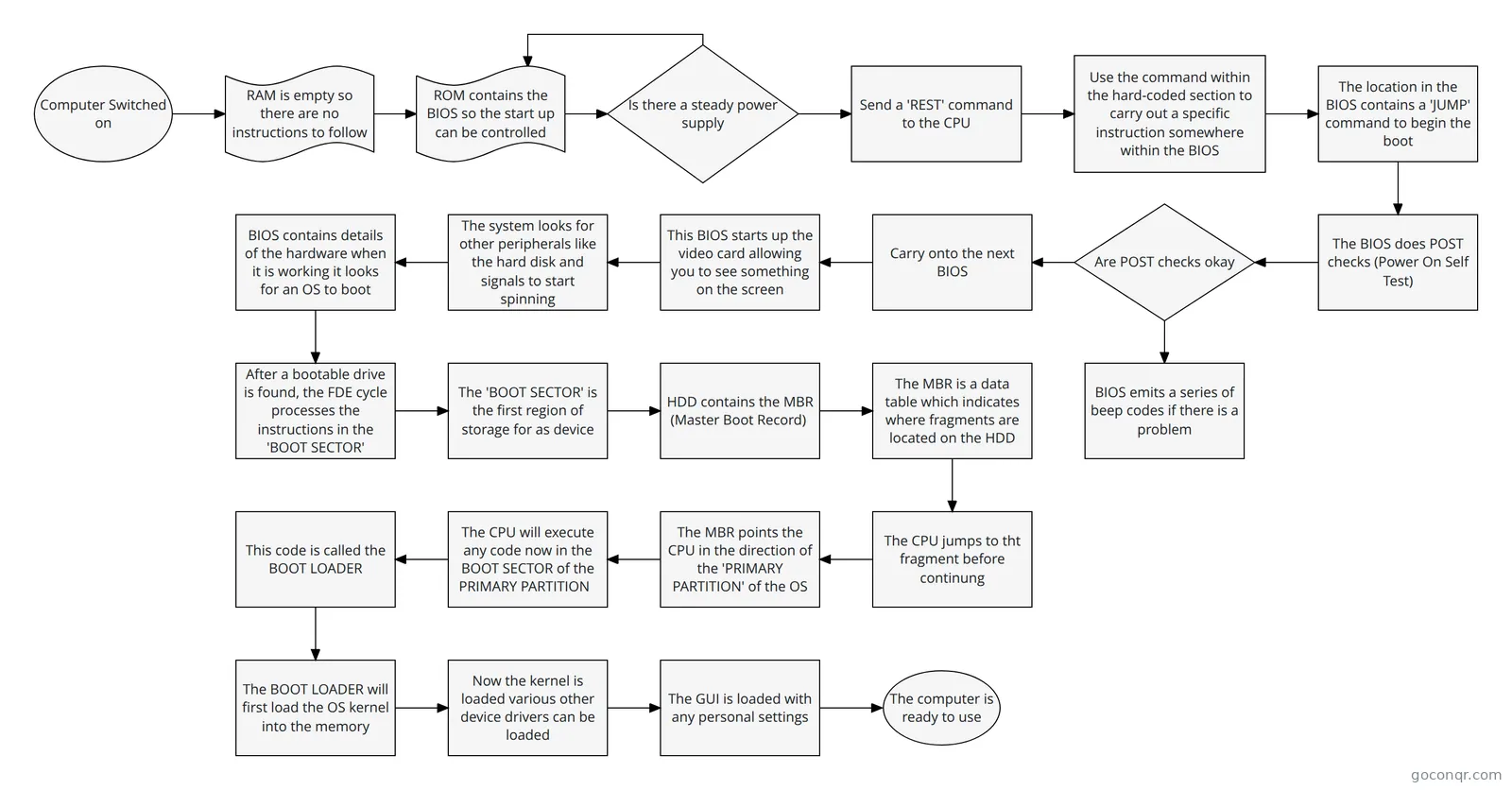
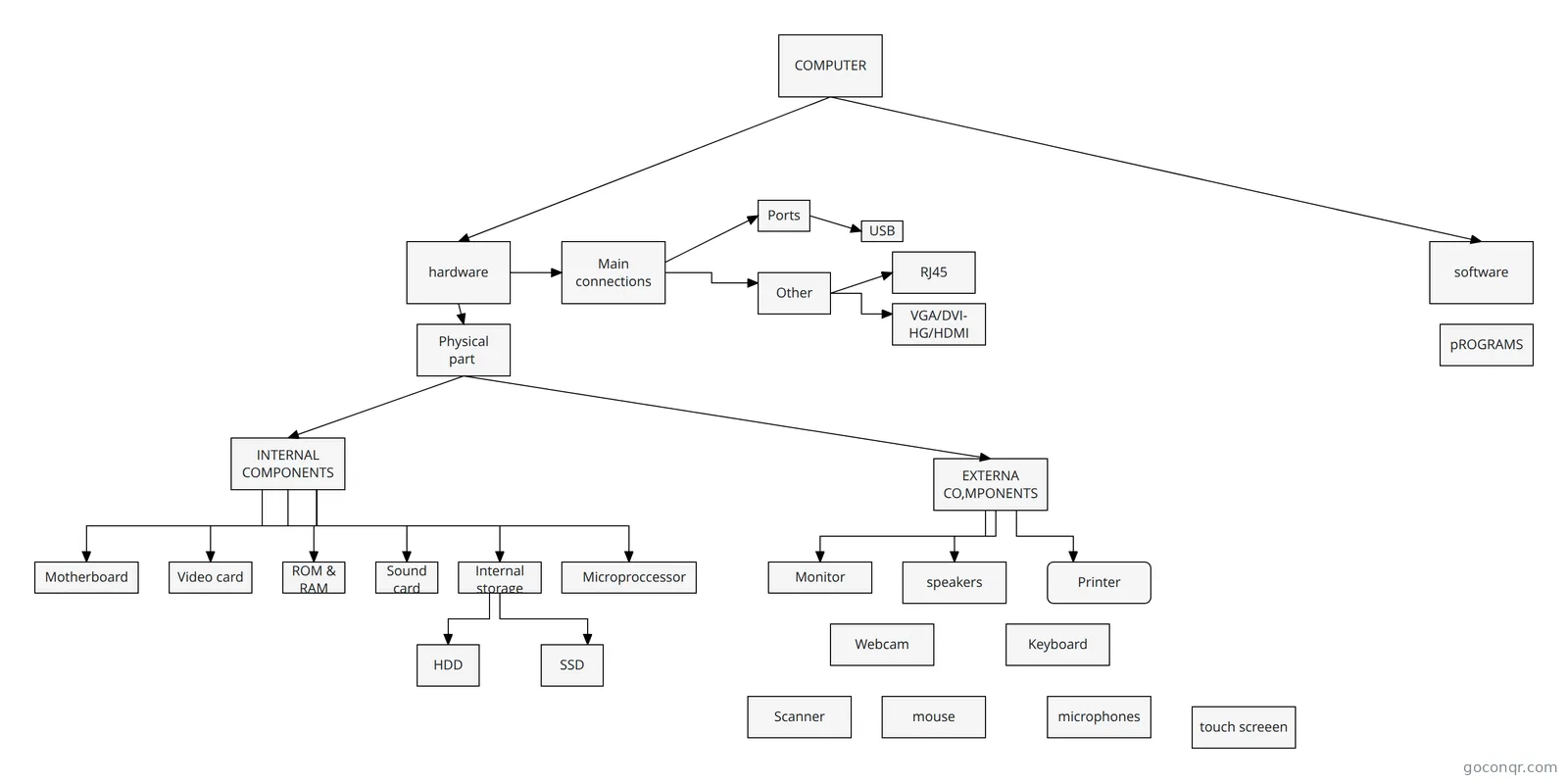
Begin with the big picture. OCR Computer Science: Computer Systems separates hardware from software, with examples of each. Then open OCR GCSE Computer Science 1.1 for the CPU and its fetch, decode and execute cycle. The BIOS flowchart is a short way to see what happens when a computer is switched on, since RAM is empty and ROM holds the start-up instructions.
Using maps and quizzes together
Read a map first, then test yourself. After the CPU maps, try the CPU and Memory quiz. After the storage maps, try Secondary storage devices or the Input and Output device quiz. Any question you miss tells you which branch of the map to go back to.
- Read a mind map on one topic.
- Take a quiz on the same topic.
- Revisit the branches you got wrong.
- Use a flashcard deck such as Logic Gates, Binary & Hex for key terms.
Exams and where this sits
Many resources mention GCSE Computer Science, GCSE Computing, A-level Computer Science, National 5 Computing Science and other courses. Teachers can use the notes and decks as ready-made revision material. This unit is part of the Computer Systems strand in Computing and ICT.
Choose one resource that matches your course, work through it, and then make a map or deck of your own.
Frequently asked questions
Which resource should I open first?
Start with the mind map OCR Computer Science: Computer Systems, which sets out hardware and software with everyday examples. Then move to OCR GCSE Computer Science 1.1 for the CPU and its registers. Once you have read both, try the CPU and Memory quiz to see what stuck.
What do the mind maps cover?
They cover the CPU and its registers, RAM, ROM and cache, primary and secondary storage, input and output devices, operating systems, utility software and logic gates. There are also broader overview maps that put hardware, software and networking side by side, which suit a first look at a topic.
Are the resources free to use?
Yes. Every resource on this page is free to open, study and take, with no account needed. They were made by GoConqr users, not by GoConqr itself. If you want to save quiz scores or make your own quizzes, maps, flashcards and notes, you can add a free account.
Which exams do these resources suit?
The listed resources mention GCSE Computer Science, GCSE Computing, GCSE ICT, IGCSE ICT, A-level Computer Science, National 5 Computing Science, SQA Higher, BTEC IT and others. Most are at secondary level, so check the title and content against your own course before relying on it.
What if I can't find the topic I need?
Try a nearby resource first. Topics often overlap, so a map on primary storage or a deck of key terms may cover it. You can also build your own mind map or flashcards for the gap and keep them for later revision.