
Mindmap
Computer Architecture
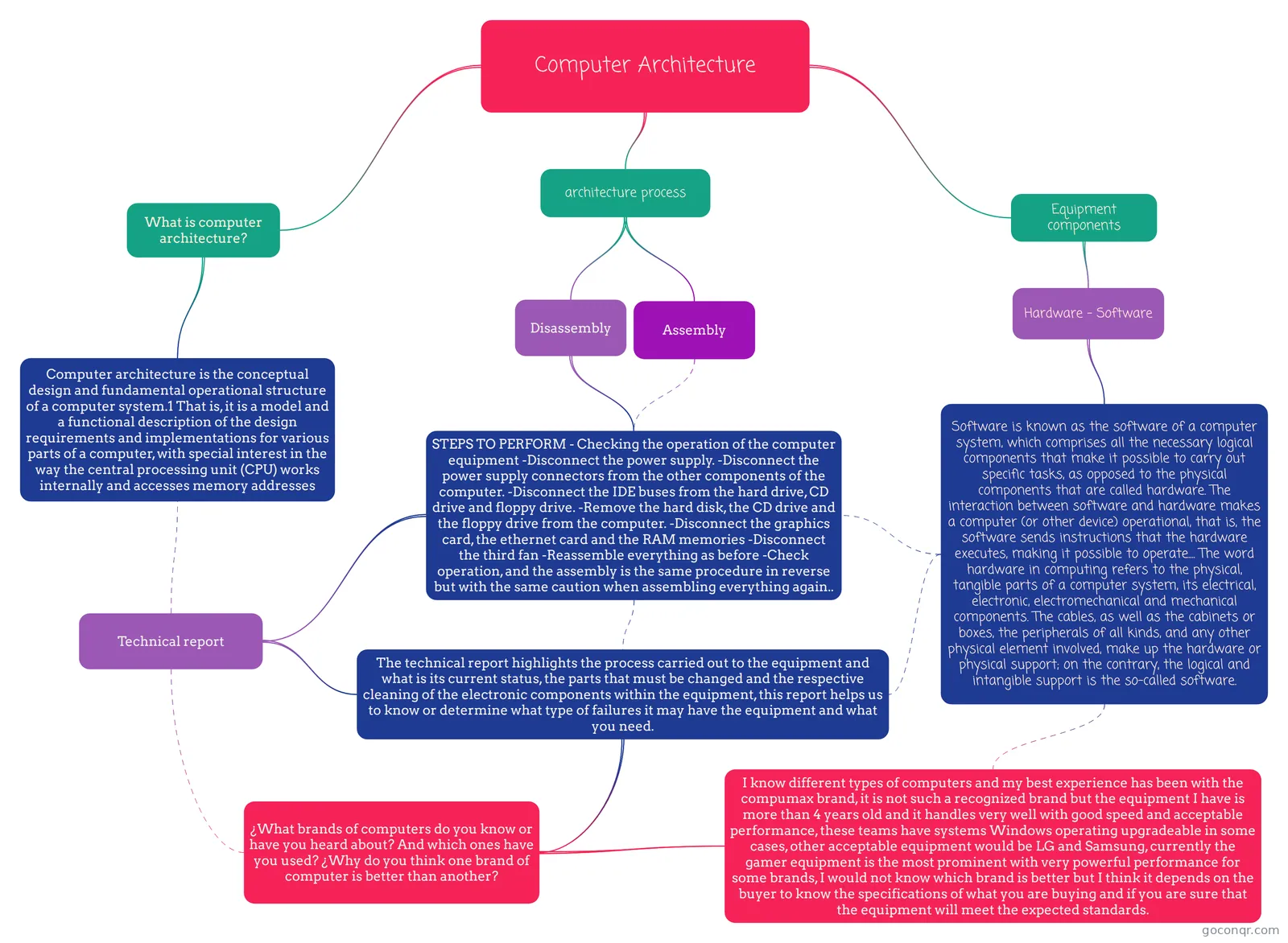
Mind map: Computer architecture
Inhalt der Mindmap
Computer Architecture
What is computer architecture?
- Computer architecture is the conceptual design and fundamental operational structure of a computer system.1 That is, it is a model and a functional description of the design requirements and implementations for various parts of a computer, with special interest in the way the central processing unit (CPU) works internally and accesses memory addresses
architecture process
- Disassembly
- STEPS TO PERFORM - Checking the operation of the computer equipment -Disconnect the power supply. -Disconnect the power supply connectors from the other components of the computer. -Disconnect the IDE buses from the hard drive, CD drive and floppy drive. -Remove the hard disk, the CD drive and the floppy drive from the computer. -Disconnect the graphics card, the ethernet card and the RAM memories -Disconnect the third fan -Reassemble everything as before -Check operation, and the assembly is the same procedure in reverse but with the same caution when assembling everything again..
- Technical report
- The technical report highlights the process carried out to the equipment and what is its current status, the parts that must be changed and the respective cleaning of the electronic components within the equipment, this report helps us to know or determine what type of failures it may have the equipment and what you need.
- ¿What brands of computers do you know or have you heard about? And which ones have you used? ¿Why do you think one brand of computer is better than another?
- I know different types of computers and my best experience has been with the compumax brand, it is not such a recognized brand but the equipment I have is more than 4 years old and it handles very well with good speed and acceptable performance, these teams have systems Windows operating upgradeable in some cases, other acceptable equipment would be LG and Samsung, currently the gamer equipment is the most prominent with very powerful performance for some brands, I would not know which brand is better but I think it depends on the buyer to know the specifications of what you are buying and if you are sure that the equipment will meet the expected standards.
- ¿What brands of computers do you know or have you heard about? And which ones have you used? ¿Why do you think one brand of computer is better than another?
- The technical report highlights the process carried out to the equipment and what is its current status, the parts that must be changed and the respective cleaning of the electronic components within the equipment, this report helps us to know or determine what type of failures it may have the equipment and what you need.
- Technical report
- STEPS TO PERFORM - Checking the operation of the computer equipment -Disconnect the power supply. -Disconnect the power supply connectors from the other components of the computer. -Disconnect the IDE buses from the hard drive, CD drive and floppy drive. -Remove the hard disk, the CD drive and the floppy drive from the computer. -Disconnect the graphics card, the ethernet card and the RAM memories -Disconnect the third fan -Reassemble everything as before -Check operation, and the assembly is the same procedure in reverse but with the same caution when assembling everything again..
- Assembly
- Disassembly
Equipment components
- Hardware - Software
- Software is known as the software of a computer system, which comprises all the necessary logical components that make it possible to carry out specific tasks, as opposed to the physical components that are called hardware. The interaction between software and hardware makes a computer (or other device) operational, that is, the software sends instructions that the hardware executes, making it possible to operate.... The word hardware in computing refers to the physical, tangible parts of a computer system, its electrical, electronic, electromechanical and mechanical components. The cables, as well as the cabinets or boxes, the peripherals of all kinds, and any other physical element involved, make up the hardware or physical support; on the contrary, the logical and intangible support is the so-called software.
- Hardware - Software
Informationen
- Beschreibung
- Mindmap am Computer Architecture, erstellt von Kevin Lopez am 12/08/2020.
- Erstellt von
- Kevin Lopez
- Aufrufe
- 4
- Bewertung