
Mindmap
New Course Upload on DA
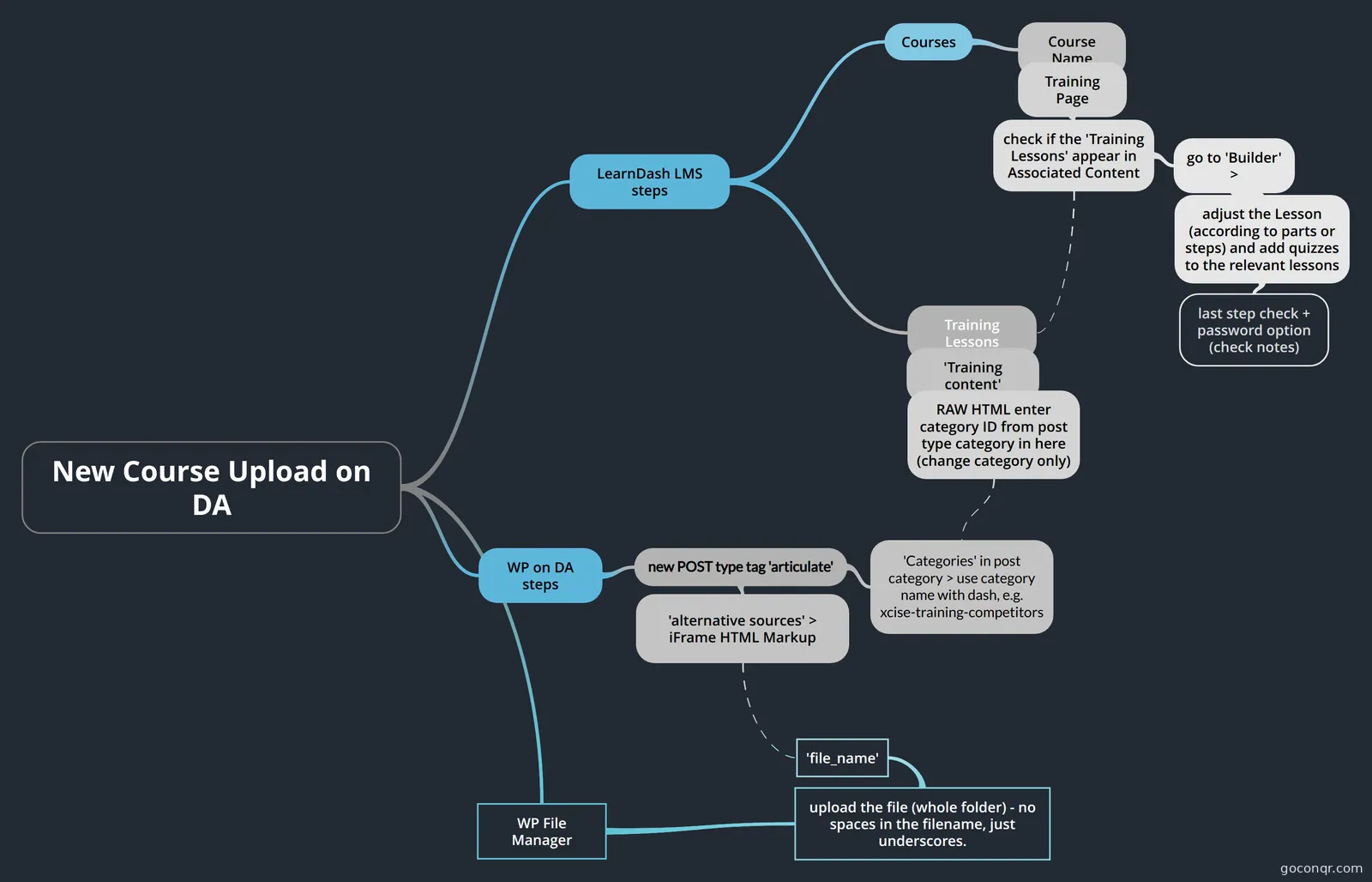
Mind map: New course upload on DA
Inhalt der Mindmap
New Course Upload on DA
LearnDash LMS steps
- Courses
- Course Name
- Training Page
- check if the 'Training Lessons' appear in Associated Content
- go to 'Builder' >
- adjust the Lesson (according to parts or steps) and add quizzes to the relevant lessons
- last step check + password option (check notes)
- check if everything works as needed, if the course shouldn't be available for public for now, remove the (training) tag from the lesson itself > this will prevent it from appearing on the 'Trainings' page. Also, you can setup a 'password' protected post for that.
- last step check + password option (check notes)
- adjust the Lesson (according to parts or steps) and add quizzes to the relevant lessons
- go to 'Builder' >
- check if the 'Training Lessons' appear in Associated Content
- Training Page
- Course Name
- Training Lessons
- 'Training content'
- RAW HTML enter category ID from post type category in here (change category only)
- 'Training content'
- Courses
WP on DA steps
- new POST type tag 'articulate'
- 'alternative sources' > iFrame HTML Markup
- 'Categories' in post category > use category name with dash, e.g. xcise-training-competitors
- new POST type tag 'articulate'
WP File Manager
- upload the file (whole folder) - no spaces in the filename, just underscores.
- 'file_name'
- upload the file (whole folder) - no spaces in the filename, just underscores.
Informationen
- Beschreibung
- New Course uploaded on DA > a step by step process
- Erstellt von
- Bartosz Klimaszewski
- Aufrufe
- 54
- Tags
- Bewertung