
Mindmap
Chapter 2
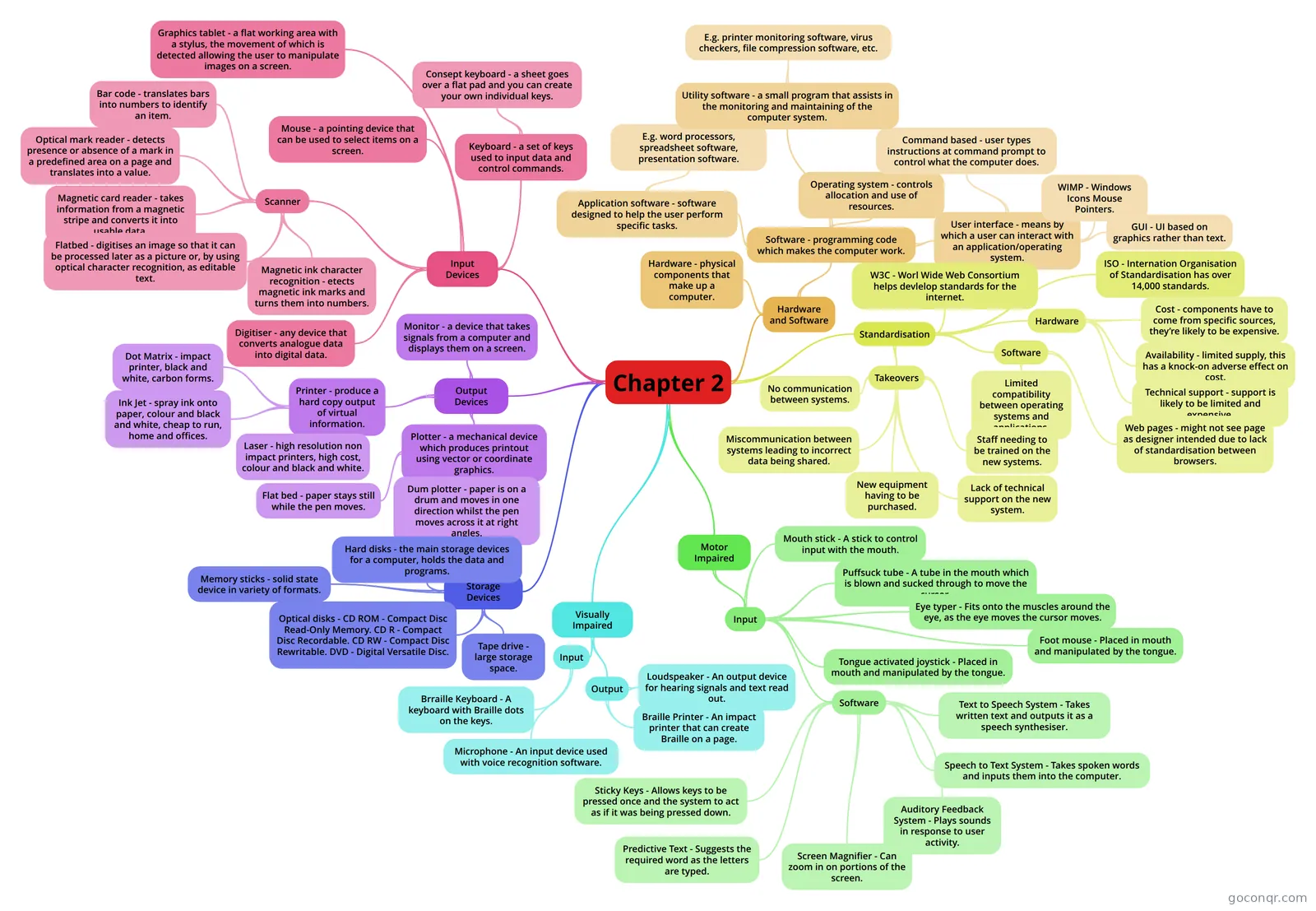
Mind map: computer hardware and software
Inhalt der Mindmap
Chapter 2
Hardware and Software
- Hardware - physical components that make up a computer.
- Software - programming code which makes the computer work.
- Application software - software designed to help the user perform specific tasks.
- E.g. word processors, spreadsheet software, presentation software.
- Operating system - controls allocation and use of resources.
- User interface - means by which a user can interact with an application/operating system.
- GUI - UI based on graphics rather than text.
- WIMP - Windows Icons Mouse Pointers.
- Command based - user types instructions at command prompt to control what the computer does.
- Utility software - a small program that assists in the monitoring and maintaining of the computer system.
- E.g. printer monitoring software, virus checkers, file compression software, etc.
- Application software - software designed to help the user perform specific tasks.
Standardisation
- W3C - Worl Wide Web Consortium helps devlelop standards for the internet.
- ISO - Internation Organisation of Standardisation has over 14,000 standards.
- Hardware
- Cost - components have to come from specific sources, they’re likely to be expensive.
- Availability - limited supply, this has a knock-on adverse effect on cost.
- Technical support - support is likely to be limited and expensive.
- Software
- Limited compatibility between operating systems and applications.
- Web pages - might not see page as designer intended due to lack of standardisation between browsers.
- Takeovers
- No communication between systems.
- Miscommunication between systems leading to incorrect data being shared.
- New equipment having to be purchased.
- Staff needing to be trained on the new systems.
- Lack of technical support on the new system.
Input Devices
- Keyboard - a set of keys used to input data and control commands.
- Consept keyboard - a sheet goes over a flat pad and you can create your own individual keys.
- Mouse - a pointing device that can be used to select items on a screen.
- Scanner
- Bar code - translates bars into numbers to identify an item.
- Optical mark reader - detects presence or absence of a mark in a predefined area on a page and translates into a value.
- Magnetic card reader - takes information from a magnetic stripe and converts it into usable data.
- Flatbed - digitises an image so that it can be processed later as a picture or, by using optical character recognition, as editable text.
- Magnetic ink character recognition - etects magnetic ink marks and turns them into numbers.
- Graphics tablet - a flat working area with a stylus, the movement of which is detected allowing the user to manipulate images on a screen.
- Digitiser - any device that converts analogue data into digital data.
- Keyboard - a set of keys used to input data and control commands.
Output Devices
- Monitor - a device that takes signals from a computer and displays them on a screen.
- Printer - produce a hard copy output of virtual information.
- Dot Matrix - impact printer, black and white, carbon forms.
- Ink Jet - spray ink onto paper, colour and black and white, cheap to run, home and offices.
- Laser - high resolution non impact printers, high cost, colour and black and white.
- Plotter - a mechanical device which produces printout using vector or coordinate graphics.
- Flat bed - paper stays still while the pen moves.
- Dum plotter - paper is on a drum and moves in one direction whilst the pen moves across it at right angles.
Storage Devices
- Hard disks - the main storage devices for a computer, holds the data and programs.
- Optical disks - CD ROM - Compact Disc Read-Only Memory. CD R - Compact Disc Recordable. CD RW - Compact Disc Rewritable. DVD - Digital Versatile Disc.
- Tape drive - large storage space.
- Memory sticks - solid state device in variety of formats.
Visually Impaired
- Input
- Brraille Keyboard - A keyboard with Braille dots on the keys.
- Microphone - An input device used with voice recognition software.
- Output
- Loudspeaker - An output device for hearing signals and text read out.
- Braille Printer - An impact printer that can create Braille on a page.
- Input
Motor Impaired
- Input
- Mouth stick - A stick to control input with the mouth.
- Puffsuck tube - A tube in the mouth which is blown and sucked through to move the cursor.
- Eye typer - Fits onto the muscles around the eye, as the eye moves the cursor moves.
- Tongue activated joystick - Placed in mouth and manipulated by the tongue.
- Foot mouse - Placed in mouth and manipulated by the tongue.
- Software
- Text to Speech System - Takes written text and outputs it as a speech synthesiser.
- Speech to Text System - Takes spoken words and inputs them into the computer.
- Auditory Feedback System - Plays sounds in response to user activity.
- Screen Magnifier - Can zoom in on portions of the screen.
- Predictive Text - Suggests the required word as the letters are typed.
- Sticky Keys - Allows keys to be pressed once and the system to act as if it was being pressed down.
- Input
Informationen
- Beschreibung
- ICT Mindmap am Chapter 2, erstellt von smita089 am 11/04/2013.
- Erstellt von
- smita089
- Aufrufe
- 132
- Tags
- Bewertung
Mehr zu Computer Hardware and Software