
Notizen
Intro To IT
Inhalt der Notizen (2)
Seite 1
1) Information Technology [IT]
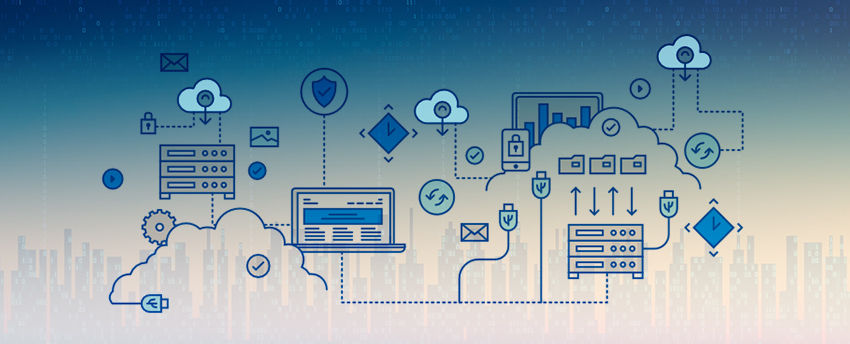
IT encompasses all of the technologies that we use to create, collect, process, protect and store information.
It refers to hardware, software and computer networks.
2) ICT (Information Communication Technology)
IT refers forms of technology that are used to transmit, process, store, create, display, share or exchange information by electronic means.
ICT includes technologies such as radio, television, DVDs, Telephone, Satellite systems and Computer hardware-software as well as equipment and services associated with these technologies.
3) Data
Data can be any character, text, word, number or raw facts.
4) Information
Information is processed form of data which is organized.
5) Definition of a Computer
A computer is an electronic device, that accepts input and processes it under control of instructions to produce meaningful output.
A Computer is a machine or device that performs processes, calculations and operations based on instructions provided by a software or hardware program. It is designed to execute applications and provides a variety of solutions by combining integrated hardware and software components.
6) The Components of a Computer
A computer contains many electric, electronic, and mechanical components known as Hardware.
Input Device
Allows you to enter data and instructions into a computer
Output Device
Hardware component that conveys information to one or more people
System Unit
Case that contains the electronic components of the computer that are used to process data
Storage Device
Records (writes) and/or retrieves (reads) items to and from storage media
Communications Device
Enables a computer to send and receive data, instructions, and information to and from one or more computers or mobile devices
7) Computer System
A computer system is a set of integrated devices that input, output, process, and store data and information.
Computer system is currently built around at least one digital processing device.
There are five main hardware components in a computer system: Input, Processing, Storage, Output and Communication devices.
A Computer System performs five major functions:
* It accepts data or instructions by way of input.
* It stores data.
* It can process data as required by the user.
* It gives results in the form of output.
* It controls all operations.
8) Architecture of Computer
In computer engineering, computer architecture is a set of rules and methods that describe the functionality, organization, and implementation of computer systems
Computer Architecture is a specification detailing of how a set of software and hardware technology standards interact of form a computer system.
Seite 2
Computer System
Every Computer System has the following three basic components:
a) Input Unit
b) Central Processing Unit
c) Output Unit
1. Input Unit
This unit helps user to enter data and commands into a computer system.
Input unit converts data and instructions into binary form and directs into computer.
2. Central Processing Unit (CPU)
CPU is the brain of the computer.
CPU processes the data according to the instructions provided.
CPU is on a single chip called as Processor
The CPU has following units :
Arithmetic Logic Unit
Control Unit
Memory Registers
3. Output Unit
Output unit conveys data/information to users.
It converts the processed data into a format which human can understand.
Memory
Computer memory, device that is used to store data or programs (sequences of instructions) on a temporary or permanent basis for use in an electronic digital computer.
Memory is of two types :
1. Primary Memory or Internal Memory
2. Secondary Memory or External Memory
1. Primary Memory
a. RAM (Random Access Memory)
* It is the main memory or the working memory of the computer system.
* It is read-write memory.
* On starting the computer, the operating system is loaded in RAM.
* It is temporary memory.
* The information stored in RAM is lost on switching OFF Power supply.
* Therefore It is also called Volatile Memory.
b. ROM (Read Only Memory)
* It contains the programs (BIOS) needed to start a PC, which is essential for boot-up.
* It is permanent memory and read only.
* The ROM is used by Operating system to perform major input/output tasks.
* There are numerous ROM chips located on the motherboard and a few on expansion boards.
* The chips are essential for the basic input/output system (BIOS), boot up, reading and writing to peripheral devices, * basic data management and the software for basic processes for certain utilities.
*** Because ROM cannot be changed and is read-only, it is mainly used for firmware.***
Firmware
It is software programs or sets of instructions that are embedded into a hardware device.
It supplies the needed instructions on how a device communicates with various hardware components.
Firmware is referred to as semi-permanent because it does not change unless it is updated.
Firmware includes BIOS, erasable programmable ROM (EPROM) and the ROM configurations for software.
REGISTERS AND CACHE MEMORY
Registers are high-speed sttorage locations inside the microprocessor. Designed to be accessed at much higher speed than conventional memory. Registers are classified according to the functions they perform.
Cache memory is an extremely fast memory type that acts as a buffer between RAM and the CPU.
It holds frequently requested data and instructions so that they are immediately available to the CPU when needed.
Cache memory is used to reduce the average time to access data from the Main memory.
2. Secondary Memory
MAGNETIC TAPES
A magnetic tape drive is a storage device that makes use of magnetic tape as a medium for storage.
It uses a long strip of narrow plastic film with tapes of thin magnetizable coating.
MAGNETIC DISKS
A magnetic disk is a storage device that uses a magnetization process to read, write, rewrite and access data.
It is covered with a magnetic coating and stores data in the form of tracks, spots and sectors.
Hard disks, zip disks and floppy disks are common examples of magnetic disks.
HARD DISK DRIVE (HDD)
A hard disk drive (HDD), hard disk, hard drive, or fixed disk is an electro-mechanical data storage de
Informationen
- Beschreibung
- sasasasasasasasasasa
- Erstellt von
- Dhuka Abid · Mai 2020
- Aktualisiert
- 26 Mai 2020
- Aufrufe
- 7
- Bewertung