
Module 7 of 15 · Media
Jquery Attributes
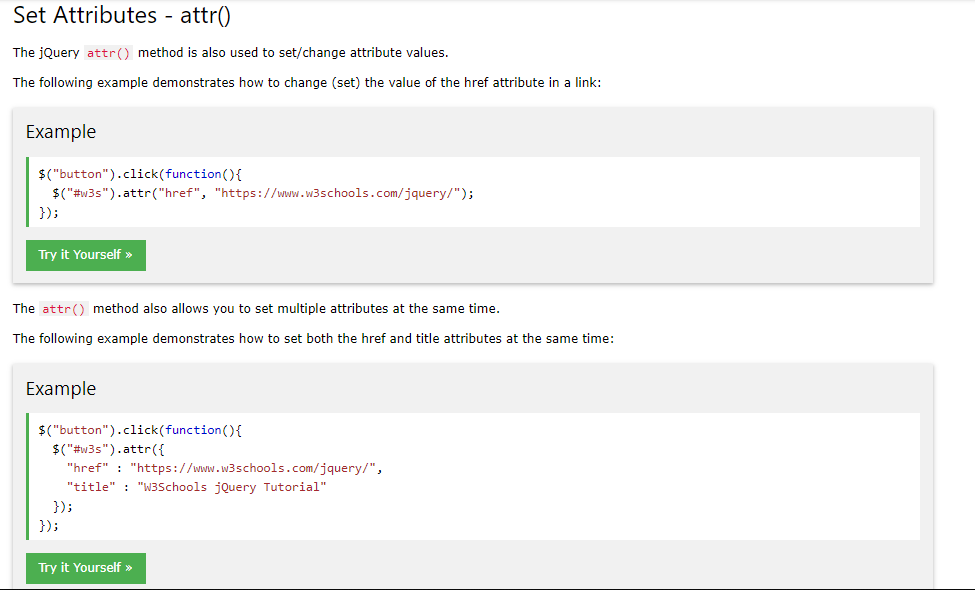
JQuery Attributes
We can have access to a selector's attribute exactly like in vanillaJS. The only difference is that there is no getAttribute and setAttribute to be attached to the specified HTML element, but only one function named .attr().
If 2 arguments are passed to this function, then JQuery sets a new value (the second argument) to the specific attribute (passed as a string as a first argument) of the selected element.
Example:
$('button').attr('type', 'reset') // This changes the type attribute of all buttons in the page to reset.
If only one argument is passed then JQuery returns the value of the attribute that was passed as a string argument.
example:
$('button').attr() // Returns 'reset' in this case.
We can modify many attributes of a selected element in one place by passing a key-value pair object, with keys as attributes and values as their corresponding values as the image from w3schools above suggests.
Learn more about chaning html attributes to elements from JQuery here: