
Mapa mental
File System Interface
Contenido del mapa
File System Interface
File Concept
- Contiguous logical address space
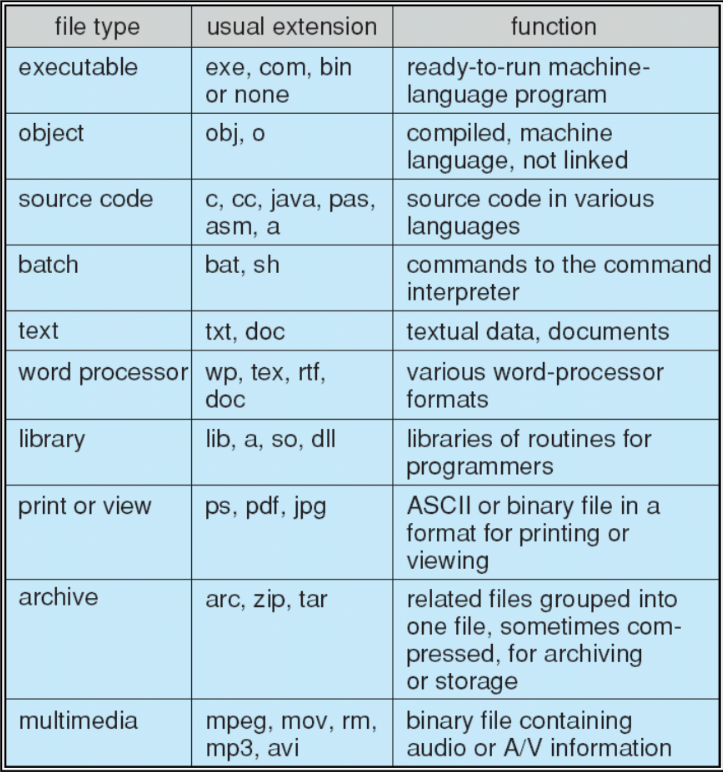
- Types
- Data
- Numeric
- Character
- Binary
- Program
- Data
- Content defined by file's creator
- File is an abstract data type
File Attributes
- Name
- Human readable string, the name of the file.
- Identifier
- Unique tag (number) that identifies the file within the file system.
- Type
- Type of the file. Necessary in systems that support different types of file.
- Location
- Pointer to the file location on the device.
- Size
- Protection
- Control who is allowed to write, read, or execute the file.
- Time, date, and user identification
- Data for protection, security, and usage monitoring.
- Information about files (metadata) is kept in the directory structure
- Name
File Operations
- Create
- Write
- Read
- Seek
- Reposition read/write file offset
- Delete
- Truncate
- Open(Fi)
- Search the directory structure on disk for entry Fi , and move the content of entry to memory
- Close(Fi)
- Move the content of entry Fi in memory to directory structure on disk
Pieces of Data needed to manage opened files
- Open-file Table
- It is a table to track open files.
- File Pointer
- Pointer to last read/write location. Each for process that has the file opened.
- File-open count
- Counts the number of times a file was opened.
- Disk location of the file
- Cache of data access information
- Access rights
- per-process access mode information.
- Open-file Table
Open File Locking
- Mandatory
- Access is denied depending on locks held and requested
- Advisory
- Processes can find status of locks and decide what to do
- Mandatory
- Shared Lock
- Exclusive lock
Possible file structures
- The OS or the program will decide what is the structure of a given program.
- None
- Sequence of words or bytes.
- Simple record structure
- May have lines with fixed/variable length.
- Complex Structures
- Formatted document, or relocatable load file.
Access Methods
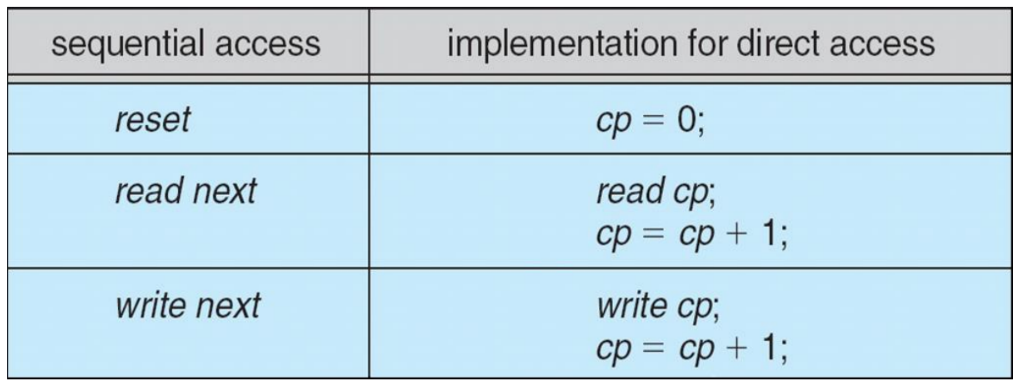
- Sequential Access
- Direct Access
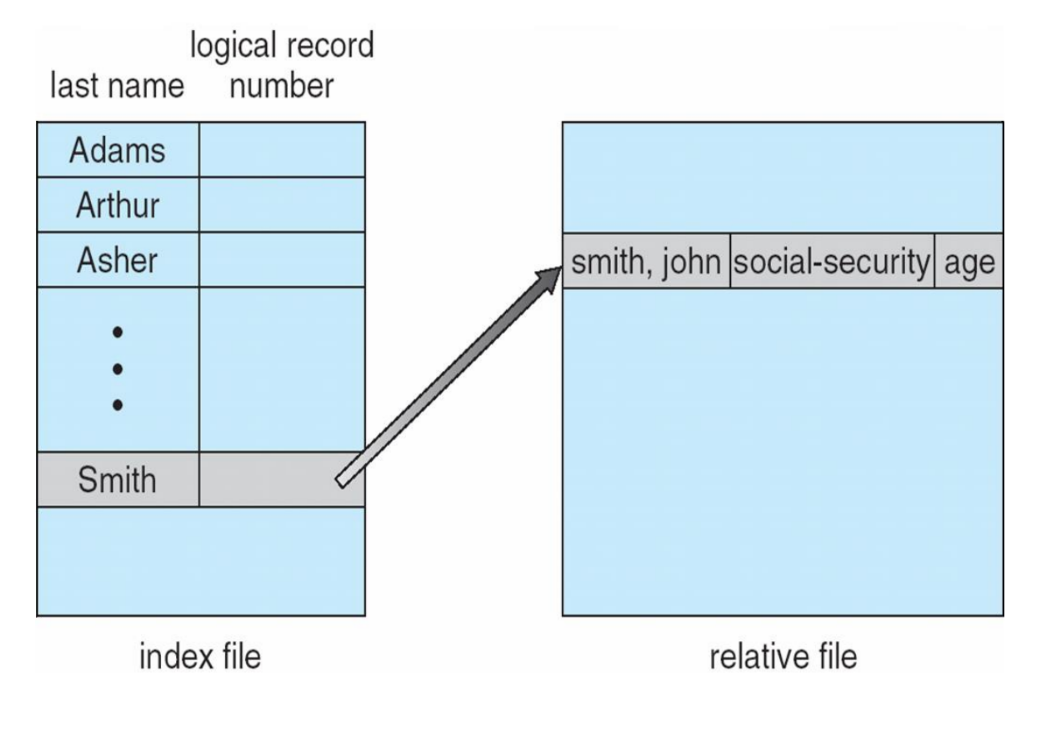
Index File
- Makes easier to search for a file based on an index value.. Each index table stores the index value and the ID of the file.
Directory
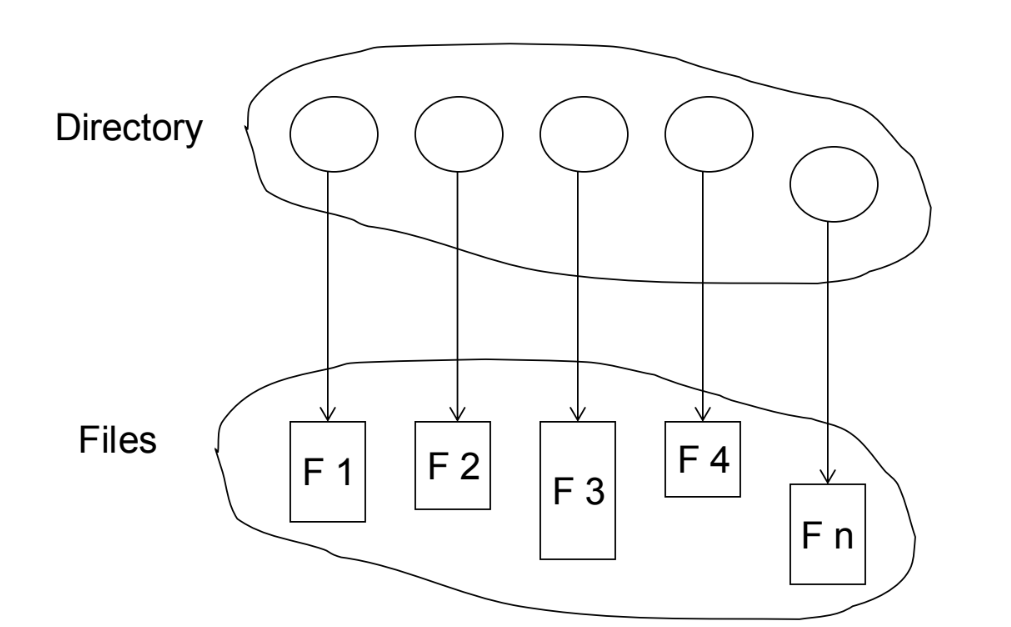
- A directory is a collection of nodes that has information about files. It is stored in disk.
- Operations
- Search for file
- Create file
- Delete File
- List a Directory
- Rename file
- Traverse the file system
- Organization
- For efficiency
- Allows locating a file quickly
- For naming
- Convenient for users
- For grouping
- Logical grouping of files, based on their properties.
- For efficiency
- Levels
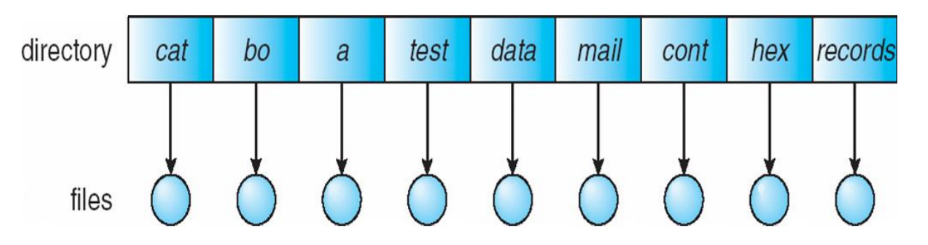
- Single-level
- A single directory for all users. It has naming and grouping problem.
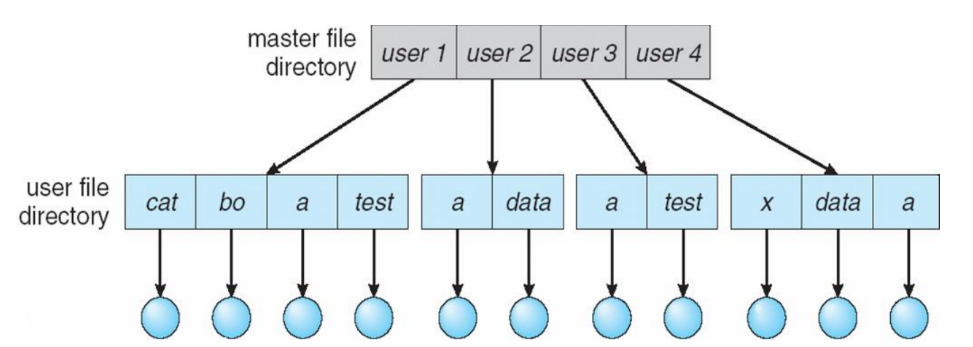
- Two-level directory
- Each user has his own directory. Efficient search and can have the same file name for different users. No grouping capability.
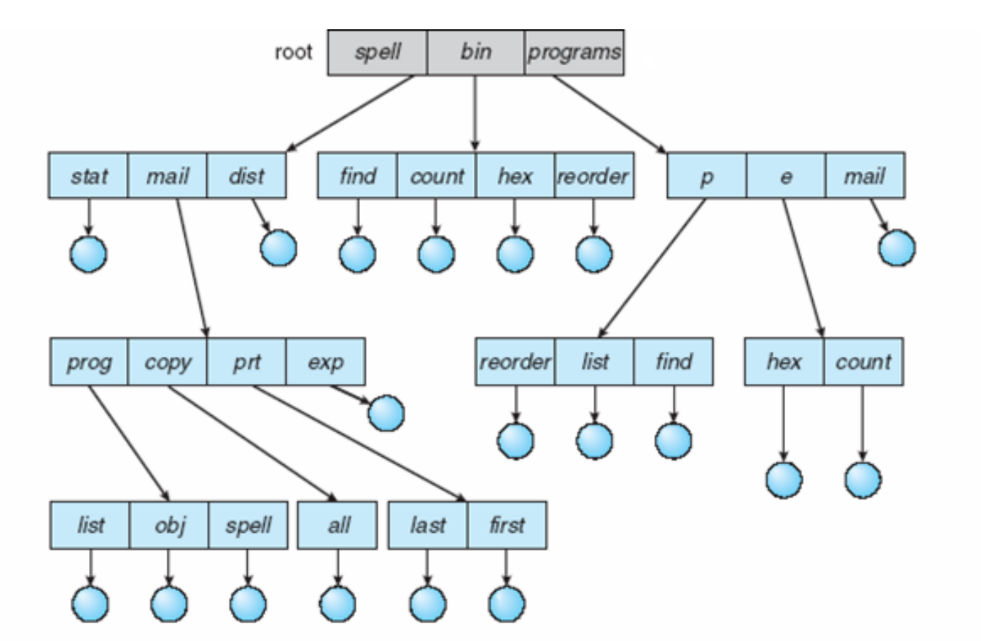
- Tree-structured directories
- Efficient searching and grouping capability. It allows relative and absolute path name.
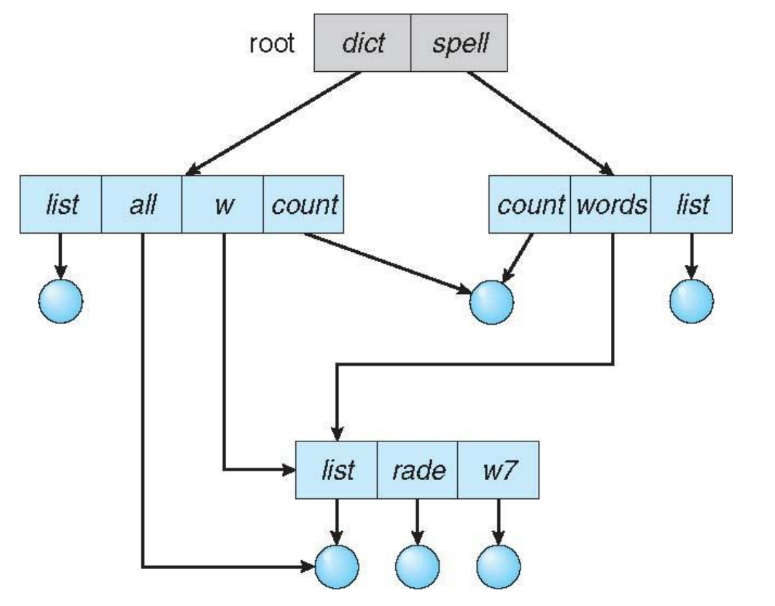
- Acyclic-graph directories
- Allows shared subdirectories and files with different names (aliasing).
- Link
- Another name (pointer) to an existing file. Resolving the link mean following pointer to locate the file.
- Single-level
Disk Structure
- May be divided into partitions (minidisks, slices)
- Partition or disk may be
- RAID protected against failure or not
- Raw of formatted with a file system
- Volume
- A volume is an entity that contains the file system
- Tracks the info of the file system
- File System
- General purpose
- Special purpose
- Ex. for Solaris
- ufs, zfs – general purpose file systems
- tmpfs – memory-based volatile FS for fast, temporary I/O
- objfs – interface into kernel memory to get kernel symbols for debugging
- ctfs – contract file system for managing daemons
- lofs – loopback file system allows one FS to be accessed in place of another
- procfs – kernel interface to process structures
File System Mounting
- A file system must be mounted before it can be used. It will be mounted at a mount point. The previous content of the mount point, if any, IS NOT subscribed by the new content. Only the reference is changed.
Protection
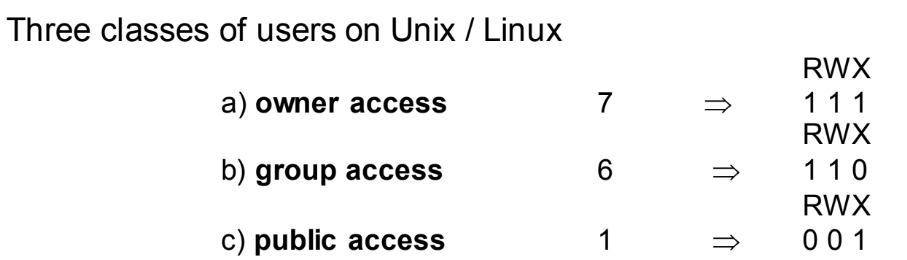
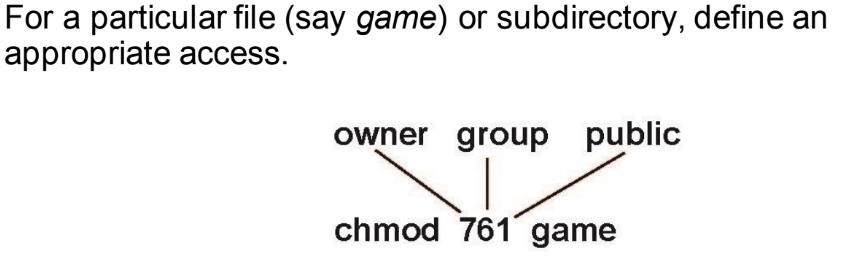
- It is possible to control the types of access each file/directory can have and by whom.
- Types of access
- Read
- Write
- Execute
- Append
- List
- Delete
- Ex. Unix/Linux protection for files/directories
Imágenes y archivos del mapa

Información
- Descripción
- Superior Operating Systems Mapa Mental sobre File System Interface, creado por Artur Assis el 18/06/2022.
- Creado por
- Artur Assis
- Visitas
- 6
- Valoración