
Mapa mental
E-Safety
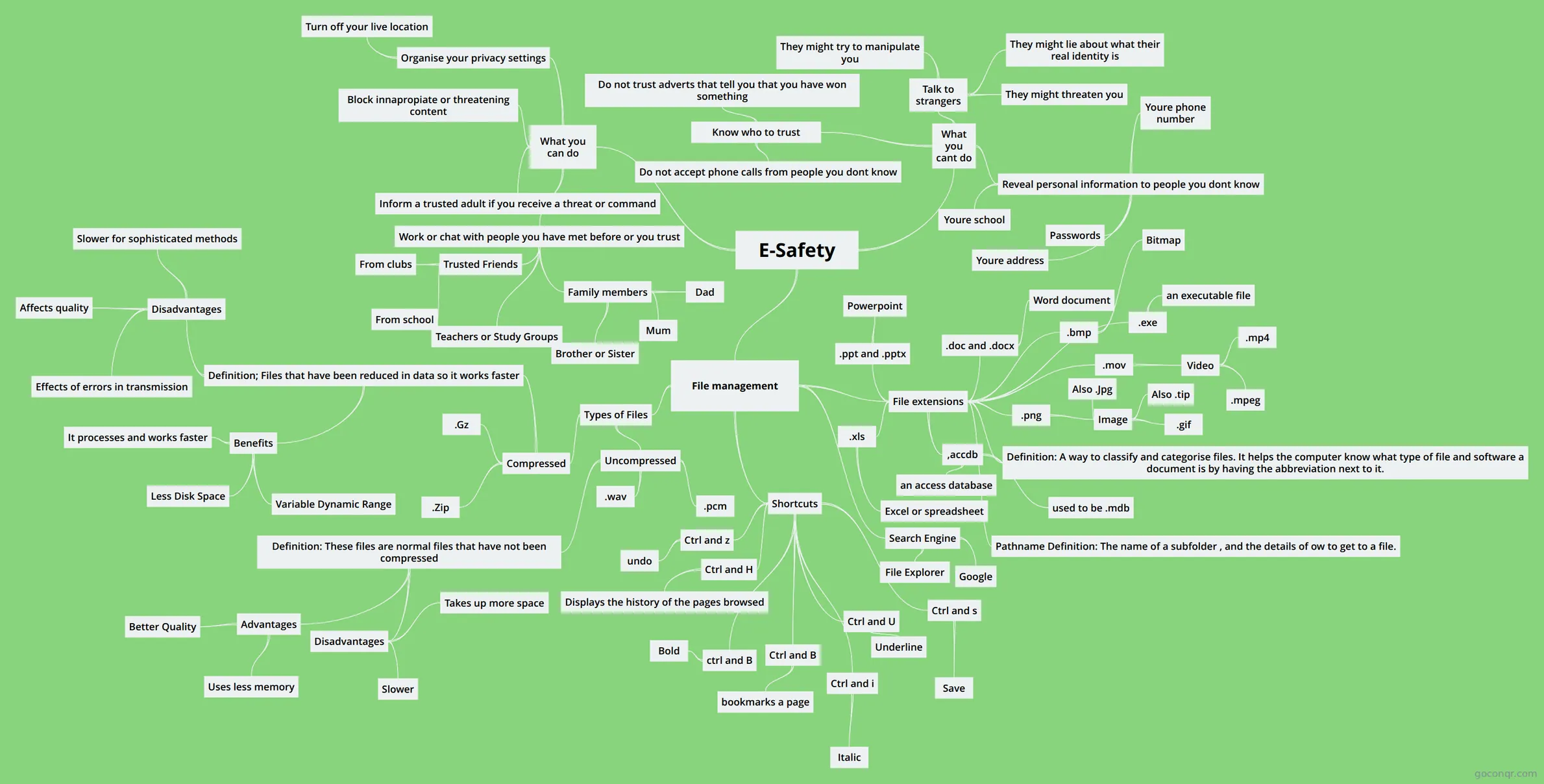
Mind map: E-safety
Contenido del mapa
E-Safety
What you cant do
- Reveal personal information to people you dont know
- Youre address
- Youre school
- Youre phone number
- Passwords
- Talk to strangers
- They might lie about what their real identity is
- They might try to manipulate you
- They might threaten you
- Know who to trust
- Do not trust adverts that tell you that you have won something
- Do not accept phone calls from people you dont know
- Reveal personal information to people you dont know
What you can do
- Work or chat with people you have met before or you trust
- Family members
- Mum
- Dad
- Brother or Sister
- Trusted Friends
- From school
- From clubs
- Teachers or Study Groups
- Family members
- Organise your privacy settings
- Turn off your live location
- Block innapropiate or threatening content
- Inform a trusted adult if you receive a threat or command
- Work or chat with people you have met before or you trust
File management
- File extensions
- .doc and .docx
- Word document
- .ppt and .pptx
- Powerpoint
- .png
- Image
- Also .Jpg
- Also .tip
- .gif
- Image
- Definition: A way to classify and categorise files. It helps the computer know what type of file and software a document is by having the abbreviation next to it.
- .bmp
- Bitmap
- .xls
- Excel or spreadsheet
- Pathname Definition: The name of a subfolder , and the details of ow to get to a file.
- .mov
- Video
- .mpeg
- .mp4
- Video
- .exe
- an executable file
- ,accdb
- an access database
- used to be .mdb
- .doc and .docx
- Types of Files
- Compressed
- .Zip
- .Gz
- Definition; Files that have been reduced in data so it works faster
- Benefits
- It processes and works faster
- Variable Dynamic Range
- Less Disk Space
- Disadvantages
- Effects of errors in transmission
- Slower for sophisticated methods
- Affects quality
- Benefits
- Uncompressed
- .wav
- .pcm
- Definition: These files are normal files that have not been compressed
- Advantages
- Better Quality
- Uses less memory
- Disadvantages
- Slower
- Takes up more space
- Advantages
- Compressed
- Shortcuts
- Ctrl and z
- undo
- Ctrl and s
- Save
- Ctrl and B
- bookmarks a page
- Ctrl and H
- Displays the history of the pages browsed
- ctrl and B
- Bold
- Ctrl and i
- Italic
- Ctrl and U
- Underline
- Ctrl and z
- Search Engine
- File Explorer
- File extensions
Información
- Descripción
- This mind map displays what you should and should not do on social networking and also tell you about file management.
- Creado por
- Mishka Kalra
- Visitas
- 59
- Etiquetas
- Valoración