
Mapa mental
Printers
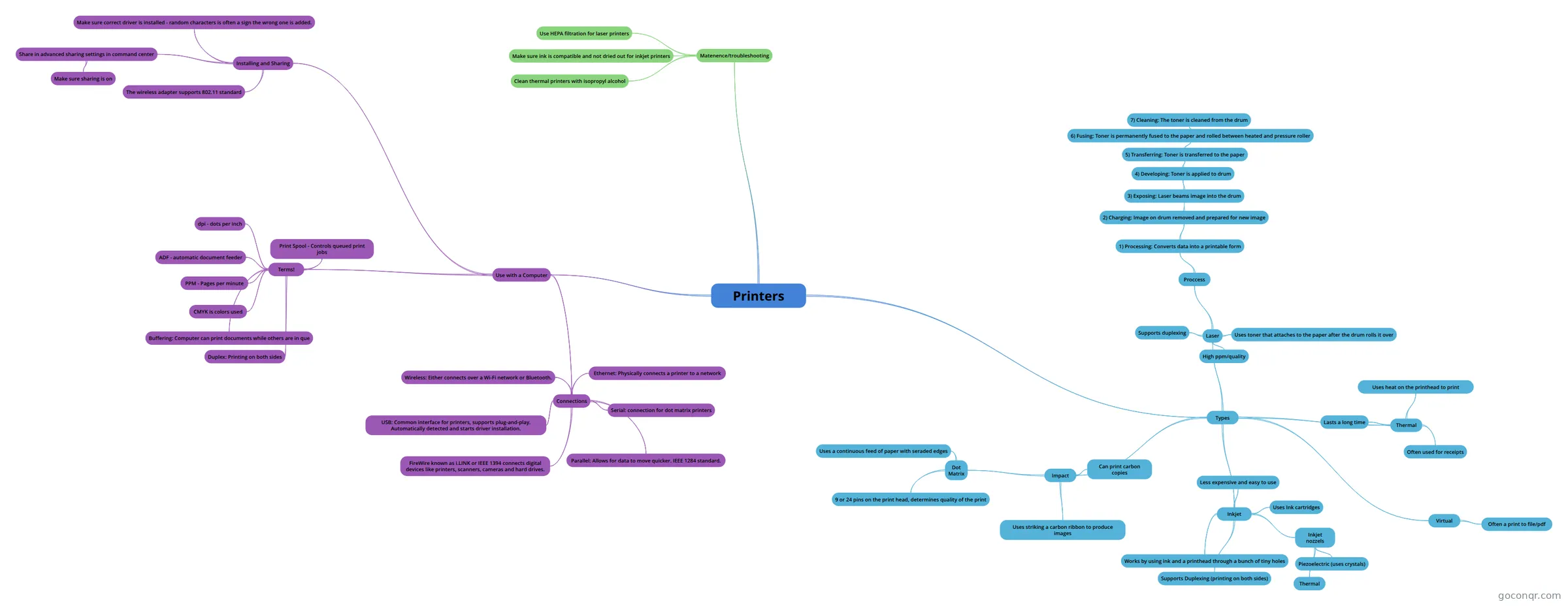
Mind map: Printers
Contenido del mapa
Printers
Types
- Inkjet
- Less expensive and easy to use
- Uses Ink cartridges
- Inkjet nozzels
- Thermal
- Piezoelectric (uses crystals)
- Supports Duplexing (printing on both sides)
- Works by using ink and a printhead through a bunch of tiny holes
- Thermal
- Often used for receipts
- Lasts a long time
- Uses heat on the printhead to print
- Impact
- Uses striking a carbon ribbon to produce images
- Can print carbon copies
- Dot Matrix
- Uses a continuous feed of paper with seraded edges
- 9 or 24 pins on the print head, determines quality of the print
- Laser
- High ppm/quality
- Uses toner that attaches to the paper after the drum rolls it over
- Supports duplexing
- Proccess
- 1) Processing: Converts data into a printable form
- 2) Charging: Image on drum removed and prepared for new image
- 3) Exposing: Laser beams image into the drum
- 4) Developing: Toner is applied to drum
- 5) Transferring: Toner is transferred to the paper
- 6) Fusing: Toner is permanently fused to the paper and rolled between heated and pressure roller
- 7) Cleaning: The toner is cleaned from the drum
- 6) Fusing: Toner is permanently fused to the paper and rolled between heated and pressure roller
- 5) Transferring: Toner is transferred to the paper
- 4) Developing: Toner is applied to drum
- 3) Exposing: Laser beams image into the drum
- 2) Charging: Image on drum removed and prepared for new image
- 1) Processing: Converts data into a printable form
- Virtual
- Often a print to file/pdf
- Inkjet
Use with a Computer
- Connections
- Ethernet: Physically connects a printer to a network
- Serial: connection for dot matrix printers
- Parallel: Allows for data to move quicker. IEEE 1284 standard.
- USB: Common interface for printers, supports plug-and-play. Automatically detected and starts driver installation.
- FireWire known as i.LINK or IEEE 1394 connects digital devices like printers, scanners, cameras and hard drives.
- Wireless: Either connects over a Wi-Fi network or Bluetooth.
- Terms!
- PPM - Pages per minute
- CMYK is colors used
- dpi - dots per inch
- ADF - automatic document feeder
- Buffering: Computer can print documents while others are in que
- Duplex: Printing on both sides
- Print Spool - Controls queued print jobs
- Installing and Sharing
- Make sure correct driver is installed - random characters is often a sign the wrong one is added.
- Share in advanced sharing settings in command center
- Make sure sharing is on
- The wireless adapter supports 802.11 standard
- Connections
Matenence/troubleshooting
- Use HEPA filtration for laser printers
- Make sure ink is compatible and not dried out for inkjet printers
- Clean thermal printers with isopropyl alcohol
Información
- Descripción
- Printer review for CompTIA exam
- Creado por
- Olivia VanHouten
- Visitas
- 9
- Valoración