
Mapa mental
Windows Operating System Tools
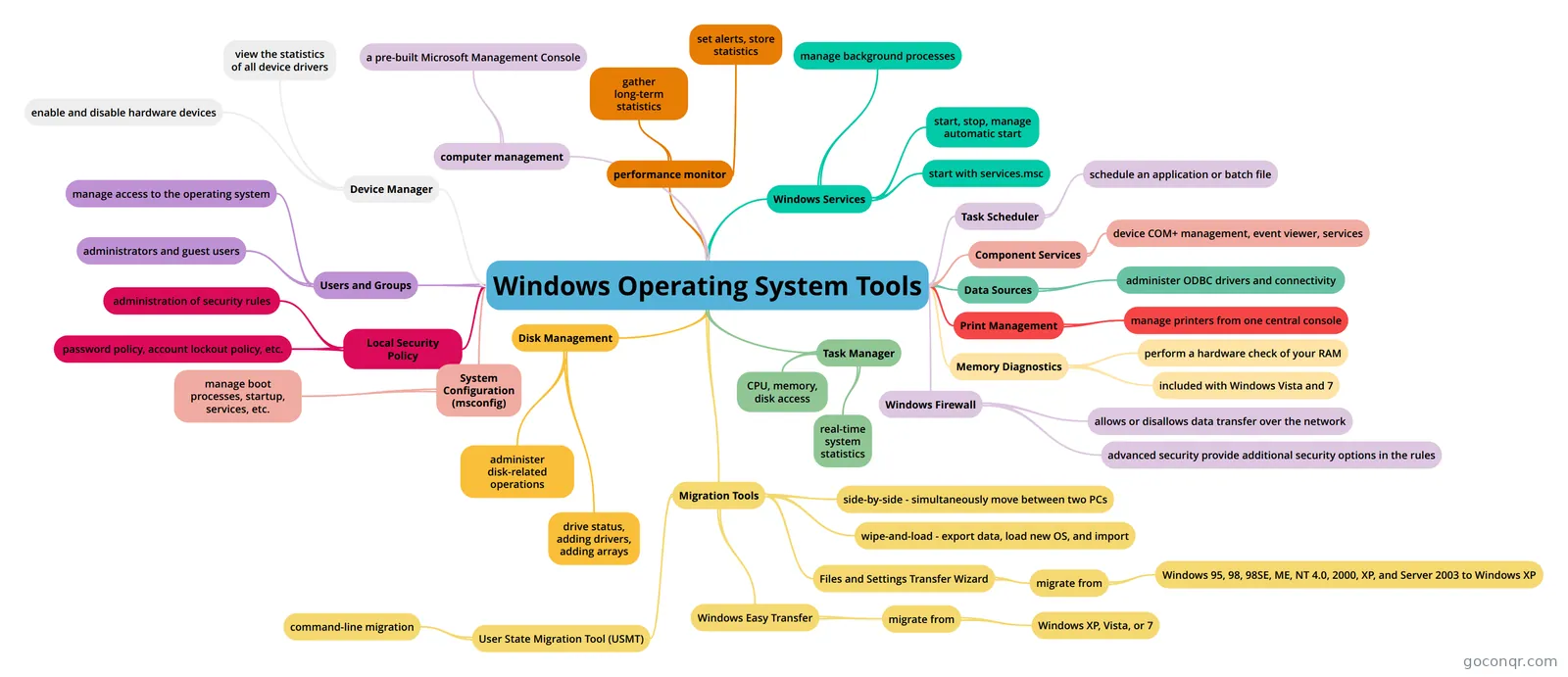
Mind map: Windows Operating System Tools
Contenido del mapa
Windows Operating System Tools
computer management
- a pre-built Microsoft Management Console
Device Manager
- view the statistics of all device drivers
- enable and disable hardware devices
Users and Groups
- manage access to the operating system
- administrators and guest users
Local Security Policy
- administration of security rules
- password policy, account lockout policy, etc.
performance monitor
- gather long-term statistics
- set alerts, store statistics
Windows Services
- manage background processes
- start, stop, manage automatic start
- start with services.msc
System Configuration (msconfig)
- manage boot processes, startup, services, etc.
Task Scheduler
- schedule an application or batch file
Component Services
- device COM+ management, event viewer, services
Data Sources
- administer ODBC drivers and connectivity
Print Management
- manage printers from one central console
Memory Diagnostics
- perform a hardware check of your RAM
- included with Windows Vista and 7
Windows Firewall
- allows or disallows data transfer over the network
- advanced security provide additional security options in the rules
Task Manager
- real-time system statistics
- CPU, memory, disk access
Disk Management
- drive status, adding drivers, adding arrays
- administer disk-related operations
Migration Tools
- side-by-side - simultaneously move between two PCs
- wipe-and-load - export data, load new OS, and import
- Files and Settings Transfer Wizard
- migrate from
- Windows 95, 98, 98SE, ME, NT 4.0, 2000, XP, and Server 2003 to Windows XP
- migrate from
- Windows Easy Transfer
- migrate from
- Windows XP, Vista, or 7
- migrate from
- User State Migration Tool (USMT)
- command-line migration
Información
- Descripción
- 1 Professor Messer 802 Mapa Mental sobre Windows Operating System Tools, creado por Armando Hernande8721 el 24/03/2016.
- Creado por
- Armando Hernande8721
- Visitas
- 1
- Valoración