
Mapa mental
Data representation
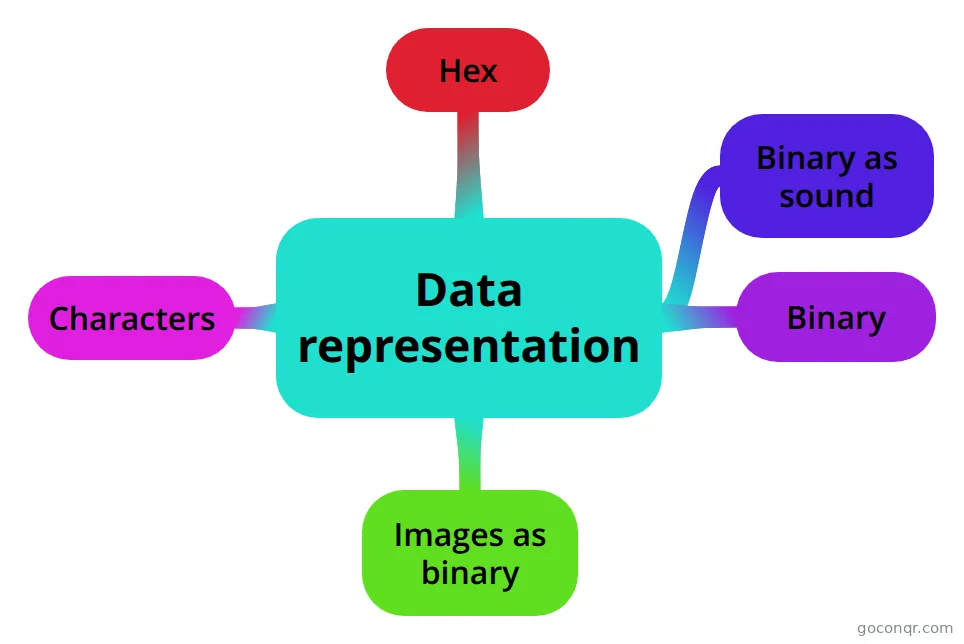
Mind map: Data representation
Contenido del mapa
Data representation
Images as binary
- Colour Depth: The colour depth is the number of bits per pixel. Increasing the colour depth means there are more more bits in the image.
- Resolution: The resolution is in dots per inch. The resolution is the density of pixels in a given area. Increasing the resolution means that there are more bits in the image. The more pixels in a given area, the picture quality is better which increases the file size. The less pixels in a given area makes the picture quality worse which decreases the file size.
- Metadata: Metadata is the information in an image. Metadata tells the computer what size, the colour depth and what resolution the image has.
Binary
- Binary: Binary is made out of 1 and 0. Binary is base 2 because it's made out of 0 and 1. Each binary number is 8 bits. For example: 01101001 is a binary number and has 8 bits. 128 64 32 16 8 4 2 1 0 1 1 0 1 0 0 1
- Denary: Denary numbers can only be numbers that have been added from the numbers 128, 64, 32, 16, 8, 4, 2 and 1. When you get a table like this to work into denary you have to add the numbers that are above the 1 together when you get given binary number. 128 64 32 16 8 4 2 1 0 1 1 0 1 0 0 1 If you get given a denary number and you have to find the binary. For example: 79 is a denary number. To convert denary to binary you have to see if 128 goes into 79. No so you see if 64 goes into 79. Yes so you do 79 - 64 = 15. Does 32 go into 15. No so you see if 16 goes into 15. No so you see if 8 goes into 15. Yes so you do 15 - 8 = 7. Does 4 go into 7. Yes so 7 - 4 = 3. Now 2 goes into 2 and 1. So the numbers that go into 79 is 64, 8, 4, 2 and 1 and they are 1 in the binary number and the ones that don't go into 79 are 0. 128 64 32 16 8 4 2 1 0 1 0 0 1 1 1 1 01001111 is the binary number of the denary number 79.
Hex
- Hex: Hex is used to make it easier to remember binary. Hex is easier to make less mistakes. Hex can be converted in to binary and back easily. Hex uses 16 different digits. One hex character can represent any denary number from 0 - 15 Hex goes starts at 0, 1, 2, 3, 4, 5, 6, 7, 8, 9, A, B, C, D, E, F A = 10 B = 11 C = 12 D = 13 E = 14 F = 15 There is 16 different characters ranging from 0 - F
- Binary to hex: For example: 00100100 You put the binary into a table and split into half. 8 4 2 1 8 4 2 1 0 0 1 0 0 1 0 0 Add up the part that has 1 above on the left and right hand side. 2 and 4 so the hex is 24, not twenty four. If you want to do hex to binary you just do the same in reverse from hex to binary.
- Hex to denary: Find the binary as shown on last page. Add up the numbers above 1 on the binary number from a table that has 128 64 32 16 8 4 2 1 which equals the denary number. If you want to do denary to hex do the same in reverse to find denary to hex.
Characters
- ASCII: ASCII is the most commonly used character set in the English speaking language. ASCII includes commands, symbols, numbers and alphabet. Each ASCII character has a 7 bit binary code meaning it can represent 128 different characters.
- Extended ASCII: Extended ASCII is used for European languages. Extended ASCII also includes accents and vowels. Each character set has an 8 bit binary code which represents 256 characters.
- Unicode: Unicode tries to cover every character in the world. Unicode also includes different alphabets like Chinese, Greek and Russian. Most common type of Unicode is 16 bit and 32 bit.
- Characters: Each character has a unique number that can be converted to binary.
Binary as sound
- Sample rate: Sample rate is how many samples you can take in a second.
- Bit depth: Bit depth is how many bits we use to store each sample.
- Bit rate: Bit rate is the number of bits stored per second.
- Sound being sampled at a low rate: The sound is lower quality. You get less of the original sound It doesn't use as much storage.
- Sound being sampled at a high rate: The sound is good quality. You get more of the original sound. It uses more storage.
- Samples: The process of converting analogue to digital is called sampling.
- Intervals: Intervals are the gaps between each point where the analogue recording is sampled.
- How sound is stored: Sound is recorded by a microphone as an analogue signal. The analogue sound is converted into digital data so the computer can read and store the sound files.
Información
- Descripción
- Mind Map on Untitled, created by Ashley Dobby on 13/12/2016.
- Creado por
- Ashley Dobby
- Visitas
- 17
- Valoración