
Mapa mental
System Threats
Contenido del mapa
System Threats
SQL Injection Attack
- Preventing SQL attacks: Validation of input data fields//Penetration testing
- Validation= not allowing the user to enter a certain thing
- Penetration testing= purposely hacking into a data base to see how far in you can get, so companies can then act on these and make their data more secure.
- Effects of SQL injections: Contents of a database output//New rogue records can be added//Records can be deleted or ammended
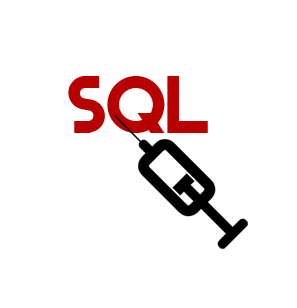
- A SQL injection injects a line or two of code into an application through text boxes such as password and username input boxes. The code then runs and disrupts the system.
- Preventing SQL attacks: Validation of input data fields//Penetration testing
Data Interception
- The effects include: Discovering usernames and passwords//Gaining access to systems//Theft of data//Disclosure of corporate data
- Things that prevent it are: Strong encryption//Using virtual networks (VPNs)//Network Forensics//Staff Training
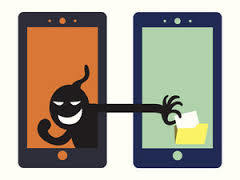
- What is Data Interception? A data interception is where a hacker monitors data streams to and from a target usually using a data sniffer packet.
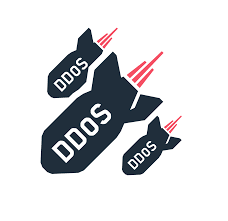
Denial of service attack
- Prevention: Strong security software//Packet filters on routers//Configuration of the webserver//Good network policy:audits,logs,montors
- What it is: Flooding a server with so much useless traffic that it becomes overloaded and unresponsive to legitimate client requests.
- Effects of a denial of service attack: Reputation damage//Productivity loss//Revenue losses
- Reputation damage= your brand suffers if clients can't access your site or become casualties of a data breach
- Productivity loss= When critical network systems are shut down, your network grinds to a halt.
- Revenue Losses= downtime (when your company can't work due to a DEDOS attack) negatively effects profit
Phishing
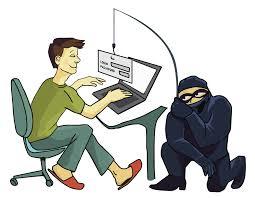
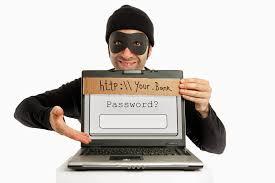
- What is Phishing? Phishing is an online attempt to obtain personal information eg. usernames, passwords and bank details. They do this by sending emails that lure recipients into giving away personal details and information by pretending to be legitimate and trusted institutions.
- Phishing can cause cyber criminals to have access to high value corporate information and personal bank accounts meaning they can easily use and wthdraw funds from victims. Companies can also be blacklisted and blocked from using a financial service if they do not protect data properly which can damage reputations.
- To prevent Phishing the main thing to do is educate staff and to install strong security software.
Malware
- Effects of Malware- The computer crashes, reboots spontaneously or slows down. Malware can also cause connections to be slower, it can encrypt or delete files and scarily, it can save every key you've pressed and record what you have been doing on your computers for hackers to see.
- What is Malware? Malware is software written to infect and spread between computers to commit crimes such as identity theft and fraud. If a computer is used for shopping, gaming, messaging, banking, or even web surfing, without the right protection your PC is at risk.
- Scareware- designed to trick users into downloading and buying dangerous and unnecessary software.
- Worms- slow down internet connection while searching for other computers to infect.
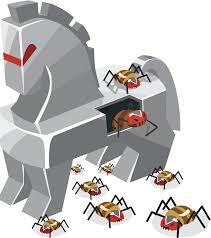
- Trojan horse program- Piggy backs in on another piece of software so it's not detected
- To prevent malware you could: use strong security software and update it regularly, enable OS updates, back up files regularly, and train yourself and staff to be cautious when using the internet and opening attachments.
- Antivirus software
Brute Force Attack
- A brute force attack can mean somebody has access to your accounts and private or corporate computer systems. Cyber Criminals can also steal data by using a brute force attack.
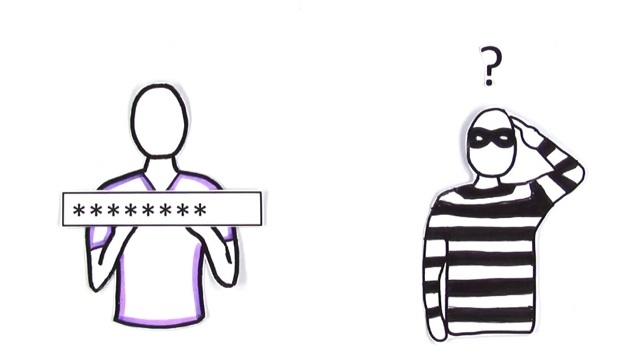
- The ways to prevent a brute force attack include reCapture// network lock out policy after a number of failed password attempts// Clicking I am not a robot// Effective software: progressive delays// and most importantly staff training- e.g changing your password every month or so.
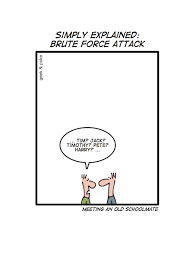
- A brute force attack is where a person (either manually or by using software) guesses your password multiple times until it gets it right, trying multiple combinations. It can take days, years or even decades which is why it's important to keep updating your password
Imágenes y archivos del mapa


Información
- Descripción
- GCSE Computing Mapa Mental sobre System Threats, creado por Sophie Payne el 12/05/2017.
- Creado por
- Sophie Payne
- Visitas
- 1
- Historial
-
- Creado por Sophie Payne · 5 may 2017
- Copiado por Sophie Payne · 12 may 2017
- Valoración