
Mind map
(11)Fortigate security-DLP Filters
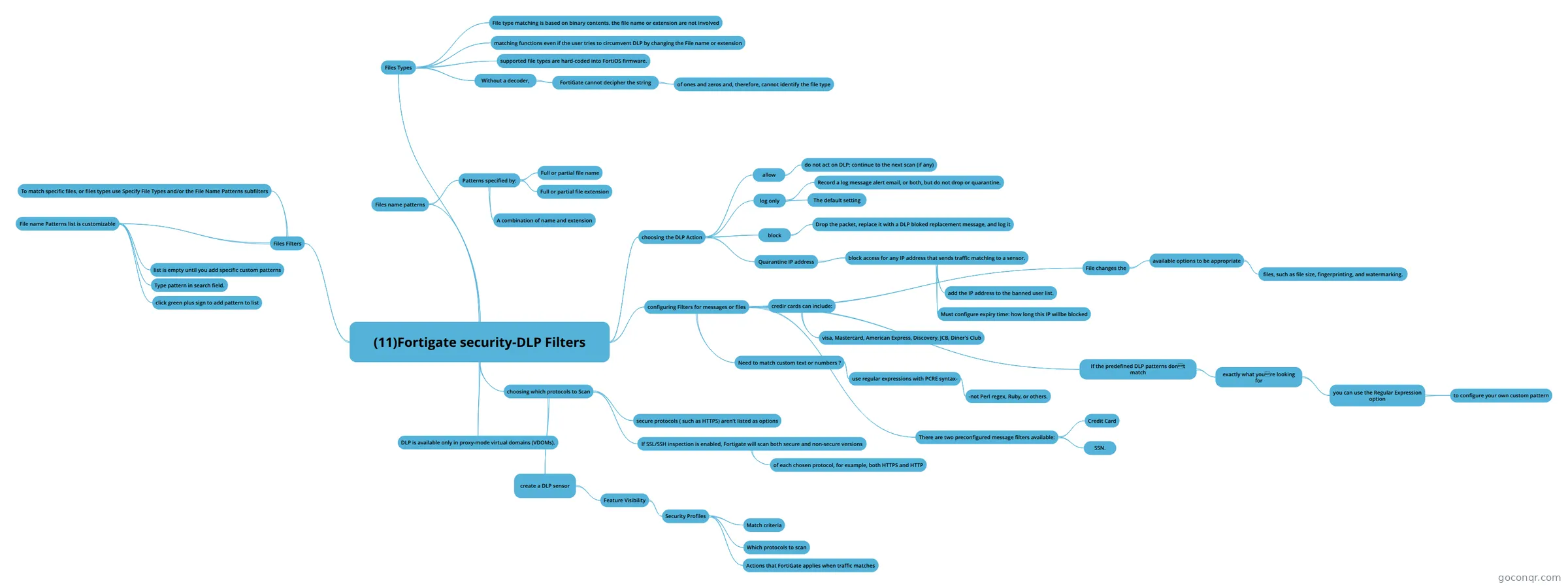
Mind map: Fortigate security DLP filters
Map content
(11)Fortigate security-DLP Filters
choosing which protocols to Scan
- secure protocols ( such as HTTPS) aren't listed as options
- If SSL/SSH inspection is enabled, Fortigate will scan both secure and non-secure versions
- of each chosen protocol, for example, both HTTPS and HTTP
- create a DLP sensor
- Feature Visibility
- Security Profiles
- Match criteria
- Which protocols to scan
- Actions that FortiGate applies when traffic matches
- Security Profiles
- Feature Visibility
DLP is available only in proxy-mode virtual domains (VDOMs).
choosing the DLP Action
- allow
- do not act on DLP; continue to the next scan (if any)
- log only
- Record a log message alert email, or both, but do not drop or quarantine.
- The default setting
- block
- Drop the packet, replace it with a DLP bloked replacement message, and log it
- Quarantine IP address
- block access for any IP address that sends traffic matching to a sensor.
- add the IP address to the banned user list.
- Must configure expiry time: how long this IP willbe blocked
- block access for any IP address that sends traffic matching to a sensor.
- allow
configuring Filters for messages or files
- credir cards can include:
- visa, Mastercard, American Express, Discovery, JCB, Diner's Club
- Need to match custom text or numbers ?
- use regular expressions with PCRE syntax-
- -not Perl regex, Ruby, or others.
- use regular expressions with PCRE syntax-
- There are two preconfigured message filters available:
- Credit Card
- SSN.
- If the predefined DLP patterns dont match
- exactly what youre looking for
- you can use the Regular Expression option
- to configure your own custom pattern
- you can use the Regular Expression option
- exactly what youre looking for
- File changes the
- available options to be appropriate
- files, such as file size, fingerprinting, and watermarking.
- available options to be appropriate
- credir cards can include:
Files name patterns
- Patterns specified by:
- Full or partial file name
- Full or partial file extension
- A combination of name and extension
- Patterns specified by:
Files Types
- File type matching is based on binary contents. the file name or extension are not involved
- matching functions even if the user tries to circumvent DLP by changing the File name or extension
- supported file types are hard-coded into FortiOS firmware.
- Without a decoder,
- FortiGate cannot decipher the string
- of ones and zeros and, therefore, cannot identify the file type
- FortiGate cannot decipher the string
Files Filters
- To match specific files, or files types use Specify File Types and/or the File Name Patterns subfilters
- File name Patterns list is customizable
- list is empty until you add specific custom patterns
- Type pattern in search field.
- click green plus sign to add pattern to list
Information
- Description
- Mind Map on (11)Fortigate security-DLP Filters, created by Eduardo Godoy Flores on 03/07/2019.
- Created by
- Eduardo Godoy Flores
- Views
- 0
- Rating