
Mind map
Assistive Technology - Read & Write Software
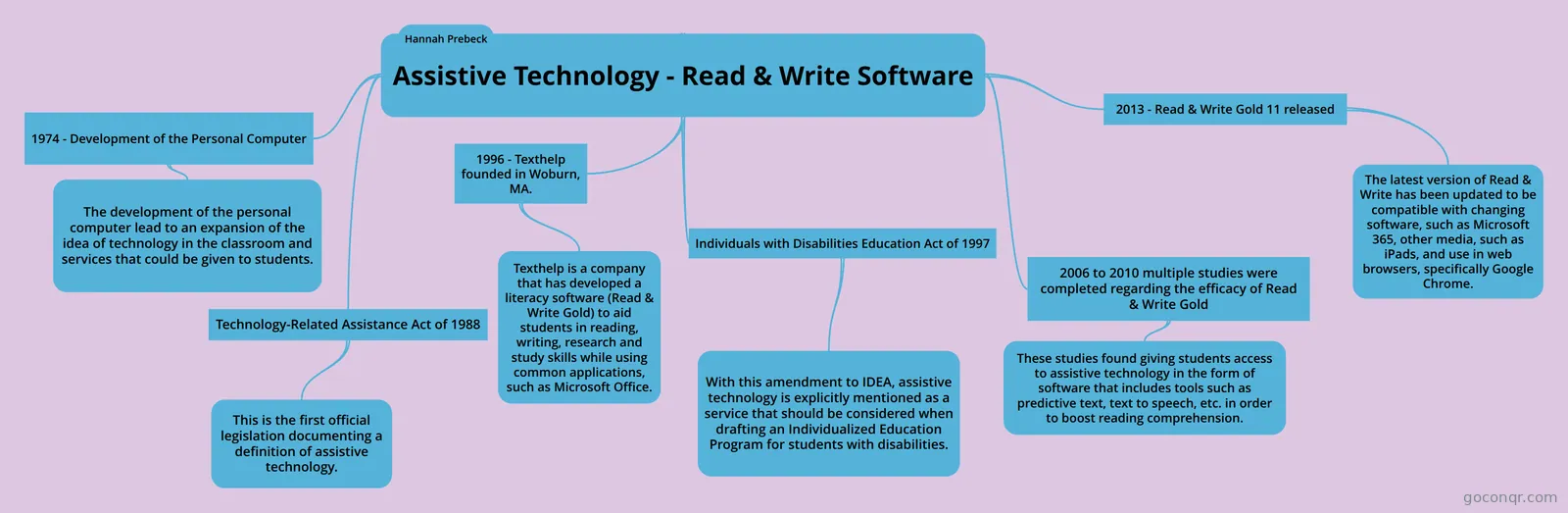
Mind map: Assistive technology Read & Write software
Map content
Assistive Technology - Read & Write Software
Technology-Related Assistance Act of 1988
- This is the first official legislation documenting a definition of assistive technology.
- Buffalo University. (2005). Assistive technology legislation. Assistive Technology Training Online Project. Retrieved from http://atto.buffalo.edu/registered/ATBasics/Foundation/Laws/atlegislation.php#Tech National Center on Accessible Educational Materials. (2015). Assistive technology. Retrieved from http://aem.cast.org/supporting/assistive-technology.html#.VglAW_Q3mT9
- This is the first official legislation documenting a definition of assistive technology.
1996 - Texthelp founded in Woburn, MA.
- Texthelp is a company that has developed a literacy software (Read & Write Gold) to aid students in reading, writing, research and study skills while using common applications, such as Microsoft Office.
- Common Sense Media. (2015). Read & write gold 11. Retrieved from https://www.commonsensemedia.org/website-reviews/read-write-gold-11 Texthelp Ltd. (2015). Read & Write for windows. Retrieved from http://texthelp.com/North-America/Our-products/Readwrite Texthelp Ltd. (2015). About texthelp. Retrieved from http://www.texthelp.com/North-America/About-Texthelp/
- Texthelp is a company that has developed a literacy software (Read & Write Gold) to aid students in reading, writing, research and study skills while using common applications, such as Microsoft Office.
Individuals with Disabilities Education Act of 1997
- With this amendment to IDEA, assistive technology is explicitly mentioned as a service that should be considered when drafting an Individualized Education Program for students with disabilities.
- Buffalo University. (2005). Assistive technology legislation. Assistive Technology Training Online Project. Retrieved from http://atto.buffalo.edu/registered/ATBasics/Foundation/Laws/atlegislation.php#Tech Wendt, O. & Lloyd, L. L. (October, 2011). Augmentative and alternative communications perspectives volume 4: Assistive technology: Principles and applications for communication disorders and special education. United Kingdom: Emerald Insight.
- With this amendment to IDEA, assistive technology is explicitly mentioned as a service that should be considered when drafting an Individualized Education Program for students with disabilities.
2006 to 2010 multiple studies were completed regarding the efficacy of Read & Write Gold
- These studies found giving students access to assistive technology in the form of software that includes tools such as predictive text, text to speech, etc. in order to boost reading comprehension.
- Lange, A. A., McPhillips, M., Mulhern, G., & Wylie, J. (2006). Assistive software tools for secondary-level students with literacy difficulties. Journal of Special Education Technology, 21(3), 13-22. Phayer, J. (2010). The Road to Success: How Does the Use of the Text to Speech Application, Read and Write Gold, Help College Students with Dyslexia?. Special Education Technology Practice, 12(1), 22-29.
- These studies found giving students access to assistive technology in the form of software that includes tools such as predictive text, text to speech, etc. in order to boost reading comprehension.
1974 - Development of the Personal Computer
- The development of the personal computer lead to an expansion of the idea of technology in the classroom and services that could be given to students.
- History.com staff. (2011). Invention of the PC. Retrieved from http://www.history.com/topics/inventions/invention-of-the-pc. Wendt, O. & Lloyd, L. L. (October, 2011). Augmentative and alternative communications perspectives volume 4: Assistive technology: Principles and applications for communication disorders and special education. United Kingdom: Emerald Insight.
- The development of the personal computer lead to an expansion of the idea of technology in the classroom and services that could be given to students.
2013 - Read & Write Gold 11 released
- The latest version of Read & Write has been updated to be compatible with changing software, such as Microsoft 365, other media, such as iPads, and use in web browsers, specifically Google Chrome.
- Holzberg, C. S. (2013). READ&WRITE GOLD FOR PC VERSION 11. Tech & Learning, 34(2), 24. Texthelp Ltd. (2015). Read&Write for Windows Retrieved from http://www.texthelp.com/North-America/Our-products/Readwrite/Features-PC
- The latest version of Read & Write has been updated to be compatible with changing software, such as Microsoft 365, other media, such as iPads, and use in web browsers, specifically Google Chrome.
Hannah Prebeck